
1. Safety Information
Please read and understand this entire manual before attempting to assemble, operate, or install the product. Failure to follow these instructions could result in electric shock, fire, or serious personal injury.
- Electrical Safety: All electrical connections must be in accordance with local codes, ordinances, or national electrical codes. If you are unfamiliar with wiring, consult a qualified electrician.
- Mounting: Ensure the mounting structure can support the weight of the fan (approximately 14.26 pounds). The fan must be mounted with a minimum of 7 feet (2.1 meters) clearance from the floor to the blade trailing edge.
- Blade Clearance: Maintain a minimum of 30 inches (76 cm) clearance from the blade tips to any walls or obstructions.
- Power Disconnection: Always disconnect power at the main circuit breaker before performing any installation, maintenance, or troubleshooting.
- Light Kit: Do not attempt to replace the LED light kit. It is designed for long-term use.
2. Package Contents
Verify that all components listed below are included in your package:
- Ceiling Fan Motor Housing
- 3 ABS Blades
- LED Light Kit (15W)
- Remote Control
- Mounting Bracket
- Hardware Pack (screws, wire nuts, etc.)
- User Manual (this document)

Image: Overview of the Chriari 52 Inch Ceiling Fan and its remote control, highlighting key features like light control, 6 wind speeds, timer, and reversible function.
3. Installation Instructions
Before beginning installation, ensure the power is turned off at the circuit breaker. It is recommended to have two people for installation.
- Attach Mounting Bracket: Securely attach the mounting bracket to the junction box in the ceiling. Ensure the junction box is rated for ceiling fan support.
- Connect Wiring: Carefully connect the electrical wires from the ceiling to the fan's wiring according to the wiring diagram provided in the included user manual. Use appropriate wire nuts to secure connections.
- Mount Fan Body: Lift the fan body and align it with the mounting bracket. Rotate the fan body along the arrow to secure it to the bracket. Ensure it is firmly locked in place.
- Attach Blades: Securely attach the three ABS blades to the motor housing using the provided screws.
- Install Light Kit: Connect the light kit wiring and attach the LED light kit to the bottom of the fan motor housing.

Image: Visual guide showing three steps for ceiling fan installation: attaching the mounting bracket, connecting wires, and securing the fan body.
Installation Video Guide
Video: A detailed video guide demonstrating the installation process for the Chriari ceiling fan. This video covers mounting, wiring, and assembly steps.
4. Operating Instructions
Your Chriari ceiling fan is controlled by the included remote. Ensure the remote has working batteries (not included).
Remote Control Functions
- Fan ON/OFF: Press the fan button to turn the fan on or off.
- Fan Speed: Use the '1' through '6' buttons to select desired fan speed. '1' is the lowest speed (sleeping wind), '6' is the highest speed (strong wind).
- Light ON/OFF: Press the light button to turn the light on or off.
- Light Color Temperature: Cycle through 3000K (warm light), 4500K (natural light), and 6500K (cold light) by pressing the light color temperature button.
- Light Dimming: Hold the light button to dim or brighten the light.
- Timer: Set the fan to turn off automatically after 2, 4, or 6 hours using the timer buttons.
- Reversible Function: Press the reversible function button to change the direction of the fan blades. This allows for downdraft (summer mode) to keep rooms cool or updraft (winter mode) to circulate warm air.
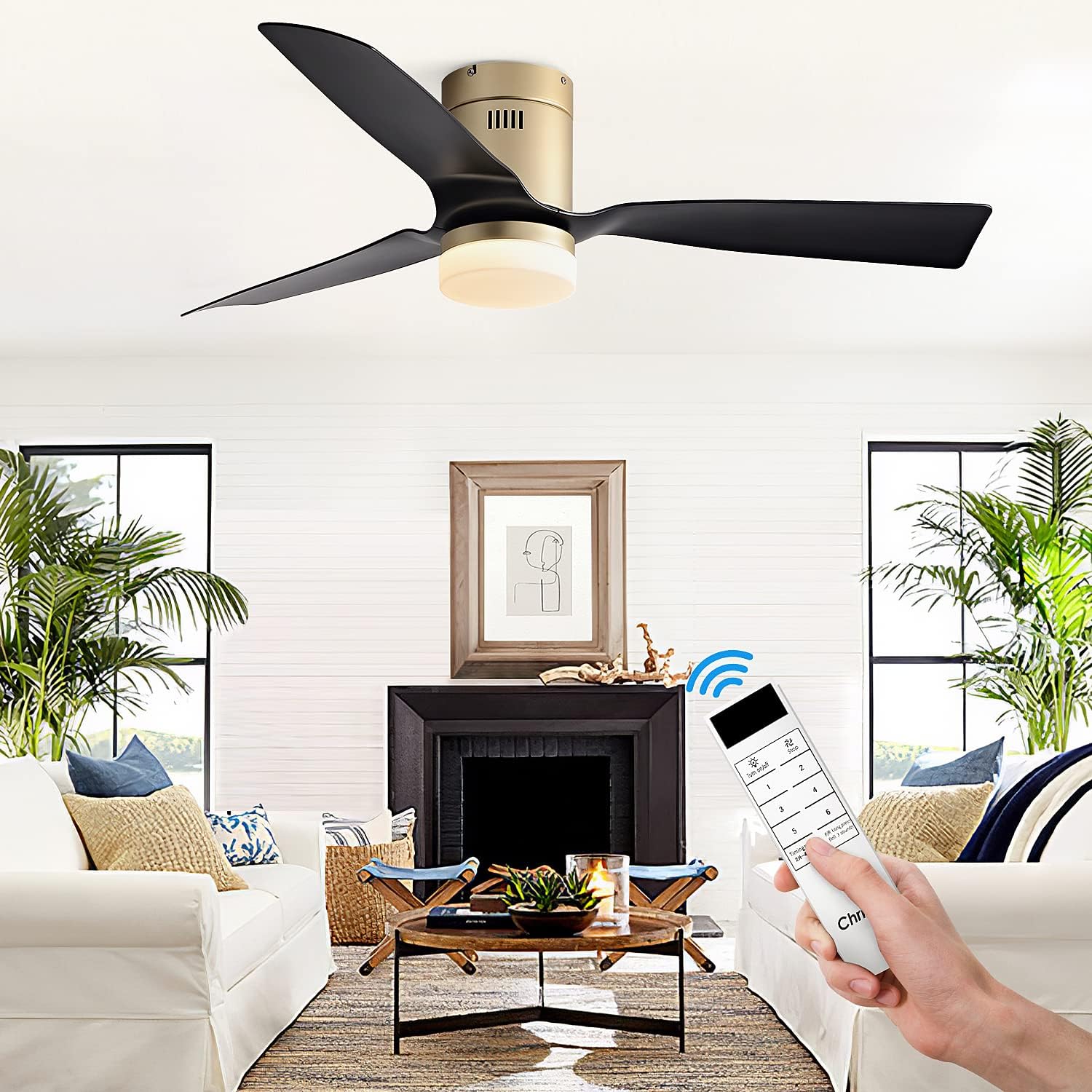
Image: A hand holding the remote control for the Chriari ceiling fan, demonstrating its wireless operation.

Image: Illustration of the 6 wind speed settings, categorized into sleeping, natural, and strong wind for different comfort levels.

Image: The ceiling fan light displaying its three adjustable color temperatures: warm (3000K), natural (4500K), and cold (6500K) light.

Image: Diagram illustrating the reversible function of the fan, showing downdraft for summer cooling and updraft for winter heat circulation.
Operation Video Guide
Video: A comprehensive video demonstrating the various operating functions of the Chriari ceiling fan, including speed adjustments, light control, and reversible mode.
5. Maintenance
Regular maintenance ensures optimal performance and longevity of your ceiling fan.
- Cleaning: To clean the fan, wipe with a soft, damp cloth. Do not use abrasive cleaners or solvents, as these may damage the finish or electrical components.
- Blade Care: Periodically check the blades for dust accumulation. Clean them gently to maintain balance and airflow.
- Tightness: Check all screw connections on the fan and mounting hardware at least twice a year. Ensure they are properly tightened.
- No Lubrication: The DC motor is permanently lubricated and does not require oiling.
6. Troubleshooting
If you experience issues with your ceiling fan, refer to the following common problems and solutions:
| Problem | Possible Cause | Solution |
|---|---|---|
| Fan does not start | No power to the fan | Check circuit breaker and wall switch. Ensure all wiring connections are secure. |
| Remote control not working | Dead batteries or remote not paired | Replace remote batteries. Refer to the full user manual for remote pairing instructions. |
| Fan makes noise | Loose screws or unbalanced blades | Check and tighten all screws on the fan body and blades. Ensure blades are properly installed and balanced. |
| Light not working | Loose wiring or LED kit issue | Check light kit wiring connections. If the issue persists, contact customer support. |
| Fan wobbles | Loose mounting or unbalanced blades | Ensure the mounting bracket is securely fastened to the ceiling. Check blade tightness and balance. |
If you encounter a problem not listed here or if the suggested solutions do not resolve the issue, please contact Chriari customer support.
7. Specifications
Detailed technical specifications for your Chriari ceiling fan:
- Brand: Chriari
- Model Name: SP-07
- Item Model Number: SP20220921006
- Size: 52 inches
- Color: Black ABS
- Material: High Quality ABS
- Style: Modern
- Product Dimensions: 52"L x 11.82"W x 9.06"H
- Item Weight: 14.26 pounds (6.48 Kilograms)
- Indoor/Outdoor Usage: Indoor, Outdoor (IP4 Water Resistant)
- Power Source: DC
- Motor: 45W DC Motor, Reversible, Low Noise (≤35dB)
- Fan Speeds: 6-speed
- Airflow: Minimum speed 1-speed/4568CFM, Maximum speed 6-speed/6785CFM
- Light Source Type: LED
- Light Kit: 15W LED Light Kit
- Light Color Temperature: Dimmable, 3000K-6500K (Yellow, Neutral, White Light)
- Light Output Maximum: 2000 Lumens
- Control Method: Remote Control
- Special Features: 2-4-6 hours Timer Setting, ABS Blades, Remote Controlled, Reversible DC Motor
- Certification: ETL, CSA

Image: Diagram showing the key dimensions of the 52-inch Chriari ceiling fan with light.

Image: Illustration comparing the low noise level (≤35dB) of the Chriari fan to other common sounds.
8. Warranty and Support
Chriari is committed to providing qualified products and excellent services.
- Warranty: All Chriari products come with an 18-month worry-free warranty.
- Replacements: Free replacement services are available for eligible issues.
- Technical Support: 24-hour online technical support is provided.
- Contact: For any issues during use or installation, please contact Chriari customer support.

Image: The Chriari brand logo, representing the manufacturer.