
1. Product Overview & Features
The COSLUS Water Dental Flosser is a portable and rechargeable oral irrigator designed for effective teeth cleaning and improved gum health. It utilizes advanced dual-thread water pulse technology to remove plaque and food debris.

Figure 1: COSLUS Water Dental Flosser and included accessories.
Key Features:
- Deep Clean & Gum Health: Advanced 0.3mm+0.3mm ultra-fine dual-thread water pulse technology (1400-1800 pulses/minute) effectively removes 3x more plaque.
- Large Water Tank: Upgraded 300ml detachable water tank, reducing the need for frequent refills. BPA-free material.
- Long Battery Life: Powerful rechargeable battery provides up to 30 days of use on a 3-hour charge. Portable for travel.
- IPX7 Waterproof: Allows for easy cleaning and safe use in the shower. Designed for over 3 years of lifespan.
- Multiple Modes & Tips: Features Clean, Soft, and Massage modes to suit different oral conditions. Includes 5 interchangeable tips (Standard Jet, Periodontal Jet, Orthodontic, Tongue Cleaner).
2. Setup
Before first use, ensure the device is fully charged and familiarize yourself with its components.
Initial Charging:
- Locate the charging port cover at the bottom of the device.
- Open the cover and insert the provided USB charging cable.
- Connect the USB cable to any 5V adapter (not included).
- Charge for approximately 3 hours until the battery indicator shows full charge.
Attaching a Tip:
- Select the desired tip (e.g., Standard Jet Tip for daily cleaning).
- Insert the tip into the hole at the top of the flosser handle until it clicks securely into place.

Figure 2: Visual guide for adding water and inserting the tip.
Filling the Water Tank:
- Detach the water tank from the main unit by sliding it down.
- Fill the tank with warm water or mouthwash.
- Reattach the water tank to the main unit, ensuring it is securely locked.

Figure 3: Detachable 300ml water tank for easy refilling.
3. Operating Instructions
Follow these steps for effective and safe oral irrigation.
Usage Steps:
- Ensure the water tank is filled and the desired tip is attached.
- Select your preferred mode (Clean, Soft, or Massage) using the "Mode" button. For first-time users or sensitive gums, start with 'Soft' mode.
- Place the jet tip into your mouth, directing it towards your gumline at a 90-degree angle.
- Press the "On/Off" button to start the water flow. Keep your mouth closed slightly to prevent splashing.
- Guide the water jet along your gumline, pausing briefly between teeth to allow water to clean thoroughly.
- After use, press the "On/Off" button to turn off the device.
Video 1: Demonstrates the setup and basic operation of the COSLUS Water Dental Flosser.
Important Safety Information:
- Ensure the base cover is closed tightly before use to maintain IPX7 waterproofing.
- For first-time use, set to 'Soft' mode and keep your mouth closed to let your gums gradually adapt to the water pressure.
4. Maintenance
Proper maintenance ensures the longevity and hygiene of your water flosser.
Cleaning the Device:
- After each use, empty any remaining water from the tank.
- Rinse the water tank thoroughly with clean water.
- The device is IPX7 waterproof, allowing for easy cleaning under running water.
- Periodically clean the tips by rinsing them under water.
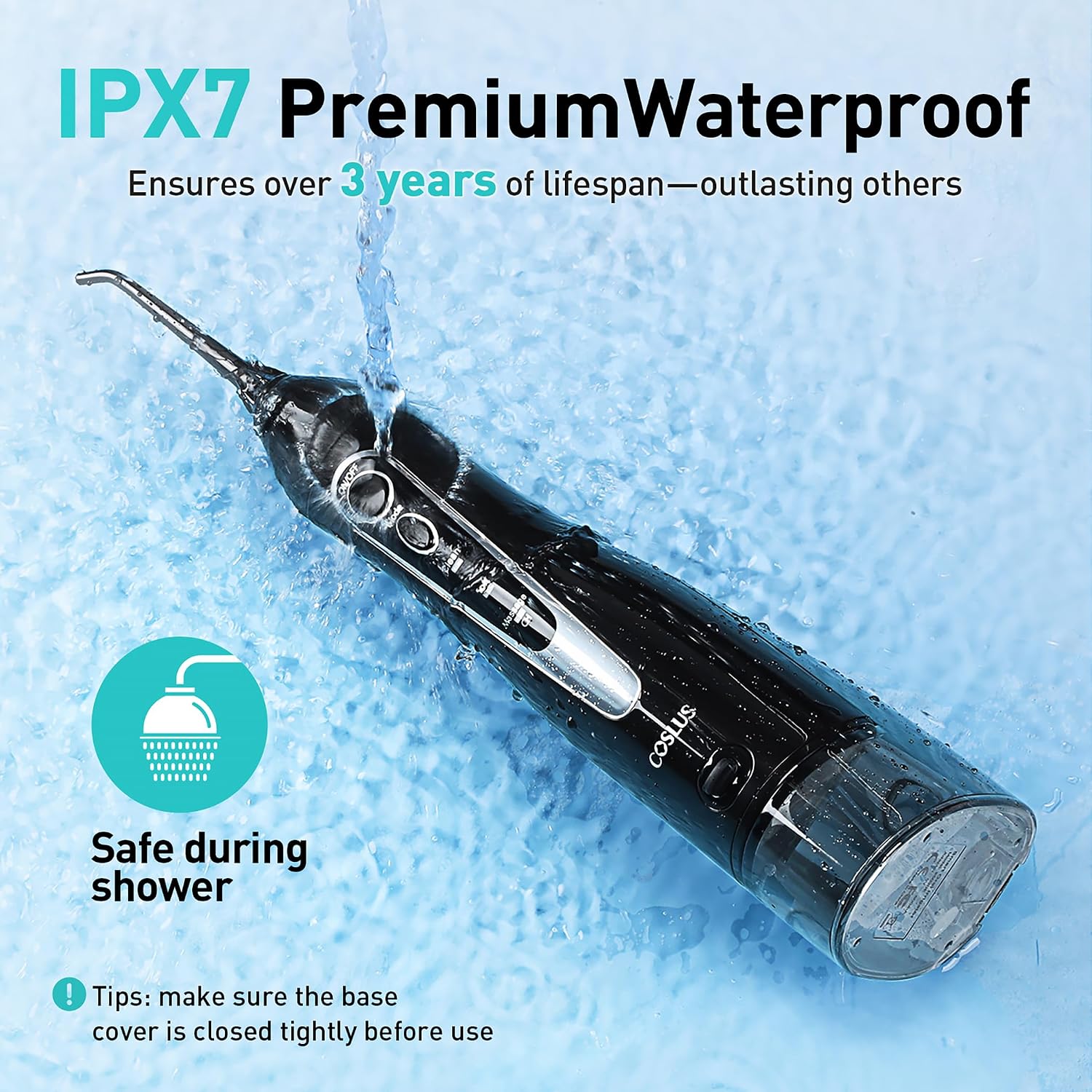
Figure 4: The IPX7 waterproof rating allows for safe cleaning under water.
Storage:
- Store the device in a cool, dry place away from direct sunlight.
- Ensure the water tank is empty and dry before storing for extended periods.
5. Troubleshooting
Common issues and their solutions.
| Problem | Possible Cause | Solution |
|---|---|---|
| Device not turning on | Low battery; Power button not pressed correctly. | Charge the device fully; Ensure power button is pressed firmly. |
| Weak water pressure | Low battery; Water tank empty; Tip clogged. | Charge the device; Refill water tank; Clean or replace the tip. |
| Water leaking from tank | Tank not properly attached; Damaged seal. | Reattach tank securely; Contact customer support if seal is damaged. |
6. Specifications
| Feature | Detail |
|---|---|
| Product Dimensions | 9.05 x 3.54 x 2.36 inches; 15.2 ounces |
| Item Model Number | C20(F5020E) |
| Batteries | 1 AA batteries required (included) |
| Water Tank Capacity | 300ml |
| Water Pulse Technology | 0.3mm+0.3mm ultra-fine dual-thread |
| Water Pressure Pulses | 1400-1800 times per minute |
| Waterproof Rating | IPX7 |
| Power Source | Battery Powered |
| Manufacturer | COSLUS |
| Country of Origin | China |
7. Warranty & Support
COSLUS provides a 3-year durability for its wireless water dental pick, surpassing similar products.
For detailed warranty information, troubleshooting beyond this manual, or customer support, please refer to the official User Manual (PDF) or User Guide (PDF) provided with your product, or visit the COSLUS Store on Amazon.
- User Guide (PDF): Download Here
- User Manual (PDF): Download Here


