
TOMLOV DM202 Max
TOMLOV DM202 Max 10.1-inch HDMI Digital Microscope User Manual
Model: DM202 Max
Brand: TOMLOV
Introduction
This user manual provides detailed instructions for the setup, operation, maintenance, and troubleshooting of your TOMLOV DM202 Max Digital Microscope. Please read this manual thoroughly before using the device to ensure proper functionality and to maximize your experience.
1. Setup
1.1 Package Contents
Verify that all items listed below are included in your package. If any items are missing or damaged, please contact customer support.
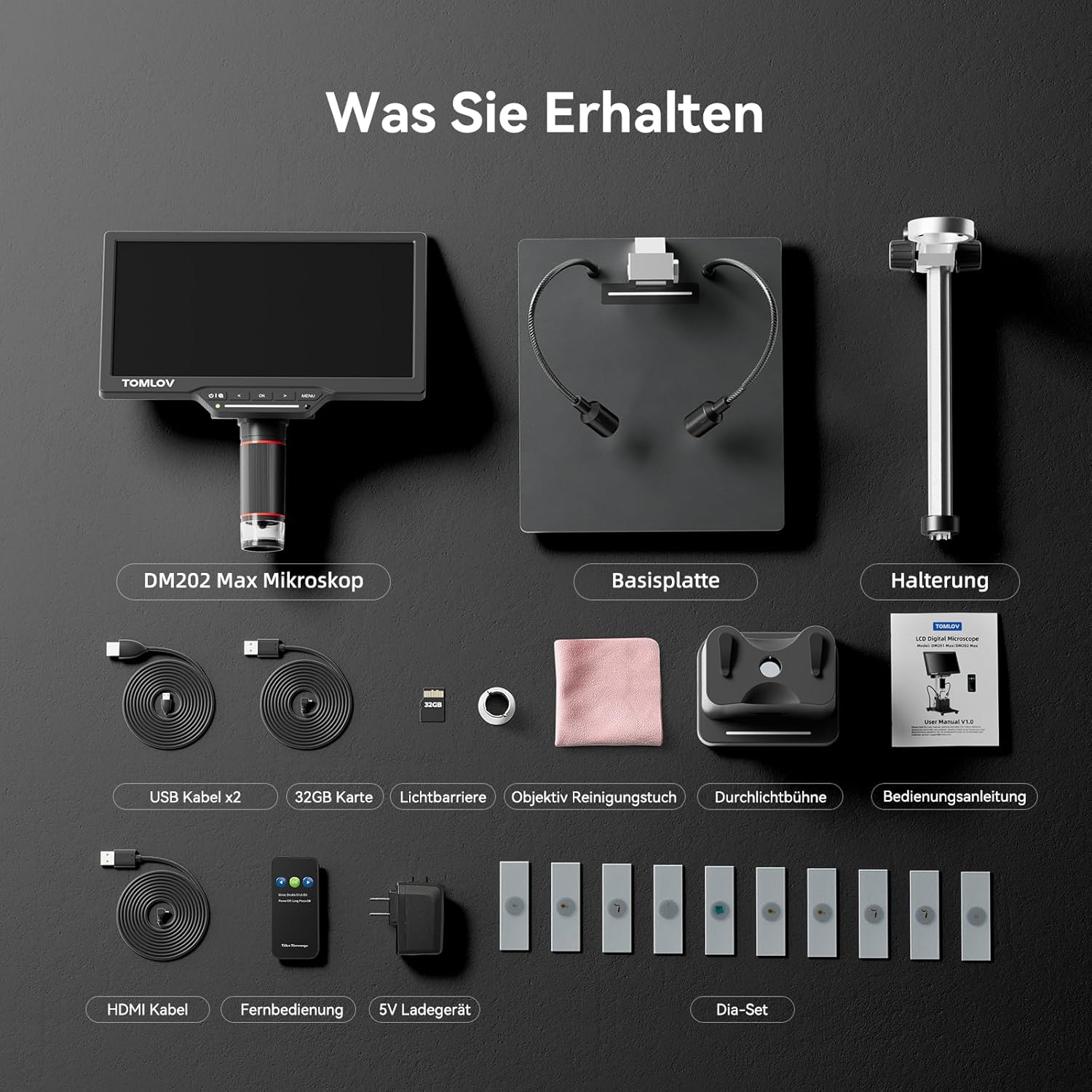
Image: Overview of the TOMLOV DM202 Max package contents.
- TOMLOV DM202 Max 10.1-inch Microscope x1
- Base Plate x1
- Bracket x1
- HDMI Cable x1
- USB Cable x1
- Lens Cleaning Cloth x1
- Light Shield x1
- Transmitted Light Stage & Slide Kits x1
- 5V Charger x1
- Remote Control x1
- 32GB MicroSD Card x1 (pre-installed or separate)
1.2 Assembly Instructions
Follow these steps to assemble your digital microscope:
- Attach the main microscope unit to the bracket. Ensure it is securely fastened.
- Mount the bracket assembly onto the base plate. Tighten all screws to ensure stability.
- Connect the flexible LED lights to the designated ports on the base, if applicable.
- Insert the 32GB MicroSD card into the card slot on the microscope unit.
- Connect the power adapter to the microscope and plug it into a power outlet.
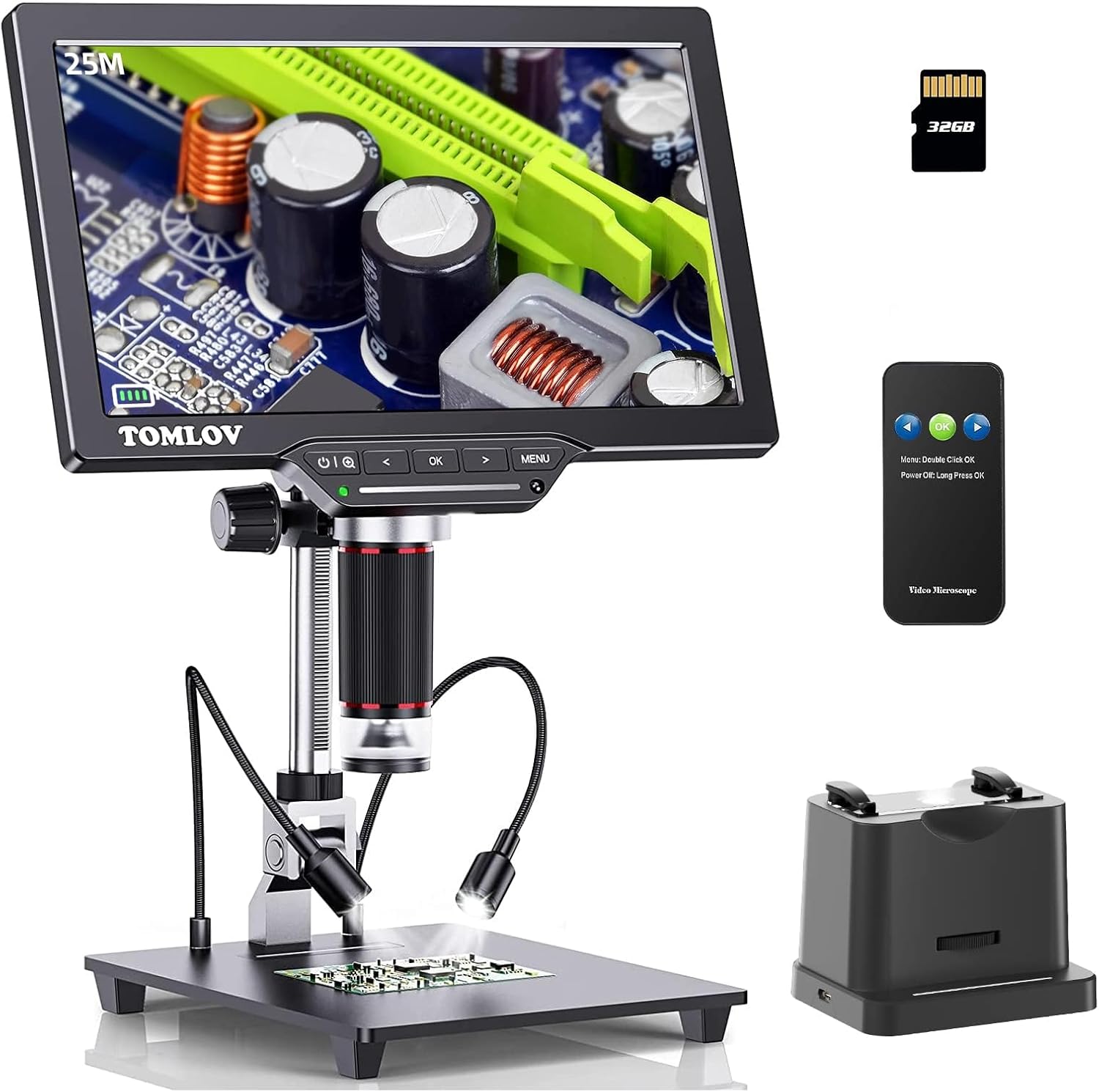
Image: Fully assembled TOMLOV DM202 Max Digital Microscope.
2. Operating Instructions
2.1 Power On/Off
Press and hold the power button located on the microscope unit to turn the device on or off. The 10.1-inch IPS screen will illuminate upon startup.

Image: The impressive 10.1-inch IPS screen of the microscope.
2.2 Adjusting Magnification (3X-1500X)
Rotate the focus knob on the side of the microscope to adjust the magnification from 3X to 1500X. The extended 10-inch stand allows for a maximum distance of 6.3 inches between the lens and the base, facilitating the viewing of larger objects like entire coins.

Image: Demonstrating the wide magnification range from 3X to 1500X.

Image: The improved 10-inch stand and larger base for enhanced flexibility.
2.3 Adjusting Lighting
The microscope features intelligent touch-controlled LED lights. Adjust brightness by swiping across the touch bar or tap to turn lights on/off. For transparent or semi-transparent samples, utilize the transmitted light base for illumination from below.

Image: Intelligent touch-controlled LED lighting adjustment.

Image: Utilizing the transmitted light base for observing transparent samples.
2.4 Connecting to PC/TV (HDMI/USB Output)
The DM202 Max supports HDMI output for displaying images on a larger screen, such as a TV or monitor, and USB output for connecting to a PC. This allows for detailed exploration and sharing of microscopic views.
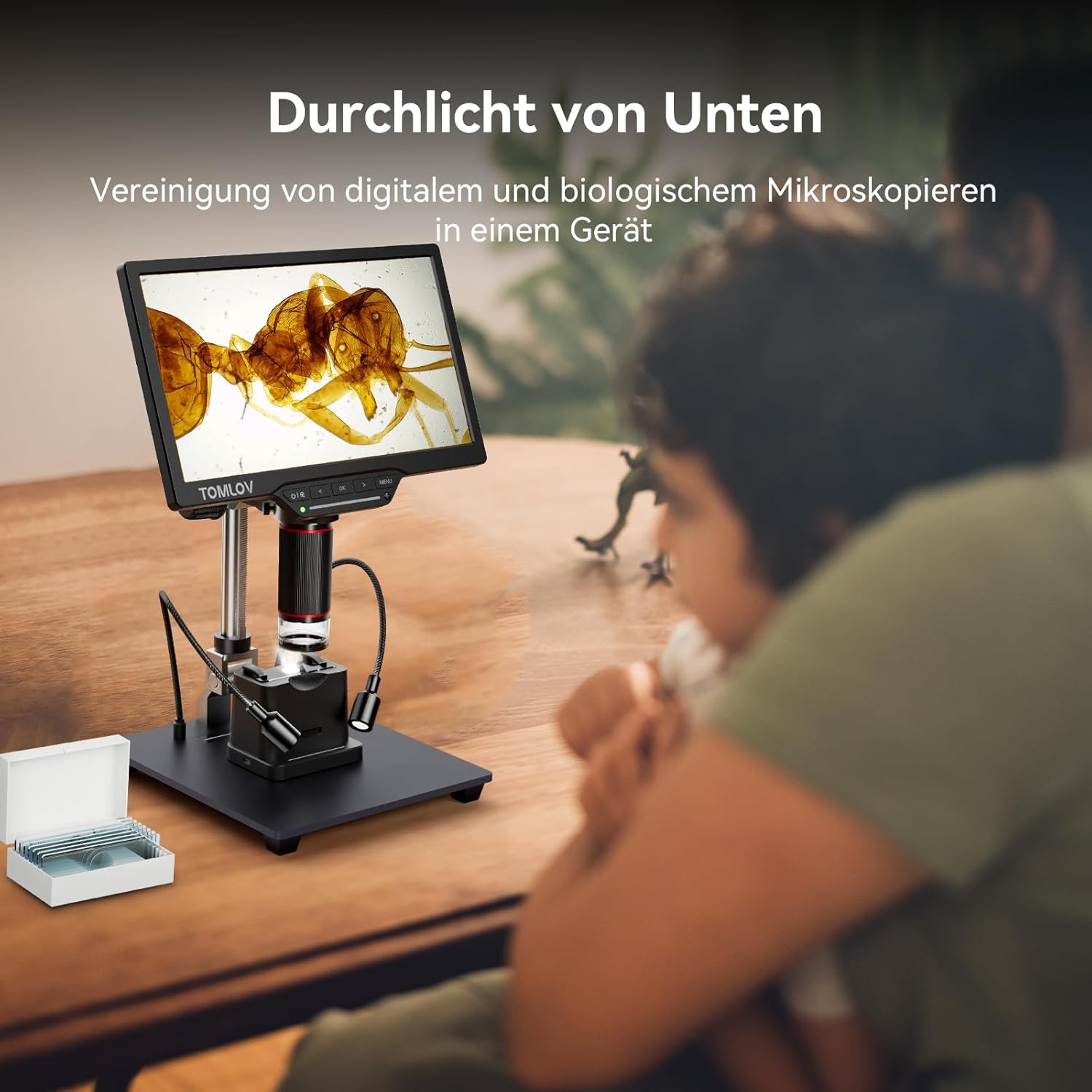
Image: HDMI and USB connectivity for larger displays and PC compatibility.
2.5 Capturing Images and Videos
Equipped with a 25MP HD camera, the microscope can capture high-resolution images and record UHD 1080P videos at 30fps. The included 32GB MicroSD card provides ample storage for your observations. Use the dedicated buttons on the microscope or the remote control to capture photos and start/stop video recording.

Image: The included 32GB MicroSD card for easy storage.

Image: Remote control for convenient image and video capture.
3. Maintenance
Proper maintenance ensures the longevity and optimal performance of your microscope.
- Cleaning the Lens: Use the provided lens cleaning cloth or a soft, lint-free cloth specifically designed for optical surfaces. Gently wipe the lens to remove dust or smudges. Avoid using abrasive materials or harsh chemicals.
- Cleaning the Screen: Wipe the IPS screen with a soft, dry cloth. For stubborn marks, a slightly damp cloth with water can be used, followed by a dry wipe.
- General Care: Keep the microscope in a clean, dry environment away from direct sunlight and extreme temperatures. When not in use, cover the microscope to protect it from dust.
4. Troubleshooting
This section addresses common issues you might encounter with your TOMLOV DM202 Max microscope.
| Problem | Possible Cause | Solution |
|---|---|---|
| No image on screen / Screen is black. | Device is not powered on; power cable is loose; screen brightness is too low. | Ensure the power cable is securely connected and the device is turned on. Adjust screen brightness. |
| Image is blurry or out of focus. | Focus knob not adjusted; object too far/close from lens. | Rotate the focus knob to achieve a clear image. Adjust the distance between the object and the lens. |
| Audio noise (beeping) during video recording when LEDs are dimmed. | Interference from LED dimming circuit. | Increase LED brightness to full, or use external lighting if dimmed LEDs cause interference. |
| Microscope unit cannot be mounted securely. | Deformed mounting part. | Inspect the mounting bracket for any deformation. If damaged, contact customer support for assistance. |
| Cannot save images/videos. | MicroSD card is full, corrupted, or not inserted correctly. | Check if the MicroSD card is properly inserted. Format the card (this will erase all data) or replace it if it's full or corrupted. |
5. Specifications
| Feature | Detail |
|---|---|
| Model Name | DM202 Max |
| Screen Size | 10.1 inches IPS |
| Magnification | 3X to 1500X |
| Camera Resolution | 25MP HD |
| Video Resolution | UHD 1080P @ 30fps |
| Output Ports | HDMI, USB |
| Storage | 32GB MicroSD Card (included) |
| Stand Height | Extended 10-inch (max 6.3" working distance) |
| Lighting | Intelligent Touch-Controlled LED, Transmitted Light Base |
| Power Source | 5V Charger (included), 1 Lithium-Ion Battery (included) |
| Dimensions (Product) | 42L x 32W x 10H cm |
| Weight (Product) | 2.2 Kilograms |
6. Warranty Information
The TOMLOV DM202 Max Digital Microscope comes with a 2-Year Manufacturer's Warranty. This warranty covers defects in materials and workmanship under normal use. Please retain your proof of purchase for warranty claims. For detailed terms and conditions, refer to the warranty card included in your package or contact TOMLOV customer support.
7. Customer Support
If you encounter any issues, have questions about your product, or require assistance, please do not hesitate to contact our customer support team. Providing a photo of the product and a description of the problem can help us resolve your inquiry quickly.
For missing accessories or defective devices, please reach out to us directly. Our team is dedicated to providing high-quality support and solutions.
You can often find contact information on the TOMLOV official website or through the platform where you purchased the product.
Related documentsDM202 Max


Ask a question about this manual
Ask about setup, troubleshooting, compatibility, parts, safety, or missing instructions. Manuals+ will review the question and use this page’s manual context to help answer it.