
Introduction
Thank you for choosing the Ajazz K3 96-Key Wired Gaming Keyboard. This manual provides detailed instructions for setting up, operating, and maintaining your new keyboard. Designed for gaming and typing, the K3 features a compact 96% layout, responsive mechanical switches, and customizable RGB backlighting.

Image: The Ajazz K3 96-Key Wired Gaming Keyboard in white with green/blue keycaps, connected via its distinctive green coiled USB-C cable.
Product Features
- Clicky Blue Switches: Provides precise tactile and audible click feedback, ensuring responsive performance for gaming and typing. All keys feature anti-ghosting for simultaneous high-speed input.
- Practical 96% Layout (98 Keys): Offers a compact design while retaining essential keys including separate direction keys and a numeric keypad. All keys are anti-conflict for improved gaming precision.
- 10-Zone RGB Illumination: Features 10 preset backlight modes selectable directly from the keyboard. Brightness can be adjusted to suit user preference.
- Ergonomic and Durable Design: Equipped with 2-level (4°/7°) adjustable stands for ergonomic typing. ABS keycaps are made with a two-color injection molding process, ensuring legends never fade. The back texture prevents sliding during use.
- Detachable USB-C Cable: Provides stable transmission without the need for software installation. Wide compatibility with Windows 2000/XP/Vista/ME/7/10/MAC OS.

Image: Overview of key features including mechanical switches, function keys, plug & play connectivity, lighting effects, and two-color injection molding for keycaps.
Package Contents
The Ajazz K3 Keyboard package includes:
- Ajazz K3 96-Key Wired Gaming Keyboard
- Detachable USB-C to USB-A Coiled Cable
Setup
- Connect the Cable: Insert the USB-C end of the coiled cable into the port on the back of the Ajazz K3 keyboard.
- Connect to Computer: Plug the USB-A end of the cable into an available USB port on your computer (PC or Mac).
- Driver Installation: The keyboard is plug-and-play and typically does not require additional driver installation. Your operating system should automatically recognize the device.
- Adjust Ergonomics: Flip out the adjustable feet on the underside of the keyboard to select your preferred typing angle (4° or 7°).

Image: Illustration showing the connection of the custom coiled USB-C cable to the keyboard and the USB-A end to a computer.

Image: Detailed view of the Type-C and USB-A cable ends, highlighting the metal aviation connector for secure and detachable connection.
Operating Instructions
Basic Key Functions
The Ajazz K3 keyboard features a standard 96-key layout. All keys are anti-conflict, allowing for simultaneous key presses without ghosting.
Indicator Lights
The keyboard includes indicator lights for various statuses:
- Numeric Keypad Lock: Indicates when the numeric keypad is active.
- Letter Case: Indicates Caps Lock status.
- (Note: Low battery voltage alarm and charging status prompt are typically for wireless keyboards. As this is a wired keyboard, these indicators may not apply or function differently.)

Image: Visual representation of the indicator lights on the keyboard, showing their positions and functions.
Lighting Modes
The Ajazz K3 keyboard features customizable RGB backlighting with multiple preset modes.
- Change Backlight Mode: Press the INS key (Insert) and the FN key simultaneously to cycle through the 10 preset backlight modes.
- Adjust Brightness: To change the RGB brightness, press the FN key along with the Up Arrow key (increase brightness) or Down Arrow key (decrease brightness).
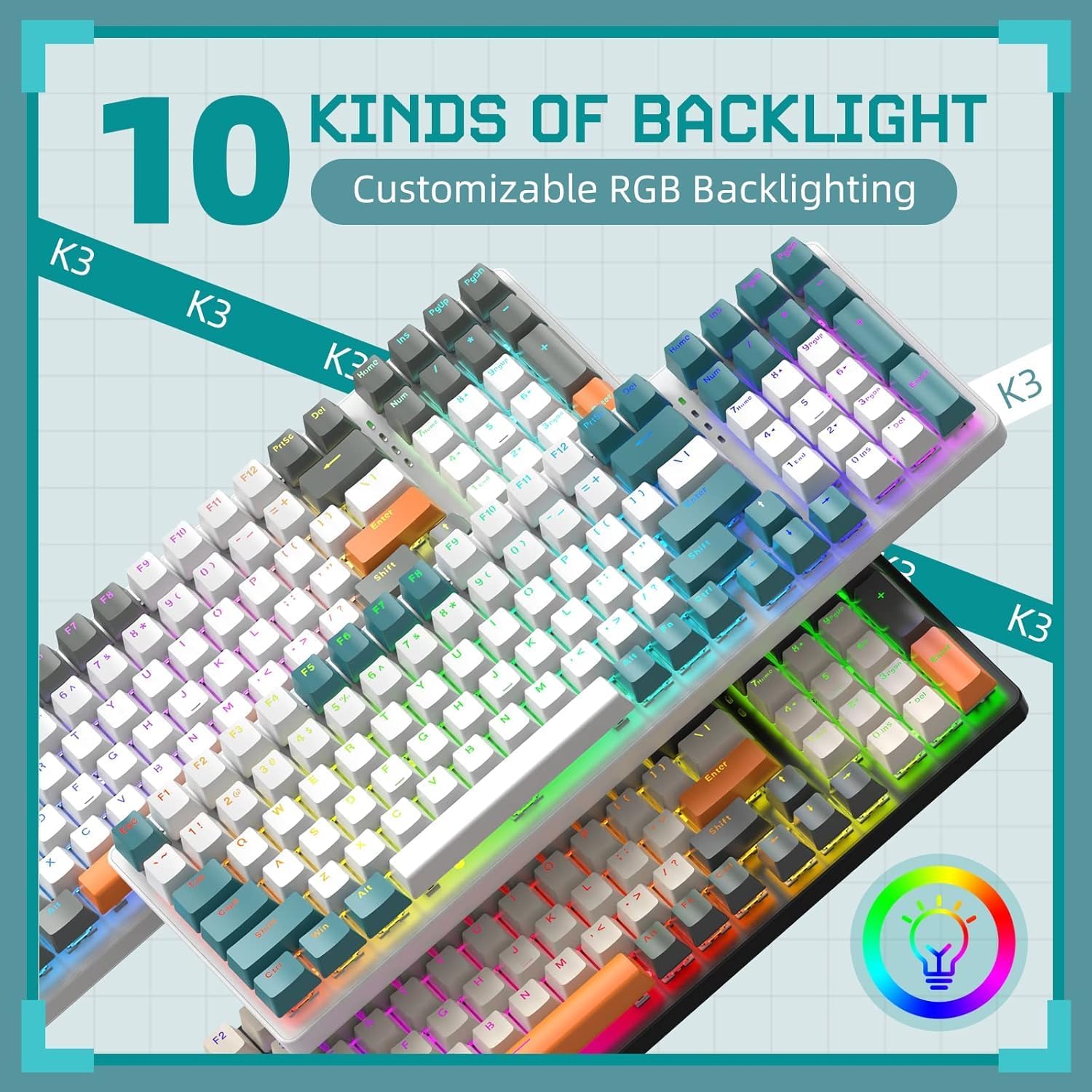
Image: Multiple views of the Ajazz K3 keyboard showcasing different RGB illumination patterns and colors.

Image: Visual guide on how to use the Function (Fn) key with arrow keys to control RGB lighting effects and brightness.
Maintenance
- Cleaning Keycaps: Use a soft, damp cloth to wipe down the keycaps. For deeper cleaning, keycaps can be carefully removed using a keycap puller (not included) and cleaned with mild soap and water. Ensure they are completely dry before reattaching.
- Cleaning Switches: Use compressed air to remove dust and debris from between the keycaps and around the switches. Avoid spraying liquids directly into the switches.
- Cable Care: Handle the detachable USB-C cable with care. Avoid sharp bends or excessive pulling to prevent damage to the cable or connectors.
- Storage: When not in use, store the keyboard in a clean, dry environment away from direct sunlight and extreme temperatures.

Image: Detailed view of the PBT keycaps and the blue mechanical switches, illustrating their construction and how they can be removed for cleaning.
Troubleshooting
| Problem | Possible Solution |
|---|---|
| Keyboard not responding. |
|
| Backlighting is not working or is dim. |
|
| Certain keys are not registering. |
|
Specifications
| Feature | Detail |
|---|---|
| Model | K3 |
| Number of Keys | 96 |
| Switch Type | Clicky Blue Mechanical Switches |
| Keycap Material | ABS Two-Color Injection Molding |
| Backlighting | 10-Zone RGB Illumination |
| Connectivity | Wired USB-C (Detachable Coiled Cable) |
| Compatible Devices | Windows 2000/XP/Vista/ME/7/10, MAC OS |
| Dimensions | 15.83 x 6.26 x 1.85 inches (approx.) |
| Item Weight | 2.61 pounds (approx.) |
Warranty and Support
For warranty information and technical support, please refer to the official Ajazz website or contact their customer service directly. Keep your purchase receipt as proof of purchase for any warranty claims.
You can typically find support contact details on the manufacturer's official product page or within the packaging materials.


