
KFD A190-190006320
KFD 19V 120W Power Adapter User Manual
Model: A190-190006320
1. Safety Information
Please read these safety instructions carefully before using the power adapter. Failure to follow these instructions may result in electric shock, fire, or other hazards.
- Do not expose the adapter to rain or moisture.
- Do not disassemble or modify the adapter.
- Keep the adapter away from excessive heat sources.
- Ensure the adapter is connected to a properly grounded outlet.
- Disconnect the power adapter from the power source when not in use.
- This adapter is designed for indoor use only.
2. Product Overview
2.1. Specifications
| Input | 100-240V ~ 50/60Hz |
| Output | 19V 6.32A 120W |
| Protection Features | Over Voltage Protection (OVP), Over Current Protection (OCP), Short Circuit Protection (SCP) |
| Dimensions | 8.74 x 6.14 x 2.13 inches (approximate) |
| Weight | 1.41 pounds (approximate) |
| Connector Type | Barrel Connector |
2.2. Package Contents
- 1 x KFD 19V 120W Charger Adapter Power Supply Cord
- 1 x US Power Cable
- 1 x User Manual (this document)
2.3. Product Visuals
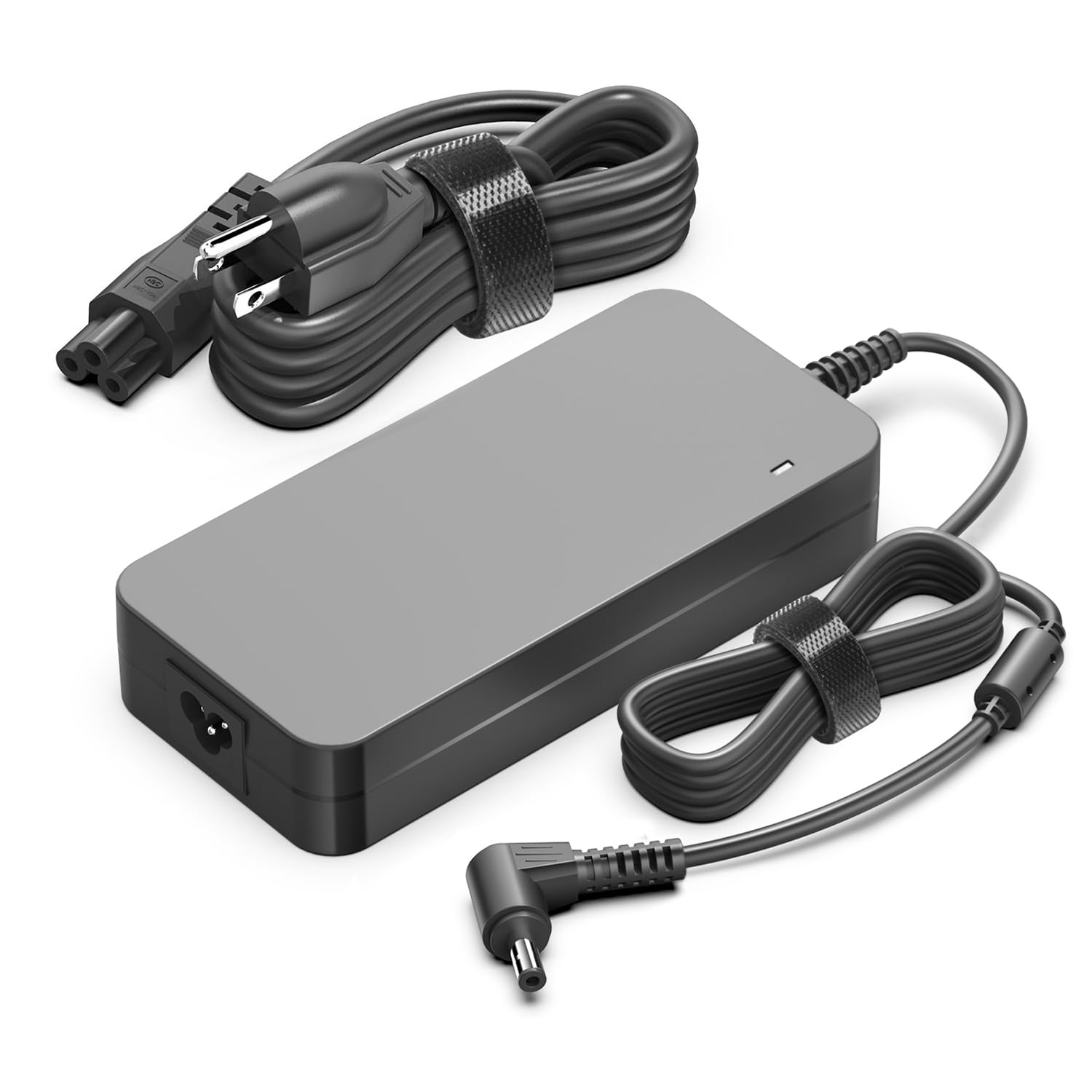


3. Setup Instructions
- Connect the AC Power Cable: Insert the US power cable into the AC input port of the KFD 19V 120W Power Adapter.
- Connect to Wall Outlet: Plug the other end of the AC power cable into a standard 100-240V wall outlet. Ensure the outlet is easily accessible.
- Connect to Device: Insert the barrel connector of the power adapter into the DC input port of your compatible device (e.g., Inogen One Oxygen Concentrator, Mini PC).
- Verify Connection: Ensure all connections are secure. The device should indicate that it is receiving power or charging.
4. Operating Instructions
Once the power adapter is correctly set up, it will automatically provide power to your device or charge its battery. The adapter features built-in protection mechanisms (OVP, OCP, SCP) to ensure safe operation.
- The adapter is designed for continuous use with compatible devices.
- Monitor your device's charging indicator to confirm proper power delivery.
- If the adapter feels excessively hot, disconnect it and allow it to cool before resuming use.
5. Compatibility
This KFD 19V 120W Power Adapter is compatible with a wide range of devices requiring 19V and up to 6.32A power input. Key compatible devices include:
5.1. Inogen One Oxygen Concentrators & Accessories
- Inogen One G1, G2, G3, G4 Portable Oxygen Concentrators
- Inogen Battery Charger models: BA-303, BA-403 (for BA-300, BA-316 Li-Ion, BA-400, BA-408)
- Inogen Catalog # BA-107, BA-207, BA-106 G4, BA-307, BA-306
- Inogen One G2 G3 External Battery Charger models: BA-300, BA-301, BA-302, BA-303, BA-316, 1400-1010-8, BA-318, BA-326
- Inogen One G2 IS-300, IO-300, BA-301, DP Digital Power DT6-90-119 Supply Battery Charger Cord
- Inogen One G4 OxyGen Concentrator IO-400, BA-403, Medical OxyGo Catalog MANGO65-19CB-OXY, MANGO65-19CB-ING, 1400-2040, BA-401
- Note: Not compatible with Inogen One G5 Portable Oxygen Concentrator (requires 24V charger).
5.2. Mini PCs & Laptops
- Intel NUC 10, 11, 12 Pro, 13, 14 Pro Ai Mini PC Kits
- Beelink SER8 Mini PC
- ACEMAGIC AD08
- Geekom Mini PC IT13
- ASUS Chromebox 5 Mini PC
- LG Ultra 17U70N, 15U70P, 15U70N Laptops
- ASUS Zen AiO 27, 24 All-in-One PCs
- Various ASUS Laptops (e.g., N551JB, N552VW, N751JW, UX510UW, GL552VW, N56JK, N550JK, G550JK, K55VJ, N46JV, N76VJ, G60J, N53SN, N55SF, N73JQ, NX90JQ)
- ASUS ROG Laptops (e.g., GL551J, GL552VW, GL553V, GL752VW, GL753VE, N550JK, N550JX, ZX53VW, FX53VD, G56JK, N56JR, N56JN)
- ASUS VivoBook Q550, Q550L, X550, X750J, X750JA
- ASUS Monitors (e.g., CG32UQ, CG32U, MX27A, MX27AQ, MX27U, MX27UC, MX27UCS, MX27UQ, MX299Q, MX34V, MX34VQ, PQ321Q, PQ321QE)
- ASUS ROG SWIFT Monitors (e.g., PG279Q, PG279QZ, PG348Q, PG329Q, PG279QM, XG32AQ, XG349C, VG289Q, VG32U)
- Toshiba Satellite L550, L555, L555D, P200, P300, P500
- Intel NUC Kit Barebone Mini ITX PC NUC6i7KYK BOXNUC6i7KYK1 Skull Canyon
6. Maintenance
- Keep the adapter clean and free from dust. Use a dry, soft cloth for cleaning.
- Avoid bending or crimping the power cables excessively to prevent internal damage.
- Store the adapter in a cool, dry place when not in use.
- Regularly inspect the cables and connectors for any signs of wear or damage. If damage is found, discontinue use and replace the adapter.
7. Troubleshooting
| Problem | Possible Cause | Solution |
|---|---|---|
| Device not powering on/charging | Loose connection, faulty outlet, incompatible device, damaged adapter. |
|
| Adapter is hot to the touch | Normal operation under load, poor ventilation, excessive load. |
|
| Intermittent power supply | Loose connection, damaged cable. |
|
8. Warranty and Support
KFD products are CE / FCC / RoHS certified, ensuring quality and safety standards.
- Warranty: This product comes with a 30-day free exchange policy and a 3-year warranty.
- Customer Service: For any questions or support needs, please contact our customer service team, available 7 days a week, 24 hours a day.
9. Product Videos
Video Description: This video demonstrates the KFD charger's compatibility and functionality with an Inogen oxygen concentrator. It shows the charger being connected and the device indicating a charging status. This video is provided by the seller, Norward.
Ask a question about this manual
Ask about setup, troubleshooting, compatibility, parts, safety, or missing instructions. Manuals+ will review the question and use this page’s manual context to help answer it.