
1. Introduction
This manual provides instructions for the safe and efficient operation of your MEDION P64145 Stereo System. Please read this manual thoroughly before using the device and keep it for future reference. The MEDION P64145 is a compact audio system featuring DAB+ and PLL FM radio, a CD/MP3 player, Bluetooth connectivity, and USB playback.
2. Safety Information
Observe the following safety precautions to prevent damage to the device or injury to yourself:
- Do not expose the device to rain or moisture.
- Do not block ventilation openings.
- Ensure the power cord is not pinched or walked on.
- Only use attachments/accessories specified by the manufacturer.
- Unplug the device during lightning storms or when unused for long periods.
- Refer all servicing to qualified service personnel.
3. Package Contents
Verify that all items are present in the packaging:
- MEDION P64145 AiO Audio System (MD44125)
- Remote Control (with battery)
- Power Cable
- User Manual
- Warranty Card
4. Device Overview
Front Panel
The front panel features the LCD display, CD tray, control buttons, and volume knob.

Image: Front view of the MEDION P64145 stereo system, highlighting the central display, CD slot, and various control buttons.
Rear Panel and Connections
The rear panel includes the power input, antenna connection, and auxiliary ports.

Image: Rear view of the MEDION P64145 stereo system, illustrating its dimensions (120mm height, 377mm width, 220mm depth) and available connection ports including Line In, USB, AUX-In (3.5 mm), and Headphone Jack.
5. Setup
5.1 Power Connection
- Connect the power cable to the AC IN socket on the rear of the unit.
- Plug the other end of the power cable into a wall outlet (100-240V ~ 50/60 Hz).
5.2 Antenna Connection
For optimal radio reception, ensure the antenna is fully extended and positioned correctly.
5.3 Initial Power-On
Press the Power button on the unit or remote control to turn on the system. The LCD display will illuminate.
6. Operating Instructions
6.1 Basic Operation
- Power On/Off: Press the POWER button.
- Volume Control: Rotate the VOLUME knob or use the VOL+/- buttons on the remote.
- Source Selection: Press the SOURCE button to switch between DAB+, FM, CD, Bluetooth, USB, and AUX modes.
6.2 Radio Operation (DAB+/PLL FM)
The system supports both digital DAB+ radio and analog PLL FM radio.

Image: The MEDION P64145 stereo system with 'DAB+' shown on its display, signifying its capability for digital radio reception with high sound quality.
- Select DAB+ or FM mode using the SOURCE button.
- Automatic Scan: In DAB+ mode, the system will automatically scan for available stations upon first use. For FM, press and hold the SCAN button.
- Manual Tuning: Use the TUNE+/- buttons to manually adjust the frequency.
- Station Presets: Save up to 30 stations by pressing and holding a preset number button (1-30) after tuning to a station. Recall saved stations by pressing the corresponding preset number.
6.3 CD/MP3 Player

Image: A hand inserting a compact disc into the front-loading CD player of the MEDION P64145 stereo system, demonstrating its CD/MP3 playback capability.
- Select CD mode.
- Insert a CD (audio CD or MP3 CD) into the CD slot. The disc will load automatically.
- Use PLAY/PAUSE, STOP, SKIP+/- buttons for playback control.
6.4 Bluetooth Streaming
Stream music wirelessly from your smartphone or tablet.

Image: A smartphone screen showing a music playback interface, positioned next to the MEDION P64145 stereo system. A Bluetooth symbol is visible, illustrating the wireless music streaming feature from a mobile device to the stereo system.
- Select Bluetooth mode. The display will show "Pairing" or similar.
- On your mobile device, enable Bluetooth and search for "MEDION P64145" (or similar device name).
- Select the device to pair. Once connected, you can play music from your device through the stereo system.
- The effective range for Bluetooth streaming is up to 10 meters, depending on environmental conditions.
6.5 USB Playback
- Insert a USB stick containing MP3 files into the USB port.
- Select USB mode. The system will automatically detect and begin playing MP3 files.
- Use playback controls to navigate tracks.
6.6 AUX Input
- Connect an external audio device (e.g., MP3 player) to the 3.5mm AUX IN port using an audio cable (not included).
- Select AUX mode.
- Control playback from your external device.
6.7 Sound Settings
Adjust the audio output to your preference.
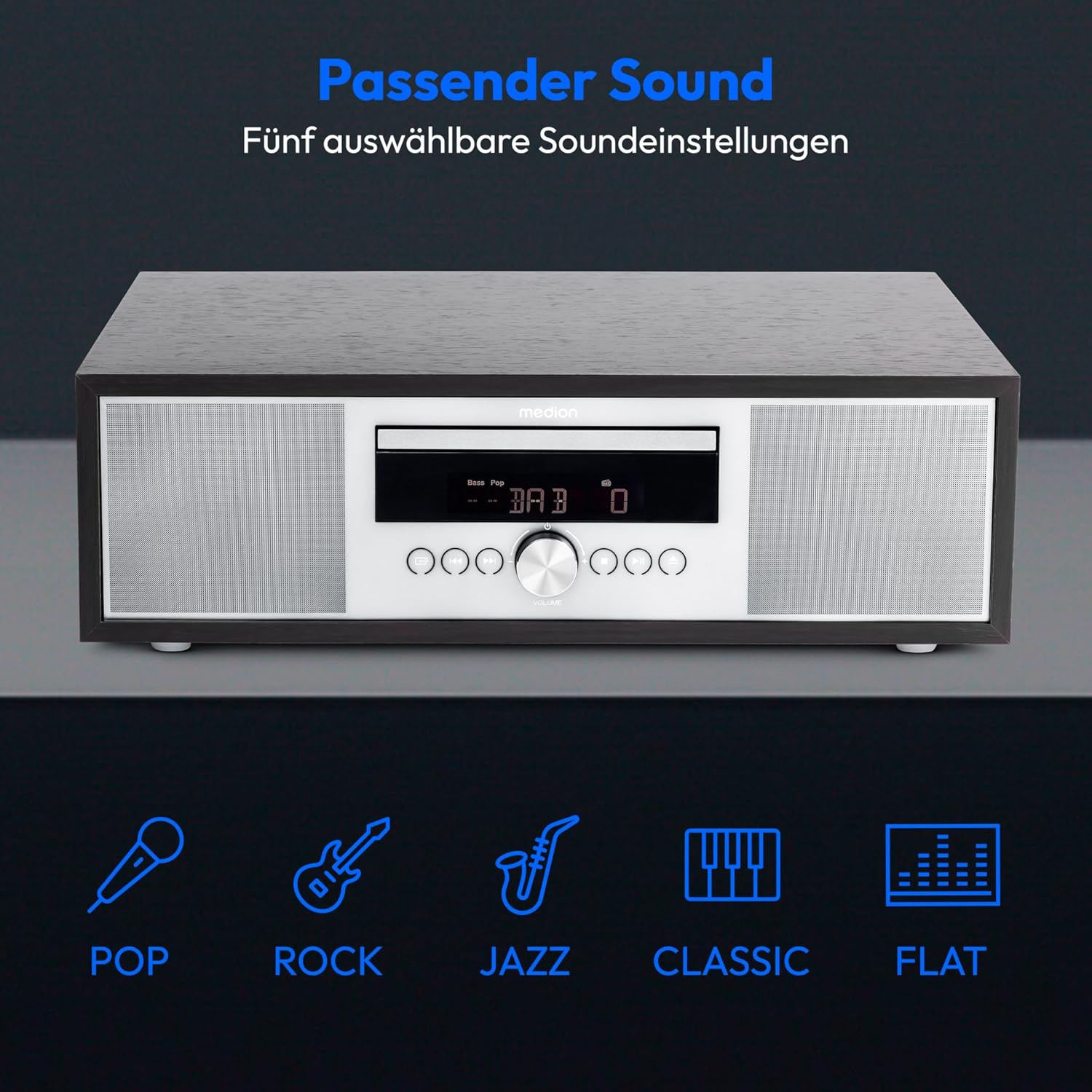
Image: The MEDION P64145 stereo system accompanied by graphical icons for five distinct sound equalization presets: Pop, Rock, Jazz, Classic, and Flat, indicating customizable audio profiles.
- Equalizer Presets: Use the EQ button on the remote to cycle through preset sound modes: Pop, Rock, Jazz, Classic, and Flat.
- Bass/Treble Adjustment: Use the dedicated BASS+/- and TREBLE+/- buttons on the remote control to fine-tune the sound.
6.8 Alarm and Sleep Timer
- Alarm Function: Set an alarm to wake up to radio, CD, USB, or a standard alarm sound. Refer to the detailed instructions in the full manual for setting specific alarm times and sources.
- Snooze Function: When the alarm sounds, press the SNOOZE button to temporarily silence it.
- Automatic Sleep Function: Set a timer for the system to automatically turn off after a specified period. Use the SLEEP button on the remote.
7. Maintenance
7.1 Cleaning the Unit
Wipe the unit with a soft, dry cloth. Do not use abrasive cleaners or solvents.
7.2 CD Player Care
Handle CDs by their edges. Clean dirty CDs with a soft, lint-free cloth, wiping from the center outwards. Do not use scratched or warped discs.
8. Troubleshooting
If you encounter issues, consult the following table before contacting support:
| Problem | Possible Cause | Solution |
|---|---|---|
| No power | Power cable not connected; outlet not active. | Check power cable connection; try a different outlet. |
| No sound | Volume too low; incorrect source selected; headphones connected. | Increase volume; select correct source; disconnect headphones. |
| Poor radio reception | Antenna not extended or positioned poorly. | Adjust antenna position; try automatic scan again. |
| CD not playing | CD inserted incorrectly; disc scratched or dirty; unsupported format. | Reinsert CD correctly; clean or replace disc; ensure it's an audio CD or MP3 CD. |
| Bluetooth pairing failed | Device too far; Bluetooth not enabled on mobile device; system not in pairing mode. | Move device closer; enable Bluetooth; ensure system is in Bluetooth pairing mode. |
9. Specifications
| Feature | Specification |
|---|---|
| Model Number | P64145 (MD44125) |
| Brand | MEDION |
| Color | Black-Silver |
| Connectivity Technology | Bluetooth, USB |
| Special Features | Bluetooth, DAB+, USB, AUX Input, CD Player, Alarm Function, Sleep Timer |
| Product Dimensions (L x W x H) | 22 cm x 37.7 cm x 12 cm |
| Item Weight | 3.2 Kilograms |
| Tuner Technology | DAB Plus |
| Supported Radio Bands | DAB+/PLL-UKW |
| Power Source | Corded Electric (100-240V ~ 50/60 Hz) |
| Max Speaker Output Power | 2 x 15 Watts RMS |
| Display Type | LCD |
| Sound Output Mode | Stereo |
| Compatible Devices | Smartphone, Tablet, MP3 Player |
| Material | Stainless Steel (front panel) |
10. Warranty Information
Your MEDION P64145 Stereo System comes with a 2-year limited warranty. Please retain your proof of purchase for warranty claims. For detailed terms and conditions, refer to the included warranty card or visit the official MEDION website.
11. Support
For further assistance, technical support, or service inquiries, please visit the official MEDION support website or contact their customer service. Contact details can typically be found on the warranty card or the manufacturer's website.
Official MEDION Website: www.medion.com


