
1. Product Overview
The ACEIRMC T48 (TL866-3G) Programmer is a state-of-the-art universal programmer designed for a wide range of integrated circuits. It serves as an improved replacement for the TL866II Plus programmer, offering enhanced performance and broader compatibility. Built with a 32-bit MCU operating at 120MHz and a 4-layer PCB design, the T48 provides significantly faster programming speeds and supports high-capacity NAND EMMC chips up to 256GB. Its robust design includes a 40-pin industrial high-quality ZIF (Zero Insertion Force) Socket, making chip insertion and removal easy and safe. The programmer also supports high-voltage chips with VPP up to 25V, a capability not found in its predecessor.
The T48 programmer features a unified user interface that is easy to use, fully functional, and reliable. It supports multiple languages including English, Chinese, Russian, Polish, German, Spanish, Portuguese, Turkish, Czech, and Italian, and automatically identifies the operating system for seamless installation and operation across Windows XP, 2003, 2008, Vista, Win7, WIN8, WIN10, and WIN11. This device is an excellent tool for both developers and maintenance personnel, capable of small batch production for high-capacity chips and supporting simultaneous operation of up to four programmers on a single computer.
2. Package Contents
Upon unboxing your T48 (TL866-3G) Programmer, please verify that all components are present and in good condition:
- 1 x T48 Programmer Unit
- 1 x USB Cable

Image: The T48 (TL866-3G) Programmer unit shown with its accompanying USB cable.
3. Hardware Specifications
The T48 (TL866-3G) Programmer is engineered with advanced hardware to ensure high performance and reliability:
- Processor: 32-bit MCU with 120MHz clock speed
- PCB Design: 4-layer PCB for enhanced stability and signal integrity
- Interface: USB2.0 High Speed (HS) 480MHz
- Dimensions: Approximately 10 cm (L) x 6.5 cm (W) x 2.8 cm (H) (3.94 x 2.56 x 1.1 inches)
- ISP Channels: 16 channel ISP (In-System Programming)
- IO Channels: Total 56-channel dedicated IO, with 56-channel high-speed high-voltage isolation
- VCC Voltage: 1.8V - 6.5V, 64 levels adjustable
- VPP Voltage: 9V - 25V, 64 levels adjustable
- Power Consumption: 5V < 500mA (active), 60mA (static). No external power supply interface required.
- Self-Test Function: Capable of self-testing each pin of VPP/VCC/GND/IO
- Socket: 40-pin industrial high-quality ZIF Socket (Pluggable/replaceable)

Image: The T48 programmer displaying its compact dimensions (10cm length, 6.5cm width, 2.8cm height).

Image: Detailed views of the T48 programmer, highlighting the ZIF socket, USB port, and ISP header.

Image: Illustration pointing out the 40-pin industrial ZIF socket and the 16-pin multi-functional ISP interface on the T48 programmer.
4. System Requirements & Software
The T48 programmer software is designed for broad compatibility with Microsoft Windows operating systems. It features automatic operating system identification for ease of installation.
Supported Operating Systems:
- Windows XP
- Windows 2003
- Windows 2008
- Windows Vista
- Windows 7
- Windows 8
- Windows 10
- Windows 11
Software Features:
- Unified user interface for intuitive operation.
- Multi-language menu support: English, Chinese, Russian, Polish, German, Spanish, Portuguese, Turkish, Czech, Italian.
- Automatic identification of operating system for simplified setup.
5. Setup Guide
Follow these steps to set up your T48 (TL866-3G) Programmer:
- Software Download: Obtain the latest programming software from the official ACEIRMC support website or the provided download link. Ensure you download the version compatible with your operating system.
- Software Installation: Run the downloaded installer. The software is designed to automatically identify your Windows operating system. Follow the on-screen prompts to complete the installation. This process typically includes driver installation for the programmer.
- Connect Programmer: Connect the T48 programmer to your computer using the provided USB cable. Insert one end of the USB cable into the USB port on the T48 programmer and the other end into an available USB port on your computer.
- Verify Connection: Once connected, the operating system should recognize the device. You may see a notification indicating successful driver installation. Launch the T48 programming software. The software should detect the connected programmer.
For Mac users, a third-party application like 'Visual Minipro' may be used. It is recommended to first update the programmer's firmware and remove write protection from chips using the manufacturer's software on a Windows environment (e.g., via a virtual machine) before using third-party tools on Mac or Linux.
6. Operating Instructions
The T48 programmer supports a wide array of ICs and offers high-speed programming capabilities. Below is a general guide to its operation:
Supported IC Types:
- EMMC/EMCP
- P-NAND
- SPI NAND FLASH
- GAL PLD
- MCU: 51/PIC/AVR series
- EPROM/EEPROM: 27/28/29/39/49/50 series
- Serial EEPROM: 24/25/45/93/95 series
- 74 Series Logic IC Visual Test

Image: A visual representation of the various chip types supported by the T48 programmer, including EMMC/EMCP, P-NAND, SPI NAND FLASH, GAL PLD, MCU, and 74 Series Logic ICs.
General Programming Workflow:
- Launch Software: Open the T48 programming software on your computer.
- Select Chip: In the software interface, select the manufacturer and model of the integrated circuit you intend to program or read.
- Insert Chip: Carefully lift the lever of the 40-pin ZIF socket. Align the chip with the socket's pins according to the pin 1 indicator (usually a notch or dot on the chip and socket). Gently insert the chip into the socket, ensuring all pins are correctly seated. Lower the ZIF socket lever to secure the chip.
- Load/Save Data: Load the data file (e.g., .hex, .bin) you wish to program onto the chip, or specify a location to save data read from the chip.
- Perform Operation: Select the desired operation (e.g., Program, Read, Verify, Erase, Blank Check) from the software menu.
- Monitor Progress: The software will display the progress and status of the operation.
- Remove Chip: Once the operation is complete and successful, lift the ZIF socket lever and carefully remove the chip.
Programming Speed Examples:
- W25Q80: 3.5s (Program) + 0.3s (Verify) at 30MHz
- SPI NOR FLASH 25Q128: 30s (Program) + 5.4s (Verify) at 30MHz
- P_NAND 29F1G08AB: 27s (Program) + 17s (Verify)
- P_NOR FLASH EN29LV320 TSOP48: 24s (Program) + 1.9s (Verify)
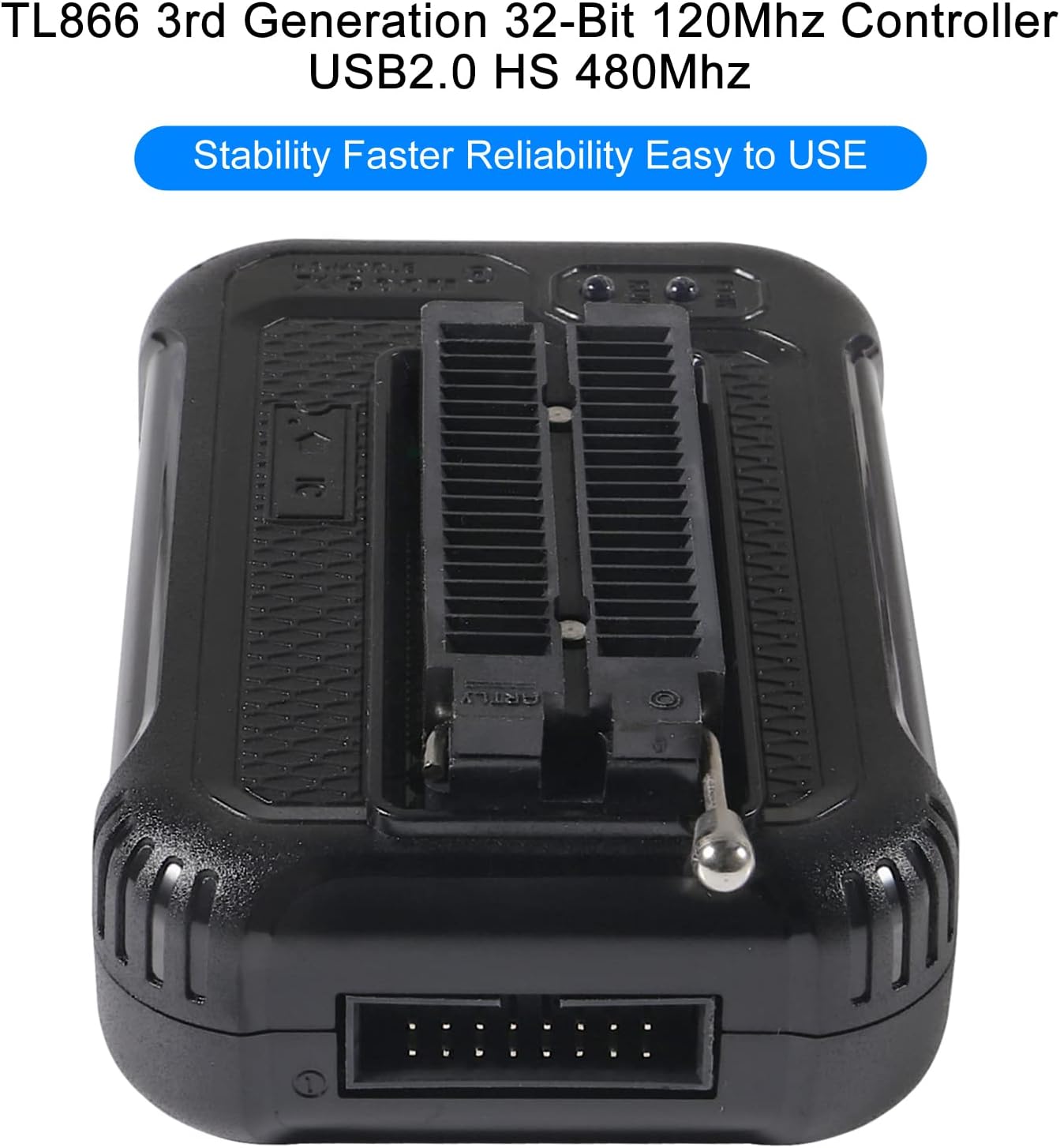
Image: The T48 programmer highlighting its core features: TL866 3rd Generation, 32-Bit 120Mhz Controller, USB2.0 HS 480Mhz, emphasizing stability, faster operation, reliability, and ease of use.
7. Maintenance
Proper maintenance ensures the longevity and optimal performance of your T48 programmer:
- Cleaning the ZIF Socket: Periodically inspect the ZIF socket for dust, debris, or bent pins. Use a soft brush or compressed air to gently clean the socket. Avoid using liquids or abrasive materials.
- Software Updates: Regularly check the official ACEIRMC website for software and firmware updates. Keeping your software up-to-date ensures compatibility with new chips and provides performance enhancements and bug fixes.
- Storage: Store the programmer in a clean, dry, and dust-free environment when not in use. Keep it away from extreme temperatures, humidity, and direct sunlight.
- Handle with Care: Avoid dropping the programmer or subjecting it to physical shocks. Always handle the ZIF socket lever gently to prevent damage.
8. Troubleshooting
If you encounter issues with your T48 programmer, refer to the following troubleshooting tips:
- Programmer Not Detected:
- Ensure the USB cable is securely connected to both the programmer and the computer.
- Try connecting to a different USB port on your computer.
- Verify that the necessary drivers were installed correctly during software setup. Reinstall the software if necessary.
- Restart your computer and the programmer.
- Programming/Reading Errors:
- Confirm that the correct chip type and model are selected in the software.
- Ensure the chip is correctly inserted and seated firmly in the ZIF socket. Check for bent or misaligned pins.
- Verify that the chip is supported by the T48 programmer and the current software version.
- Check the chip's condition; a faulty chip may cause errors.
- Some chips may have write protection enabled. Refer to the chip's datasheet or the programmer software's specific functions to disable it if applicable.
- Software Crashing/Freezing:
- Ensure your operating system meets the minimum requirements.
- Close other demanding applications running on your computer.
- Reinstall the software to resolve potential corrupted files.
- Slow Programming Speed:
- Ensure you are using a USB 2.0 compatible port.
- Verify that no other applications are heavily utilizing USB bandwidth.
9. General Specifications
| Feature | Specification |
|---|---|
| Brand | ACEIRMC |
| Model Number | T48 (TL866-3G) |
| Item Weight | 7.4 ounces |
| Product Dimensions (LxWxH) | 3.94 x 2.56 x 1.1 inches (10 x 6.5 x 2.8 cm) |
| Hardware Interface | USB 2.0 |
| Operating System Compatibility | Windows XP, 2003, 2008, Vista, Win7, WIN8, WIN10, WIN11 |
| VCC Voltage Range | 1.8V - 6.5V (64 levels adjustable) |
| VPP Voltage Range | 9V - 25V (64 levels adjustable) |
| Power Consumption | 5V < 500mA (active) |
| Socket Type | 40-pin ZIF Socket |
| Country of Origin | China |
10. Warranty and Support
For information regarding product warranty, please refer to the documentation provided with your purchase or contact the seller directly. Warranty terms and conditions may vary based on region and retailer.
For technical support, software updates, and additional resources, please visit the official ACEIRMC website or contact their customer service. Keep your product model number (T48) and purchase details ready when seeking support.
