1. Product Overview
The CATEYE HL-EL160 is a high-performance LED bike headlight designed for enhanced visibility and safety during cycling. Featuring OptiCube™ lens technology, it delivers a bright 50 Lumen output, making it three times brighter than its predecessor. This light is built to withstand various weather conditions with its IPX7 waterproof rating, ensuring functionality even after submersion.
Key features include:
- IPX7 Waterproof Rating: Operates reliably even after 30 minutes of submersion in 1 meter of water.
- OptiCube™ Lens Technology: Provides a focused and bright 50 Lumen beam for optimal illumination.
- Extended Runtime: Offers up to 30 hours in Constant Mode and an impressive 250 hours in Flashing Mode.
- Mode Memory Function: Automatically recalls the last used light mode for convenience.
- AA Battery Simplicity: Powered by two easily replaceable AA alkaline batteries (included).
- Flextight™ Mount: Ensures a secure and stable attachment to handlebars ranging from 22 to 35mm in diameter.
- Low Battery Indicator: The power switch illuminates red when approximately 30 minutes of battery life remain.
- Replaceable Body Bracket: Features an H-37 body bracket spacer with a larger release tab for long-term durability.
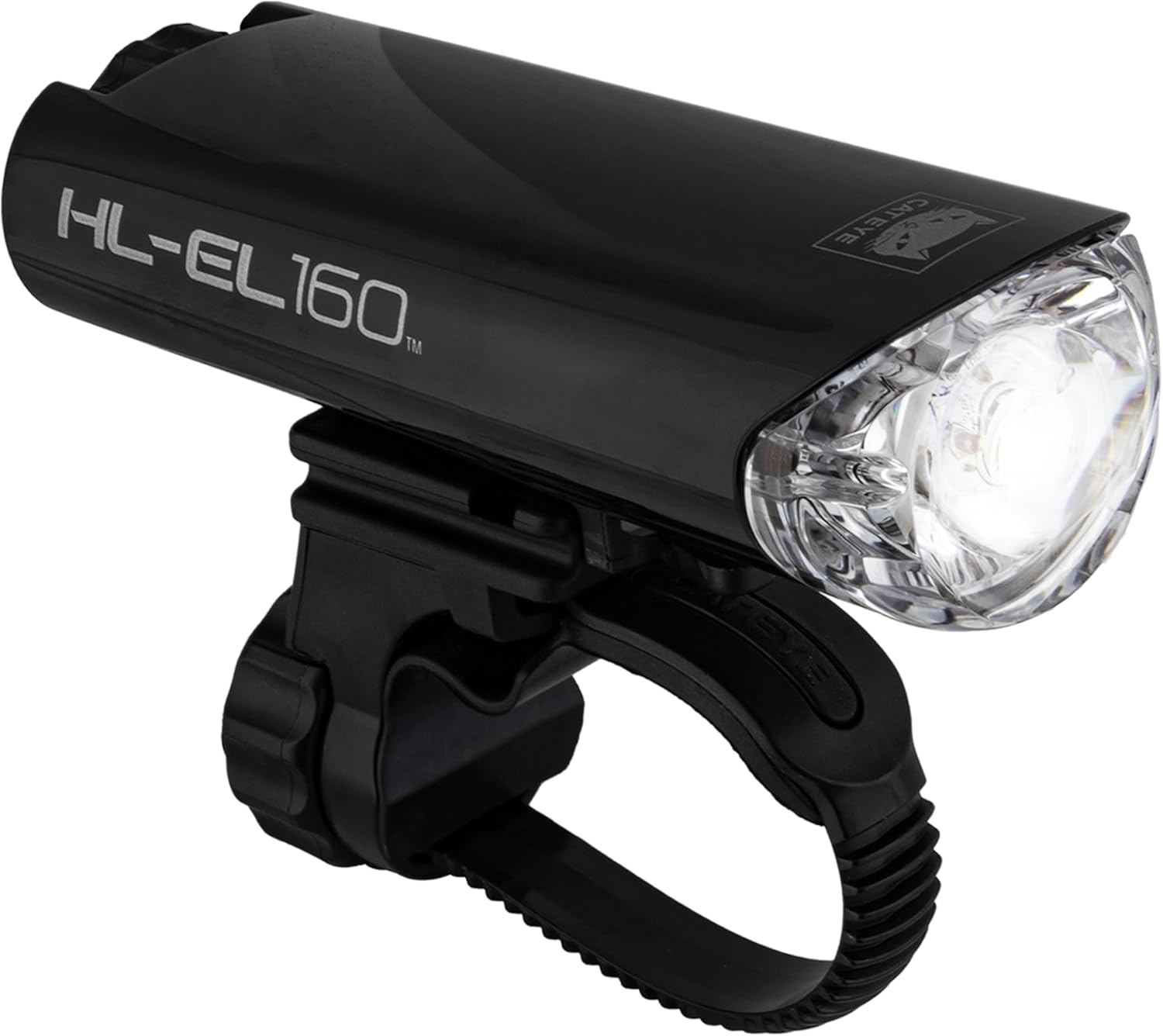
Figure 1: The CATEYE HL-EL160 Bike Headlight, showcasing its sleek black design and clear lens.
2. What's Included
Upon opening the package, please verify that all the following components are present:
- CATEYE HL-EL160 Headlight Unit
- H-34N Flextight Mount
- 2x AA Alkaline Batteries

Figure 2: The retail packaging for the CATEYE HL-EL160, indicating included components and key features.
3. Setup
3.1 Battery Installation
The HL-EL160 operates on two AA alkaline batteries. To install or replace batteries:
- Unscrew the rear cap of the headlight unit by turning it counter-clockwise.
- Insert two AA batteries, ensuring correct polarity (+/-) as indicated inside the battery compartment.
- Securely screw the rear cap back onto the headlight unit by turning it clockwise until it is hand-tight. This ensures the waterproof seal.
Video 1: Official CATEYE video demonstrating the features and battery installation of the HL-EL160 headlight.
3.2 Mounting the Headlight
The H-34N Flextight mount provides a secure attachment to various handlebar sizes.
- Position the Flextight mount on your bicycle handlebar at the desired location. Ensure it is centered and does not obstruct other controls.
- Wrap the strap around the handlebar and insert the end into the tightening mechanism.
- Tighten the screw on the mount until it is firmly secured to the handlebar. Do not overtighten. The mount accommodates handlebar diameters from 22mm to 35mm.
- Slide the HL-EL160 headlight unit onto the mount until it clicks securely into place.

Figure 3: The CATEYE HL-EL160 headlight securely mounted on a bicycle handlebar, viewed from the side.

Figure 4: A closer view of the HL-EL160 headlight mounted on a bicycle, showing its position relative to the stem.
4. Operating the Headlight
4.1 Power On/Off and Mode Selection
The HL-EL160 features a single button for all operations.
- To turn the light ON: Press the power button once. The light will activate in the last used mode (Mode Memory Function).
- To switch between MODES: While the light is on, press the power button repeatedly to cycle through the available modes:
- Constant Mode (30 hours runtime)
- Flashing Mode (250 hours runtime)
- To turn the light OFF: Press and hold the power button for approximately 1 second.

Figure 5: The HL-EL160 headlight mounted on a bike, highlighting the location of the power button.
4.2 Low Battery Indicator
When the battery level is low, the power switch will illuminate in red. This indicates that approximately 30 minutes of runtime remain before the light output is reduced. It is recommended to replace the batteries soon after this indicator appears.
5. Maintenance
5.1 Cleaning
To maintain optimal performance and appearance, regularly clean the headlight unit. Use a soft, damp cloth to wipe down the exterior. Avoid using abrasive cleaners or solvents, as these can damage the lens or casing.
5.2 Battery Replacement
Refer to Section 3.1 for detailed instructions on replacing the AA batteries. Always use fresh, high-quality alkaline batteries for best performance and to prevent leakage.
5.3 Waterproofing
The HL-EL160 is IPX7 waterproof. This means it can withstand immersion in water up to 1 meter for 30 minutes. To ensure the waterproof integrity, always make sure the rear cap is securely tightened after battery installation or inspection. If the light has been submerged, allow it to air dry completely before storing.

Figure 6: The CATEYE HL-EL160 demonstrating its IPX7 waterproof capability while submerged in water.
6. Troubleshooting
| Problem | Possible Cause | Solution |
|---|---|---|
| Light does not turn on. | Dead or incorrectly installed batteries. | Check battery polarity. Replace batteries with fresh AA alkaline batteries. |
| Light is dim or flickers. | Low battery power. | Replace batteries with fresh AA alkaline batteries. |
| Mount is loose on handlebar. | Mount not tightened sufficiently. | Tighten the Flextight mount screw until secure. Ensure correct handlebar diameter (22-35mm). |
| Water inside the unit. | Rear cap not securely tightened. | Immediately remove batteries, open the unit, and allow it to dry completely. Ensure the rear cap is fully tightened when reassembling. |
7. Specifications
| Feature | Detail |
|---|---|
| Model Name | HL-EL160 |
| Part Number | 5345006 |
| Light Output | 50 Lumens |
| Power Source | 2x AA Alkaline Batteries |
| Runtime (Constant Mode) | Approx. 30 hours |
| Runtime (Flashing Mode) | Approx. 250 hours |
| Water Resistance | IPX7 (Submersible up to 1m for 30 min) |
| Mounting Type | Flextight (H-34N) |
| Compatible Handlebar Diameter | 22 - 35 mm |
| Weight | 83 Grams (with batteries) |
| Material | Plastic |
| Color | Black |
8. Warranty and Support
8.1 Warranty Information
The CATEYE HL-EL160 Bike Headlight comes with a 2-year manufacturer's warranty. This warranty covers defects in materials and workmanship under normal use. Please retain your proof of purchase for warranty claims.
For specific warranty terms and conditions, please refer to the official CATEYE website or contact their customer support.
8.2 Customer Support
If you encounter any issues not covered in this manual or require further assistance, please contact CATEYE customer support. Visit the official CATEYE website for contact details and additional resources.
Note: Do not attempt to disassemble or repair the unit yourself, as this may void the warranty and cause damage.


