Overview
The ECOVACS DEEBOT X1e Omni is an advanced robot vacuum and mop cleaner designed to automate floor cleaning. It features powerful suction, a dual mop rotating system, and an intelligent OMNI Station for self-emptying and mop cleaning. This manual provides essential information for setting up, operating, and maintaining your device.

Setup
1. Unboxing and Component Identification
Carefully remove all components from the packaging. Ensure all accessories are present as listed in the packing contents. Remove any protective films or packaging materials from the robot and the OMNI Station.

2. OMNI Station Placement and Setup
- Place the OMNI Station on a hard, level surface against a wall, ensuring adequate space around it for the robot to maneuver.
- Connect the power cord to the OMNI Station and plug it into a power outlet.
- Install the dust bag into the designated compartment within the OMNI Station.
- Fill the clean water tank with clean water and place it into the OMNI Station.

3. Robot Preparation
- Attach the side brushes to the bottom of the robot by pressing them into place until they click.
- For mopping, attach the mop pads to the mop plate and then attach the mop plate to the robot. Ensure the water tank is filled if using the mopping function.
- Place the robot onto the OMNI Station to begin charging.
4. App Download and Pairing
- Scan the QR code provided in the quick start guide or on the product packaging to download the ECOVACS HOME App.
- Follow the in-app instructions to pair your DEEBOT with your smartphone via Wi-Fi. This process typically involves scanning a QR code located under the robot's cover.
5. Initial Mapping
Once paired, initiate the first cleaning cycle through the app. The DEEBOT will begin to map your home, creating a detailed layout for efficient future cleaning. This initial mapping is crucial for optimal performance and can be up to 10 times faster and 4 times more precise than previous models.

Operating the DEEBOT X1e Omni
1. Cleaning Modes
The DEEBOT X1e Omni offers integrated vacuuming and mopping capabilities. It can perform both functions simultaneously or individually, depending on your needs.
- Vacuuming: Utilizes 5000Pa suction power to effectively pick up debris from various surfaces including hard floors and carpets.
- Mopping: Features the OZMO Turbo 2.0 dual mop rotating system, which rotates at high speed to dissolve and remove stubborn stains. The robot automatically lifts the mop pads when detecting carpets to prevent wetting.

2. Smart Navigation and Obstacle Avoidance
Equipped with AIVI 3.0 Obstacle Avoidance technology, the DEEBOT intelligently identifies and avoids common household objects, preventing collisions and ensuring uninterrupted cleaning. Its advanced mapping capabilities allow it to navigate efficiently across different rooms and floor types.

3. Voice Control (YIKO)
The integrated YIKO Voice Assistant allows for hands-free control of your DEEBOT. Simply use voice commands to start, stop, or direct the robot to specific areas for cleaning.

4. App Control
The ECOVACS HOME App provides comprehensive control over your DEEBOT. You can:
- Start/stop cleaning cycles.
- Select specific rooms or areas for cleaning.
- Set virtual boundaries or no-go zones.
- Adjust suction power and water flow for mopping.
- Schedule cleaning tasks.
- Monitor cleaning progress and view the cleaning map.
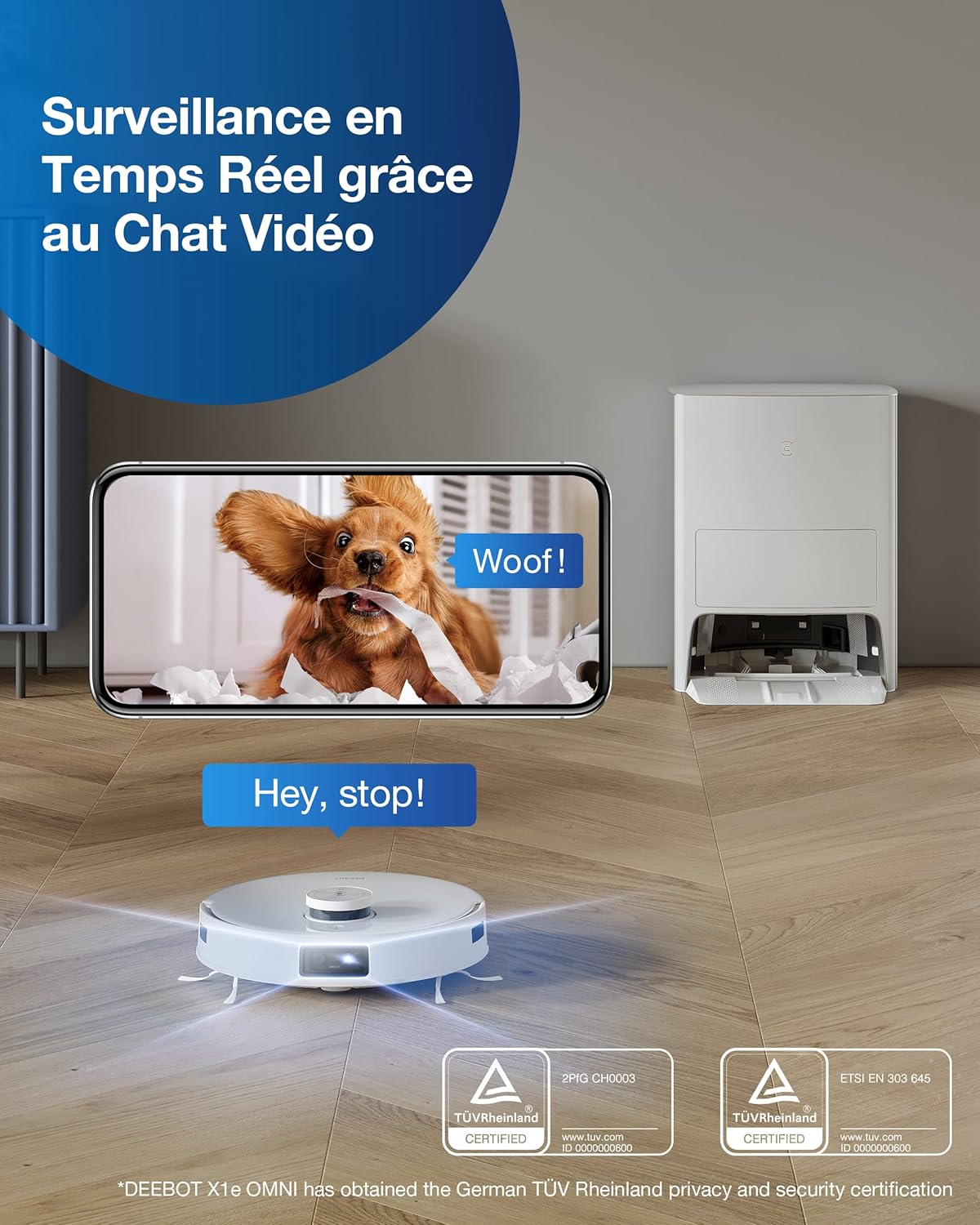
5. Real-time Surveillance
The DEEBOT X1e Omni includes a real-time surveillance feature, allowing you to view your home through the robot's camera via the app. This can be used for monitoring or simply observing your home environment.
Maintenance
1. OMNI Station Maintenance
- Dust Bag Replacement: The OMNI Station automatically empties the robot's dustbin into a disposable dust bag. Replace the dust bag when full.
- Water Tank Management: Regularly empty the dirty water tank and refill the clean water tank. The station also cleans and hot-air dries the mop pads.

2. Robot Component Cleaning
- Side Brushes: Periodically remove and clean the side brushes to ensure optimal sweeping performance.
- Main Brush: Remove and clean the main brush regularly, especially if pet hair is present, using the provided cleaning tool.
- Mop Pads: The OMNI Station cleans the mop pads, but they should be removed and washed manually as needed.
- Sensors: Wipe the robot's sensors with a clean, dry cloth to maintain accurate navigation and obstacle detection.
Troubleshooting
If you encounter issues with your DEEBOT X1e Omni, please refer to the following common solutions:
- Robot not charging: Ensure the robot is correctly docked on the OMNI Station and the power cord is securely plugged in. Clean the charging contacts on both the robot and the station.
- Poor cleaning performance: Check if the dustbin is full, the main brush or side brushes are tangled with hair, or the mop pads are dirty. Clean or replace components as necessary.
- Navigation errors: Clean all sensors on the robot. Ensure there are no new obstacles or changes in the environment that might confuse the robot's mapping.
- App connectivity issues: Ensure your Wi-Fi network is stable and the robot is within range. Restart the app and the robot if necessary.
- Mop pads not getting wet: Check if the clean water tank is filled and properly installed. Ensure the mop pads are correctly attached.
For more detailed troubleshooting, consult the full user manual or contact ECOVACS customer support.
Specifications
| Feature | Detail |
|---|---|
| Brand | ECOVACS |
| Model Name | X1EMDE |
| Special Features | Robot Vacuum and Mop Combo, Auto Mop Lifting, Auto Mop Washing, Auto Hot-air Drying, Self-Emptying, OZMO Turbo Spinning Mopping, Powerful 6000Pa Suction, YIKO Voice Assistant, AIVI 3.0 Obstacle Avoidance, Multi-level Mapping, App Control, Works with Alexa |
| Color | White |
| Product Dimensions | 17.44"L x 15.51"W x 20.75"H |
| Included Components | Robot Vacuum*1 |
| Filter Type | Washable |
| Battery Life | 180 minutes |
| Voltage | 110 Volts |
| Capacity | 4 Liters |
| Power Source | Battery Powered |
| Compatible Devices | Amazon Echo, Google Home, Smartphones |
| Form Factor | Robotic |
| Item Weight | 44.7 pounds |
| Batteries Required | 1 Lithium Metal batteries required. (included) |
| Surface Recommendation | Hardwood floor, Carpet, Tile |
Warranty & Support
For warranty information, product registration, or technical support, please visit the official ECOVACS website or contact their customer service. Keep your purchase receipt and product serial number handy for any inquiries.


