
Introduction
Thank you for choosing the comfheat USB Plug-in Back Heating Pad. This electric heated wrap is designed to provide soothing heat for pain relief in various areas such as the lower back, lumbar, sciatica, shoulder, and leg. Its convenient USB design and multiple heat settings make it a versatile solution for comfort and recovery. Please read this manual thoroughly before use to ensure safe and optimal operation.
Safety Information
Your safety is paramount. Please adhere to the following safety guidelines:
- The heating pad is USB-powered and features a default 45-minute auto-off timer for safety and energy savings.
- It must be plugged into a USB power supply with an output of 5V 2A to function correctly.
- Do not use the heating pad while it is being charged (if using a power bank that requires charging). This product is designed for plug-in use, not for charging and then using wirelessly.
- Avoid folding or creasing the heating pad sharply during use, as this may damage the internal heating elements.
- Do not use the heating pad on sensitive skin areas, on infants, or on persons who are insensitive to heat.
- Always inspect the heating pad and cord for any damage before each use. Discontinue use if any damage is found.
- Keep out of reach of children and pets.
Product Features
The comfheat USB Plug-in Back Heating Pad offers a range of features designed for your comfort and convenience:
- Convenient USB Design: Equipped with a 5.9 feet long USB cord, compatible with 5V 2A USB outlets such as power banks, USB adapters, car USB ports, and PC USB ports, allowing for use in various situations like camping, fishing, cars, or airplanes.
- 3 Heat Settings & Auto-off: Features High (130 - 140℉), Medium (112 - 122℉), and Low (100 - 104℉) temperature settings. A built-in intelligent control chip ensures stable heating and prevents overheating, with a 45-minute auto-off function for safety and energy saving.
- Effective Pain Relief: Provides soothing heat to alleviate pain and stiffness in the back, shoulders, abdomen, and legs, ideal for relaxation or recovery.
- Adjustable & Secure Fit: Features a wider adjustable Velcro elastic band designed for waist sizes from 27" to 47", ensuring a comfortable and secure fit for most individuals, both men and women.
- Soft & Comfortable Fabric: Made with ultra-soft fabric for maximum comfort. It is lightweight and easy to fold for convenient storage.
Setup
Follow these steps to set up your comfheat heating pad:
- Unpack the heating pad and ensure all components are present: the heating pad with integrated USB cable and control, and the adjustable elastic strap.
- Attach the adjustable elastic strap to the heating pad if it is not already connected. The strap is designed to fit through the buckle on one end and secure with Velcro.
- Locate the USB connector on the heating pad's cable.
- Connect the USB connector to a compatible 5V 2A USB power source. This can be a wall adapter, a power bank (not included), a car USB port, or a PC USB port. Ensure the power source provides sufficient amperage for optimal performance.
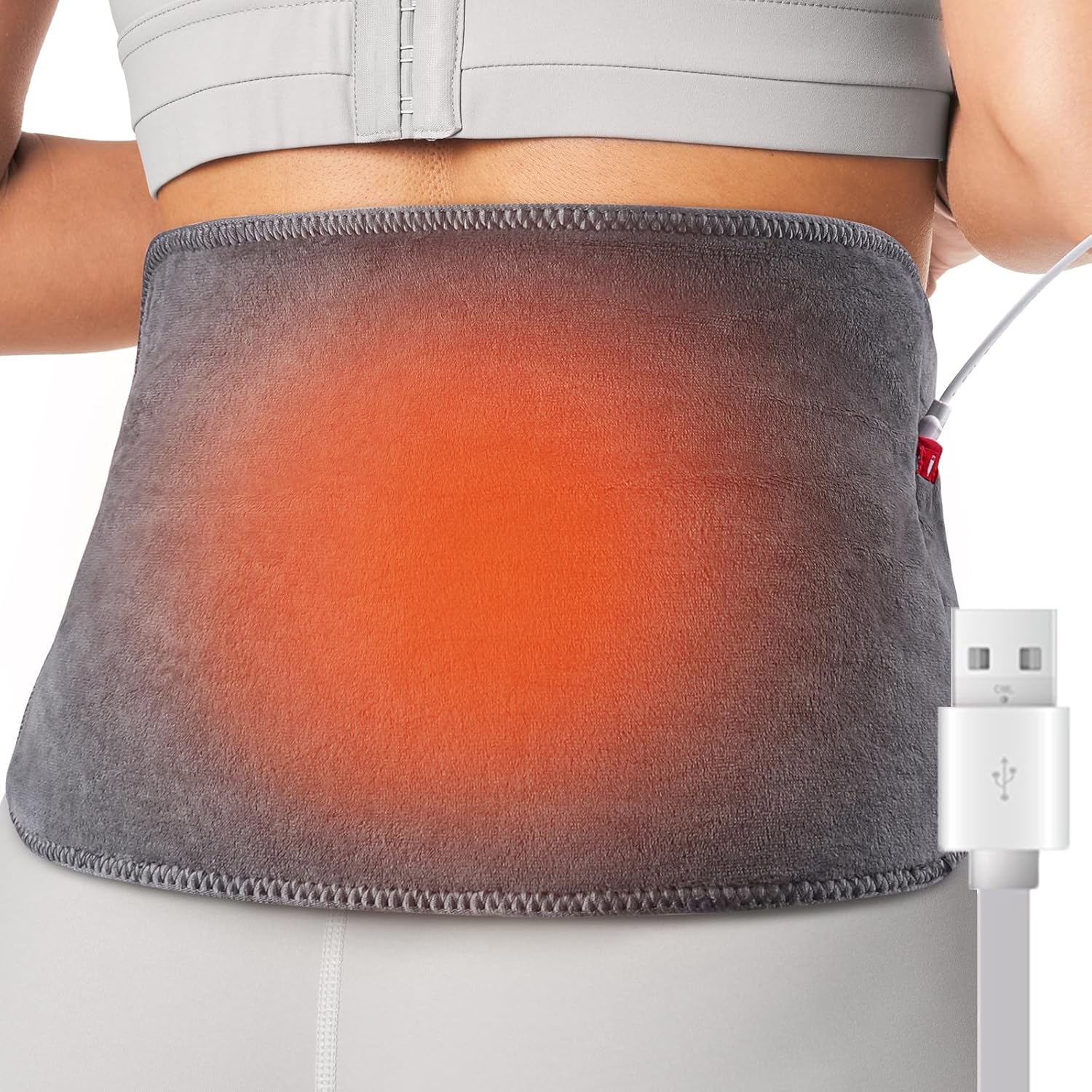
Figure 1: The comfheat USB Plug-in Back Heating Pad in use, demonstrating its application on the lower back with the heating element active.

Figure 2: Illustration of the versatile USB power options for the heating pad, highlighting its adaptability for use with different 5V/2A USB power sources.
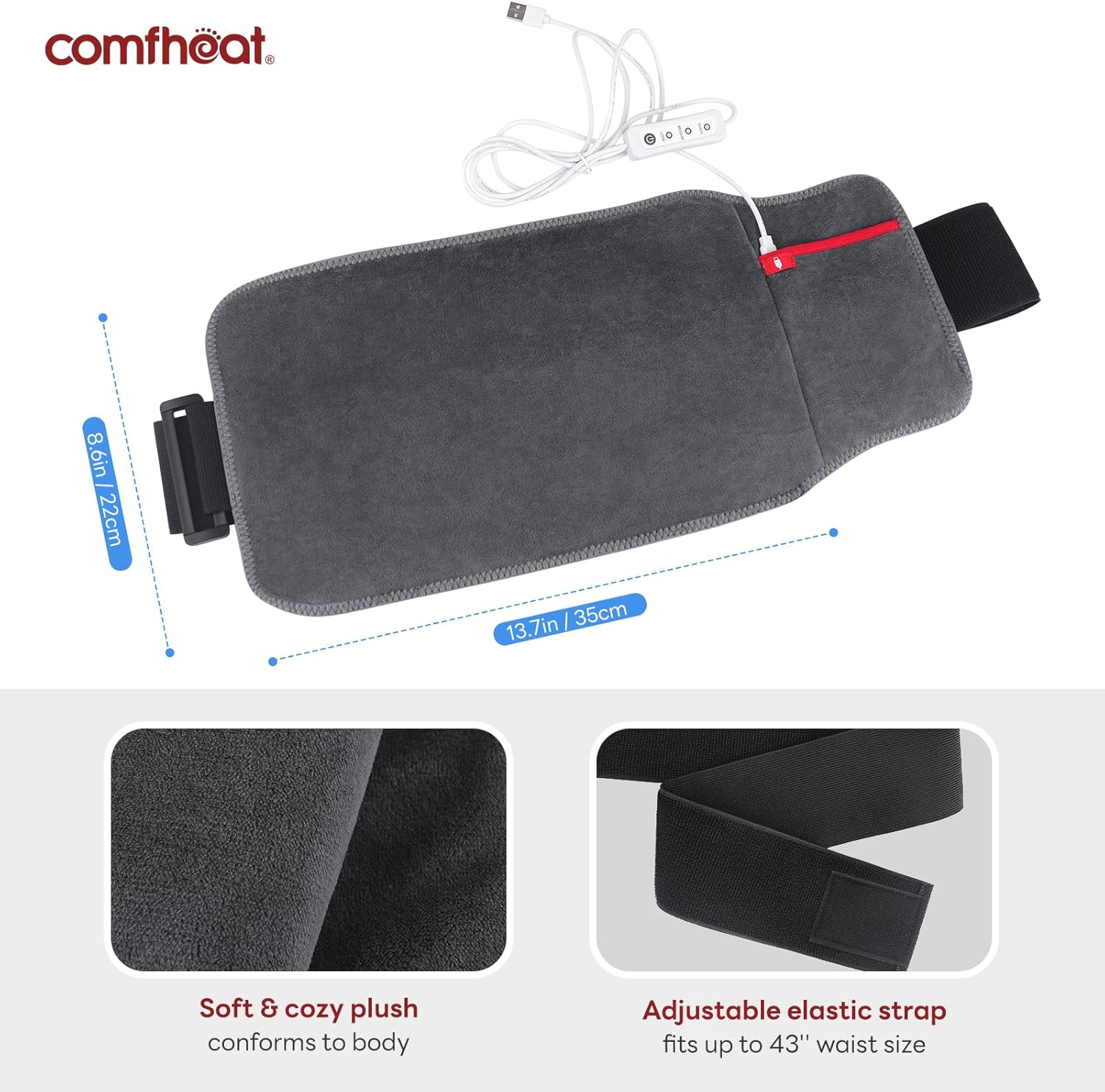
Figure 3: A detailed view of the heating pad's components, including its soft fabric, adjustable strap, and the length of its USB power cord.
Video 1: This video demonstrates the proper way to attach the adjustable strap, connect the USB power, and wear the heating pad for optimal comfort and effectiveness.
Operating Instructions
Operating your comfheat heating pad is simple:
- Once the USB connector is securely plugged into a 5V 2A USB port, press the power button on the inline controller once to turn on the heating pad.
- To select your desired heat level, press the button again to cycle through the 3 temperature settings:
- High Temperature: 130 - 140℉ (indicated by a specific light color, refer to controller for details)
- Medium Temperature: 112 - 122℉ (indicated by a specific light color)
- Low Temperature: 100 - 104℉ (indicated by a specific light color)
- The heating pad will automatically shut off after 45 minutes for safety and energy conservation. If you wish to continue use, simply press the power button again to restart.
- To turn off the heating pad manually, unplug the power cord from the USB power source.
- For moist heat therapy, lightly spray 2-3 drops of water on the back side of the heated wrap before use.

Figure 4: The heating pad's control unit, illustrating the three distinct heat settings and their temperature ranges.

Figure 5: Examples of the heating pad's versatile applications, demonstrating its use for relaxation at home, in a car, and during air travel.

Figure 6: The heating pad's built-in safety mechanisms, including overheat protection and an automatic 45-minute shut-off feature.
Maintenance
Proper care will extend the life of your heating pad:
- Always unplug the heating pad from the power source before cleaning.
- The ultra-soft fabric can be spot cleaned with a damp cloth and mild detergent. Do not submerge the entire pad in water or machine wash, as this may damage the electrical components.
- Allow the heating pad to air dry completely before storing or next use.
- Store the heating pad in a cool, dry place, away from direct sunlight and excessive heat. Avoid tightly folding or creasing the pad during storage to prevent damage to the internal wiring.
Troubleshooting
If you encounter any issues with your heating pad, please refer to the following common solutions:
| Problem | Possible Cause | Solution |
|---|---|---|
| Heating pad does not turn on or heat up. |
|
|
| Heating pad feels too hot or not hot enough. | Incorrect heat setting selected. | Press the button on the inline controller to cycle through the High, Medium, and Low heat settings until you find your preferred temperature. |
| Heating pad turns off unexpectedly before 45 minutes. |
|
|
If the problem persists after trying these solutions, please contact customer support.
Specifications
| Feature | Detail |
|---|---|
| Model Number | CFH011 |
| Power Source | USB Plug-in (5V 2A required) |
| Wattage | 10 watts |
| Heat Settings | 3 Levels (Low: 100-104℉, Medium: 112-122℉, High: 130-140℉) |
| Auto-Off Timer | 45 minutes |
| Adjustable Waist Size | 27" to 47" |
| Cord Length | 5.9 feet |
| Material | Ultra-soft plush fabric |
| Color | Grey |
| Package Dimensions | 7.64 x 5.59 x 2.8 inches |
| Item Weight | 6.38 ounces |
Warranty and Support
comfheat is committed to your satisfaction. Your USB Plug-in Back Heating Pad comes with:
- A Free No-Hassle Replacement Process.
- 1-YEAR WARRANTY & HASSLE-FREE REPLACEMENT.
If you have any problems or questions regarding your product, please feel free to contact us. We are dedicated to providing excellent customer service and will address your concerns within 12 hours to ensure your positive experience.
For support, please visit the official comfheat store on Amazon or contact their customer service directly via the platform where you purchased the product.