
Important Safety Information
- Do not expose the speaker to extreme temperatures or direct sunlight.
- Avoid dropping or subjecting the speaker to strong impacts.
- Keep the speaker away from water and liquids, despite its IPX4 rating, to prevent damage.
- Do not attempt to disassemble or repair the speaker yourself. Contact qualified service personnel.
- Use only the provided USB charging cable or a certified equivalent.
- Keep out of reach of children.
Package Contents
Please check the box for the following items:
- 1 x KENKUO TG166 Portable Bluetooth Speaker
- 1 x USB Charging Cable
- 1 x User Manual (this document)
- 1 x Hanger
Product Overview
The KENKUO TG166 is a compact and portable Bluetooth speaker designed for versatile audio playback. It features Bluetooth 5.2 for stable wireless connections, a built-in FM radio, and support for MicroSD cards and USB disks for various playback options. Its lightweight design and IPX4 water resistance make it suitable for both indoor and outdoor use.

Figure 1: Front view of the KENKUO TG166 Portable Bluetooth Speaker.
Controls and Ports
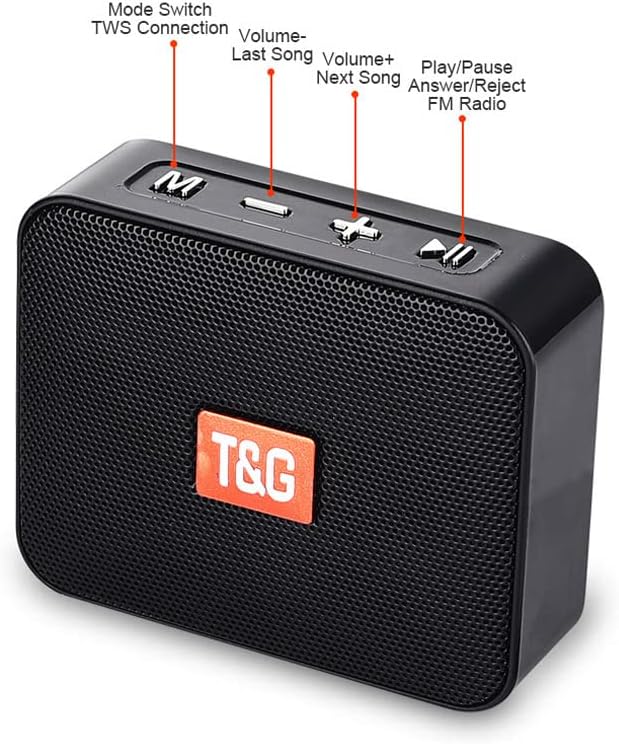
Figure 2: Control buttons and ports.
- M (Mode Switch / TWS Connection): Press to switch between playback modes (Bluetooth, FM Radio, MicroSD, USB Disk). Long press for TWS pairing.
- - (Volume Down / Previous Song): Short press to decrease volume. Long press for previous song.
- + (Volume Up / Next Song): Short press to increase volume. Long press for next song.
- Play/Pause (Answer/Reject Call / FM Radio Scan): Short press to play/pause music or answer/end calls. Long press to reject calls. In FM mode, long press to auto-scan and save stations.
- USB Disk Port: For playing audio from a USB flash drive.
- MicroSD Card Slot: For playing audio from a MicroSD card.
- Charging Port (Micro USB): For charging the speaker. Also acts as an external antenna for FM radio.
- ON/OFF Switch: Power switch for the speaker.
Setup
1. Charging the Speaker
Before first use, fully charge the speaker. Connect the provided USB charging cable to the speaker's charging port and the other end to a USB power adapter (not included) or a computer's USB port. The charging indicator light will illuminate during charging and turn off when fully charged. A full charge takes approximately 1.5 hours.

Figure 3: Speaker with built-in 500mAh battery, offering up to 8 hours of playtime.
2. Power On/Off
To power on the speaker, slide the ON/OFF switch to the "ON" position. You will hear an audible prompt. To power off, slide the switch to the "OFF" position.
3. Bluetooth Pairing (Single Speaker)
- Ensure the speaker is powered on and in Bluetooth mode. If not, press the M button to switch to Bluetooth mode. The indicator light will flash, indicating it's ready for pairing.
- On your mobile device (smartphone, tablet, etc.), enable Bluetooth and search for available devices.
- Select "TG166" from the list of devices.
- Once connected, you will hear a confirmation sound, and the indicator light will stop flashing.
4. True Wireless Stereo (TWS) Pairing (Two Speakers)
For an immersive stereo experience, you can pair two KENKUO TG166 speakers together.

Figure 4: TWS Function - Two speakers interconnected for stereo sound.
- Turn on both KENKUO TG166 speakers.
- On one of the speakers (this will be the primary speaker), long press the M button for 3 seconds until you hear a hint and the button light stops flashing. This speaker is now in TWS pairing mode.
- Wait for approximately 10 seconds. You will hear a "beep" sound, indicating successful TWS pairing between the two speakers.
- Now, turn on your phone's Bluetooth and search for "TG166". Connect to it. The audio will now play through both speakers in stereo.
Operating Instructions
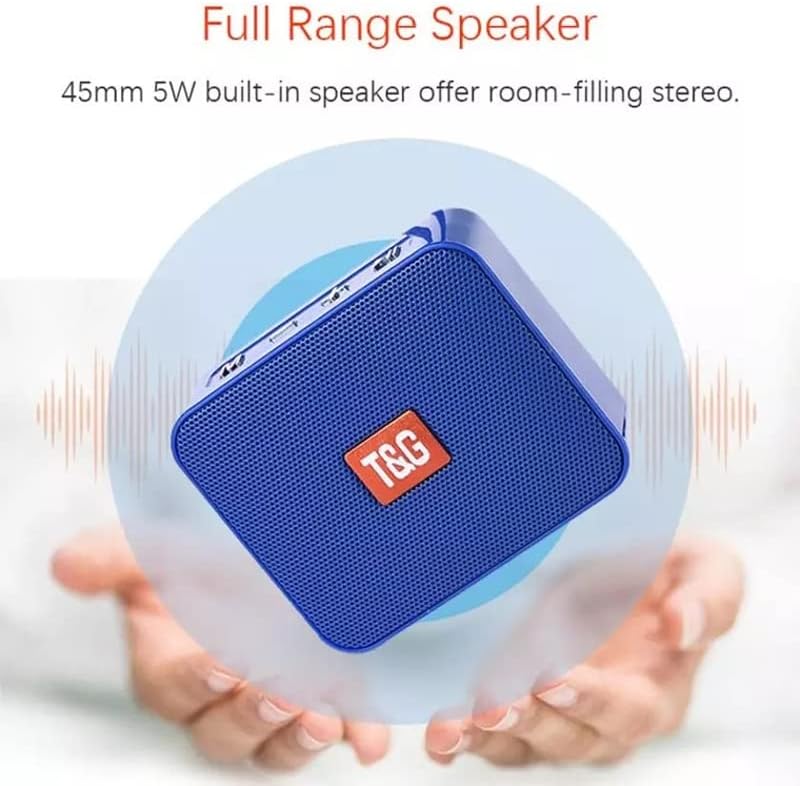
Figure 5: Full Range Speaker for immersive audio.
1. Bluetooth Mode
After successful Bluetooth pairing, you can play audio from your connected device. Use the + and - buttons to adjust volume. Long press + for the next song and - for the previous song. Press the Play/Pause button to pause or resume playback.
2. FM Radio Mode
- Insert the Micro USB charging cable into the charging port. This cable acts as an external antenna to improve FM signal reception.
- Press the M button repeatedly until you hear the FM radio prompt.
- Long press the Play/Pause button to initiate an automatic scan for FM stations. The speaker will scan and save available stations.
- Once scanning is complete, use the + and - buttons (long press) to switch between saved stations. Short press + and - to adjust volume.
3. MicroSD Card / USB Disk Mode

Figure 6: Multiple playback modes including USB Disk and MicroSD Card.
Insert a MicroSD card or a USB flash drive (with audio files) into the respective slot. The speaker will automatically detect the storage device and switch to the corresponding playback mode. Use the + and - buttons to control playback (volume, next/previous track) and the Play/Pause button to pause/resume.
4. Hands-Free Calling
When connected via Bluetooth to your smartphone, the speaker can be used for hands-free calls.
- Answer Call: Short press the Play/Pause button when an incoming call rings.
- End Call: Short press the Play/Pause button during a call.
- Reject Call: Long press the Play/Pause button when an incoming call rings.
Maintenance
- Cleaning: Use a soft, dry cloth to clean the speaker. Do not use abrasive cleaners or solvents.
- Storage: Store the speaker in a cool, dry place when not in use. Avoid storing in areas with high humidity or extreme temperatures.
- Battery Care: To prolong battery life, charge the speaker regularly, even if not used frequently. Avoid fully discharging the battery for extended periods.
Troubleshooting
| Problem | Possible Solution |
|---|---|
| Speaker does not power on. | Ensure the battery is charged. Connect the speaker to a power source using the USB cable. |
| Cannot pair with Bluetooth device. |
|
| No sound or low volume. |
|
| Poor FM radio reception. |
|
| Loud power-on sound. | The speaker has a fixed power-on sound and voice prompt that cannot be adjusted or disabled. This is normal operation. |
Specifications
| Feature | Specification |
|---|---|
| Model Name | TG166 |
| Bluetooth Version | V5.2 (product description states V5.2, feature bullets state V5.0, using V5.2 as it's more specific in description) |
| Wireless Transmission Range | 10 meters (33 feet) |
| Speaker Output Power | 5W |
| Horn Diameter | 45mm |
| Frequency Response | 120Hz-20KHz |
| Signal-to-Noise Ratio (SNR) | ≥90dB |
| Battery Capacity | 500mAh Lithium-ion |
| Charging Time | Approx. 1.5 hours |
| Playtime (at normal volume) | 8-9 hours |
| Water Resistance Rating | IPX4 |
| Product Dimensions (L x W x H) | 86.5 x 72.3 x 31.6 mm (3.3"W x 2.8"H x 1"D) |
| Product Weight | 172g (approx. 5.5 ounces) |
| Input Voltage | 5V |
| Supported Playback Modes | Bluetooth, FM Radio, MicroSD Card, USB Disk |
Warranty and Support
The KENKUO TG166 Portable Bluetooth Speaker comes with a 12-Months Warranty from the date of purchase. Additionally, a 30-day No-Hassle replacement guarantee is provided.
This warranty covers manufacturing defects and workmanship. It does not cover damage caused by misuse, accidents, unauthorized modifications, or normal wear and tear.
For warranty claims or technical support, please contact KENKUO customer service through your original point of purchase or visit the official KENKUO website for contact information.