
Introduction
This manual provides detailed instructions for the installation, operation, and maintenance of your INKBIRD IVC-001W 15CM Inline Duct Fan with Smart Controller. This system is designed to provide efficient ventilation, deodorization, dehumidification, and temperature regulation for various indoor environments.
Please read this manual thoroughly before using the product to ensure safe and optimal performance.
Safety Information
Observe the following safety precautions to prevent injury or damage to the device:
- Electrical Safety: Ensure the power supply matches the fan's requirements. Do not operate with damaged cords or plugs.
- Installation: Install the fan in a stable location, ensuring proper duct connections to prevent air leaks.
- Maintenance: Disconnect power before cleaning or performing any maintenance.
- Children and Pets: Keep the device out of reach of children and pets.
- Environment: Do not expose the fan or controller to water or extreme temperatures.
Product Components
The INKBIRD IVC-001W package includes the following:
- 1 x INKBIRD IVC-001W Inline Duct Fan (15CM / 6-inch)
- 1 x Wi-Fi Enabled Smart Controller
- 1 x Temperature and Humidity Probe
- 1 x Power Cord
- Mounting Hardware (e.g., straps, screws)
- User Manual (this document)
Setup and Installation
Follow these steps to properly install your INKBIRD Inline Duct Fan:
- Unpacking: Carefully remove all components from the packaging. Inspect for any damage.
- Mounting the Fan: Secure the inline duct fan in your desired location (e.g., within a grow tent, basement, or kitchen ductwork). Use the provided mounting hardware to ensure it is stable and vibration-free.
- Connecting Ducting: Connect appropriate ducting to both ends of the fan. Ensure all connections are sealed to prevent air leakage and maximize efficiency.
- Mounting the Controller: Choose a convenient location for the smart controller. It can be wall-mounted or placed on a flat surface.
- Connecting the Controller: Connect the fan to the smart controller using the provided cable. Then, connect the temperature and humidity probe to the controller.
- Power Connection: Plug the power cord into a standard electrical outlet. The controller screen should illuminate.
- Wi-Fi Setup: Download the INKBIRD app on your smartphone. Follow the in-app instructions to connect the smart controller to your Wi-Fi network. This enables remote control and monitoring.

Image: The INKBIRD IVC-001W Inline Duct Fan connected to flexible ducting, shown in an indoor growing environment.

Image: A detailed view of the duct fan illustrating the direction of air flow (inlet and outlet) and its connection to ductwork.
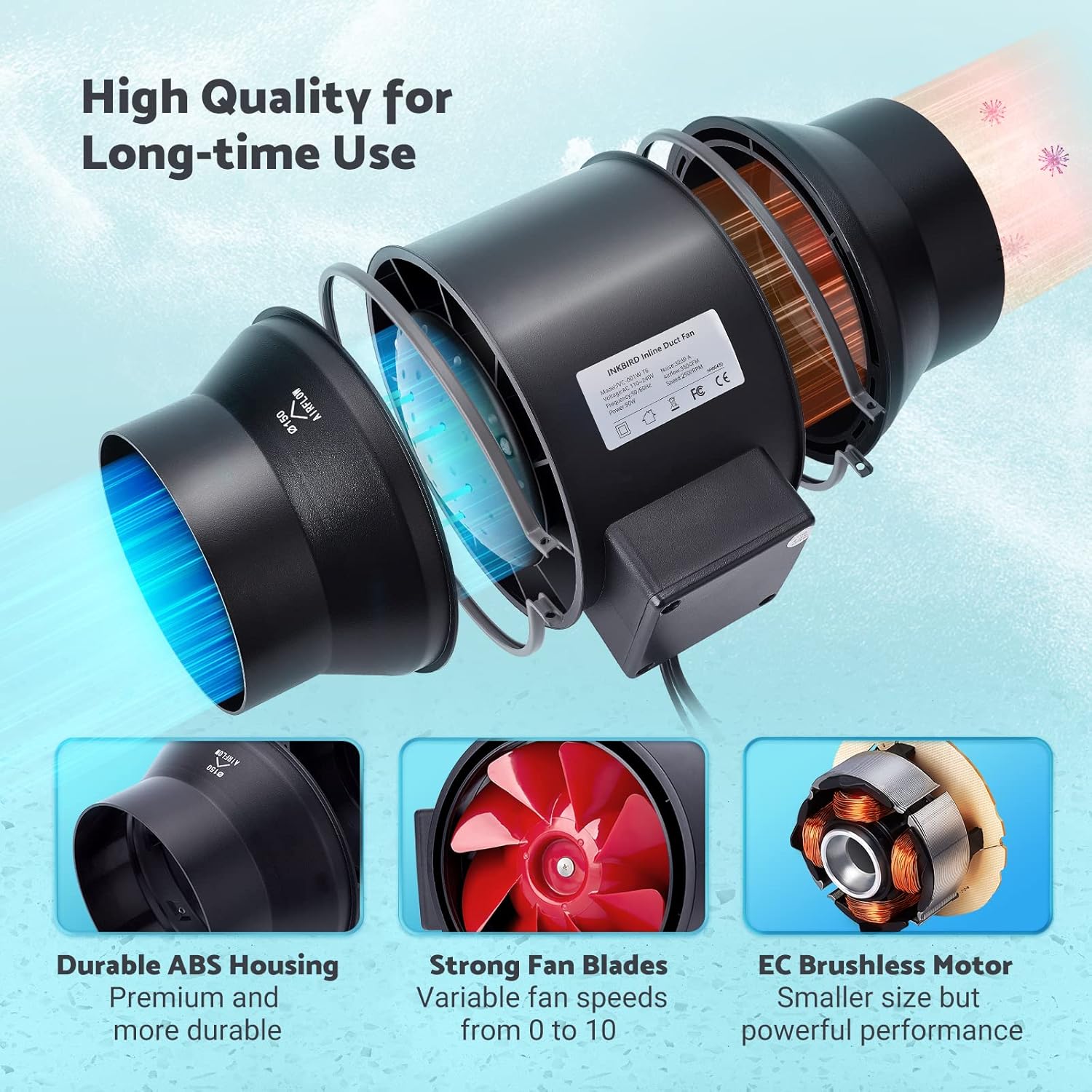
Image: The Wi-Fi enabled smart controller displaying temperature and humidity readings, with its probe connected.
Operating Instructions
The INKBIRD IVC-001W offers multiple operating modes for flexible environmental control.
Controller Interface
The smart controller features a high-definition VA screen displaying current temperature, humidity, fan status, and settings. Buttons on the controller allow for direct interaction.

Image: A detailed view of the smart controller's screen, showing temperature, humidity, and fan speed settings, along with its physical buttons.
Operating Modes
You can select from Automatic, Manual, or Timer modes:
- Automatic Mode:
- Set desired temperature and humidity ranges.
- The fan will automatically adjust its speed (0-10) to maintain these preset conditions.
- Ideal for maintaining a consistent environment without constant manual adjustment.
- Manual Mode:
- Manually set the fan speed from 0 (off) to 10 (maximum).
- The fan will operate at the selected speed until manually changed or turned off.
- Timer Mode:
- Program up to 6 individual operating times per day.
- For each time slot, you can customize the start time, running length, and fan speed.
- This mode allows for precise scheduling of ventilation cycles.

Image: Screenshot of the INKBIRD smartphone app demonstrating the Automatic Mode interface, where users can set temperature and humidity thresholds.

Image: Screenshot of the INKBIRD smartphone app demonstrating the Manual Mode interface, allowing users to set a specific fan speed.

Image: Screenshot of the INKBIRD smartphone app demonstrating the Timer Mode interface, where users can schedule multiple fan operations throughout the day.
Smart App Features
The INKBIRD app provides enhanced control and monitoring capabilities:
- Remote Control: Adjust settings and change modes from anywhere.
- Monitoring: View real-time temperature and humidity data.
- History: Access historical temperature and humidity data.
- Alarms: Receive notification messages on your phone if detected temperature/humidity reaches preset alarm values.
- Child Lock: Enable the child lock function via the app or by pressing the '+' and '-' buttons simultaneously on the controller for 2 seconds to prevent unintended changes.
- ECO Mode: The controller supports ECO mode for power saving.
Key Features
- Efficient Air Movement: Provides 350 CFM air volume and 2500 RPM fan speed for effective ventilation, deodorization, dehumidification, and temperature regulation.
- Quiet Operation: Features an energy-efficient EC motor, producing only 32 dB of noise during operation (measured at 3 meters from the fan connected to a 1-meter duct).
- Variable Fan Speed: Fan speed is adjustable from 0 to 10, allowing precise control over airflow.
- Durable Construction: Built with a durable ABS housing and strong fan blades for long-term use.
- Multi-Fan Control: The smart controller can connect and control two INKBIRD fans simultaneously.
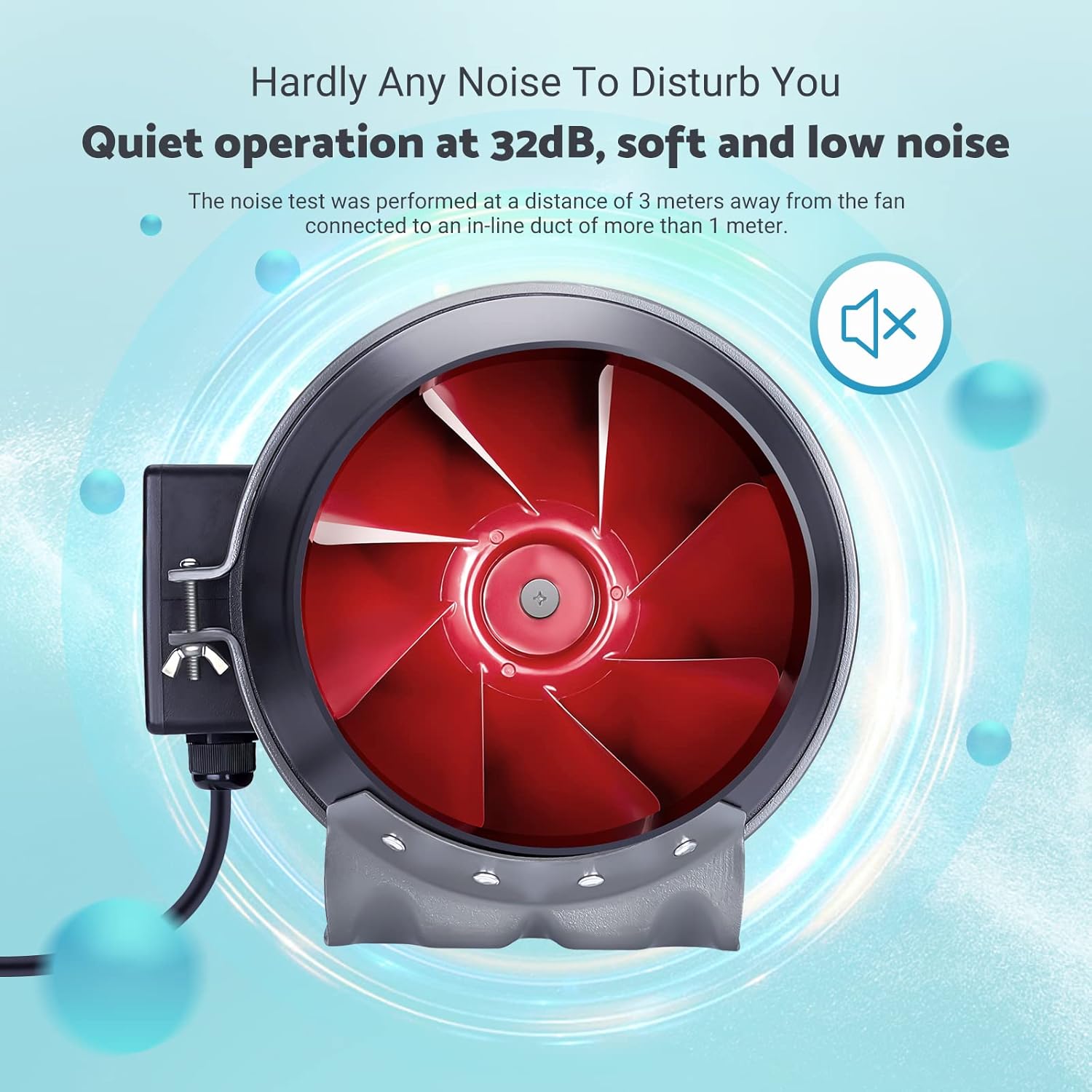
Image: The inline duct fan highlighting its multifunctional capabilities: ventilation, deodorization, humidity regulation, and temperature regulation.

Image: An internal view of the fan, emphasizing its quiet operation at 32 dB, with the red fan blades visible.
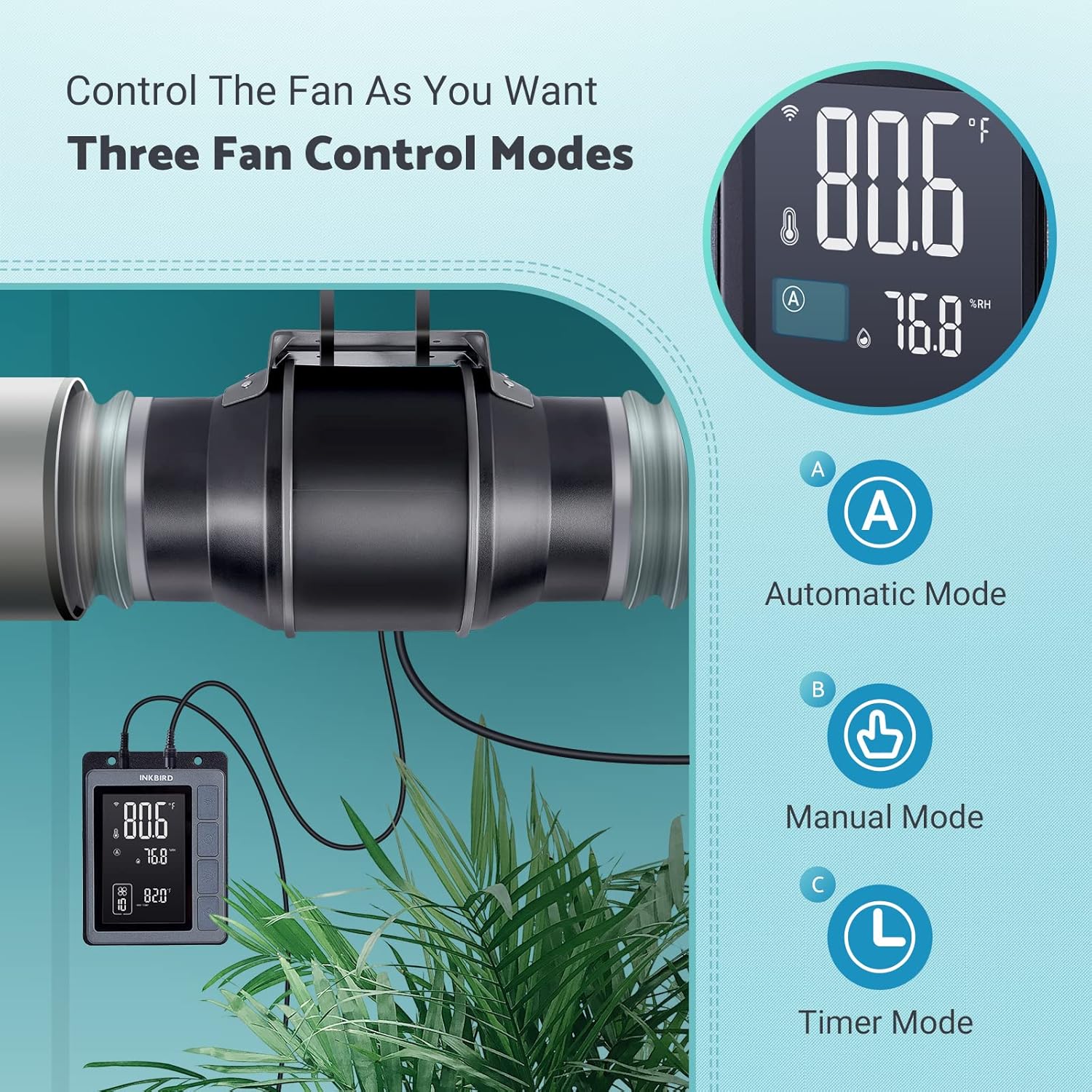
Image: An exploded diagram of the fan, highlighting its durable ABS housing, robust fan blades, and the efficient EC brushless motor.
Maintenance
Regular maintenance ensures the longevity and efficiency of your INKBIRD Inline Duct Fan.
- Power Disconnection: Always unplug the fan from the power source before performing any cleaning or maintenance.
- Exterior Cleaning: Wipe the exterior of the fan and controller with a soft, damp cloth. Do not use abrasive cleaners or solvents.
- Fan Blade Cleaning: Periodically inspect the fan blades for dust and debris accumulation. If necessary, carefully remove the fan from the ducting and gently clean the blades with a soft brush or cloth. Ensure no moisture enters the motor housing.
- Probe Cleaning: Keep the temperature and humidity probe clean and free from obstructions to ensure accurate readings.
- Ducting Inspection: Regularly check the ducting for any blockages, tears, or loose connections that could impede airflow.
Troubleshooting
If you encounter issues with your INKBIRD Inline Duct Fan, refer to the following common problems and solutions:
| Problem | Possible Cause | Solution |
|---|---|---|
| Fan does not turn on. | No power supply; loose connection; child lock enabled. | Check power cord connection and outlet. Ensure fan cable is securely connected to the controller. Disable child lock via app or controller buttons. |
| Fan runs but airflow is weak. | Ducting blockage; fan speed set too low; air leaks in ducting. | Inspect ducting for obstructions. Increase fan speed setting. Check duct connections for leaks and seal if necessary. |
| Inaccurate temperature/humidity readings. | Probe is dirty or obstructed; probe is placed in an unsuitable location. | Clean the probe. Relocate the probe to an area that accurately represents the environment you wish to monitor. |
| Wi-Fi connection issues. | Incorrect Wi-Fi password; router too far; network interference. | Verify Wi-Fi password. Move controller closer to the router. Restart router and controller. Ensure 2.4GHz Wi-Fi network is used. |
| Fan is noisy. | High fan speed; loose mounting; debris in fan blades. | Reduce fan speed. Ensure the fan is securely mounted. Disconnect power and inspect/clean fan blades. |
Specifications
| Feature | Detail |
|---|---|
| Brand | Inkbird |
| Model | IVC-001W |
| Fan Diameter | 15CM (6-inch) |
| Air Volume | 350 CFM |
| Fan Speed | 2500 RPM (Max) |
| Noise Level | 32 dB (at 3 meters) |
| Voltage | 24V |
| Wattage | 50W |
| Power Source | Corded Electric |
| Material | Plastic (ABS Housing) |
| Mounting Type | Wall Mount |
| Special Features | Timer, Wi-Fi Smart Controller, Temperature & Humidity Control, Child Lock, ECO Mode |
| Power Cord Length | 150 cm (59 inches) |
| Fan to Controller Cord Length | 240 cm (94.5 inches) |
| Probe Length | 250 cm (98.43 inches) |
| Product Dimensions | 35D x 26.7W x 28H centimetres |

Image: A technical diagram illustrating the dimensions of the inline duct fan, smart controller, and the temperature/humidity probe, including cable lengths.
Warranty and Support
The INKBIRD IVC-001W Inline Duct Fan comes with a 2-year warranty from the date of purchase.
For technical support, warranty claims, or further assistance, please contact INKBIRD customer service through their official website or the contact information provided with your product packaging.
You can also visit the Inkbird Store on Amazon for more product information and support resources.

