
CAPOXO D8
CAPOXO D8 Bluetooth Headphones User Manual
Comprehensive guide for your CAPOXO D8 Wireless Earbuds.
Introduction
Thank you for choosing CAPOXO D8 Bluetooth Headphones. These wireless earbuds are designed to provide a superior audio experience with exceptional comfort and durability, especially for active lifestyles. Featuring 120 hours of playtime with the charging case, IPX7 waterproofing, and intuitive controls, the D8 earbuds are perfect for workouts, calls, and daily listening. This manual will guide you through the setup, operation, and maintenance of your new headphones to ensure optimal performance.
What's in the Box
- Bluetooth Headphones (CAPOXO D8 Earbuds)
- Wireless Charging Case
- USB-C Cable
- Eartips (multiple sizes)
- User Manual

Image: The CAPOXO D8 Bluetooth Headphones, consisting of two earbuds with over-ear hooks and a sleek black charging case with an LED display.
Product Overview
Key Features
- 120 Hours Playback: Extended listening time with the 2600mAh charging case.
- IPX7 Waterproof: Designed to withstand sweat and water splashes, ideal for sports.
- Bluetooth 5.3: Ensures stable and quick wireless connection.
- Comfortable Fit: Flexible and soft ear hooks provide a secure fit for active use.
- Emergency Power Bank: The charging case can charge your mobile phone in emergencies.
- Dual LED Power Display: Clear digital indicators for case and earbud battery levels.
- Crystal-clear Call: Built-in dual microphones for enhanced call clarity.
Components and Controls
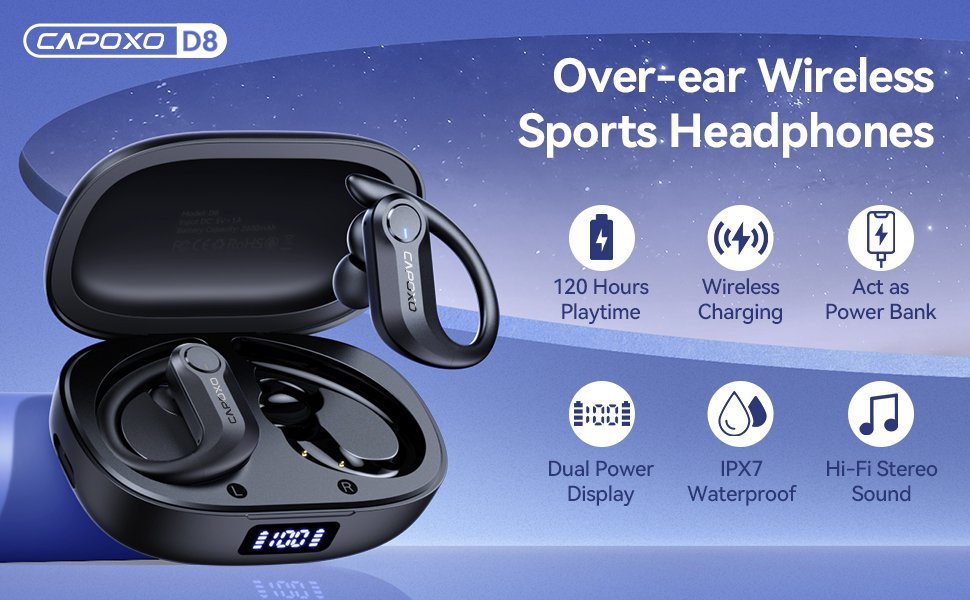
Image: An overhead view of the CAPOXO D8 earbuds in their open charging case, highlighting features like 120 hours playtime, wireless charging, power bank function, dual power display, IPX7 waterproof, and Hi-Fi stereo sound.

Image: A diagram illustrating the button controls on the CAPOXO D8 earbuds, including functions for volume adjustment, track skipping, call rejection, play/pause, phone calls, and activating Siri.
The earbuds feature intuitive button controls for managing audio playback, calls, and voice assistant activation. The charging case includes a clear LED digital display to show the remaining battery percentage of the case and the charging status of each earbud.
Setup
1. Charging the Earbuds and Case
Before first use, ensure both the earbuds and the charging case are fully charged. The charging case has a 2600mAh capacity, providing multiple recharges for the earbuds.
- USB-C Charging: Connect the provided USB-C cable to the charging port on the case and to a power source.
- Wireless Charging: Place the charging case on a compatible wireless charging pad (not included).
- Earbud Charging: Place the earbuds into the charging case. They will automatically begin charging. The LED display on the case will show the charging status of each earbud.

Image: Illustrates the wireless and USB-C charging options for the CAPOXO D8 case, alongside a diagram of the 14.2mm dynamic driver for Hi-Fi stereo sound and the IPX7 waterproof rating.
Video: Demonstrates the charging process of the CAPOXO D8 earbuds and case, highlighting the dual LED battery display and the emergency power bank function for mobile phones.
2. Pairing with Your Device
The CAPOXO D8 earbuds utilize Bluetooth 5.3 for a fast and stable connection.
- Take the earbuds out of the charging case. They will automatically turn on and enter pairing mode.
- On your device (smartphone, tablet, laptop), go to Bluetooth settings.
- Search for "D8" in the list of available devices and select it to connect.
- Once connected, you will hear a confirmation tone, and the earbuds will be ready for use.

Image: Shows the CAPOXO D8 earbuds in their charging case next to a smartphone displaying the Bluetooth settings, indicating "D8" as a connected device for one-step auto pairing.
Video: Illustrates the seamless one-step auto pairing process of the CAPOXO D8 earbuds, showing them being taken out of the case and connecting to a device, along with demonstrations of comfortable fit, emergency charging, and call features.
Operating Instructions
Basic Controls
The CAPOXO D8 earbuds feature multi-function buttons on each earbud for easy control:
- Play/Pause: Click once on either the Left (L) or Right (R) earbud.
- Volume Up: Long press the Right (R) earbud.
- Volume Down: Long press the Left (L) earbud.
- Next Track: Quick-click twice on the Right (R) earbud.
- Previous Track: Quick-click twice on the Left (L) earbud.
- Answer/End Call: Click once on either L/R earbud.
- Reject Call: Long press for 2 seconds on either L/R earbud.
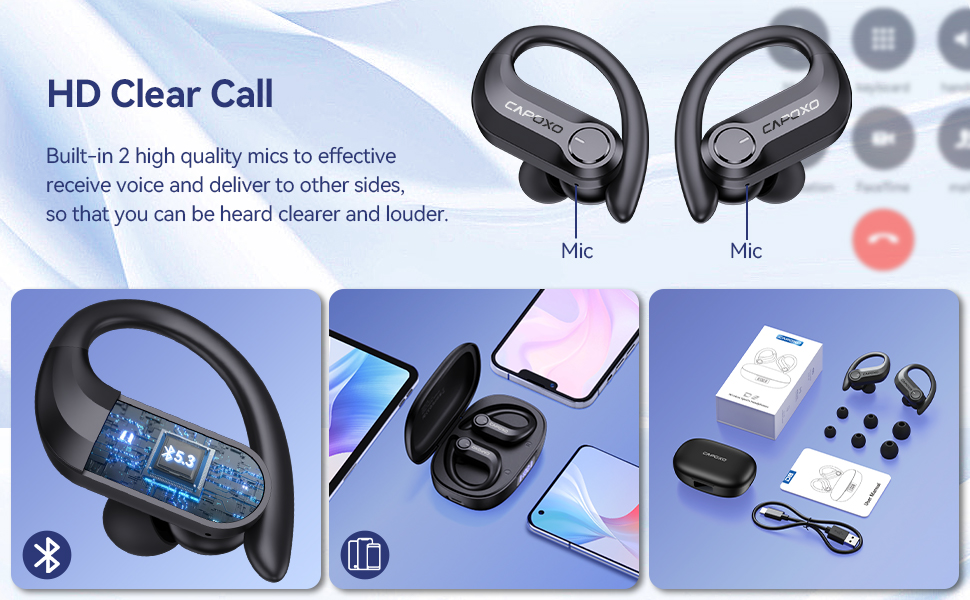
Image: Displays the CAPOXO D8 earbuds with callout for built-in microphones for HD clear calls, and shows compatibility with various devices like phones and tablets, along with the product packaging and included accessories.
Voice Assistant Activation
To activate your device's voice assistant (e.g., Siri, Google Assistant), quick-click three times on either the Left (L) or Right (R) earbud.
Maintenance
- Cleaning: Regularly clean the earbuds, especially the eartips and charging contacts, with a soft, dry cloth. For sweaty earbuds, ensure they are completely dry before placing them back in the charging case to prevent damage.
- Storage: When not in use, store the earbuds in their charging case to protect them from dust and damage.
- Water Resistance: While IPX7 waterproof, avoid prolonged submersion in water. Dry thoroughly after exposure to sweat or splashes.
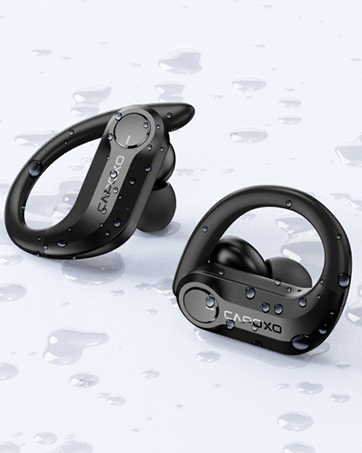
Image: Close-up of the CAPOXO D8 earbuds with water droplets, demonstrating their IPX7 waterproof rating.
Troubleshooting
| Problem | Possible Cause | Solution |
|---|---|---|
| Earbuds not pairing | Earbuds not in pairing mode; Bluetooth off on device; previously paired device interfering. | Ensure earbuds are out of case and flashing. Turn Bluetooth off/on on your device. Forget "D8" from previously paired devices and re-pair. |
| No sound from one earbud | Low battery; earbud not properly connected; mono mode activated. | Charge both earbuds. Place both earbuds back in the case and take them out again. Ensure both earbuds are connected in stereo mode. |
| Charging case not charging | Faulty cable/charger; improper connection. | Try a different USB-C cable or power adapter. Ensure the cable is securely plugged into the case and power source. For wireless charging, ensure proper placement on the charging pad. |
| Earbuds falling out during exercise | Incorrect eartip size or improper fit. | Try different sized eartips included in the box. Adjust the flexible ear hooks to ensure a snug and secure fit around your ear. |
Specifications
- Model Name: D8
- Brand: CAPOXO
- Connectivity Technology: Wireless (Bluetooth 5.3)
- Earbud Battery Life: Up to 9 Hours (single charge)
- Charging Case Battery Life: Up to 120 Hours (with multiple charges from case)
- Charging Case Capacity: 2600mAh
- Water Resistance Level: IPX7 Waterproof
- Audio Driver Size: 14.2 Millimeters (Dynamic Driver)
- Frequency Range: 20 Hz - 20,000 Hz
- Control Type: Button Control
- Earpiece Shape: Hook (Over-Ear)
- Compatible Devices: iPhone, Android, Windows, iPad, Smart TV, Laptop, Tablets, Cellphones
- Item Weight (Earbuds): 9 Grams
- Product Dimensions: 3.94 x 2.48 x 1.61 inches (Charging Case)
Warranty and Support
For warranty information, technical support, or any inquiries regarding your CAPOXO D8 Bluetooth Headphones, please refer to the warranty card included in your product packaging or visit the official CAPOXO website. You can also contact CAPOXO customer service through the contact information provided with your purchase.
Manufacturer: CAPOXO
Related documentsD8


Ask a question about this manual
Ask about setup, troubleshooting, compatibility, parts, safety, or missing instructions. Manuals+ will review the question and use this page’s manual context to help answer it.