
1. Introduction
This manual provides detailed instructions for the ACEIRMC CR2032 Button Battery Holder with ON-Off Switch. This product is designed for various electronic applications and small hobby projects, offering a convenient and secure way to power devices requiring a 3V CR2032 coin cell battery.

Image 1.1: Overview of the ACEIRMC CR2032 Button Battery Holders (5-pack).
Each holder features a snap-in design for easy battery installation, a protective cover for safety, and an integrated ON-Off switch to control power without external wiring. The pre-installed tinned wire leads simplify connection to your circuits.
2. Product Features
- Integrated ON-Off switch for power control.
- Protective cover for battery safety and short-circuit prevention.
- Pre-installed tinned wire leads (red for positive, black for negative) for easy connection.
- Snap-in design for CR2032 coin cell battery.
- Durable ABS plastic and metal construction.
- Compact dimensions suitable for various projects.
3. Setup and Installation
Follow these steps to install a CR2032 battery into the holder and prepare it for use.
- Open the Battery Compartment: Gently lift the cover of the battery holder. The cover is designed to snap securely into place, providing protection for the battery.
- Insert the CR2032 Battery: Place one CR2032 coin cell battery into the compartment with the positive (+) side facing upwards, towards the cover. Ensure it sits firmly against the internal contacts.
- Close the Cover: Carefully close the cover until it snaps securely into place. Verify that the battery is fully enclosed and the cover is flush with the holder body.
- Connect the Leads: The holder comes with pre-installed leads: a red wire for the positive (+) terminal and a black wire for the negative (-) terminal. Connect these leads to your electronic circuit or device as required. The tinned ends are ready for soldering or insertion into breadboards/connectors.
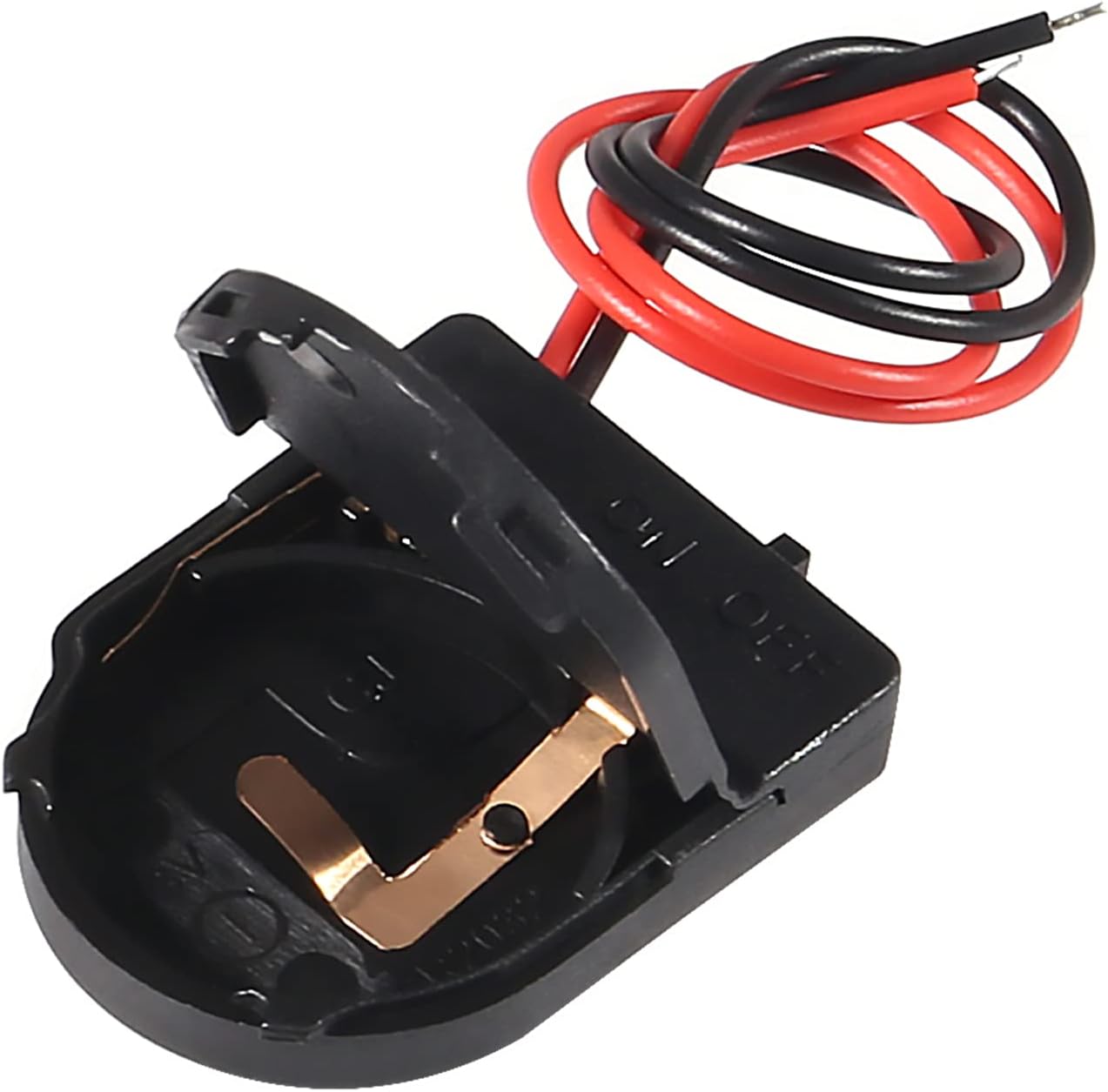
Image 3.1: Battery holder with the cover open, revealing the battery contacts.

Image 3.2: A single battery holder showing the attached red (positive) and black (negative) leads.
4. Operation
The ACEIRMC CR2032 battery holder includes an integrated ON-Off switch for convenient power management.

Image 4.1: Detail of the ON-Off switch located on the side of the battery holder.
- Turning On: Slide the switch to the 'ON' position. This will complete the circuit and supply 3V power from the CR2032 battery to your connected device.
- Turning Off: Slide the switch to the 'OFF' position. This will break the circuit, cutting off power to your device and conserving battery life.
5. Maintenance
To ensure optimal performance and longevity of your battery holder, consider the following maintenance guidelines:
- Battery Replacement: Replace the CR2032 battery when its voltage drops, or your device indicates low power. Always use a fresh CR2032 battery.
- Cleaning: Keep the battery holder clean and free from dust and debris. Use a dry, soft cloth to wipe the exterior. Avoid using liquids or abrasive cleaners.
- Storage: When not in use for extended periods, remove the battery from the holder to prevent potential leakage and store the holder in a cool, dry place.
- Inspection: Periodically inspect the wires and contacts for any signs of damage or corrosion. Ensure connections remain secure.
6. Troubleshooting
If you encounter issues with your battery holder, refer to the following common troubleshooting steps:
- No Power Output:
- Ensure the ON-Off switch is in the 'ON' position.
- Verify the CR2032 battery is correctly inserted with the positive side up.
- Check if the battery is depleted and replace it if necessary.
- Inspect the wire leads for any breaks or loose connections to your circuit.
- Intermittent Power:
- Ensure the battery is seated firmly within the holder and making good contact.
- Check for any corrosion on the battery contacts inside the holder. Clean gently if found.
- Verify that the wire connections to your device are stable and not loose.
- Difficulty Closing Cover:
- Ensure the CR2032 battery is correctly positioned and not misaligned.
- Check for any foreign objects obstructing the cover's closure mechanism.
7. Specifications
Detailed technical specifications for the ACEIRMC CR2032 Button Battery Holder:
| Feature | Specification |
|---|---|
| Battery Type | CR2032 Coin Cell (1x) |
| Output Voltage | 3 Volts |
| Switch Type | ON-Off Slide Switch |
| Dimensions (L x W x H) | 34 mm x 23.9 mm x 6.1 mm (1.34'' x 0.94'' x 0.24'') |
| Wire Length | 13.5 cm (5.3") |
| Cable Diameter (with PVC isolation) | 1 mm (0.0393") |
| Material | Plastic ABS, Metal |
| Color | Black |
| Reusability | Single Use (battery) |
| Item Weight | Approximately 0.352 ounces (per holder) |
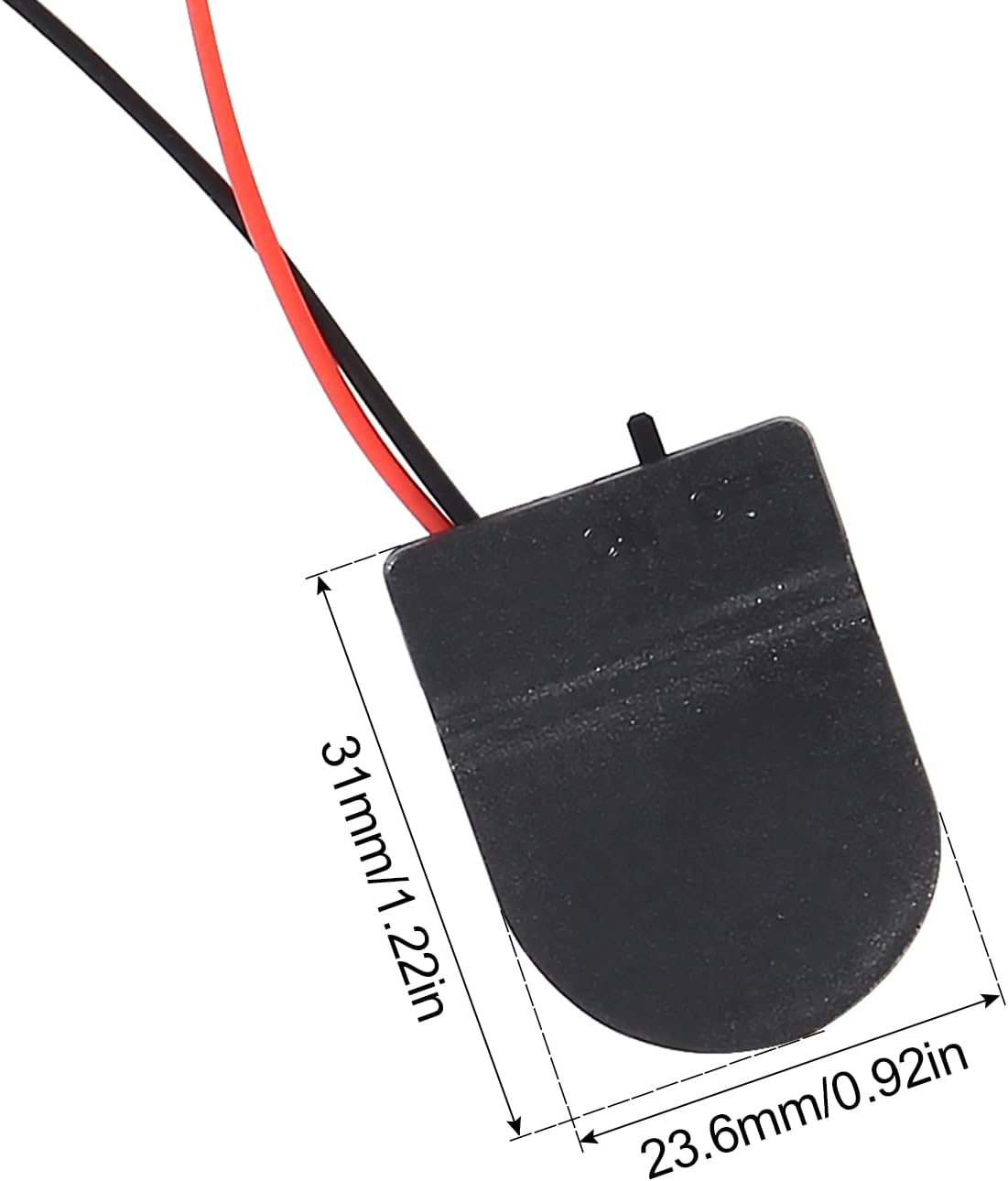
Image 7.1: Dimensions of the CR2032 battery holder.
8. Warranty and Support
For warranty information or technical support regarding your ACEIRMC CR2032 Button Battery Holder, please refer to the retailer's return policy or contact the manufacturer directly through their official channels. Keep your purchase receipt for any warranty claims.
Manufacturer: ACEIRMC
For further assistance, you may visit the ACEIRMC Store on Amazon.