
1. Introduction and Overview
The LEDVANCE Smart+ Indoor Plug EU is a smart plug designed to seamlessly integrate conventional electrical appliances into your compatible smart home system. Utilizing ZigBee technology, this plug allows you to control non-smart devices remotely via an app, voice commands (compatible with Alexa and Google Assistant), or a physical button on the device itself. It offers high switching capacity, making it suitable for a wide range of household electronics and lighting.
Expand your smart home capabilities by adding this versatile plug, enabling flexible control and automation for your connected devices.
2. Safety Information
- This product is designed for indoor use only (IP20 rated). Do not expose to water or high humidity.
- Do not exceed the maximum load capacity of 3680 Watts / 16 Amperes. Overloading can cause damage to the device and pose a fire hazard.
- Ensure the plug is fully inserted into the wall socket.
- Do not disassemble or modify the device. Refer all servicing to qualified personnel.
- Keep out of reach of children.
- Unplug the device from the wall socket before cleaning.
3. Package Contents
Your package should contain the following item:
- 1x LEDVANCE Smart+ Indoor Plug EU

Image: The LEDVANCE Smart+ Indoor Plug EU shown alongside its product packaging.
4. Setup and Installation
To set up your LEDVANCE Smart+ Indoor Plug EU, you will need a compatible ZigBee smart home gateway (hub) and its corresponding application, unless you are using a device with a built-in ZigBee hub like Alexa Echo Plus or Echo Show.
- Plug In: Insert the LEDVANCE Smart+ Indoor Plug EU into a standard wall outlet.
- Prepare Gateway: Ensure your ZigBee smart home gateway (e.g., OSRAM LIGHTIFY, Telekom Magenta, Samsung SmartThings) is powered on and in pairing mode. If using Alexa Echo Plus or Echo Show, ensure it is connected to your Wi-Fi network.
- Open App: Launch your smart home application (e.g., LIGHTIFY app, Alexa app, or other compatible smart home app) on your smartphone or tablet.
- Add Device: Follow the in-app instructions to add a new device or smart plug. The app will search for new ZigBee devices.
- Pairing: The plug should be discovered by your smart home system. Confirm the pairing process within the app.
- Customize: Once paired, you can rename the plug (e.g., "Living Room Lamp") for easier control via voice commands or the app.

Image: A visual representation of the three main steps for integrating the smart plug into your smart home system: configuring the system, adding the device via the app, and customizing settings.
For more detailed instructions on your specific smart home system, please refer to its user manual or support resources.
5. Operating Instructions
Once successfully paired, you can control your LEDVANCE Smart+ Indoor Plug EU in several ways:
- Via Smart Home App: Use your smart home application (e.g., LIGHTIFY app, Alexa app, Google Home app, Samsung SmartThings app) to remotely turn the connected device on or off. You can also set schedules, timers, and create scenes for automated control.
- Via Voice Control: If integrated with Alexa or Google Assistant, use voice commands such as "Alexa, turn on Living Room Lamp" or "Hey Google, turn off Coffee Maker."
- Via Physical Button: The plug features an on/off button directly on the device for manual control. Press the button to toggle the power state of the connected appliance.
- Via Compatible Switches: The plug can also be controlled by compatible LEDVANCE SMART+ Switches or SMART+ Switch Mini devices (sold separately).
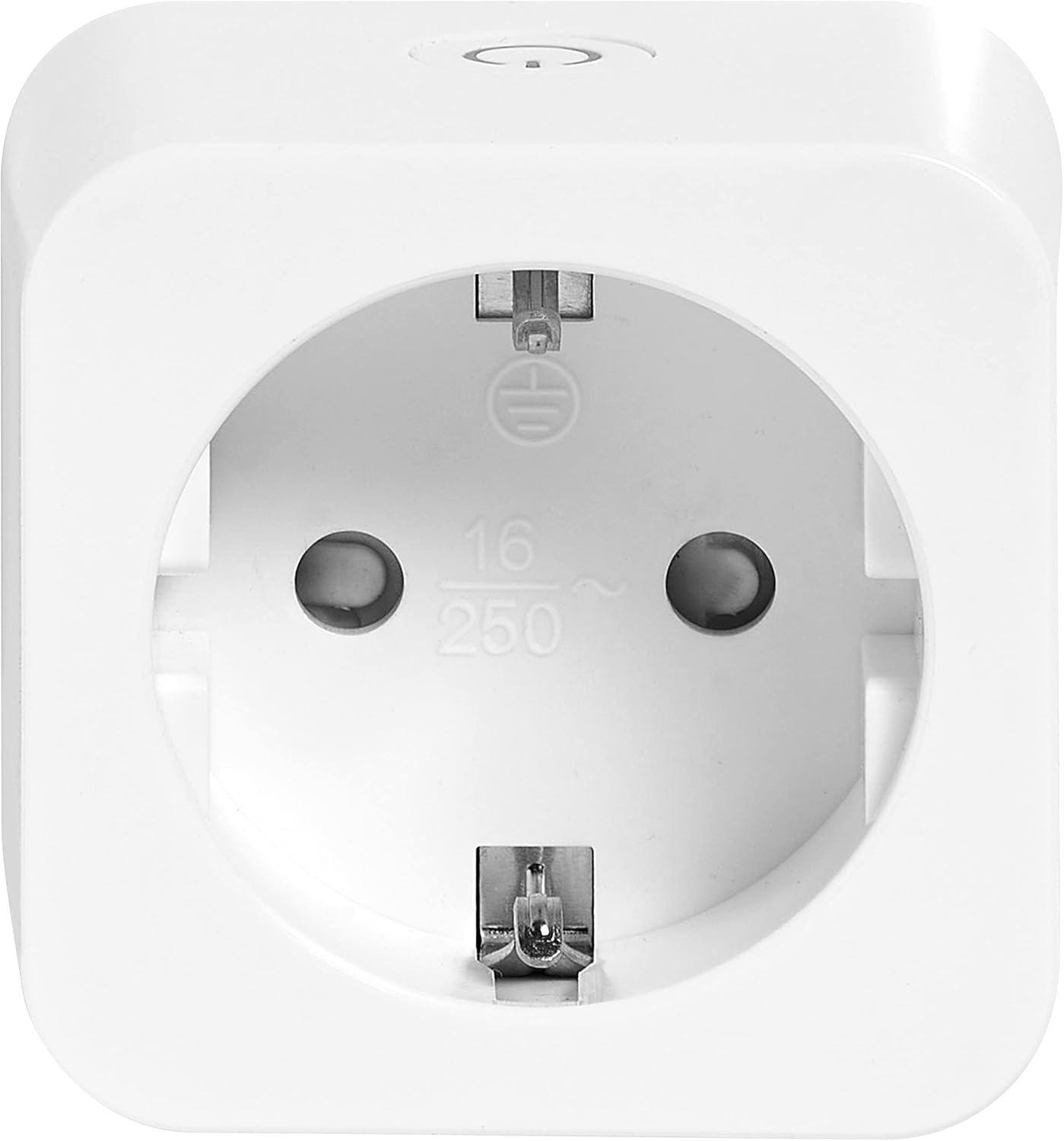
Image: A close-up front view of the LEDVANCE Smart+ Indoor Plug EU, showing the power socket and the LEDVANCE logo.
6. Maintenance
The LEDVANCE Smart+ Indoor Plug EU requires minimal maintenance.
- Cleaning: To clean the device, unplug it from the wall socket and wipe it with a soft, dry cloth. Do not use liquid or abrasive cleaners, as they may damage the surface or internal components.
- Storage: If storing the device for an extended period, keep it in a cool, dry place away from direct sunlight and extreme temperatures.
There are no user-serviceable parts inside the plug. Any attempt to open or repair the device will void the warranty and may pose a safety risk.
7. Troubleshooting
If you encounter issues with your LEDVANCE Smart+ Indoor Plug EU, please refer to the following common solutions:
| Problem | Possible Cause | Solution |
|---|---|---|
| Plug is not responding / Device connected to plug is not turning on/off. | No power to the plug. Plug is out of ZigBee range. Smart home system/gateway is offline. Appliance connected to plug is faulty. | Check if the wall outlet has power. Move the plug closer to your ZigBee gateway. Ensure your smart home gateway is powered on and connected. Test the appliance by plugging it directly into a wall outlet. |
| Cannot pair the plug with the smart home system. | Gateway not in pairing mode. Plug is too far from the gateway. Interference from other wireless devices. | Ensure your gateway is actively searching for new devices. Try pairing the plug closer to the gateway, then move it to the desired location. Temporarily disable other wireless devices if possible. |
| Plug disconnects frequently. | Weak ZigBee signal. Network congestion. | Consider adding more ZigBee devices (routers) to strengthen your mesh network. Ensure your gateway firmware is up to date. |
| Plug feels warm. | Normal operation (slight warmth). Overloaded circuit. | A slight warmth is normal. If it's excessively hot, immediately unplug the device and the connected appliance. Ensure the connected appliance does not exceed the maximum load. |
8. Specifications
| Feature | Detail |
|---|---|
| Model Number | SMART ZB INDOOR PLUG EU |
| Dimensions (L x W x H) | 8.2 x 5.5 x 5.5 cm |
| Weight | 82 grams |
| Input Voltage | 230 Volts AC |
| Maximum Load | 3680 Watts / 16 Amperes |
| Connectivity Technology | ZigBee |
| Protection Rating | IP20 (Indoor Use) |
| Material | Plastic |
| Included Components | 1x Smart Plug |
9. Warranty and Support
For warranty information, please refer to the terms and conditions provided by your retailer or visit the official LEDVANCE website. Keep your proof of purchase for warranty claims.
For further assistance or technical support, please visit the LEDVANCE Smart+ support page:


