
1. Introduction
Thank you for choosing the ZWILLING Enfinigy Glass Drip Coffee Maker, model 53103-400. This appliance is designed to deliver barista-quality coffee with ease, featuring advanced brewing technology and a stylish design. Please read this manual thoroughly before first use to ensure safe operation and optimal performance.

Figure 1: ZWILLING Enfinigy Glass Drip Coffee Maker 53103-400. This image shows the complete coffee maker with its glass carafe, highlighting its modern design.
Key features of your ZWILLING Enfinigy Coffee Maker include:
- 10-Cup Capacity (1.25L): Ideal for households, remote workers, or small offices.
- SCA Golden Cup Standard: Certified by the Specialty Coffee Association for optimal brewing.
- Stainless Steel High-Temperature Boiler: Ensures water purity and preserves coffee flavor.
- Blooming Function: Gently pre-infuses coffee grounds for enhanced aroma and reduced acidity.
- Programmable Features: Includes a reservation timer for scheduled brewing and a cleaning mode.
- Keep Warm Function: Maintains coffee temperature after brewing.
2. Safety Information
To prevent injury or damage to the appliance, always adhere to the following safety guidelines:
- Always use ground coffee.
- Do not use very fine coffee, such as espresso grind. Fine grinds can cause overflow if too much is used.
- Use commercially available conical paper filters appropriate for the desired extraction volume.
- Do not exceed 100g of coffee grounds. Overfilling may cause coffee to stick to the shower head or result in overflow.
- Ensure the appliance is placed on a stable, level surface away from water sources.
- Do not immerse the main unit in water or other liquids.
- Keep out of reach of children.
3. Product Components
Your ZWILLING Enfinigy Glass Drip Coffee Maker includes the following main components:
- Main Unit (with water tank, control panel, and heating plate)
- Glass Carafe
- Carafe Lid
- Filter Basket
- Instruction Manual

Figure 2: Coffee maker with the glass carafe removed, illustrating the filter basket area and water tank.
4. Setup
Follow these steps for initial setup before first use:
- Unpack: Carefully remove all packaging materials and ensure all components are present.
- Initial Cleaning: Wash the glass carafe, carafe lid, and filter basket with warm, soapy water. Rinse thoroughly and dry. Wipe the exterior of the main unit with a damp cloth.
- Placement: Place the coffee maker on a dry, stable, and heat-resistant surface. Ensure there is adequate clearance around the unit for ventilation.
- First Brew Cycle (Cleaning): Fill the water tank to the maximum level with fresh water. Do not add coffee grounds. Run a full brewing cycle to clean the internal components. Discard the water. Repeat this process once more.
- Water Hardness Setting: Your coffee maker may feature a water hardness setting. Refer to the detailed instructions in the included manual for how to adjust this setting based on your local water supply.

Figure 3: Filling the water tank. Ensure to fill with fresh, cold water up to the desired level.
5. Operating Instructions
5.1 Brewing Coffee
- Prepare Filter: Place a conical paper filter into the filter basket.
- Add Coffee Grounds: Add the desired amount of ground coffee to the filter. Refer to the safety guidelines regarding maximum coffee quantity (do not exceed 100g).
- Add Water: Fill the water tank with fresh, cold water up to the desired number of cups (max 1.25L for 10 cups).
- Position Carafe: Place the glass carafe with its lid securely on the heating plate.
- Start Brewing: Press the brew button. The coffee maker will initiate the brewing process, including the blooming function.
- Serve: Once brewing is complete, the coffee maker will automatically switch to the keep warm function. Carefully remove the carafe and pour your coffee.
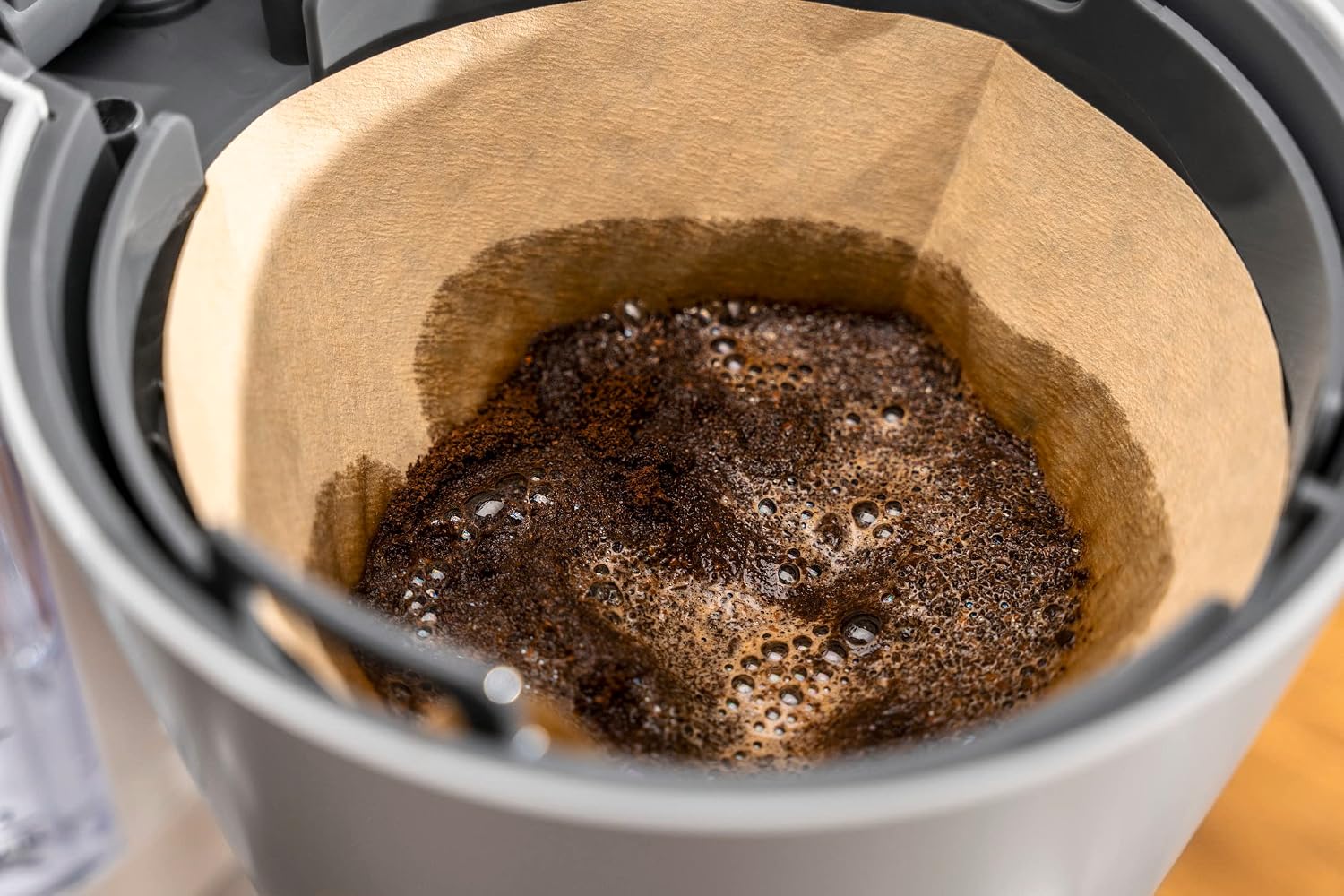
Figure 4: Coffee grounds during the blooming phase. This pre-infusion step enhances flavor extraction.
5.2 Timer Function
The reservation timer allows you to schedule brewing for a later time. Consult the detailed instructions in your product manual for specific steps on setting the timer. Note that the timer settings may need to be re-entered for each use, as the machine might not retain previous settings.
5.3 Blooming Function
The blooming function is an automatic pre-infusion process where hot water is gently dispersed over the coffee grounds before the main brewing cycle. This allows the coffee to degas, releasing carbon dioxide and preparing the grounds for optimal extraction, resulting in a richer aroma and smoother taste with reduced acidity.
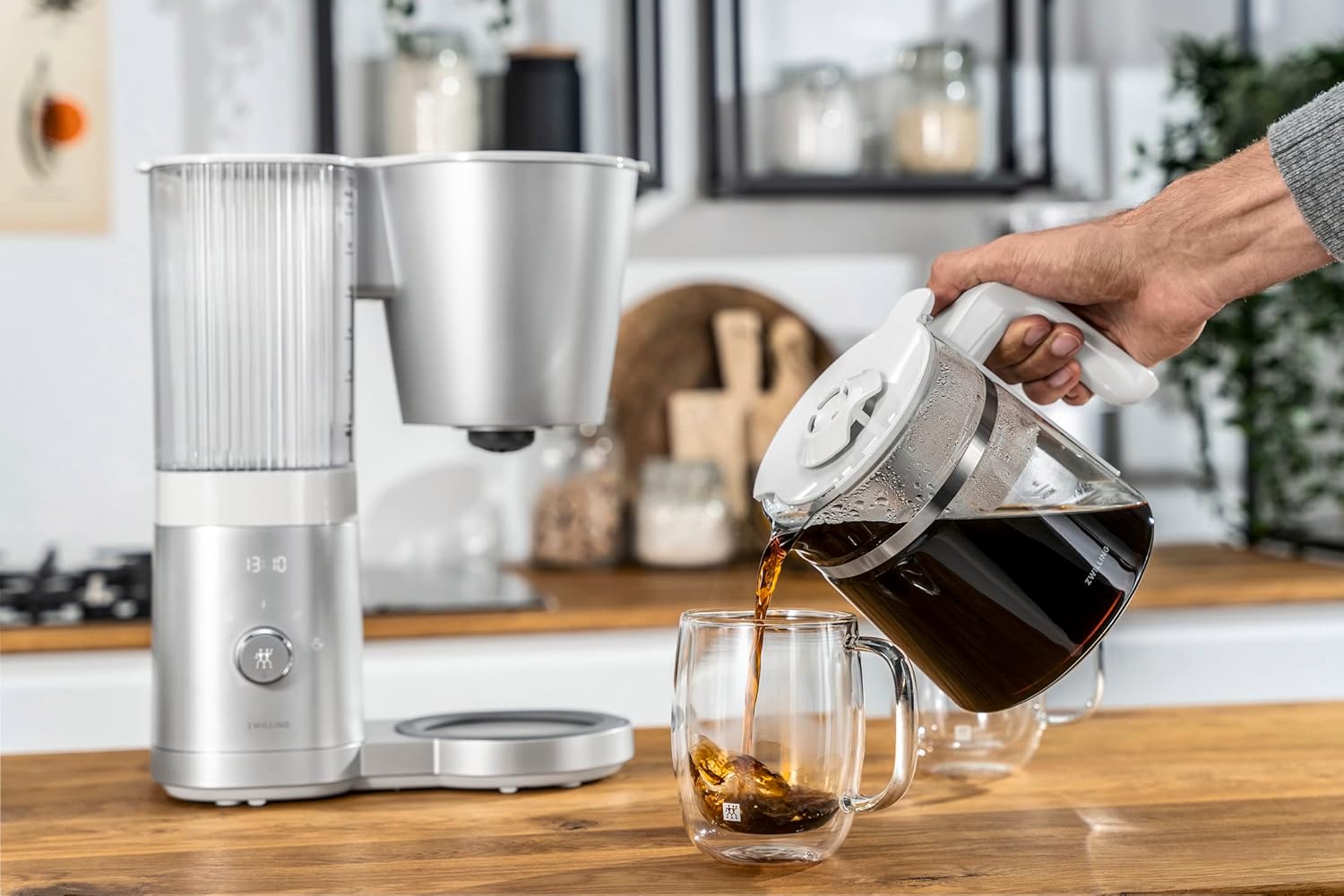
Figure 5: Pouring coffee from the glass carafe. The ergonomic handle ensures a comfortable grip.
6. Maintenance and Cleaning
6.1 Daily Cleaning
- After each use, discard used coffee grounds and the paper filter.
- Wash the glass carafe, carafe lid, and filter basket with warm, soapy water. These parts are typically dishwasher-safe, but hand washing is recommended for longevity.
- Wipe the exterior of the coffee maker with a soft, damp cloth. Do not use abrasive cleaners or scouring pads.
- Ensure all parts are completely dry before reassembling or storing the appliance.
6.2 Descaling
Mineral deposits from water can build up over time, affecting performance and taste. Regular descaling is essential. The coffee maker features a cleaning mode. Refer to your product manual for specific instructions on how to use the cleaning mode and the recommended descaling solution. The frequency of descaling depends on your water hardness and usage.
7. Troubleshooting
If you encounter any issues with your coffee maker, refer to the table below for common problems and their solutions:
| Problem | Possible Cause | Solution |
|---|---|---|
| Coffee overflows from filter basket. | Too much coffee grounds; coffee grounds too fine (e.g., espresso grind); filter clogged. | Reduce coffee quantity (max 100g); use coarser grind; ensure filter is not clogged. |
| Coffee tastes weak or watery. | Too little coffee grounds; water tank not filled sufficiently; machine needs descaling. | Increase coffee quantity; ensure adequate water; descale the machine. |
| Coffee is not hot enough. | Keep warm function not activated; carafe not properly seated. | Ensure carafe is correctly placed on the heating plate; verify keep warm function is active. Note that glass carafes may not retain heat as long as thermal carafes. |
| Timer function does not work as expected. | Timer not set correctly; settings not saved. | Review timer setting instructions in the manual; ensure water and coffee are added before setting the timer. Note that timer settings may need to be re-entered daily. |
| Appliance does not turn on. | Not plugged in; power outage; circuit breaker tripped. | Check power connection; verify power supply. |
8. Specifications
Detailed technical specifications for the ZWILLING Enfinigy Glass Drip Coffee Maker 53103-400:
| Feature | Specification |
|---|---|
| Brand | ZWILLING |
| Model Number | 53103-400 |
| Coffee Maker Type | Drip Coffee Machine |
| Capacity | 1.25 L (approx. 10 cups) |
| Color | Silver |
| Product Dimensions (D x W x H) | 32 cm x 35 cm x 15 cm |
| Product Weight | 2.72 kg |
| Material | Glass, Stainless Steel, Plastic |
| Power Consumption | 1350 W |
| Voltage | 100 V |
| Special Features | Programmable, Blooming Function, Keep Warm Function, Water Hardness Setting, Cleaning Mode |
| Human Interface Input | Dial |
9. Warranty and Support
Your ZWILLING Enfinigy Glass Drip Coffee Maker 53103-400 comes with a 1-year manufacturer's warranty from the date of purchase. This warranty covers defects in materials and workmanship under normal use.
For warranty claims, technical support, or service inquiries, please contact ZWILLING customer service. Keep your proof of purchase for warranty validation.
For more information and support, please visit the official ZWILLING website or refer to the contact details provided in your product packaging.