
Akko 3098S
Akko 3098S 1800 Compact Mechanical Keyboard User Manual
Model: 3098S | Brand: Akko
Introduction
Welcome to the user manual for your Akko 3098S 1800 Compact Mechanical Keyboard. This keyboard is designed for both gaming and professional use, offering a compact 98-key layout with a full number pad, hot-swappable switches, and extensive RGB customization. Please read this manual carefully to ensure proper setup, operation, and maintenance of your device.
Product Features
- 1800 Compact Layout: A 98-key wired mechanical keyboard designed for efficient space usage while retaining a full number pad.
- Programmable Macros & Multimedia Keys: All keys, except controller keys (Fn/Esc/Win), can be re-mapped. Features Anti-Ghosting N-key rollover (NKRO) for optimized gaming and supports multimedia shortcuts.
- Rainbow Backlit & Per Key RGB Customization: Over 20 preset backlight modes with adjustable brightness and animation levels. Supports 16.8 million color RGB effects per key via Akko Cloud Driver.
- Hot-Swappable & CS Jelly Purple Keyboard Switches: Premium 5-pin hot-swappable sockets allow users to easily swap 3-pin or 5-pin mechanical switches. Equipped with Akko CS Jelly Purple tactile switches for smooth feedback and a tactile bump, rated for up to 60 million keystrokes.
- ASA Profile & PBT Double Shot Keycaps: Comes with Akko SA profile, double-shot PBT keycaps that are highly durable, wear-resistant, oil-proof, and fingerprint-proof, with vibrant, sharp legends.

The Akko 3098S keyboard showcasing its compact layout and vibrant RGB backlighting.

Overview of key features including RGB, hot-swappable design, USB-C connectivity, macro support, N-Key Rollover, and ASA profile.
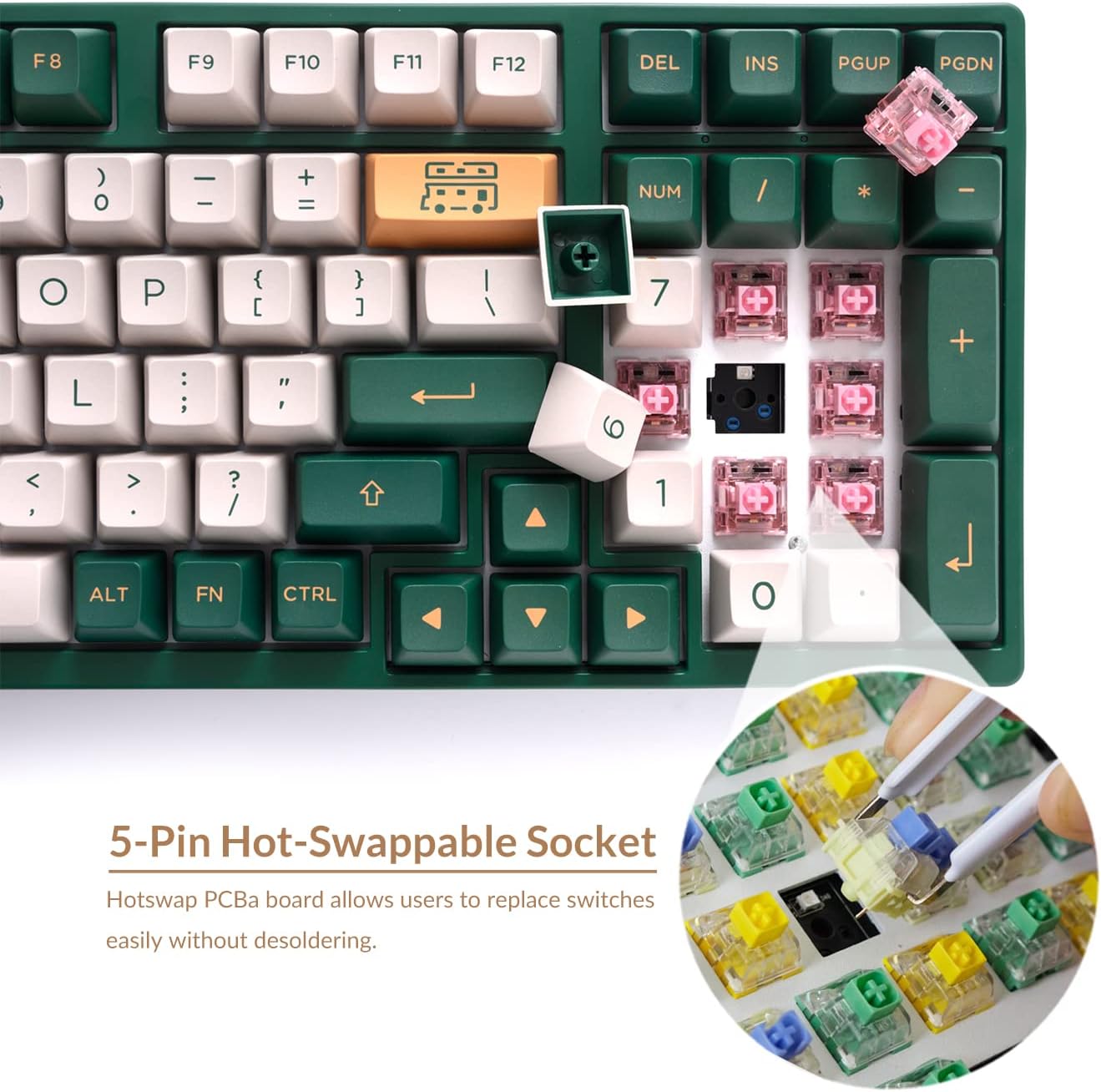
Detailed view of the 5-pin hot-swappable sockets, allowing for easy switch customization.

A close-up demonstrating the durable PBT double-shot keycaps, known for their longevity and clear legends.
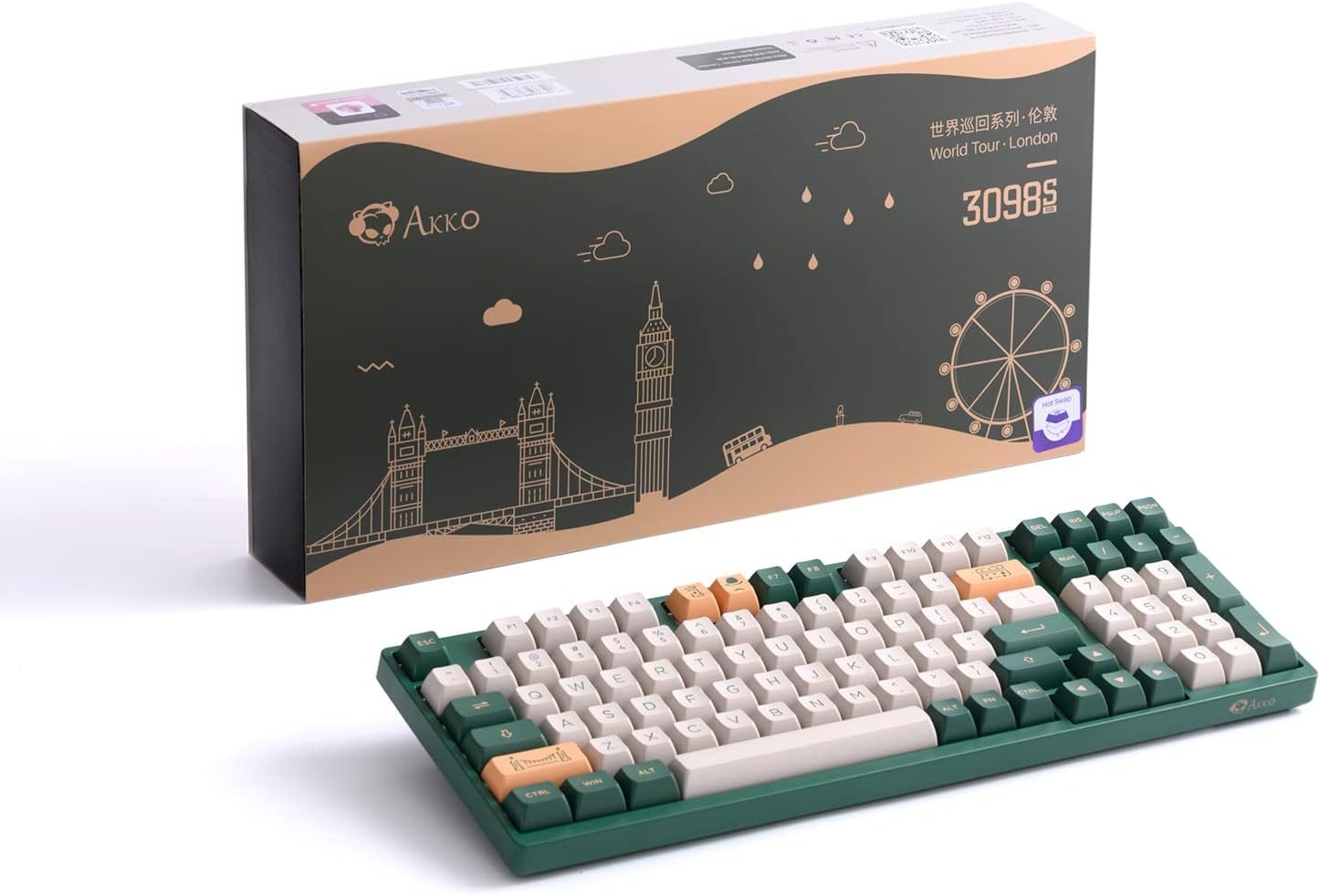
Diagram illustrating the two adjustable feet for personalized typing angles and the ergonomic ASA keycap profile.
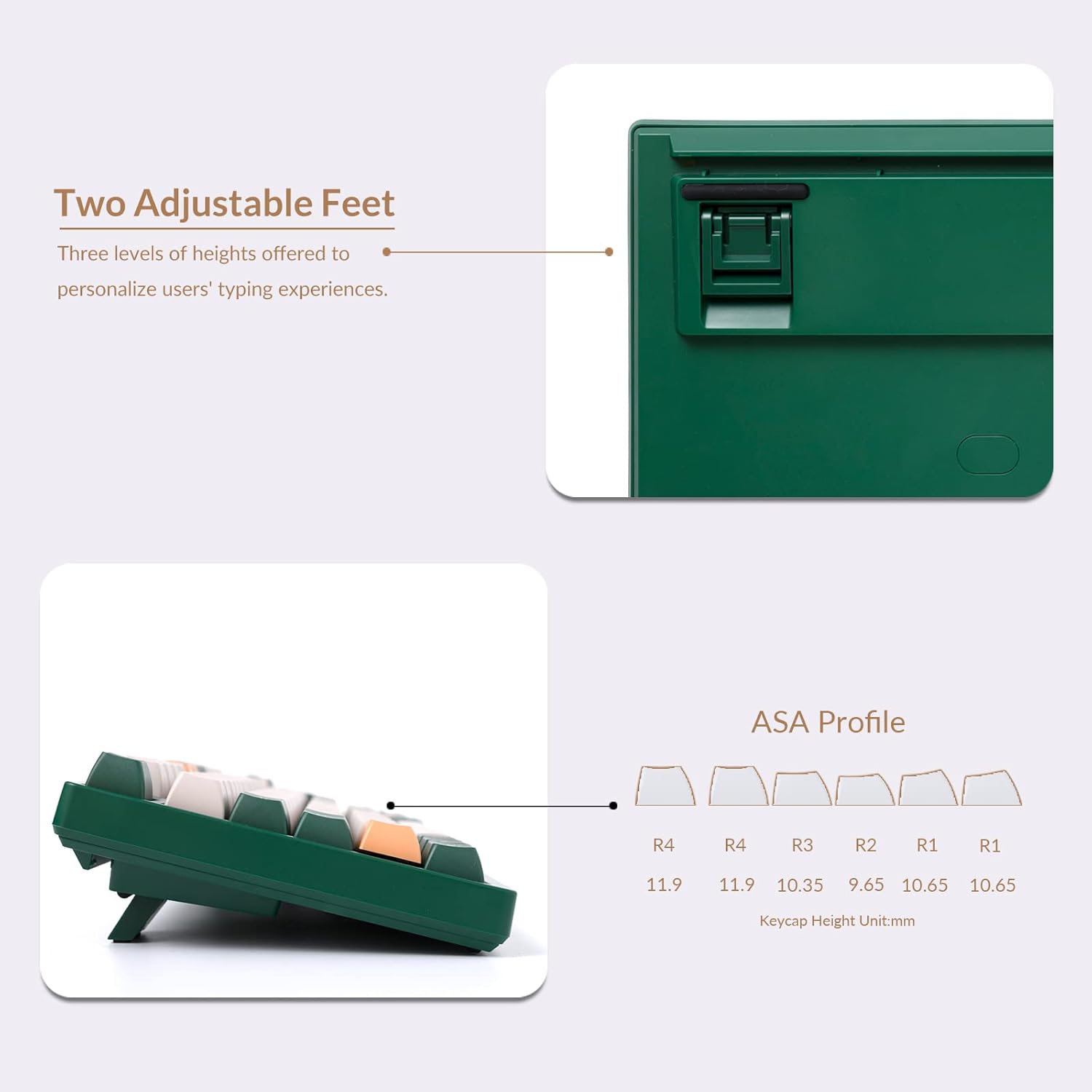
The Akko 3098S keyboard presented alongside its distinctive retail packaging.
Setup Guide
Connecting the Keyboard
The Akko 3098S is a wired mechanical keyboard. To connect it to your computer:
- Locate the USB-C port on the back of the keyboard.
- Insert the USB-C end of the provided cable into the keyboard's port.
- Connect the USB-A end of the cable to an available USB-A port on your computer.
- The keyboard is plug-and-play and should be recognized automatically by your operating system (Mac & Win compatible).
Operating Instructions
Multimedia Keys and Shortcuts
Utilize the Fn key in combination with other keys for various functions:
- Fn + F1-F8: Multimedia controls (e.g., Play/Pause, Stop, Previous Track, Next Track, Mute, Volume Down, Volume Up).
- Fn + F9-F12: System functions (e.g., Email, Home, Calculator, Search).
- Fn + Left/Right Arrow: Adjust backlight animation speed.
- Fn + Up/Down Arrow: Adjust backlight brightness.
- Fn + Other designated keys: Cycle through various RGB lighting modes. Refer to the included quick guide for specific key combinations.
RGB Backlighting Customization
The keyboard offers extensive RGB lighting options:
- Cycle through over 20 preset backlight modes directly on the keyboard using Fn key combinations.
- For advanced customization, including 16.8 million color RGB effects per key and massive lighting effects, download and install the Akko Cloud Driver software from the official Akko website.
Programmable Macros
The Akko 3098S supports programmable macros to enhance your productivity and gaming experience:
- All keys, with the exception of controller keys (Fn/Esc/Win), can be re-mapped to perform custom actions or sequences.
- The keyboard features N-key rollover (NKRO), ensuring all simultaneous key presses are registered without conflict.
- Macro programming and key re-mapping are managed through the Akko Cloud Driver software. Install the software to access these advanced features.
Maintenance
Cleaning Your Keyboard
Regular cleaning helps maintain the keyboard's performance and appearance:
- Disconnect the keyboard from your computer before cleaning.
- Use a soft brush or compressed air to remove dust and debris from between the keycaps.
- For keycap cleaning, gently remove them using the provided keycap puller. Wash keycaps with mild soap and water, rinse thoroughly, and ensure they are completely dry before reattaching.
- Wipe the keyboard surface with a slightly damp, lint-free cloth. Avoid excessive moisture.
Switch Replacement (Hot-Swappable)
Your Akko 3098S keyboard features hot-swappable sockets, allowing you to change switches without soldering:
- Using the included keycap puller, carefully remove the desired keycap.
- Gently pull the switch straight up from its socket using a switch puller (not included, but commonly used for this task).
- Align the pins of the new 3-pin or 5-pin mechanical switch with the holes in the PCB.
- Press the new switch firmly into place until it clicks. Ensure it is seated correctly and functions properly.
- Reattach the keycap.
Troubleshooting
Common Issues and Solutions:
- Keyboard Not Responding:
- Ensure the USB-C cable is securely connected to both the keyboard and the computer.
- Try connecting the keyboard to a different USB port on your computer.
- Restart your computer.
- Keys Not Registering:
- If a specific key is not working, it might be a faulty switch. Since the keyboard is hot-swappable, try replacing the switch for that key (refer to Maintenance section).
- Ensure no debris is lodged under the keycap or switch.
- RGB Backlighting Issues:
- Check Fn key combinations for brightness and mode changes.
- Ensure the Akko Cloud Driver software is up to date if you are experiencing software-related lighting issues.
- Software/Macro Issues:
- Ensure you have the latest version of the Akko Cloud Driver installed.
- Consult the Akko Cloud Driver's help section or online resources for detailed macro programming instructions.
If you encounter persistent issues not covered here, please visit the official Akko support website for further assistance.
Technical Specifications
| Specification | Detail |
|---|---|
| Product Dimensions | 15.04 x 5.28 x 1.57 inches |
| Item Weight | 2.97 pounds |
| Manufacturer | Akko |
| Connectivity Technology | USB-C |
| Keyboard Description | Compact 1800 Mechanical Keyboard |
| Recommended Uses For Product | Gaming |
| Special Feature | Backlit |
| Color | World Tour London 3098S |
| Number of Keys | 98 |
| Keyboard Backlighting Color Support | RGB |
| Style | RGB Wired Mechanical Keyboard |
What's in the Box:
- Akko 3098S Mechanical Keyboard
- USB-C to USB-A Cable
- Keycap Puller
- Additional Keycaps (as per product variant)
Warranty and Support
For warranty information, product registration, and technical support, please visit the official Akko website. You can typically find detailed FAQs, driver downloads (including Akko Cloud Driver), and contact information for customer service there.
Keep your proof of purchase for any warranty claims.
Related documents3098S


Ask a question about this manual
Ask about setup, troubleshooting, compatibility, parts, safety, or missing instructions. Manuals+ will review the question and use this page’s manual context to help answer it.