
1. Introduction
Thank you for choosing the Maltec WT-3400KW Ultrasonic Humidifier, Ionizer, and Aroma Diffuser. This device is designed to improve indoor air quality by maintaining optimal humidity levels, purifying the air through ionization, and enhancing your environment with aromatherapy. Please read this manual thoroughly before operating the device to ensure safe and efficient use.
Maintaining indoor humidity between 40% and 60% is beneficial for health and comfort, especially during heating seasons when air can become excessively dry. Dry air can lead to dry mucous membranes and increased susceptibility to respiratory issues.

Image 1.1: The humidifier can help alleviate discomfort caused by dry air.
2. Safety Instructions
- Always place the humidifier on a firm, flat, and waterproof surface.
- Do not place the device near heat sources or in direct sunlight.
- Keep the device out of reach of children and pets.
- Do not immerse the base unit in water or other liquids.
- Unplug the device before filling, cleaning, or moving it.
- Use only clean, cool tap water. Distilled or demineralized water is recommended to prevent mineral buildup.
- Do not add essential oils directly into the water tank. Use the designated aroma tray.
- Do not block the mist outlet or air inlet.
- If the device emits unusual sounds, smells, or smoke, unplug it immediately and contact support.
- Ensure the power cord is not damaged or pinched.
3. Package Contents
Upon unpacking, please ensure all items listed below are present and in good condition:
- Maltec WT-3400KW Humidifier Unit (Base and Water Tank)
- Remote Control
- Cleaning Brush
- Water Filter (pre-installed or separate)
- User Manual
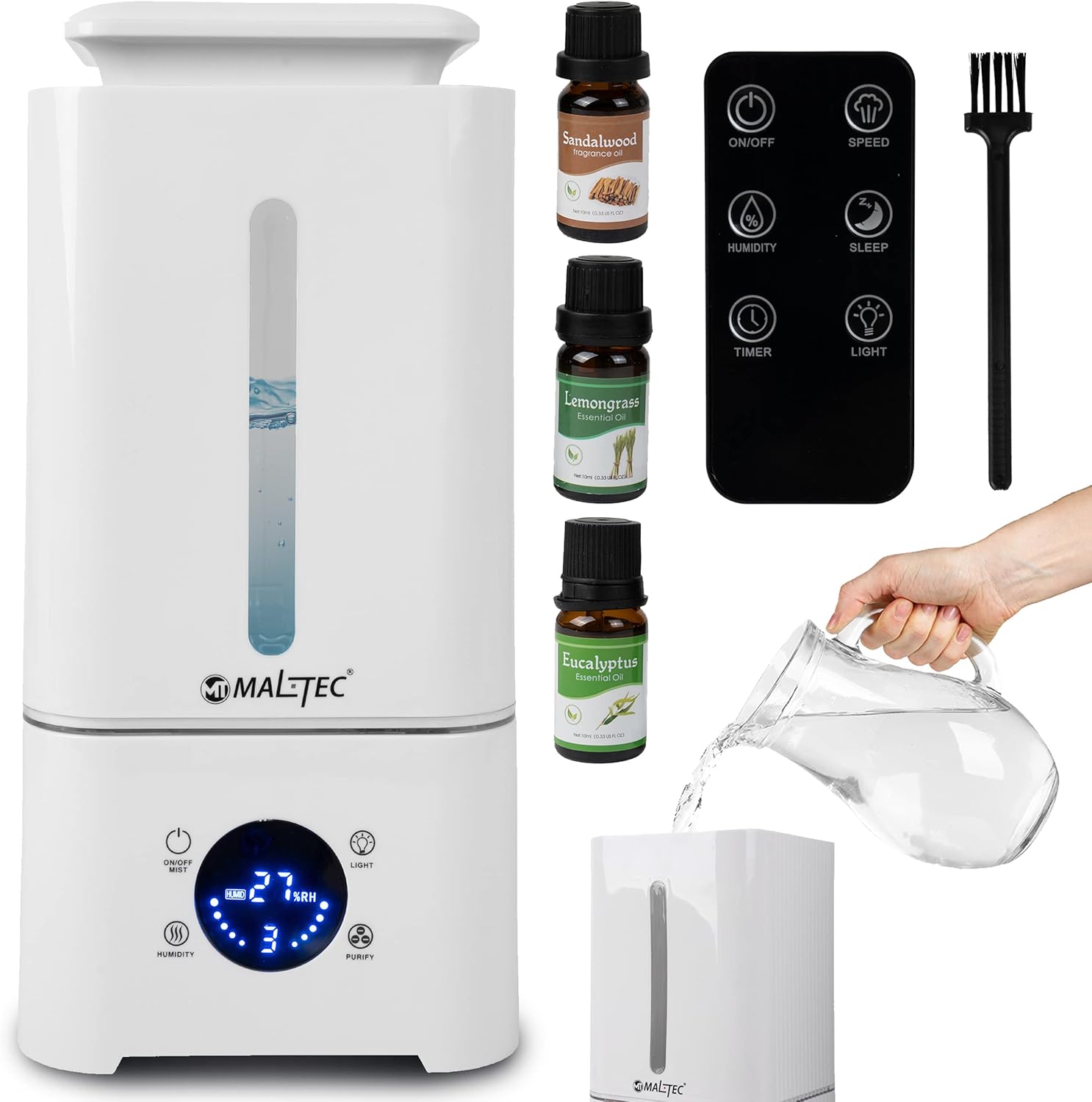
Image 3.1: Overview of the Maltec WT-3400KW humidifier and its included accessories.

Image 3.2: The humidifier and its packaging, showing included items.
4. Setup
- Unpack: Carefully remove all components from the packaging.
- Placement: Place the humidifier on a flat, stable, and water-resistant surface at least 15 cm away from walls and furniture. Avoid placing it on carpets or near electronic devices.
- Fill Water Tank:
- Remove the water tank from the base.
- Unscrew the tank cap at the bottom of the tank.
- Fill the tank with clean, cool tap water. Do not exceed the maximum fill line.
- Securely screw the tank cap back on.
- Place the filled water tank back onto the base unit, ensuring it is seated correctly.
- Add Essential Oils (Optional): Locate the aroma tray, usually a small drawer or compartment on the side or back of the base unit. Add a few drops of your preferred essential oil onto the aroma pad. Do not add oils directly into the water tank.
- Connect Power: Plug the power cord into a suitable electrical outlet (220-240V / 50-60Hz).
5. Operating Instructions
The Maltec WT-3400KW can be operated via its touch control panel or the included remote control.

Image 5.1: The touch control panel and remote control for operating the humidifier.
5.1 Power On/Off
- Press the ON/OFF button on the touch panel or remote control to turn the device on or off. The LED display will illuminate when the device is on.
5.2 Mist Control
- Press the SPEED button (or mist icon) to cycle through three mist output levels: Low, Medium, and High. The current level will be indicated on the display.
5.3 Hygrostat (Humidity Control)
- Press the HUMIDITY button to set your desired humidity level, ranging from 45% to 90% Relative Humidity (RH) in 5% increments. The device will automatically adjust mist output to maintain the set humidity.
- The display will show the current humidity level.

Image 5.2: Setting the desired humidity level using the remote control.
5.4 Ionizer Function
- Press the PURIFY button (or ionizer icon) to activate the ionizer. This function releases negative ions into the air, which can help neutralize positive ions from electronic devices and reduce airborne particles like allergens and dust mites.
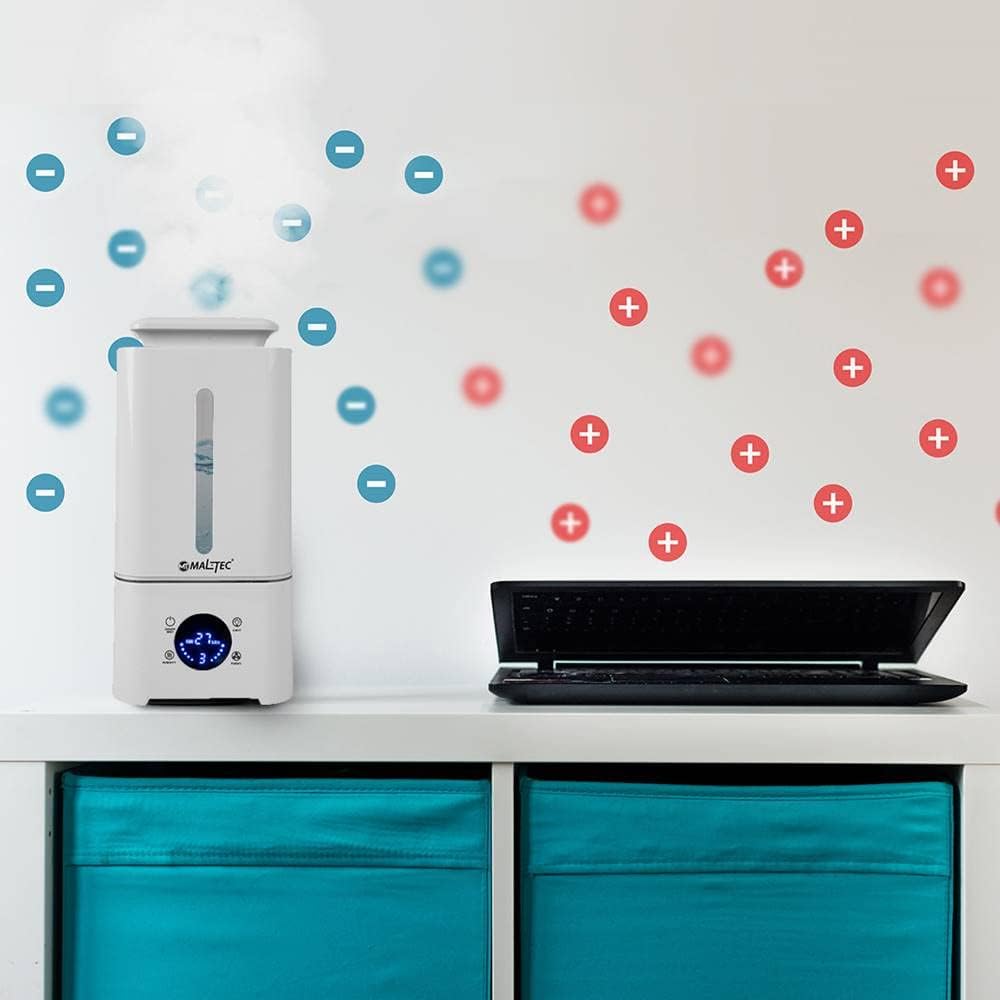
Image 5.3: The ionizer function helps purify the air by releasing negative ions.
5.5 Aromatherapy
- Ensure essential oils have been added to the aroma tray as described in the Setup section. The aromatherapy function operates automatically when the humidifier is running.
5.6 Night Light Function
- Press the LIGHT button to turn the night light on or off. This feature provides a soft illumination, suitable for nighttime use.
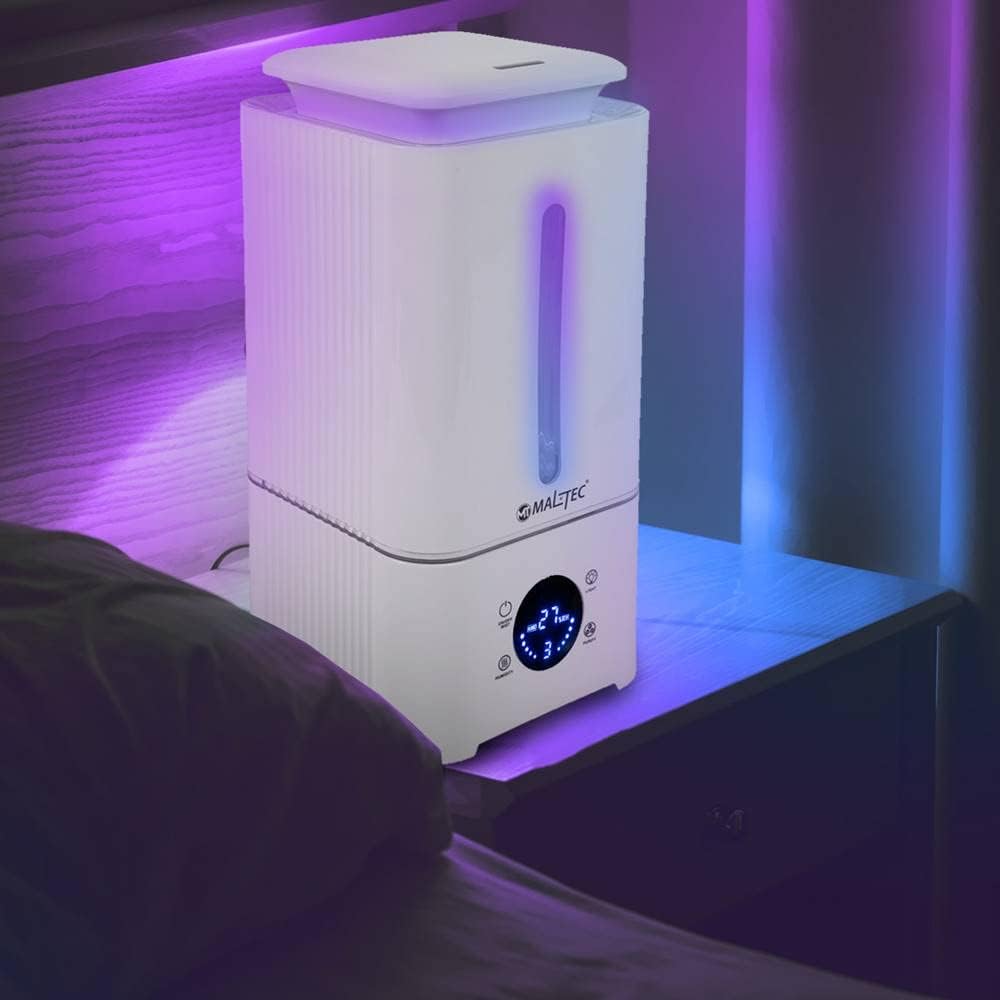
Image 5.4: The humidifier operating with its night light feature.
5.7 Timer Function
- Press the TIMER button to set the operating time. You can set the timer from 1 to 8 hours. The device will automatically turn off once the set time has elapsed.
5.8 Sleep Mode
- Press the SLEEP button to activate sleep mode. In this mode, the display lights dim, and the device operates quietly for undisturbed rest.
5.9 Automatic Shut-off
- The device features an automatic shut-off function when the water tank is empty, indicated by a warning light or sound. This prevents damage to the unit.
6. Maintenance
Regular cleaning is essential to prevent mineral buildup and ensure optimal performance and hygiene.
6.1 Daily Maintenance
- Empty and rinse the water tank daily.
- Wipe the inside of the water tank with a clean cloth.
6.2 Weekly Cleaning
- Unplug the device before cleaning.
- Clean the Water Tank: Remove the tank and clean it with a soft brush and mild detergent. Rinse thoroughly to remove any residue.
- Clean the Ultrasonic Membrane: Use the provided cleaning brush or a soft cloth to gently wipe the ultrasonic membrane located in the base unit. Do not use abrasive cleaners or sharp objects. If mineral deposits are present, soak a cotton swab in white vinegar and gently wipe the membrane.
- Clean the Base Unit: Wipe the surface of the base unit with a damp cloth. Do not allow water to enter the air outlet or other openings.
- Clean the Water Filter: The water filter is reusable. Rinse it under running water to remove any dirt or mineral buildup. Ensure it is dry before reinserting.
- Clean the Aroma Tray: Remove the aroma pad and wash it with mild soap and water. Allow it to dry completely before reuse.
6.3 Storage
- If the humidifier will not be used for an extended period, clean all components thoroughly and ensure they are completely dry.
- Store the device in a cool, dry place, away from direct sunlight.
7. Troubleshooting
If you encounter any issues with your Maltec WT-3400KW, please refer to the following common problems and solutions:
| Problem | Possible Cause | Solution |
|---|---|---|
| No mist output | No water in tank; Tank not properly seated; Ultrasonic membrane dirty; Power not connected | Refill water tank; Re-seat tank correctly; Clean ultrasonic membrane; Check power connection |
| Unusual odor | New unit odor; Stagnant water; Dirty tank/base | Run for a few hours; Empty and clean tank/base; Use fresh water |
| White dust around unit | Hard water mineral deposits | Use distilled or demineralized water; Clean unit regularly |
| Remote control not working | Battery depleted; Obstruction between remote and unit | Replace battery; Ensure clear line of sight |
| Water leakage | Tank cap not secured; Tank damaged; Overfilled tank | Tighten tank cap; Inspect tank for damage; Do not overfill |
If the problem persists after attempting these solutions, please contact customer support.
8. Specifications
| Parameter | Value |
|---|---|
| Model | WT-3400KW |
| Power | 28 W |
| Power Supply | 220-240 V / 50-60 Hz |
| Tank Capacity | 3.4 Liters |
| Recommended Room Size | 25 to 35 m² |
| Noise Level | <36 dB |
| Timer Settings | 1-8 hours |
| Hygrostat Range | 45 - 90% RH (in 5% increments) |
| Humidification Capacity | 300 ml/h |
| Mist Control Levels | 3 (Low, Medium, High) |
| Cable Length | 110 cm |
| Product Dimensions (D x W x H) | 15.6 x 15.5 x 31.5 cm |
| Weight | 0.9 kg (product), 1.2 kg (item) |
| Features | Remote Control, Ionizer, Hygrostat, Water Filter, Air Purifier, Cool Mist, Aromatherapy, Night Light, Touch Screen, Auto-Off (empty tank) |

Image 8.1: Dimensions of the Maltec WT-3400KW humidifier.
9. Warranty and Support
This product is covered by a manufacturer's warranty against defects in materials and workmanship. Please refer to the warranty card included with your purchase for specific terms and conditions, including the warranty period and claim procedures.
For technical assistance, troubleshooting beyond this manual, or warranty claims, please contact Maltec customer support. Contact information can typically be found on the product packaging, the manufacturer's official website, or your purchase receipt.
