
1. Introduction
This manual provides essential information for the setup, operation, and maintenance of your Next Level Racing Flight Simulator Cockpit Boeing Commercial Edition (NLR-S027). Designed for maximum simulation immersion, this dedicated flight cockpit is an officially licensed product of the Boeing company, featuring Boeing-inspired components such as faux wool seat covering and blue highlights.
The cockpit is versatile, suited for combat flight, general aviation, commercial flight, and space exploration users. It offers a wide range of adjustments to tailor your flight experience and is compatible with various flight electronics from major brands.
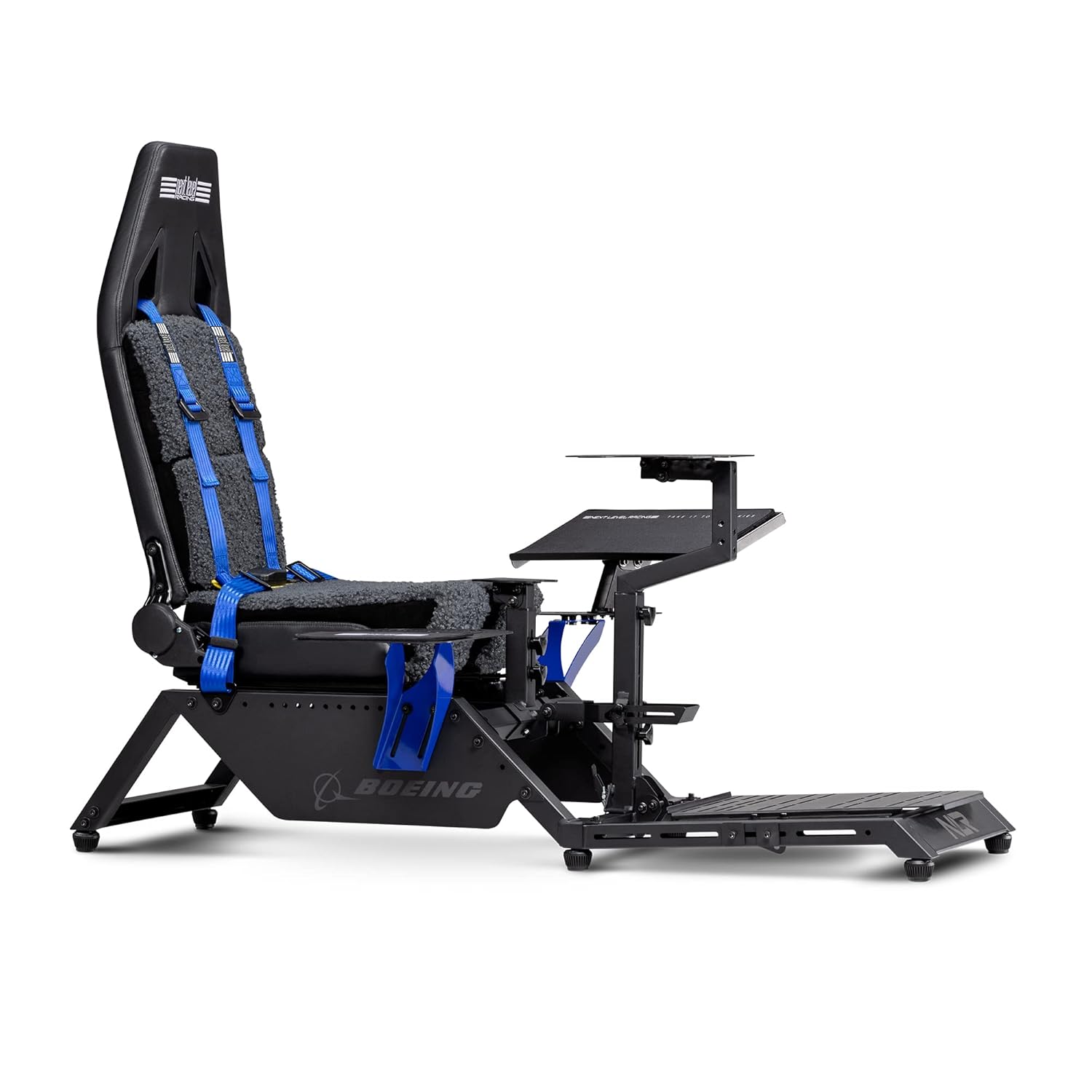
Image 1.1: The Next Level Racing Flight Simulator Cockpit Boeing Commercial Edition.
2. Setup Instructions
Careful assembly is crucial for optimal performance and safety. Please follow the instructions provided in the packaging for detailed step-by-step guidance. The cockpit is designed for straightforward assembly, and additional video resources are available to assist you.
2.1 Unboxing and Component Identification
Upon receiving your Flight Simulator Cockpit, carefully unbox all components. Verify that all parts listed in the packing manifest are present and undamaged. The primary hardware consists of M8 and M5 fasteners.

Image 2.1: The Flight Simulator Cockpit Boeing Commercial Edition, highlighting its design inspiration.
2.2 Assembly Process
Assemble the main frame components first, ensuring all connections are secure. The cockpit features pre-drilled mounting points for various flight electronics. Utilize the provided tools or your own M8/M5 tools for assembly.
- Attach the seat to the main frame.
- Install the pedal plate and adjust its position for comfort.
- Mount the side trays and keyboard/mouse pads as per your preferred configuration.
- Secure your flight electronics (yokes, joysticks, throttles, rudders) to the designated mounting plates.

Image 2.2: Example setup with a yoke and pedal system.
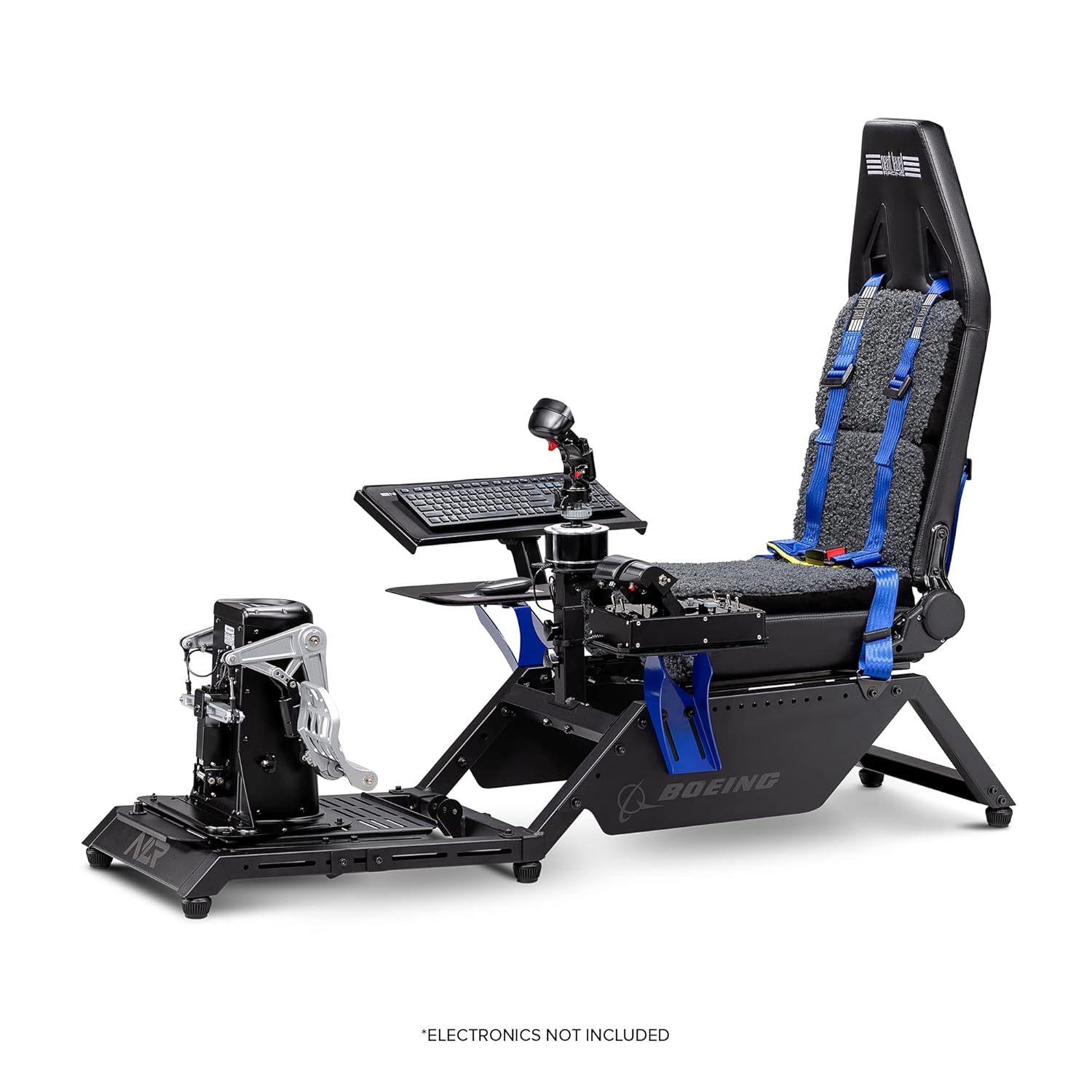
Image 2.3: Example setup with a joystick and keyboard.
2.3 Video Guide for Assembly
For a visual guide on the assembly process and various configurations, please refer to the official product video below.
Video 2.1: Official Next Level Racing video demonstrating the Boeing Edition FS Flight Simulator cockpit and its features.
3. Operating Instructions
The Flight Simulator Cockpit is designed to integrate seamlessly with a wide range of flight simulation hardware. Once assembled and your electronics are mounted, you can begin customizing your setup.
3.1 Adjusting Your Cockpit
The cockpit offers extensive adjustability to accommodate different user sizes and preferences. This includes:
- Seat Position: The seat slides forward and backward, and the backrest reclines for optimal comfort.
- Peripheral Mounts: Adjust the height and angle of the keyboard/mouse tray, yoke, joystick, and throttle mounts to achieve an ergonomic setup.
- Pedal Plate: The pedal plate can be adjusted for distance and angle to suit your leg length and pedal type.
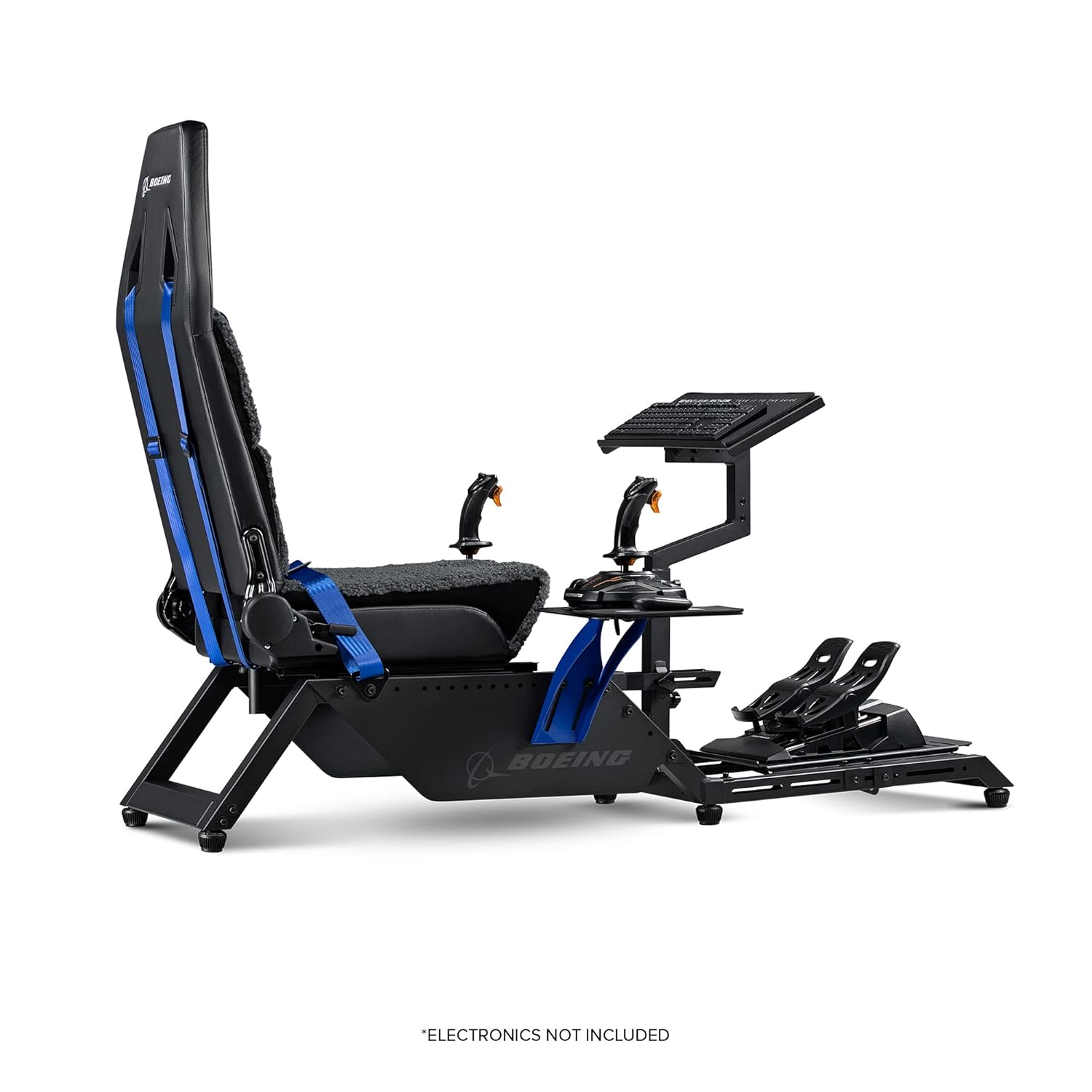
Image 3.1: Cockpit configured with dual joysticks, demonstrating mounting flexibility.
3.2 Integrating Flight Electronics
The cockpit is compatible with a broad range of flight electronics from brands such as Thrustmaster, Logitech, Saitek, Honeycomb, and Virtual Fly. Ensure your devices are securely fastened to the appropriate mounting plates using the provided hardware or compatible alternatives.
- Yokes: Mount directly to the central or side plate.
- Joysticks: Can be center-mounted or side-mounted using the dedicated plates.
- Throttles: Typically mount to the side trays.
- Rudders: Secure to the adjustable pedal plate.

Image 3.2: Detail of the versatile side mounting plate for accessories.
The cockpit also includes a Buttkicker adaptor, Next Level Racing four-point harness, and lumbar support for enhanced immersion and comfort.
4. Maintenance
To ensure the longevity and optimal performance of your Flight Simulator Cockpit, regular maintenance is recommended.
- Cleaning: Wipe down all surfaces with a soft, damp cloth. Avoid abrasive cleaners or solvents that may damage the finish.
- Fasteners: Periodically check all bolts and screws to ensure they remain tight. Re-tighten as necessary to maintain structural integrity.
- Moving Parts: Inspect adjustable mechanisms for smooth operation. Lubricate pivot points if any stiffness is observed.
- Upholstery: The faux wool seat covering can be gently cleaned according to fabric care instructions.
5. Troubleshooting
Should you encounter any issues with your Flight Simulator Cockpit, please refer to the following general troubleshooting tips:
- Stability Issues: Ensure all frame connections are securely tightened. Verify the cockpit is placed on a flat, stable surface.
- Peripheral Mounting: If a peripheral does not fit, double-check the compatibility with the provided mounting plates. Some third-party accessories may require custom solutions or adapters not included with the cockpit.
- Adjustments: If adjustment mechanisms are stiff, ensure no debris is obstructing the movement and apply light lubrication if needed.
For specific issues not covered here, please contact Next Level Racing customer support.
6. Specifications
| Feature | Detail |
|---|---|
| Model Number | NLR-S027 |
| Product Dimensions | 39.37 x 21.26 x 18.9 inches |
| Item Weight | 108.9 pounds |
| Manufacturer | Next Level Racing |
| Language | English |
| Compatibility | Thrustmaster, Logitech, Saitek, Honeycomb, Virtual Fly, Crosswind, and other flight accessory brands. |
| Included Features | Buttkicker adaptor, Next Level Racing four-point harness, lumbar support, keyboard and mouse pads. |
7. Warranty and Support
For warranty information and customer support, please refer to the official Next Level Racing website or contact their customer service department directly. Keep your proof of purchase for any warranty claims.
Visit the official Next Level Racing Store for additional products and support: Next Level Racing Store


