
1. Introduction
Thank you for choosing the PINDOWS Digital Sports Watch, Model PDS-603. This manual provides detailed instructions for the proper use, setup, and maintenance of your new watch. Please read this manual thoroughly before using the watch to ensure optimal performance and longevity.
Key Features:
- 3 groups of Alarms
- Countdown Timer
- Stopwatch
- Dual-Time Display
- 50M Water Resistance
- 12/24-Hour Format
- One Color LED Night Light
- Calendar Week Display
Package Contents:
- 1 x PINDOWS Digital Sports Wrist Watch
- 1 x Watch Box
- 1 x English Product Manual (this document)
2. Functional Overview
Familiarize yourself with the watch's buttons and display areas as shown in the diagram below:

Figure 2.1: Watch Button and Display Layout
This image illustrates the front view of the PINDOWS Digital Sports Watch, highlighting the location and function of its various buttons and display segments. The 'LIGHT' button is on the top left, 'MODE' on the bottom left, 'START/PAUSE' on the top right, and 'ADJUSTMENT' on the bottom right. The main display shows time, date, and other indicators.
- LIGHT Button (Top Left): Activates the LED backlight for visibility in low-light conditions.
- MODE Button (Bottom Left): Cycles through different modes: Time, Alarm, Countdown, Stopwatch, Dual-Time.
- START/PAUSE Button (Top Right): Used to start/stop functions in Stopwatch and Countdown modes, and to adjust settings in setting modes.
- ADJUSTMENT Button (Bottom Right): Used to reset functions or confirm settings in various modes.
3. Setup
Initial Time and Date Setting:
- In Time Mode, press and hold the MODE button until the seconds begin to flash, indicating setting mode.
- Press the START/PAUSE button to cycle through the settings: Seconds → Hour → Minute → Year → Month → Day.
- Use the ADJUSTMENT button to increase the flashing value. Hold to rapidly advance.
- Once all settings are correct, press the MODE button again to exit setting mode.
12/24-Hour Format Selection:
While in Time Mode, press the ADJUSTMENT button to toggle between 12-hour (with AM/PM indicator) and 24-hour formats.
4. Operating Instructions
Alarm Function (3 Alarms):
- From Time Mode, press the MODE button repeatedly until 'AL' (Alarm) appears on the display.
- Press the START/PAUSE button to select Alarm 1 (AL1), Alarm 2 (AL2), or Alarm 3 (AL3).
- Press and hold the MODE button until the alarm hour flashes.
- Use the ADJUSTMENT button to set the hour, then press START/PAUSE to move to minutes.
- Use the ADJUSTMENT button to set the minutes.
- Press the MODE button to save and exit.
- To activate/deactivate an alarm, in Alarm mode, press the ADJUSTMENT button. An alarm icon will appear/disappear.
Countdown Timer:
- From Time Mode, press the MODE button until 'CD' (Countdown) appears.
- Press and hold the MODE button until the countdown time flashes.
- Use START/PAUSE to select hours, minutes, or seconds, and ADJUSTMENT to set the value.
- Press MODE to save.
- Press START/PAUSE to start or pause the countdown.
- Press ADJUSTMENT to reset the countdown.
Stopwatch:
- From Time Mode, press the MODE button until 'ST' (Stopwatch) appears.
- Press START/PAUSE to start the stopwatch.
- Press START/PAUSE again to pause.
- Press ADJUSTMENT to reset the stopwatch to zero.
Dual-Time:
- From Time Mode, press the MODE button until 'DT' (Dual-Time) appears.
- Press and hold the MODE button until the dual-time hour flashes.
- Use START/PAUSE to select hour or minute, and ADJUSTMENT to set the value.
- Press MODE to save and exit.
LED Backlight:
Press the LIGHT button (top left) to illuminate the display. The backlight will remain on for a few seconds.

Figure 4.1: LED Backlight in Use
This image displays the PINDOWS Digital Sports Watch with its vibrant green LED backlight activated, making the digital display clearly visible in a dark environment. The backlight ensures readability at night or in dimly lit conditions.
5. Maintenance
Water Resistance (50M):
Your PINDOWS watch is designed with 50 meters (5ATM) water resistance, suitable for daily use, handwashing, swimming, and exposure to rain. However, it is crucial to observe the following precautions:
- DO NOT press any buttons while the watch is submerged in water.
- DO NOT wear the watch when taking a hot shower or using a sauna, as steam and hot water can compromise the watch's seals and lead to water mist entering the case.
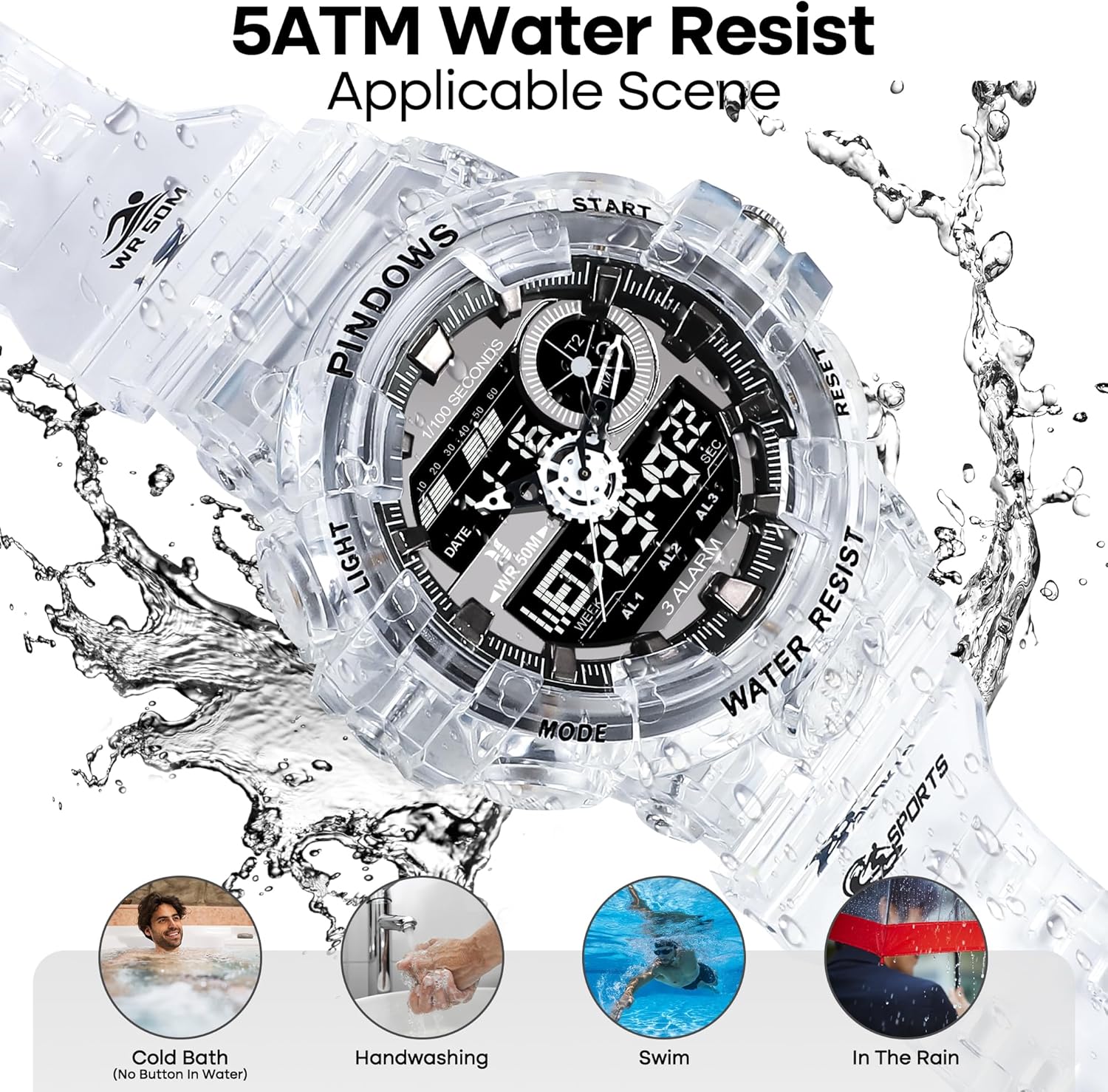
Figure 5.1: 5ATM Water Resistance Applicable Scenes
This visual guide illustrates various scenarios where the PINDOWS Digital Sports Watch's 5ATM water resistance is applicable, including cold baths, handwashing, swimming, and use in the rain. It emphasizes that the watch is designed to withstand splashes and brief immersion in water, but not hot water or button pressing underwater.
Cleaning and Care:
- Wipe the watch regularly with a soft, dry cloth to remove dirt and sweat.
- For stubborn dirt, use a slightly damp cloth and then dry thoroughly.
- Avoid using chemical cleaners, solvents, or abrasive materials, as these can damage the watch's finish and components.
Storage:
- Store the watch in a cool, dry place away from direct sunlight and extreme temperatures.
- Never put the watch under strong sunshine or near fire to avoid damage to the resin components.
6. Troubleshooting
Common Issues and Solutions:
- Display is blank or dim: The battery may be low. The watch uses 2 batteries and Japanese imported movement and battery drive for accurate time and long battery life. If the issue persists after a battery check, contact support.
- Buttons are unresponsive: Ensure the watch is not in a locked mode (if applicable, though this model does not specify a lock). If buttons remain unresponsive, a soft reset might be needed (remove and reinsert battery, if comfortable, or contact support).
- Time is inaccurate: Re-set the time following the instructions in Section 3. If the watch continues to lose or gain time significantly, there may be an internal issue.
- Water mist inside the dial: This indicates a breach in the water resistance. Stop using the watch in wet conditions immediately and contact support for inspection.
If you encounter any quality problems with the watch, or are unclear about the settings after reviewing this manual, please do not hesitate to contact PINDOWS customer support. We are committed to providing satisfactory service and assistance with settings.
7. Specifications

Figure 7.1: Product Dimensions
This image provides a detailed dimensional breakdown of the PINDOWS Digital Sports Watch, showing measurements such as case diameter (2.09 inches / 53mm), dial thickness (0.7 inches / 18mm), band width (0.87 inches / 22mm), wearing band length (6.7-9.4 inches / 170-240mm), and total watch length (10.2 inches / 260mm).
| Feature | Description |
|---|---|
| Model Number | PDS-603 |
| Case Diameter | 2.09 inches (53mm) |
| Dial Thickness | 0.7 inches (18mm) |
| Band Width | 0.87 inches (22mm) |
| Wearing Band Length | 6.7 inches (170mm) - 9.4 inches (240mm) |
| Total Length of Watch | 10.2 inches (260mm) |
| Watch Weight | 65 Grams |
| Band Material | Resin |
| Case Material | IP Vacuum Plating and Resin |
| Back Cover Material | 304 Stainless Steel |
| Buckle Material | 304 Stainless Steel Plating |
| Dial Window Material | Highly Transparent Acrylic Mirror |
| Water Resistance | 50M (5ATM) |
| Clasp Type | Buckle |
| Power Source | 2 Batteries, Japanese Imported Movement |
8. Warranty and Support
PINDOWS stands behind the quality of its products. Your PINDOWS Digital Sports Watch comes with a 1-year refund service from the date of purchase.
If you experience any quality problems with your watch or require assistance with its settings, please contact our customer support team. We are dedicated to providing professional support and ensuring your satisfaction.
For support, please refer to the contact information provided with your purchase or visit the official PINDOWS store on Amazon.