
PUREMIC S2B01
PUREMIC S2B01 Karaoke Machine User Manual
Model: S2B01
1. Introduction
Thank you for choosing the PUREMIC S2B01 Karaoke Machine. This portable Bluetooth speaker system with two UHF wireless microphones is designed to provide an immersive audio and visual experience for home singing parties, cinema viewing, and music listening. Please read this manual carefully before use to ensure proper operation and to maximize your enjoyment of the product.
2. Safety Information
To prevent fire, electric shock, or product damage, please observe the following safety precautions:
- Do not expose the device to rain or moisture.
- Do not disassemble or modify the device. Refer all servicing to qualified personnel.
- Keep the device away from heat sources, direct sunlight, and extreme temperatures.
- Use only the provided power adapter.
- Ensure proper ventilation around the speaker to prevent overheating.
- Avoid placing heavy objects on the device.
3. Package Contents
Verify that all items are included in your package:
- PUREMIC S2B01 Karaoke Speaker
- 2 x UHF Wireless Microphones
- Power Adapter
- Microphone Slip Rings (2 pieces)
- HDMI Cable
- User Manual (this document)

Figure 3.1: Included Components
4. Product Overview
The PUREMIC S2B01 is a compact yet powerful karaoke system designed for versatile entertainment. It features an integrated speaker and microphone design for convenient placement and easy charging.

Figure 4.1: PUREMIC S2B01 Karaoke Machine with Microphones
4.1 Main Unit Features
- Integrated Design: Speaker and microphone charging dock combined for convenience.
- Dynamic LED Lights: Three different disco light effects that sync with sound rhythm.
- Multiple Connection Ways: Supports Bluetooth, HDMI (ARC), AUX, and USB.
- Sound Modes: KTV Mode, Cinema Mode, Music Mode for various entertainment needs.
- Powerful Audio: Equipped with one 6.5" subwoofer and two 3" tweeters for rich sound.

Figure 4.2: Integrated Design and Charging Dock
4.2 Wireless Microphones
- Two UHF wireless microphones for clear vocal pickup.
- Individual power and sound effect controls on each microphone.
- Rechargeable via the speaker's integrated pogo pin charging dock.

Figure 4.3: Wireless Microphone
5. Setup
5.1 Power Connection
- Connect the provided power adapter to the AC input port on the back of the PUREMIC S2B01 speaker.
- Plug the power adapter into a wall outlet.
- Locate the red power switch on the back of the speaker and press it to turn on the unit.

Figure 5.1: Rear Panel Connections
5.2 Microphone Setup
The microphones are pre-paired with the speaker before delivery. If re-pairing is necessary, refer to the troubleshooting section.
- Ensure the speaker is powered on.
- Press and hold the power button on each wireless microphone until the indicator light turns on.
- Place the microphones into the charging docks on top of the speaker when not in use to keep them charged.
Video 5.1: Connection of Puremic Karaoke Speaker System S2. This video demonstrates the initial power-on and microphone activation process.
6. Operating Instructions
6.1 Connecting to Devices
The PUREMIC S2B01 offers multiple connectivity options to suit your needs.

Figure 6.1: Multi-Connection Options
6.1.1 Bluetooth Connection (Mobile Phone/Tablet)
- Ensure the speaker is powered on.
- Short press the Bluetooth button on the top panel of the speaker. The Bluetooth indicator light will blink, indicating pairing mode.
- On your mobile phone or tablet, go to Settings > Bluetooth and enable Bluetooth.
- Search for "Puremic S2" in the list of available devices and select it to connect.
- Once connected, the Bluetooth indicator light on the speaker will turn solid blue. You can now play audio from your device through the speaker.
Video 6.1: Puremic Speaker System S2. This video demonstrates connecting the speaker to a mobile phone via Bluetooth.
6.1.2 HDMI (ARC)/AUX/USB Connection (TV/PC)
- Connect your TV or PC to the speaker using an HDMI (ARC), AUX, or USB cable to the corresponding port on the back of the speaker.
- Press the SOURCE button on the back of the speaker to cycle through input modes (OPT, HDMI-ARC, AUX, COAX, USB) until the desired input is selected.
- On your TV or PC, ensure the audio output is set to the corresponding input (e.g., HDMI ARC, External Speaker).
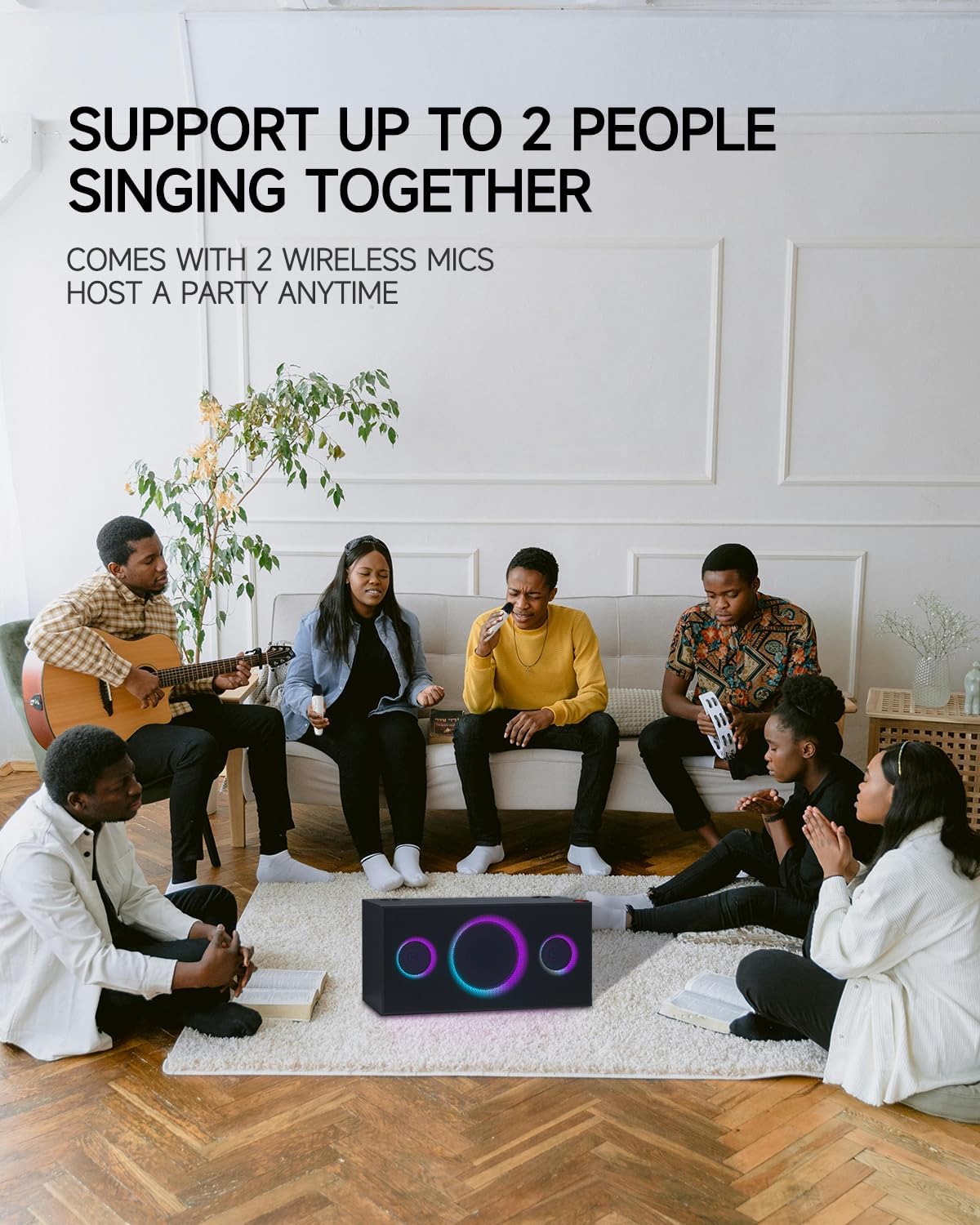
Figure 6.2: Connecting to TV for Karaoke
6.2 Sound Modes
The PUREMIC S2B01 offers three distinct sound modes to optimize your audio experience:
- KTV Mode: Enjoy KTV fun at home with 360° surround sound effect and colorful lights, perfect for karaoke sessions.
- Cinema Mode: Immerse yourself in movies with enhanced audio, creating a cinematic atmosphere.
- Music Mode: Experience live concert quality sound with crystal-clear audio, ideal for casual music listening.

Figure 6.3: Three Scenarios Modes
6.3 Microphone Usage
- Once powered on and connected, adjust the microphone volume using the volume buttons on the microphone itself.
- Use the sound effect button on the microphone to apply various vocal effects.
- The system supports up to two people singing together simultaneously.

Figure 6.4: Support for Multiple Singers
6.4 Light Effects
The PUREMIC S2B01 features dynamic LED lights that enhance your entertainment experience.
- The lights can be controlled via the LIGHT button on the top panel of the speaker.
- Cycle through different lighting modes and effects, including those that sync with the music rhythm.

Figure 6.5: Dynamic LED Light Show
7. Maintenance
7.1 Cleaning
To maintain the appearance and performance of your karaoke machine:
- Wipe the exterior surfaces with a soft, dry cloth.
- Do not use abrasive cleaners, waxes, or solvents as they may damage the finish.
- Keep the speaker grilles free from dust and debris.
7.2 Storage
When not in use for extended periods:
- Store the device in a cool, dry place away from direct sunlight and extreme temperatures.
- Ensure the microphones are fully charged before storing to preserve battery life.
7.3 Battery Care
The PUREMIC S2B01 and its microphones contain rechargeable batteries. Follow these guidelines for optimal battery life:
- Charge the device fully before first use.
- Avoid completely draining the battery frequently.
- If storing for a long time, charge the battery to about 50% every 3-6 months.
- The speaker offers up to 15 hours of playtime on a full charge.
Figure 7.1: Extended Playtime
8. Troubleshooting
If you encounter issues with your PUREMIC S2B01, refer to the following common problems and solutions:
| Problem | Possible Cause | Solution |
|---|---|---|
| No power | Power adapter not connected or power switch off. | Ensure the power adapter is securely plugged in and the red power switch on the back is turned on. |
| No sound from speaker | Incorrect input source selected; volume too low; device not connected. | Press the SOURCE button to select the correct input. Increase speaker and source device volume. Reconnect the device. |
| Microphone not working | Microphone off; low battery; not paired. | Turn on the microphone. Charge the microphone. To re-pair: 1. Put microphones in OFF state. 2. Keep pressing Volume + or Volume - and Power button of microphone synchronously until indicator blinks quickly. 3. Press the PAIR button on the back of the speaker. 4. Press the Sound Effect button and Power button of microphone synchronously. The indicator will turn solid blue when paired. |
| Bluetooth connection unstable | Device too far; interference; low battery. | Move the device closer to the speaker. Avoid obstacles. Charge the speaker and device. |
| Lights not working | Light mode off. | Press the LIGHT button on the top panel to activate or change light modes. |
9. Specifications
Detailed specifications for the PUREMIC S2B01 Karaoke Machine:
- Model Number: S2B01
- Item Weight: 21.1 pounds
- Product Dimensions: 8.66 x 17.91 x 8.94 inches
- Speaker Count: 1 (integrated system)
- Speaker Configuration: 1 x 6.5" Subwoofer, 2 x 3" Tweeters
- Output Wattage: 120 Watts
- Voltage: 220 Volts
- Connectivity Technology: Bluetooth, Auxiliary, USB, HDMI (ARC), Coaxial, Optical
- Compatible Devices: Smartphone, Tablet, Television, Personal Computer
- Special Features: Rechargeable, Wireless Microphones, Dynamic LED Party Lights, Multiple Sound Modes
- Media Format: Karaoke

Figure 9.1: Product Dimensions
10. Warranty and Support
PUREMIC products are manufactured to the highest quality standards. For warranty information and customer support, please refer to the warranty card included in your package or visit the official PUREMIC website. If you have any questions or require assistance, do not hesitate to contact our customer service team.
Contact Information:
- Website: PUREMIC Official Store on Amazon
- Email: Refer to product packaging or official website for support email.
Related documentsS2B01


Ask a question about this manual
Ask about setup, troubleshooting, compatibility, parts, safety, or missing instructions. Manuals+ will review the question and use this page’s manual context to help answer it.