
1. Introduction
Thank you for purchasing the JAXSUNNY End Table with Charging Station. This manual provides detailed instructions for the assembly, operation, maintenance, and troubleshooting of your new end table. Please read this manual thoroughly before assembly and use to ensure safe and correct operation. Keep this manual for future reference.
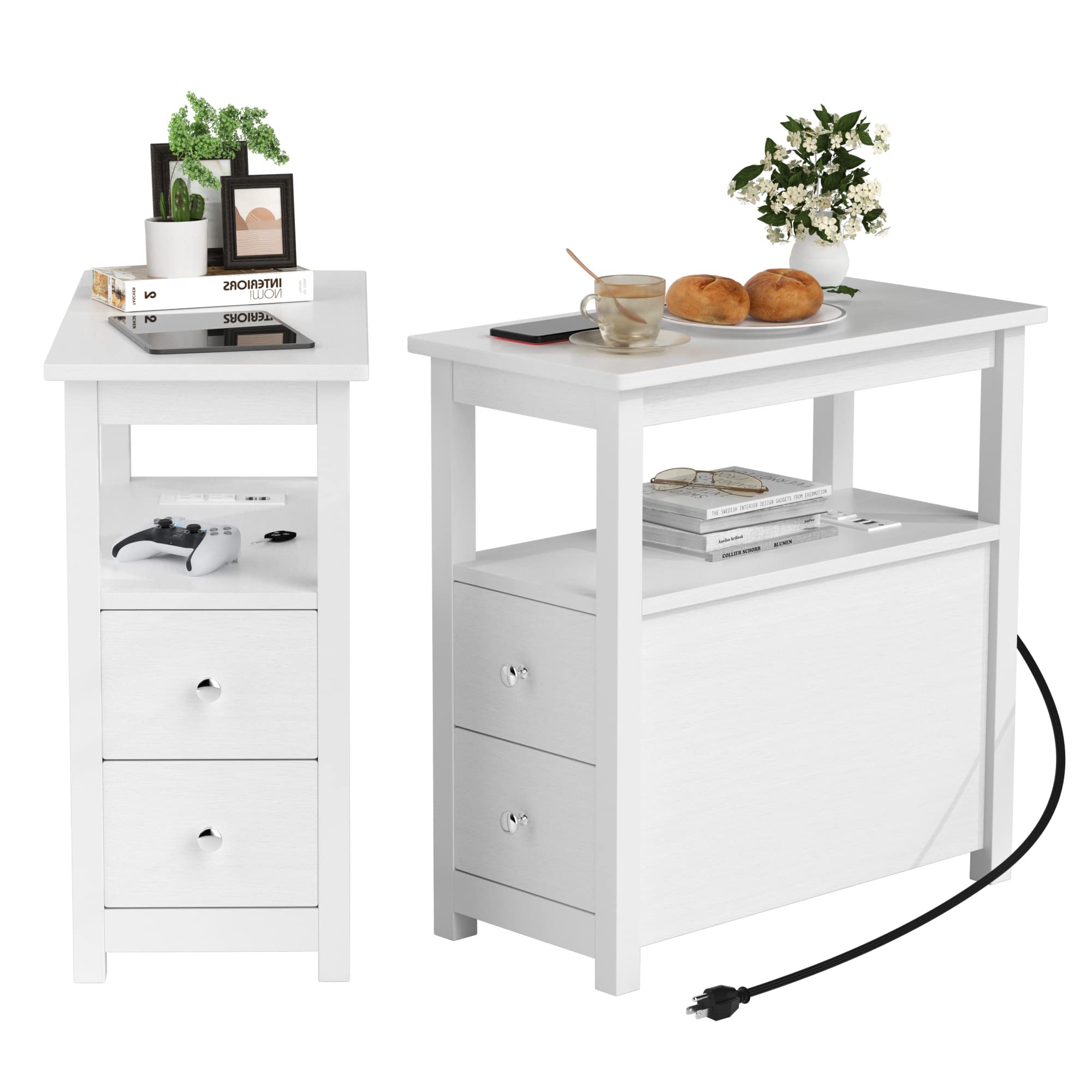
Image 1.1: The JAXSUNNY End Table with Charging Station in a bedroom, featuring a lamp and books.
2. Safety Information
- Read all instructions: Ensure you understand all assembly steps and safety warnings before proceeding.
- Keep children and pets away: Small parts and packaging materials can be choking hazards.
- Assemble on a soft, clean surface: This prevents scratching the product.
- Do not overtighten screws: Overtightening can damage the material.
- Electrical Safety: The integrated charging station is ETL-certified. Do not overload the outlets. Do not use if the power cord or plug is damaged. Keep liquids away from the charging station.
- Weight Capacity: Adhere to the specified weight limits for the tabletop, shelves, and drawers to prevent damage or injury.
3. Package Contents
Verify that all components are present before beginning assembly. If any parts are missing or damaged, please contact customer support.

Image 3.1: Overview of table dimensions and weight capacities for the top (220 lbs), shelf (100 lbs), and drawers (40 lbs).
Included Components:
- Tabletop
- Side Panels (Left & Right)
- Back Panel
- Shelves
- Drawer Fronts, Sides, and Bottoms
- Drawer Slides
- Charging Station Unit (with power cord)
- Hardware Pack (screws, dowels, cam locks, drawer pulls, etc.)
- Assembly Tool (e.g., Allen wrench)
4. Setup and Assembly
Follow these steps carefully to assemble your JAXSUNNY End Table. It is recommended to have two people for assembly.

Image 4.1: Visual guide for assembling the end table, showing individual parts and their connections.
- Prepare Components: Unpack all parts and hardware. Lay them out on a clean, soft surface to prevent scratches. Identify each component using the provided diagram.
- Assemble Frame: Attach the side panels to the bottom and middle shelves using the designated screws and dowels. Ensure all connections are secure.
- Install Drawer Slides: Secure the drawer slides to the inner side panels of the table frame according to the instructions.
- Assemble Drawers: Construct the drawers by attaching the sides, front, and back panels to the drawer bottom. Install the drawer pulls.
- Insert Drawers: Carefully slide the assembled drawers onto the installed drawer slides.
- Attach Top Panel: Secure the tabletop to the assembled frame using the appropriate hardware.
- Install Charging Station: Place the charging station unit into its designated slot on the table. Ensure the power cord is routed safely and accessible.
- Final Check: Verify that all screws are tightened, and the table is stable.
5. Operating Instructions
Using the Charging Station:
The JAXSUNNY End Table features an integrated ETL-certified charging station with 2 USB ports and 2 standard AC outlets.

Image 5.1: A smartphone charging via the integrated USB port on the end table.
- Connect Power: Plug the table's 6.5 ft power cord into a standard wall outlet.
- Charge Devices:
- For USB devices: Connect your device's USB cable to one of the 5V/2A USB ports.
- For AC devices: Plug your device's power adapter into one of the 120V/12A AC outlets.
- Safety Note: Avoid plugging in high-power appliances that exceed the charging station's capacity. Do not force plugs into outlets.
Using the Drawers:
The table includes two smooth-sliding drawers for storage.

Image 5.2: The two drawers of the end table, open to reveal storage space for small items.
- Pull the drawer handles gently to open.
- Push the drawers back in until they are fully closed.
- Do not overload drawers beyond their 40 lbs weight capacity.
6. Maintenance
Proper care will extend the life and appearance of your end table.
- Cleaning: Wipe the surface with a soft, damp cloth. Avoid harsh chemicals or abrasive cleaners, as they can damage the finish.
- Spills: Clean up spills immediately to prevent staining or damage to the engineered wood.
- Inspection: Periodically check all screws and connections to ensure they remain tight. Retighten if necessary.
- Avoid Direct Sunlight: Prolonged exposure to direct sunlight can cause fading or warping.
- Heat Protection: Use coasters or protective pads under hot items to prevent heat damage to the tabletop.
7. Troubleshooting
If you encounter issues with your end table, refer to the following common problems and solutions.
| Problem | Possible Cause | Solution |
|---|---|---|
| Table is wobbly | Loose screws or uneven floor. | Check and tighten all assembly screws. Place felt pads under legs if the floor is uneven. |
| Drawers stick or do not slide smoothly | Drawer slides misaligned or debris in tracks. | Ensure drawer slides are correctly installed and aligned. Clean tracks of any dust or debris. Apply a small amount of silicone lubricant if needed. |
| Charging station not working | Power cord not plugged in, outlet issue, or device cable fault. | Ensure the table's power cord is securely plugged into a working wall outlet. Test the wall outlet with another device. Try a different USB cable or AC adapter. Do not attempt to repair the charging station yourself. |
| Scratches on surface | Sharp objects or abrasive cleaning. | Use furniture polish or touch-up pens for minor scratches. Prevent future scratches by using coasters and avoiding dragging objects across the surface. |
8. Specifications
- Brand: JAXSUNNY
- Model: End Table with Charging Station (B0BF8S2YQQ)
- Dimensions (D x W x H): 11.7" x 23.7" x 24"
- Item Weight: 58 Pounds (for the set of 2)
- Material: Engineered Wood, Metal
- Color: White
- Charging Station: ETL-certified, 2 USB ports (5V/2A), 2 AC outlets (120V/12A)
- Power Cord Length: 6.5 ft
- Weight Capacity:
- Tabletop: Up to 220 lbs
- Shelf: Up to 100 lbs
- Drawer: Up to 40 lbs
- Assembly Required: Yes
9. Warranty and Support
JAXSUNNY is committed to providing quality products. For any questions, missing parts, or issues not covered in this manual, please contact JAXSUNNY customer support. Please have your model number (B0BF8S2YQQ) and purchase information ready when contacting support.
Manufacturer: JAXSUNNY
Contact Information: Please refer to the retailer's website or your purchase documentation for the most current customer support contact details.