

Introduction
The BuddyPhones PlayEars Plus are innovative kids' headphones designed with safety and functionality in mind. Featuring SafeAudio volume-limiting technology, these headphones protect children's hearing by capping sound levels at 75, 85, or 94dB. They offer versatile connectivity with both wireless Bluetooth and wired options, ensuring continuous use. The headphones are built with durable, child-safe, BPA and phthalate-free materials, and include a built-in microphone for communication and StudyMode for enhanced vocal clarity during learning sessions. The Polar Bear design adds a fun, personalized touch.

Image: BuddyPhones PlayEars Plus Polar Bear headphones, showcasing their design.
What's Included
- PlayEars+ Headphones (Polar Bear style)
- Fabric Travel Bag
- Charging Cable (USB-C)
- 4 sets of personalization decals
- 3.5mm Audio Cable for Wired Connections
- BuddyLink Audio Splitter
Setup
Bluetooth Pairing
- Ensure the headphones are charged.
- Turn on the headphones by pressing and holding the power button until the LED indicator flashes.
- On your device (smartphone, tablet, computer), go to Bluetooth settings.
- Search for available devices and select "BuddyPhones PlayEars Plus".
- Once connected, the LED indicator will show a solid light, and you will hear an audible confirmation.

Image: A child comfortably wearing BuddyPhones PlayEars Plus headphones, demonstrating typical use.
Wired Connection
For wired use, connect the included 3.5mm audio cable to the headphone's audio jack and the other end to your device's audio output. This allows for continued listening even when the battery is depleted.
Operating Instructions
SafeAudio Volume Limiting
The BuddyPhones PlayEars Plus feature three selectable volume-limiting modes to protect hearing:
- ToddlerMode: Capped at 75dB, ideal for very young children or quiet environments.
- KidsMode: Capped at 85dB, suitable for general listening.
- TravelMode: Capped at 94dB, for noisier environments like airplanes or cars.
Switch between modes using the dedicated button on the headphones. Refer to the product diagram for exact button location.

Image: Icon representing the SafeAudio volume limiting feature.
StudyMode
Activate StudyMode to isolate voices from other sounds, providing clear and precise vocals. This mode is particularly useful for educational content, online lessons, or video calls, helping children focus better. The built-in microphone allows for interactive learning and communication.

Image: Icon representing the StudyMode feature.
Controls and Battery Life
The headphones feature intuitive controls for volume adjustment, play/pause, and track navigation. A full charge provides up to 24 hours of wireless listening, offering extended use for travel or daily activities.
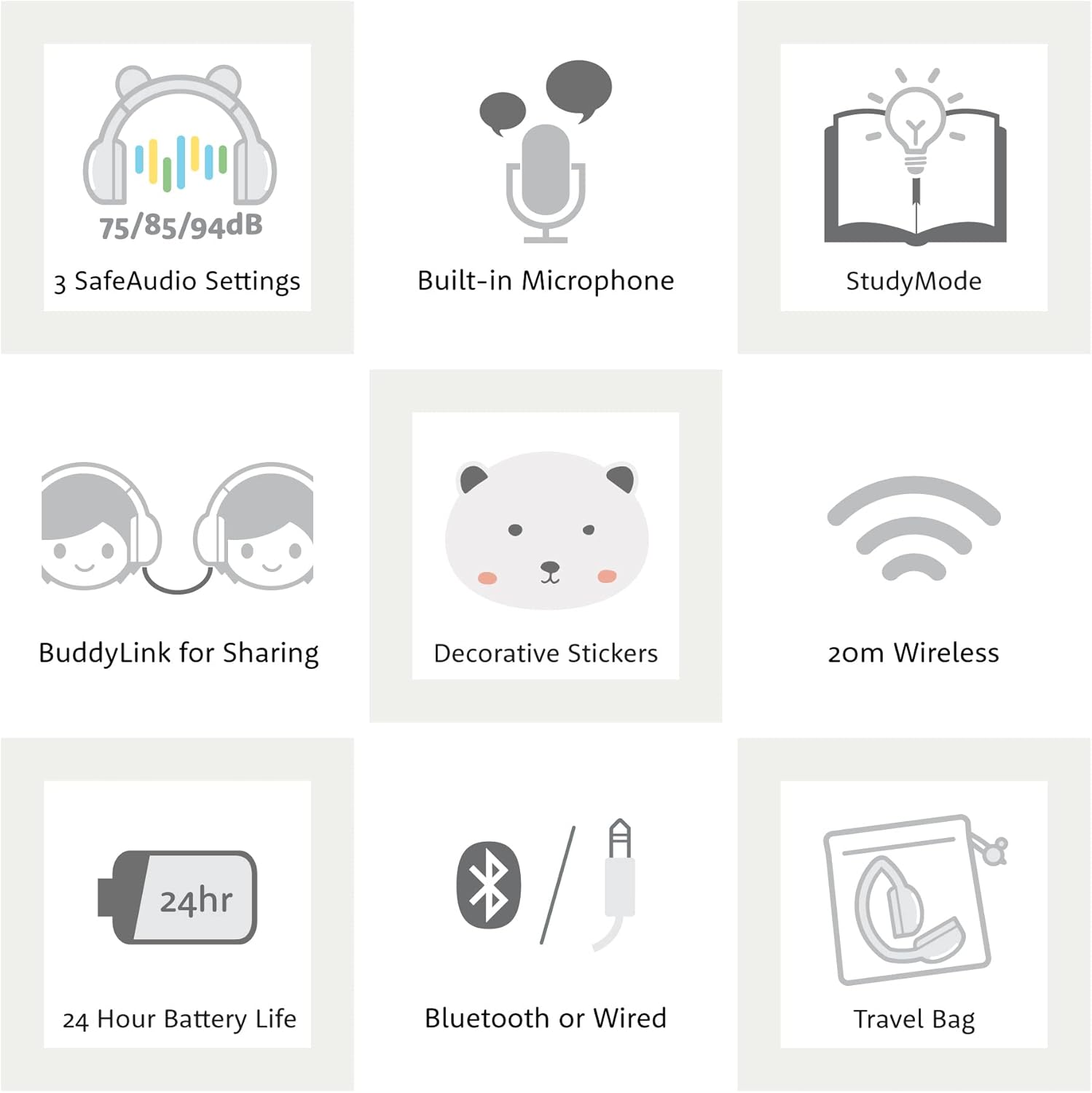
Image: Visual representation of headphone features including control buttons, battery life, and connectivity options.
BuddyLink Sharing
The included BuddyLink audio splitter allows two BuddyPhones to connect to a single device, enabling shared listening experiences without needing an additional audio jack on the source device.
Personalization
Customize your headphones with the included 4 sets of personalization decals, featuring different animal designs to match your style.

Image: A display of BuddyPhones PlayEars Plus headphones in various animal styles, highlighting customization.
Maintenance
- Cleaning: Wipe the headphones with a soft, dry cloth. For stubborn dirt, a slightly damp cloth can be used, but ensure no moisture enters the earcups or ports.
- Storage: When not in use, store the headphones in the included fabric travel bag to protect them from dust and scratches. The foldable design makes them compact for storage and transport.
- Battery Care: To prolong battery life, avoid fully discharging the headphones frequently. Charge them regularly, even if not in constant use.

Image: BuddyPhones PlayEars Plus headphones in their folded position, demonstrating portability and ease of storage.
Troubleshooting
| Problem | Possible Cause | Solution |
|---|---|---|
| No Sound / Very Low Volume |
|
|
| Cannot Pair via Bluetooth |
|
|
| Headphones Not Turning On |
|
|
Specifications
| Feature | Detail |
|---|---|
| Model Name | BuddyPhones PlayEars Plus |
| Connectivity Technology | Wireless (Bluetooth) & Wired (3.5mm) |
| Bluetooth Version | 5.0 |
| Bluetooth Range | 20 Meters |
| Battery Life | Up to 24 Hours |
| Frequency Response | 20 KHz |
| Impedance | 32 Ohm |
| Material | Plastic (BPA and phthalate-free) |
| Item Weight | 13.4 ounces (0.38 Kilograms) |
| Product Dimensions | 7.48 x 2.56 x 7.09 inches |
| Special Features | Bluetooth or Wired, Foldable, Microphone Included, Tangle Free Cord, Volume Control (SafeAudio 75/85/94dB), StudyMode, BuddyLink |
| UPC | 840173601143 |
Official Product Video
Video: Official product video demonstrating the features and benefits of BuddyPhones PlayEars+ Bluetooth Kids Headphones.
Warranty and Support
BuddyPhones are engineered for robustness and undergo rigorous testing to ensure durability. In the event of any issues, BuddyPhones offers customer service assistance for troubleshooting, repairs, or limited warranty replacements.
For detailed warranty information and to contact customer support, please visit the official BuddyPhones website or refer to the warranty card included with your product. Keep your proof of purchase for warranty claims.
