
1. Introduction
Thank you for choosing the Mcdodo OT-1580 Wireless Adapter. This device is designed to provide seamless wireless connectivity for a variety of peripherals, enhancing your digital experience. Please read this manual carefully to ensure proper installation, operation, and maintenance of your adapter.
2. Product Overview
The Mcdodo OT-1580 is a compact and efficient wireless adapter. Its key features include:
- Versatile Compatibility: Connects effortlessly with a range of wireless devices such as headphones, keyboards, mice, speakers, and more.
- Low Energy Technology: Utilizes wireless low energy technology to minimize power consumption and extend battery life of connected devices.
- Enhanced Performance: Achieves data transfer speeds up to 3 Mbps, improving overall wireless experience and sound quality.
- Extended Range: Offers a transmission distance of up to 20 meters for greater flexibility and convenience.
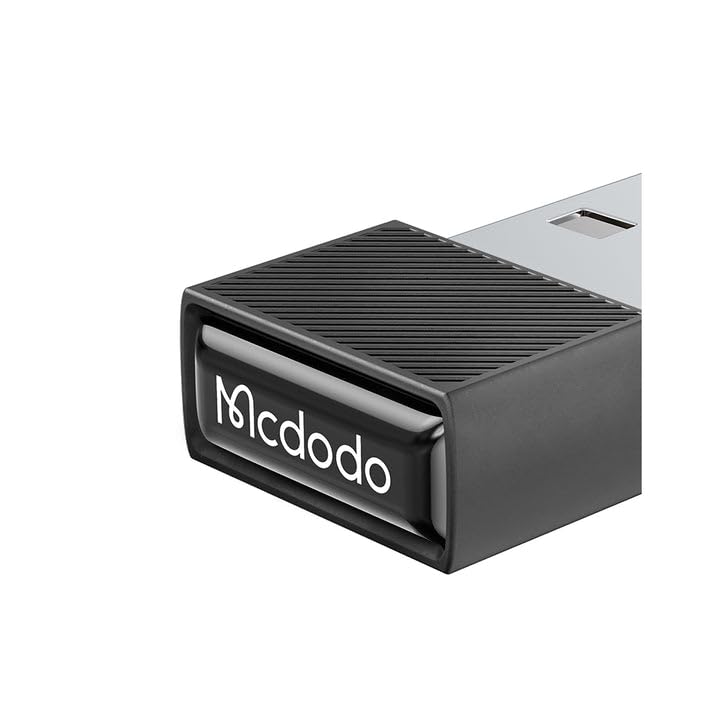
Image 2.1: Front view of the Mcdodo OT-1580 Wireless Adapter. This image shows the compact design of the adapter, highlighting its small form factor.
3. Package Contents
Please verify that all items are present in your package:
- Mcdodo OT-1580 Wireless Adapter
- User Manual (this document)
4. Setup Instructions
Follow these steps to set up your Mcdodo OT-1580 Wireless Adapter:
- Insert the Adapter: Locate an available USB port on your computer, laptop, or compatible device. Gently insert the Mcdodo OT-1580 Wireless Adapter into the USB port. Ensure it is fully seated.
- Driver Installation (if necessary): In most modern operating systems (Windows 10/11, macOS, Linux), the adapter should be recognized automatically, and drivers will install without user intervention. If prompted, allow the system to install necessary drivers. If automatic installation fails, please visit the official Mcdodo website for driver downloads.
- Verify Installation: Once installed, a notification or an icon in your system tray/menu bar should indicate that the wireless adapter is ready for use.

Image 4.1: The Mcdodo OT-1580 Wireless Adapter plugged into a laptop's USB port. This illustrates the physical connection of the adapter to a host device.
5. Operating Instructions
After successful installation, you can begin connecting your wireless devices:
- Enable Wireless on Your Device: Ensure the wireless function is enabled on the peripheral you wish to connect (e.g., headphones, keyboard, mouse).
- Pairing Mode: Put your wireless peripheral into pairing mode. Refer to your peripheral's user manual for specific instructions on how to do this.
- Search for Devices: On your computer or host device, open the wireless settings (e.g., Bluetooth settings on Windows/macOS). Initiate a scan for new devices.
- Select and Connect: From the list of available devices, select your peripheral and click "Connect" or "Pair." You may be prompted to enter a PIN or confirm a pairing code.
- Successful Connection: Once connected, your peripheral should be ready for use. The system will typically indicate a successful connection.

Image 5.1: A visual representation of the Mcdodo OT-1580 Wireless Adapter facilitating a connection between a laptop and a mobile device. This highlights the adapter's role in enabling wireless data transfer.
6. Maintenance and Care
To ensure the longevity and optimal performance of your Mcdodo OT-1580 Wireless Adapter, please follow these guidelines:
- Cleaning: Use a soft, dry cloth to clean the adapter. Avoid using liquid cleaners or solvents.
- Storage: When not in use, store the adapter in a cool, dry place, away from direct sunlight and extreme temperatures.
- Handling: Avoid dropping the adapter or subjecting it to strong impacts. Do not attempt to disassemble the device.
- Moisture: Keep the adapter away from water and other liquids.
7. Troubleshooting
If you encounter issues with your Mcdodo OT-1580 Wireless Adapter, refer to the following common problems and solutions:
| Problem | Possible Solution |
|---|---|
| Adapter not recognized by computer. |
|
| Cannot connect to wireless device. |
|
| Poor connection or intermittent signal. |
|
8. Specifications
| Feature | Detail |
|---|---|
| Model Number | OT-1580 |
| Brand | Mcdodo |
| Connectivity Technology | Wireless (Bluetooth 5.1) |
| Data Transfer Speed | Up to 3 Mbps |
| Transmission Distance | Up to 20 meters |
| Compatible Devices | Headphones, Keyboards, Mice, Speakers, and other wireless peripherals |
| Color | Dark Grey |
| Item Weight | 57 g |
| Package Dimensions | 18 x 7 x 2.2 cm |
9. Warranty and Support
Mcdodo products are designed for reliability and performance. For detailed warranty information, please refer to the warranty card included with your purchase or visit the official Mcdodo website. For technical support, driver downloads, or further assistance, please visit the Mcdodo official store page or contact Mcdodo customer service.
