
Introduction
This manual provides instructions for the proper installation, operation, and maintenance of your Cellularline Slide Fit Universal Car Smartphone Holder. Please read this manual carefully before use to ensure optimal performance and safety.
The Cellularline Slide Fit is a car smartphone holder featuring an easy mechanical insertion and removal system. The holder automatically opens and closes with the weight of the smartphone. Practical and convenient, the Slide Fit provides a solid grip, securing the smartphone on three sides. Its innovative hook attachment allows it to be fixed to all standard and round air vents. The retractable spring design ensures it is compact and discreet.
Product Features
- Easy air vent insertion system
- Retractable design: compacts when not in use for seamless integration with the car interior.
- Three-sided grip for secure smartphone retention.
- Attachment compatible with both standard and round air vents.
- Adjustable ball joint for optimal viewing angles.
Setup Instructions
- Identify a Suitable Air Vent: Choose a car air vent that is stable and provides a clear view of your smartphone without obstructing your driving view. The Slide Fit is compatible with both horizontal/vertical (standard) and round air vents.
- Attach the Holder to the Air Vent:

Image: Detailed view of the holder's arc-shaped support structure and strong hook mechanism.
The holder features a unique hook design. Extend the hook and securely attach it to one of the air vent blades. Ensure the holder is firmly seated and does not wobble.

Image: Smartphone holder installed in a car air vent, showing compatibility with different vent types.
- Adjust the Viewing Angle: The holder is equipped with an adjustable ball joint. Loosen the nut behind the holder, adjust the angle to your preference, and then tighten the nut to secure the position.
Operating Instructions
- Inserting Your Smartphone:
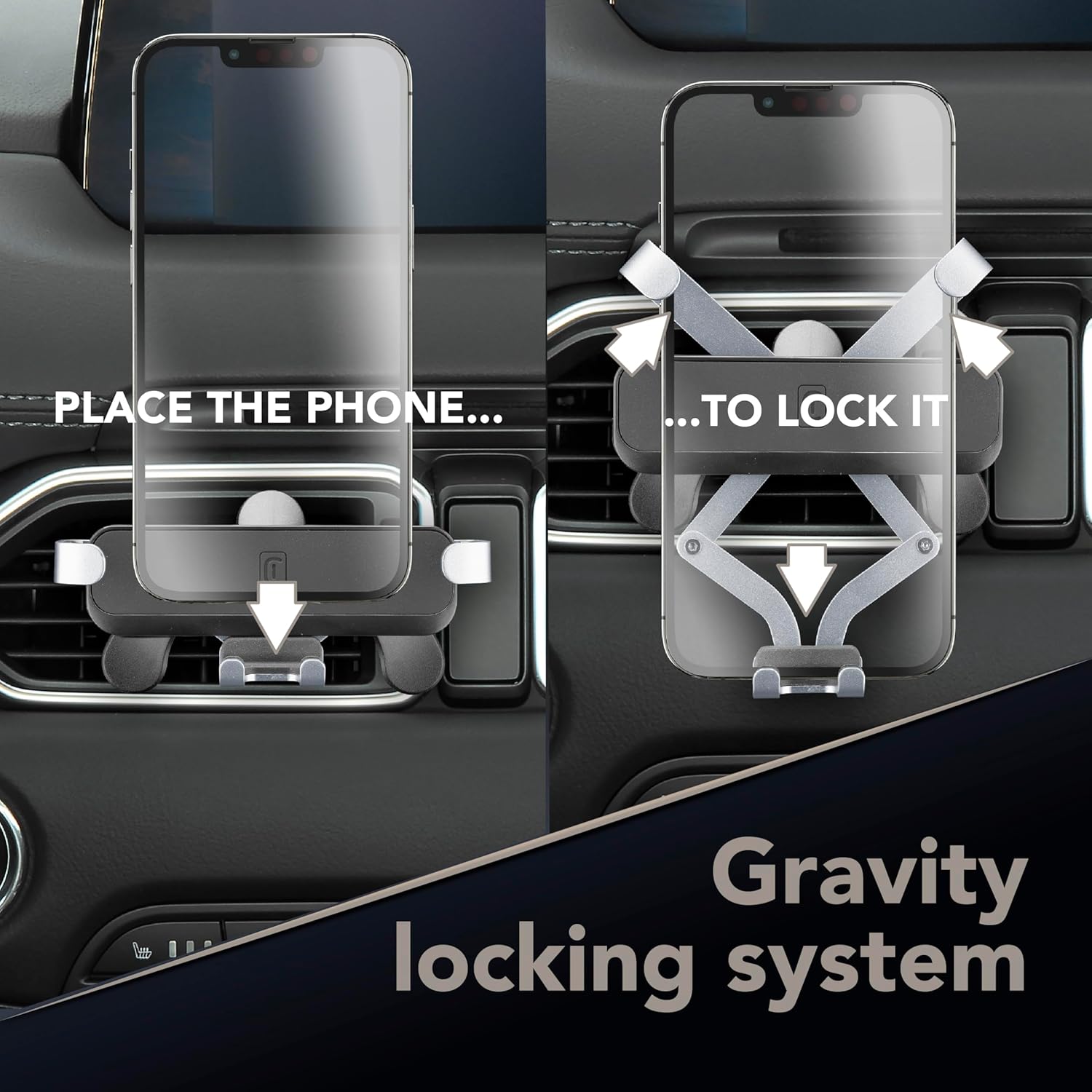
Image: Sequence showing how to place a phone into the holder and activate the gravity locking system.
Gently place your smartphone into the bottom support of the holder. The weight of the phone will automatically trigger the side arms to close, securing the device with a three-sided grip. Ensure the phone is centered for optimal stability.
- Removing Your Smartphone: Simply lift your smartphone upwards from the holder. The side arms will automatically release, allowing for easy removal.
- Adjusting Rotation:

Image: Smartphone in holder, demonstrating 360-degree rotation for adjustable viewing angles.
The holder allows for 360-degree rotation. You can rotate your smartphone to either portrait or landscape orientation as needed for navigation or other applications.
- Smartphone Compatibility:

Image: Diagram showing smartphone compatibility range, from 4 inches to 6.5 inches.
The holder is designed to accommodate smartphones ranging from approximately 4 inches to 6.5 inches in screen size.
Stability and Safety
The Cellularline Slide Fit provides stable 3-point support for your smartphone, ensuring it remains secure even on rugged roads, during sharp turns, or over speed bumps.

Image: Diagram illustrating the stable 3-point support system for the smartphone, ensuring stability on various road conditions.
Maintenance
- Cleaning: Use a soft, dry cloth to clean the holder. Avoid abrasive cleaners or solvents that may damage the material.
- Inspection: Periodically check the holder for any signs of wear or damage, especially the air vent attachment mechanism and the gripping arms.
- Storage: When not in use for extended periods, store the holder in a cool, dry place away from direct sunlight.
Troubleshooting
- Holder is loose on the air vent: Ensure the hook mechanism is fully engaged with an air vent blade. Try a different blade or adjust the position.
- Smartphone does not sit securely: Verify that your smartphone's size is within the compatible range (4 to 6.5 inches). Ensure no obstructions prevent the side arms from closing completely.
- Difficulty rotating the holder: Loosen the ball joint nut slightly, adjust the angle, and then re-tighten. Do not force rotation if it feels stiff.
Specifications
| Brand | Cellularline |
| Model Number | GRAVITYHOLDERVENTK |
| Item Weight | 120 g |
| Product Dimensions (L x W x H) | 9 x 20 x 5.6 cm |
| Material | Plastic |
| Color | Black |
| Mounting Type | Air Vent |
| Compatible Devices | Smartphone |
| Compatible Phone Models | Samsung, iPhone, Oppo, Wiko, Huawei |
| Special Features | Lightweight, Rotatable, Adjustable |
| Water Resistance Level | Waterproof |
| Box Contents | Smartphone holder |
Warranty and Support
For warranty information and customer support, please refer to the documentation included with your purchase or visit the official Cellularline website. Keep your proof of purchase for any warranty claims.