WINGBO SYCF5202 52" Flush Mount DC Ceiling Fan Instruction Manual
Model: SYCF5202 | Brand: WINGBO
1. Introduction
This manual provides detailed instructions for the installation, operation, maintenance, and troubleshooting of your WINGBO SYCF5202 52-inch Flush Mount DC Ceiling Fan. Please read all instructions carefully before beginning installation and retain this manual for future reference.
The WINGBO SYCF5202 is a 52-inch flush mount ceiling fan designed for indoor use. It features four reversible blades, an ultra-quiet 6-speed DC motor, and a low-profile design suitable for rooms with ceilings less than 9 feet high. The fan is operated via an included handheld remote control.
Key Features:
Modern/Contemporary Design: Sleek, low-profile hugger design with a 52-inch blade span, suitable for medium to large rooms.
Dual-Finish Reversible Blades: Blades feature Brushed Nickel on one side and White on the other, allowing for customizable aesthetics.
Quiet & Reversible DC Motor: Operates on 6 forward and reverse speeds, adjustable via remote. Efficiently circulates air for both summer (downdraft) and winter (updraft) modes.
Energy Efficient: DC motor technology is up to 70% more efficient than traditional AC motors.
Low Profile Design: Mounts flush to the ceiling, ideal for rooms with low ceiling heights (under 9 feet).
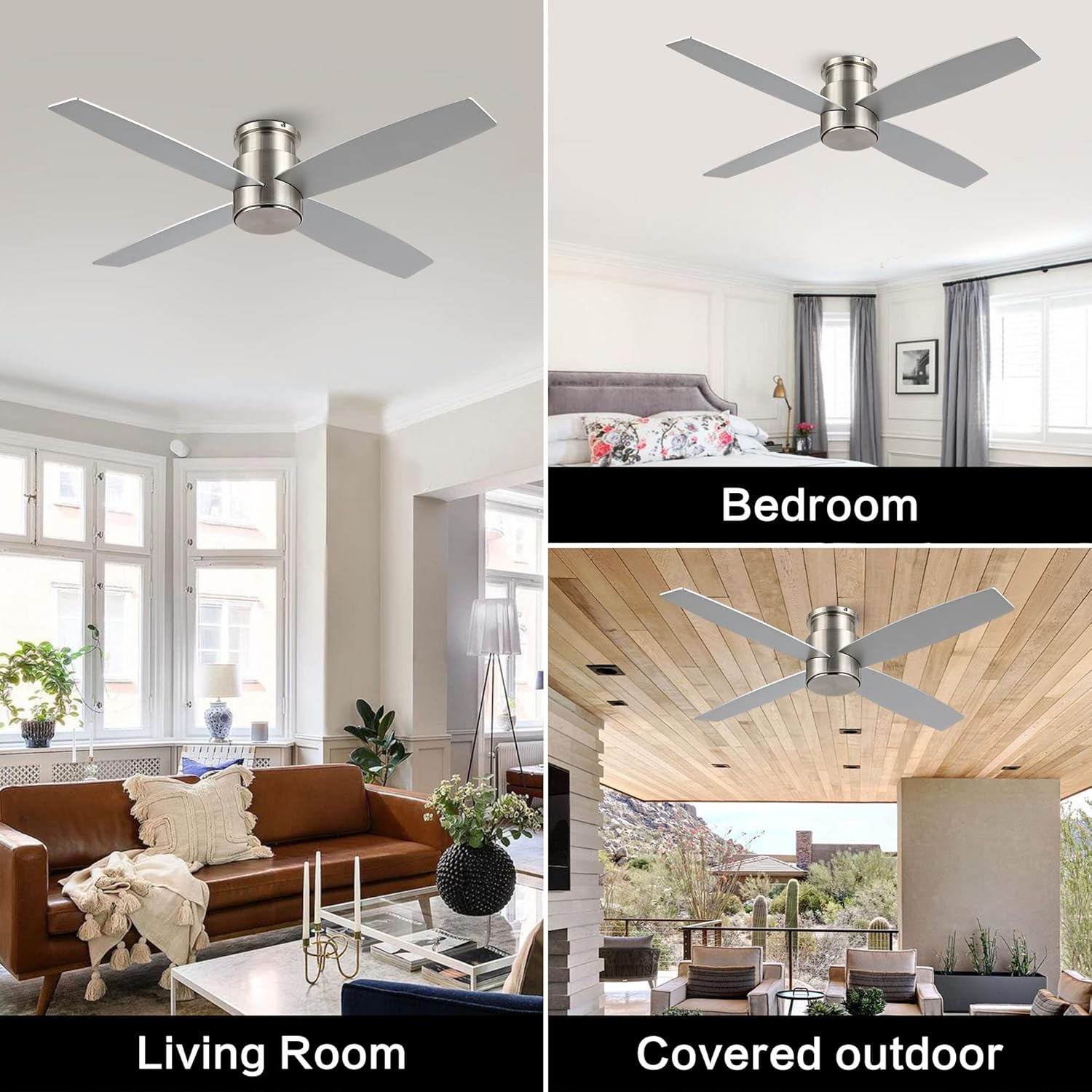
Figure 1: Key features of the WINGBO SYCF5202 ceiling fan.
2. Safety Information
Always turn off the power at the circuit breaker before beginning installation or performing any maintenance. Consult a qualified electrician if you are unsure about wiring procedures. Ensure all connections are secure and comply with local electrical codes.
Read all instructions carefully before installation.
Ensure the installation site can support the fan's weight.
Do not bend the blade holders during installation or cleaning.
Keep children away from the fan during operation.
3. Package Contents
Before installation, verify that all components are present and undamaged. Refer to the packing list below:
Figure 2: Unpacked components of the ceiling fan.
Motor Housing Assembly
Fan Blades (4)
Remote Control
Mounting Bracket
Hardware Pack (screws, wire nuts, etc.)
Instruction Manual
4. Installation Guide
Follow these steps for proper installation of your WINGBO ceiling fan. It is recommended to have two people for installation.
4.1 Pre-Installation
Turn off power at the circuit breaker.
Ensure the ceiling junction box is securely mounted and capable of supporting the fan's weight.
4.2 Attaching the Blades
Attach the four fan blades to the motor housing using the provided screws. Ensure they are securely fastened.
Figure 3: Reversible blades with brushed nickel and white finishes.
Figure 4: Premium quality fan blades.
4.3 Mounting the Fan
Secure the mounting bracket to the ceiling junction box.
Carefully lift the fan assembly and hang it from the mounting bracket using the safety cable.
4.4 Wiring Connections
Connect the electrical wires as follows:
Connect the ground wire (green/bare copper) from the ceiling to the ground wire from the fan.
Connect the neutral wire (white) from the ceiling to the neutral wire from the fan.
Connect the hot wire (black) from the ceiling to the hot wire from the fan.
Ensure all connections are secured with wire nuts.
4.5 Attaching the Canopy
Once wiring is complete, carefully push the fan assembly up and secure the canopy to the mounting bracket with the provided screws.
4.6 Installation Video
For a visual guide, please refer to the official installation video below:
Video 1: Step-by-step installation guide for the WINGBO Flush Mount Ceiling Fan.
5. Operating Instructions
Your WINGBO ceiling fan is operated using the included remote control. Ensure the remote has fresh batteries installed.
5.1 Remote Control Functions
Figure 5: Remote control for the WINGBO ceiling fan.
Fan Speed (1-6): Press buttons 1 through 6 to select desired fan speed. 1 is the lowest, 6 is the highest.
Fan Direction (Reversible): Press the reverse button to change the direction of blade rotation.
Summer Mode (Downdraft): Blades rotate counter-clockwise, pushing air down to create a cooling effect.
Winter Mode (Updraft): Blades rotate clockwise, drawing air up to circulate warm air.
Timer Function: Set the fan to turn off automatically after 1, 2, 4, or 8 hours.
Nature Mode: Activates a variable speed setting to simulate natural breezes.
Figure 6: Summer and Winter operating modes.
Figure 7: Timer function for automatic fan shut-off.
5.2 Operation Video
Observe the fan in operation and the remote control features in this video:
Video 2: WINGBO DC Flush Mount Ceiling Fan in operation, demonstrating speed and direction changes.
6. Maintenance
Regular maintenance ensures optimal performance and longevity of your ceiling fan.
Cleaning: Periodically wipe the fan blades and motor housing with a soft, damp cloth. Do not use abrasive cleaners or solvents.
Tightening Screws: Check all screws and fasteners annually to ensure they are tight. Loose connections can cause noise and wobble.
Blade Balance: If the fan wobbles, ensure all blades are securely attached and balanced. A balancing kit (not included) may be used if necessary.
Always turn off power at the circuit breaker before cleaning or performing any maintenance.
7. Troubleshooting
If you experience issues with your fan, refer to the following common problems and solutions:
Problem
Possible Cause
Solution
Fan does not start
No power to the fan; loose wire connections; remote control issues.
Check circuit breaker. Ensure all wiring connections are secure. Replace remote batteries or re-pair remote.
Tighten all blade screws. Use a balancing kit. Ensure mounting bracket is securely installed.
Noisy operation
Loose screws; motor issues; blades hitting an obstruction.
Check and tighten all screws. Ensure no obstructions are in the fan's path. If noise persists, contact customer support.
Remote not working
Dead batteries; remote not paired; signal interference.
Replace batteries. Refer to remote pairing instructions (usually in a separate remote manual or quick start guide). Reduce interference from other electronic devices.
If the problem persists after attempting these solutions, please contact WINGBO customer support.
8. Specifications
Feature
Detail
Brand
WINGBO
Model Number
SYCF5202
Size
52 inches
Color
Brushed Nickel
Electric Fan Design
Ceiling Fan
Power Source
DC
Style
Modern
Product Dimensions
52"D x 52"W x 10"H
Room Type
Bedroom, Kitchen, Living Room (Indoor)
Special Feature
No Light
Number of Blades
4
Control Method
Remote
Number of Power Levels
6
Item Weight
14.62 pounds (6.65 Kilograms)
Mounting Type
Flush Mount
Figure 8: Fan dimensions and recommended room size.
Figure 9: Energy efficiency information.
9. Warranty and Support
For warranty information or technical support, please contact WINGBO customer service. Keep your purchase receipt as proof of purchase.
You can visit the official WINGBO store for more products and support: WINGBO Store