
1. Introduction
Thank you for choosing ASLIDECOR Solar Wall Lights. This manual provides essential information for the proper installation, operation, and maintenance of your new solar lights. Please read these instructions carefully before use and retain them for future reference.
The ASLIDECOR ET-0912 Solar Wall Lights are designed for outdoor use, providing both warm white and cold white illumination. Featuring an upgraded design with transparent elements and convex mirrors, these lights enhance brightness and light projection. Each unit is equipped with 4 high-quality SMD5050 LED beads and a high-transparent polysilicon solar panel for efficient charging. The lights operate automatically, turning off to charge during the day and illuminating at night.

Image 1.1: ASLIDECOR Solar Wall Lights demonstrating warm white and cold white light output.
2. Package Contents
Upon opening the package, please verify that all components are present:
- 2 x ASLIDECOR Solar Wall Lights
- 1 x Instruction Manual
- 1 x Hole Ruler (for installation)
- 2 x Screws Kit (screws and wall anchors)
3. Specifications

Image 3.1: Product dimensions and dual-color LED feature.
| Feature | Detail |
|---|---|
| Brand | ASLIDECOR |
| Model Number | ET-0912 |
| Light Color Modes | Warm White & Cold White |
| Material | Acrylonitrile Butadiene Styrene |
| Product Dimensions | 6.1"L x 3.9"W x 2.4"H (155mm x 100mm x 60mm) |
| Item Weight | 8.1 ounces (230 Grams) |
| Power Source | Solar powered, built-in rechargeable battery |
| Light Source Type | 4 Pcs SMD5050 LED beads |
| Voltage | 3 Volts |
| Brightness | 60 Lumen |
| Water Resistance Level | IP65 Waterproof |
| Battery | 1 AA battery required (included) |
| Average Life | 5000 Hours |
| Control Method | Push Button Switch |
| Number of Items | 2 (per pack) |
4. Setup & Installation
The ASLIDECOR Solar Wall Lights are designed for wireless installation, requiring no complex wiring. Follow these steps for proper setup:
- Activate the Light: Before installation, locate the switch on the back of the solar wall light and turn it ON.
- Choose Installation Location: Select a location that receives at least 6-10 hours of direct sunlight daily to ensure optimal charging. Avoid areas under eaves, trees, or strong artificial lights at night, as these can interfere with charging and automatic operation.
- Mark Drill Holes: Use the provided hole ruler to mark the positions for drilling on your desired surface.
- Drill Holes: Drill holes at the marked positions. Insert the wall anchors if installing into masonry or concrete.
- Install Screws: Fix the screws into the drilled holes, leaving a small portion protruding to hang the light.
- Mount the Light: Align the mounting slots on the back of the solar light with the installed screws and securely hang the light.

Image 4.1: Step-by-step installation guide for the solar wall light.
For best performance, ensure the solar panel is clean and unobstructed to maximize sunlight absorption.
5. Operating Instructions
Your ASLIDECOR Solar Wall Lights are designed for simple, automatic operation:
- Initial Activation: As mentioned in the installation section, ensure the switch on the back of the light is in the 'ON' position before first use.
- Automatic Operation: The lights feature an intelligent light control system. During the day, the solar panel will automatically charge the internal battery, and the lights will remain off. As dusk approaches or when ambient light levels drop sufficiently, the lights will automatically turn on.
- Light Color Selection: To cycle between the available light colors (Warm White and Cold White), press the switch on the back of the unit. Pressing it multiple times will cycle through the modes (ON/OFF/Warm White/Cold White).
- Charging Time: The solar panel requires 6-10 hours of direct sunlight for a full charge.
- Working Time: A fully charged light can provide illumination for approximately 8-10 hours.
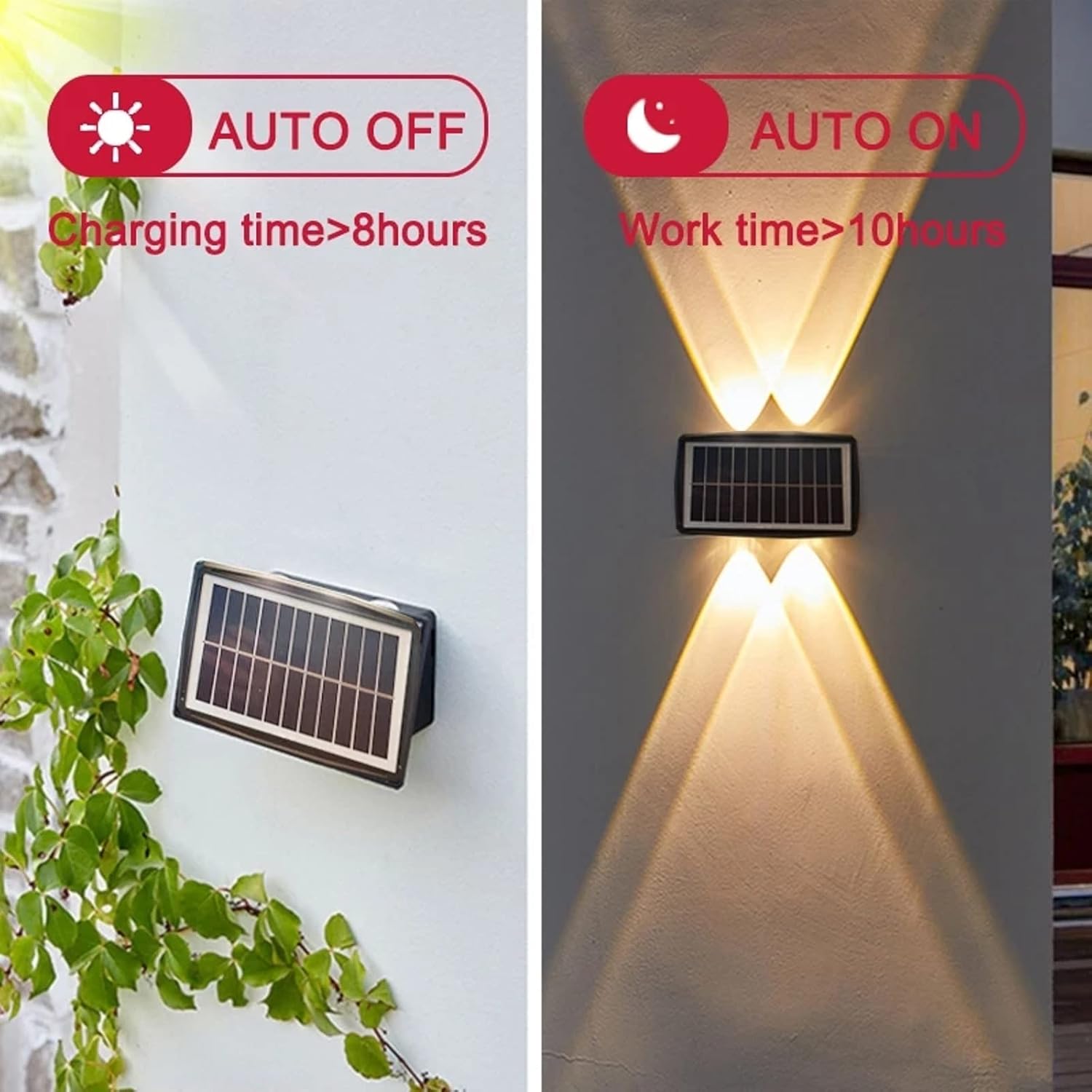
Image 5.1: Automatic On/Off functionality based on daylight.
6. Maintenance
To ensure the longevity and optimal performance of your solar wall lights, follow these simple maintenance guidelines:
- Clean Solar Panel: Regularly wipe the solar panel with a soft, damp cloth to remove dust, dirt, leaves, or snow. A clean panel ensures maximum sunlight absorption and efficient charging.
- Inspect for Obstructions: Periodically check that no new obstructions (e.g., growing foliage, new structures) are blocking direct sunlight from reaching the solar panel.
- Battery Care: The included AA battery is rechargeable. If the light's performance significantly diminishes over time, ensure it is receiving adequate sunlight. Battery replacement may be necessary after several years of use, following manufacturer guidelines for compatible rechargeable AA batteries.
- General Cleaning: Clean the light fixture itself with a soft, damp cloth as needed to maintain its appearance. Avoid abrasive cleaners or solvents.
7. Troubleshooting
If you encounter issues with your ASLIDECOR Solar Wall Lights, please refer to the following common problems and solutions:
- Light Does Not Turn On At Night:
- Check Switch: Ensure the power switch on the back of the light is in the 'ON' position.
- Insufficient Sunlight: The solar panel may not have received enough direct sunlight to charge the battery. Relocate the light to an area with more direct sun exposure (6-10 hours daily).
- Ambient Light Interference: The light sensor might be detecting artificial light (e.g., streetlights, porch lights) at night, preventing the solar light from activating. Move the light to a darker location.
- Initial Charge: For first-time use, allow the light to charge for at least 2 full days in direct sunlight before expecting full performance.
- Light Duration is Shorter Than Expected:
- Solar Panel Cleanliness: Clean the solar panel surface to ensure maximum light absorption.
- Sunlight Exposure: Verify the light is receiving adequate direct sunlight for the recommended charging time. Cloudy weather or partial shading can reduce charging efficiency.
- Battery Age: Over time, rechargeable batteries may lose capacity. If the light is several years old, the battery may need replacement.
- Light Flickers or is Dim:
- Low Battery: The battery charge may be low. Allow the light to charge for a full day in direct sunlight.
- Loose Connection: While unlikely for sealed units, ensure no physical damage or loose components.
8. Warranty & Support
ASLIDECOR provides a limited warranty for this product. For specific details regarding warranty coverage, please refer to the product packaging or contact ASLIDECOR customer support directly.
If you require further assistance or have questions not covered in this manual, please contact ASLIDECOR customer service through the retailer where the product was purchased or visit the official ASLIDECOR website for support information.