
1. Introduction
This manual provides essential instructions for the safe and effective use of your XLAQ 3.6V Ni-MH camcorder battery. This battery is designed to be compatible with various Sharp VL series camcorders, including models such as VL-A111, VL-E34U, VL-E37, VL-E39, VL-E407S, and VL-E420U. Please read this manual thoroughly before using the battery to ensure optimal performance and safety.
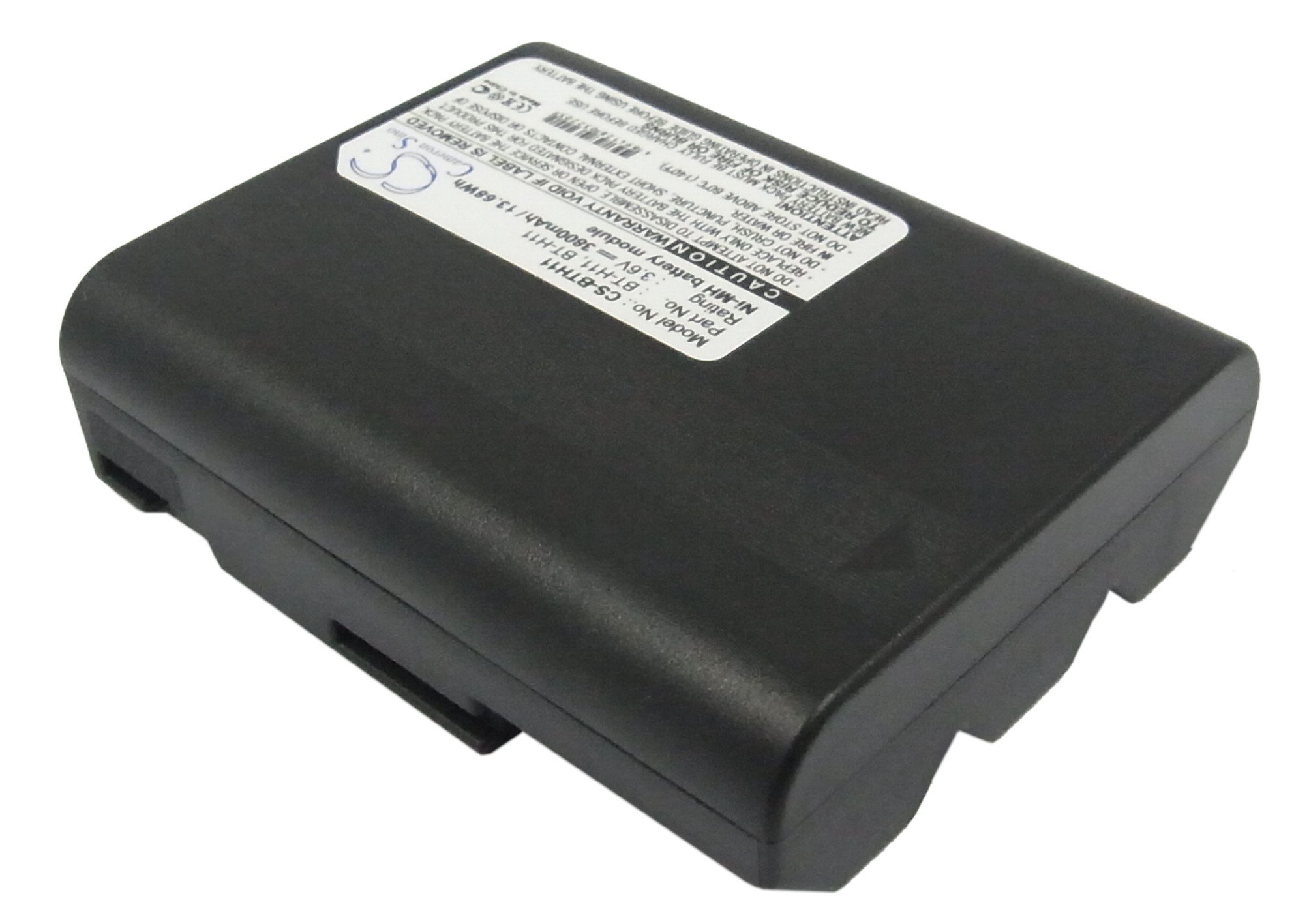
Figure 1: Top view of the XLAQ 3.6V Ni-MH camcorder battery, showing the model and rating label.
2. Safety Information
Your safety is paramount. Please observe the following warnings and precautions to prevent injury, damage to the battery, or damage to your camcorder.
- CAUTION: The warranty is void if the battery label is removed.
- Do not attempt to disassemble, open, or service the battery pack. Unauthorized modifications can lead to hazards.
- Replace only with the battery pack designated for your specific camcorder model. Using an incompatible battery may cause malfunction or damage.
- Do not crush, puncture, or short external contacts of the battery. Avoid exposing the battery to fire or water.
- Do not store the battery above 60°C (140°F). High temperatures can degrade battery performance and pose a safety risk.
- ATTENTION: A new battery pack must be fully charged before its first use. This ensures optimal performance and longevity.
- To reduce the risk of fire or burns, always read and follow the instructions in your camcorder's operating guide in conjunction with this battery manual.

Figure 2: Close-up view of the battery label, highlighting important safety warnings and specifications.
3. Setup
Follow these steps to properly install the battery into your camcorder.
- Verify Compatibility: Ensure the battery model (CS-BTH11 / BT-H11) is compatible with your Sharp VL series camcorder. Refer to your camcorder's manual for specific battery requirements.
- Power Off Camcorder: Before installation, make sure your camcorder is turned off and disconnected from any power source.
- Locate Battery Compartment: Open the battery compartment cover on your camcorder. This is typically located on the rear or bottom of the device.
- Insert Battery: Align the battery's contacts with the terminals inside the camcorder's battery compartment. Gently slide the battery into place until it clicks or locks securely. Do not force the battery.
- Close Compartment: Close the battery compartment cover firmly.
- Initial Charge: For first-time use, fully charge the battery before operation. Refer to the 'Operating' section for charging instructions.

Figure 3: Bottom view of the battery, illustrating the contact points for proper insertion into the camcorder.
4. Operating
Proper charging and usage practices will extend the life of your Ni-MH battery.
4.1 Charging the Battery
- Use Compatible Charger: Always use the original camcorder charger or a compatible charger specifically designed for Ni-MH batteries.
- Connect Charger: Connect the charger to a power outlet and then connect it to your camcorder (with the battery installed) or directly to the battery if using an external charger.
- Monitor Charging Indicator: Observe the charging indicator light on your camcorder or charger. It will typically show red during charging and turn green or off when fully charged.
- Full Charge Recommended: For optimal battery life, it is recommended to fully charge the battery before each significant use, especially after long periods of storage.
4.2 Using the Battery
- Power On: Once the battery is installed and charged, you can power on your camcorder according to its instructions.
- Monitor Battery Level: Pay attention to the battery level indicator on your camcorder's display to avoid unexpected power loss during recording.
- Temperature: Operate the camcorder and battery within the recommended temperature range specified in your camcorder's manual. Extreme temperatures can affect battery performance and lifespan.
- Removal: To remove the battery, ensure the camcorder is off, then open the battery compartment and release the battery lock (if present) before gently sliding it out.
5. Maintenance
Proper care and storage will help maintain the battery's performance and extend its lifespan.
- Regular Charging: Ni-MH batteries benefit from regular use and charging. Avoid letting the battery remain fully discharged for extended periods.
- Storage: If storing the battery for a long time, charge it to about 50-70% capacity. Store it in a cool, dry place, away from direct sunlight and extreme temperatures (do not store above 60°C / 140°F).
- Cleaning Contacts: Periodically clean the battery's metal contacts with a clean, dry cloth to ensure good electrical connection.
- Avoid Overcharging/Over-discharging: While modern chargers often have protection, avoid leaving the battery on the charger indefinitely after it's full, and try not to completely drain the battery repeatedly.
- Disposal: Do not dispose of the battery in household waste. Ni-MH batteries contain recyclable materials and should be disposed of at designated recycling centers.
6. Troubleshooting
If you encounter issues with your battery, consider the following common solutions:
| Problem | Possible Cause | Solution |
|---|---|---|
| Battery not charging | Loose connection, faulty charger, dirty contacts, battery fully discharged | Ensure charger is properly connected. Try a different compatible charger. Clean battery contacts. If battery is deeply discharged, it may take longer to initiate charging. |
| Short operating time | Battery not fully charged, aging battery, operating in cold environment | Ensure battery is fully charged. Ni-MH batteries have a finite lifespan; consider replacement if significantly degraded. Operate camcorder within recommended temperature range. |
| Camcorder does not power on | Battery not installed correctly, battery discharged, faulty battery | Re-install battery, ensuring it's securely seated. Charge the battery. If issues persist, the battery may be faulty and require replacement. |
7. Specifications
Key technical details for your XLAQ camcorder battery.
- Model No.: CS-BTH11
- Part No.: BT-H11
- Battery Type: Ni-MH
- Voltage: 3.6V
- Capacity: 3800mAh (13.68Wh)
- Dimensions: 71.50 x 56.00 x 19.00mm
- Weight: 231g
- Manufacturer: XLAQ
8. Warranty and Support
Your XLAQ battery comes with comprehensive support and warranty coverage.
- Warranty: This product includes a 12-month warranty from the date of purchase.
- Money Back Guarantee: A 14-day money-back guarantee is provided for your satisfaction.
- Customer Support: For any questions or assistance, please contact our customer support team. We offer 24/7 email support to address your concerns promptly.