
Introduction
This manual provides comprehensive instructions for the Baseus Amblight 30000mAh 65W Power Bank, model PPLG000101. It covers essential information regarding product features, setup, operation, maintenance, and troubleshooting to ensure optimal performance and longevity of your device.
Product Overview
The Baseus Amblight Power Bank is a high-capacity portable charger designed to power multiple devices simultaneously. Featuring a 30000mAh battery, 65W fast charging capability, and multiple output ports including USB-A and USB-C, it is suitable for charging smartphones, tablets, and even laptops.

Figure 1: The Baseus Amblight Power Bank, showcasing both black and white versions with included USB-C cables.
The power bank is equipped with a digital display that provides real-time information on battery percentage, voltage, and current, allowing for precise monitoring of charging status.

Figure 2: Detailed view of the large LED screen, displaying charging information such as current battery percentage.
It features multiple input and output ports for versatile charging options.

Figure 3: Illustration of the power bank's multiple ports, indicating 5 output and 3 input capabilities for various devices.
Setup
Initial Charging of the Power Bank
- Before first use, fully charge the power bank. Connect a compatible USB-C charging cable to the power bank's input port and to a wall adapter (not included).
- The LED display will show the charging progress. A full charge is indicated when the display shows 100%.
Connecting Devices
- Use appropriate charging cables for your devices. The power bank supports USB-A and USB-C outputs.
- Connect one end of your device's charging cable to an available output port on the power bank and the other end to your device.
- The power bank will automatically begin charging your device. The LED display will show the output status.
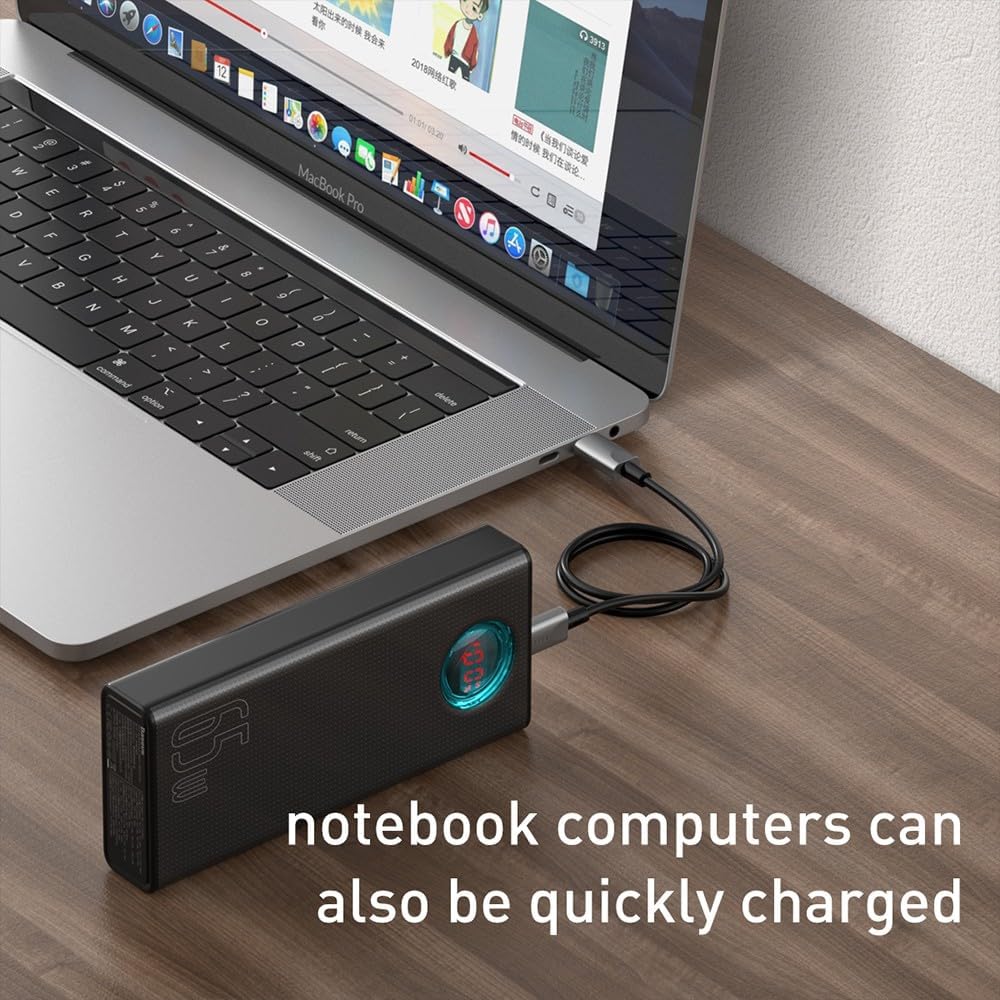
Figure 4: A smartphone being charged by the Baseus Power Bank, demonstrating its ability to quickly charge mobile devices.
Operation
High Capacity and Multi-Device Charging
The power bank's 30000mAh capacity allows for multiple charges of various devices. For example, it can charge a typical smartphone up to 12 times. The Baseus Amblight Power Bank can also charge multiple devices simultaneously using its various output ports.
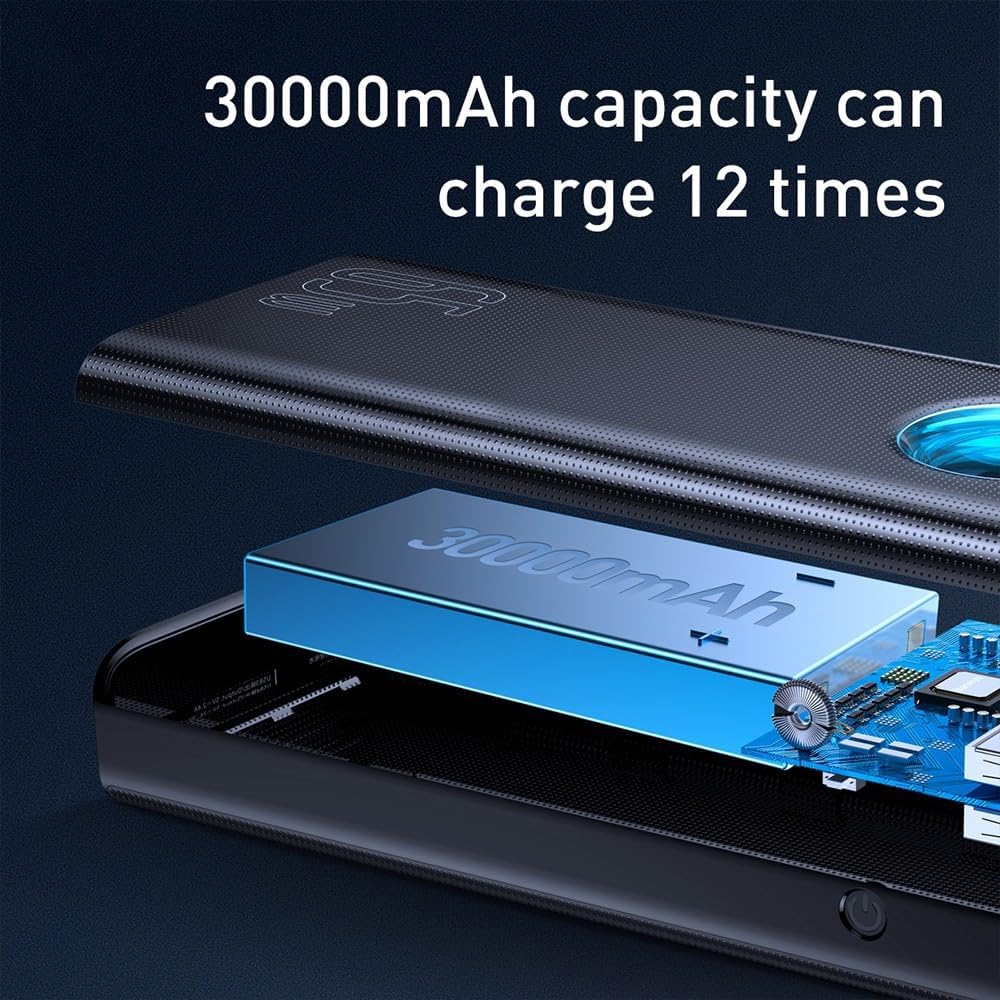
Figure 5: Visual representation of the 30000mAh capacity, illustrating its capability to provide multiple charges for devices.
High Power Output (65W)
The 65W output capability allows for fast charging of compatible devices, including laptops that support USB-C Power Delivery (PD). Ensure your device and cable support 65W PD for optimal charging speeds.
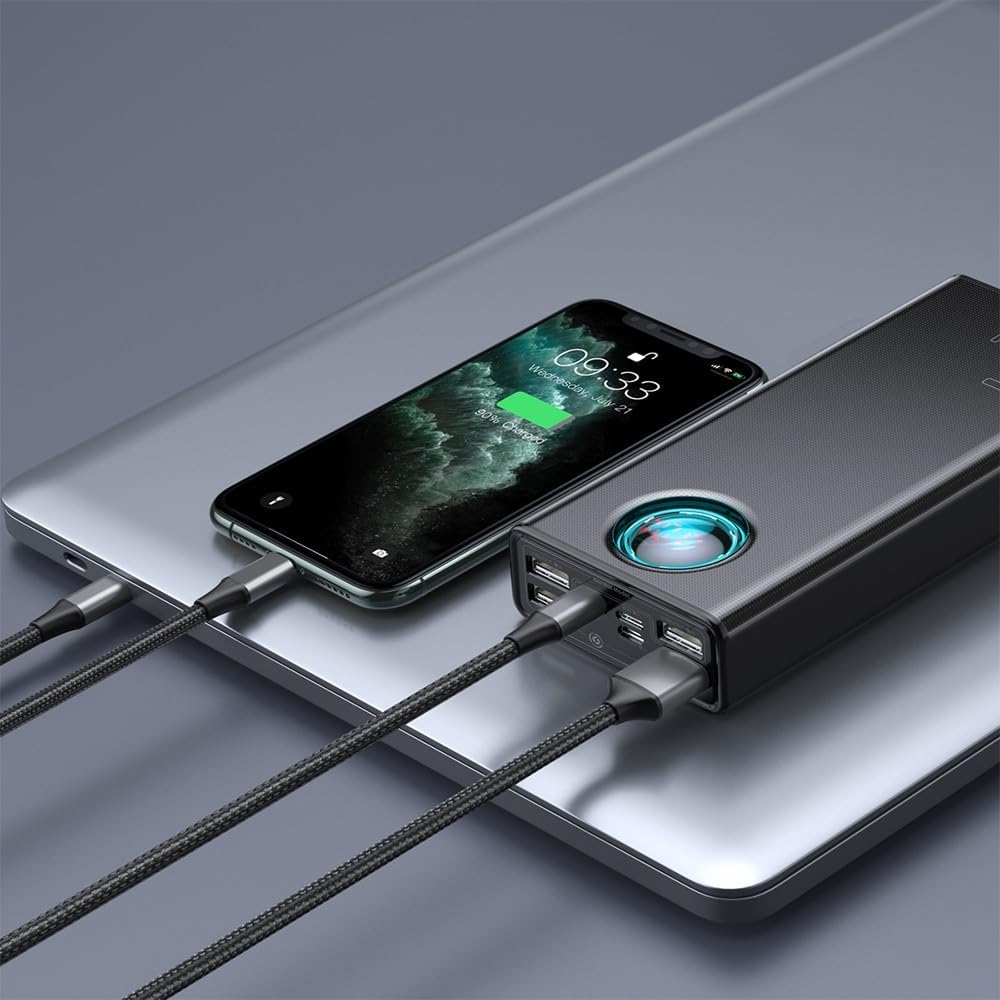
Figure 6: A laptop being charged by the Baseus Power Bank, demonstrating its high-power output suitable for notebooks.

Figure 7: The power bank highlighting its 65W high power output, suitable for demanding devices.
Maintenance
Battery Care
- To prolong battery life, avoid fully discharging the power bank frequently. Recharge it when the battery level is low.
- Store the power bank in a cool, dry place, away from direct sunlight and extreme temperatures.
- If storing for an extended period, charge the power bank to approximately 50-70% every three months.
Cleaning
- Wipe the exterior of the power bank with a soft, dry cloth.
- Do not use harsh chemicals or abrasive cleaners.
- Ensure no moisture enters the ports.
Troubleshooting
- Power Bank Not Charging:
- Ensure the charging cable and wall adapter are functioning correctly.
- Verify the cable is securely connected to both the power bank's input port and the power source.
- Try a different cable or adapter.
- Device Not Charging from Power Bank:
- Check if the power bank has sufficient charge.
- Ensure the charging cable connecting your device to the power bank is not damaged and is securely connected.
- Confirm your device is compatible with the power bank's output specifications.
- Try a different output port on the power bank.
- Slow Charging:
- Ensure both the power bank and your device support fast charging protocols.
- Use a high-quality, compatible charging cable.
- Charging multiple devices simultaneously may reduce individual charging speeds.
- LED Display Not Working:
- Press the power button briefly to activate the display.
- If the issue persists, the power bank may require service.
If you encounter issues not covered here, please refer to the warranty and support section for further assistance.
Specifications
| Feature | Detail |
|---|---|
| Brand | Baseus |
| Model Number | PPLG000101 |
| Capacity | 30000mAh |
| Output Ports | 4x USB-A, 1x USB-C |
| Input Ports | USB-C (PD), Micro USB, Lightning |
| Max Output Power | 65W |
| Color | Black |
Warranty and Support
For warranty information, please refer to the documentation included with your product packaging or visit the official Baseus website. Warranty terms and conditions may vary by region.
If you require technical support or have questions regarding your Baseus Amblight Power Bank, please contact Baseus customer service through their official channels. Contact details are typically available on the manufacturer's website.


