
Introduction
Thank you for choosing the Brookstone Sonic Electric Toothbrush. This manual provides essential information for the safe and effective use of your new toothbrush. Please read it thoroughly before first use and retain it for future reference.
This sonic toothbrush is designed for adults, featuring 16,500 vibrations per minute, five cleaning modes, and a built-in 2-minute timer to support comprehensive oral hygiene. It is IPX4 waterproof for durability and convenience.

Image: The Brookstone Sonic Electric Toothbrush standing upright on its white USB rechargeable base.
Setup
Unboxing and Initial Charge
Upon opening the package, ensure all components are present:
- 1 x Sonic Electric Toothbrush Handle
- 3 x Soft Toothbrush Replacement Heads
- 1 x USB Rechargeable Base with USB Cable
Before first use, fully charge the toothbrush. Place the toothbrush handle onto the charging pin of the rechargeable base. Connect the USB cable to the base and plug it into a compatible USB power source (e.g., wall adapter, computer USB port). A full charge takes approximately 12 hours and provides up to 30 days of use.
Attaching the Brush Head
Align the brush head with the metal shaft on the toothbrush handle. Push the brush head down firmly until it clicks into place. Ensure it is securely attached before use.

Image: A visual representation of the toothbrush handle, three replacement brush heads, and the USB charging base with its cable.
Operating Instructions
Powering On/Off and Mode Selection
- To turn on the toothbrush, press the power button once.
- To cycle through the cleaning modes, press the power button repeatedly while the toothbrush is on.
- To turn off the toothbrush, press and hold the power button for 2 seconds, or cycle through all modes until it turns off automatically.
Cleaning Modes
The toothbrush features five distinct cleaning modes:
- Clean: For daily cleaning with strong vibrations.
- Polish: For surface cleaning and whitening.
- Deep Clean: Provides extended pulses for thorough cleaning between teeth.
- Gum Care: Features targeted vibrations for gentle gum line cleaning.
- Sensitive: Offers a gentle vibrating mode for sensitive teeth and gums.

Image: A visual guide detailing the five operational modes of the toothbrush: Clean, Polish, Deep Clean, Gum Care, and Sensitive, with their respective descriptions.
2-Minute Smart Timer
The toothbrush includes a built-in 2-minute timer, recommended by dental professionals for optimal brushing. The toothbrush will pause briefly every 30 seconds to indicate when to move to a different quadrant of your mouth, ensuring an even and thorough clean.
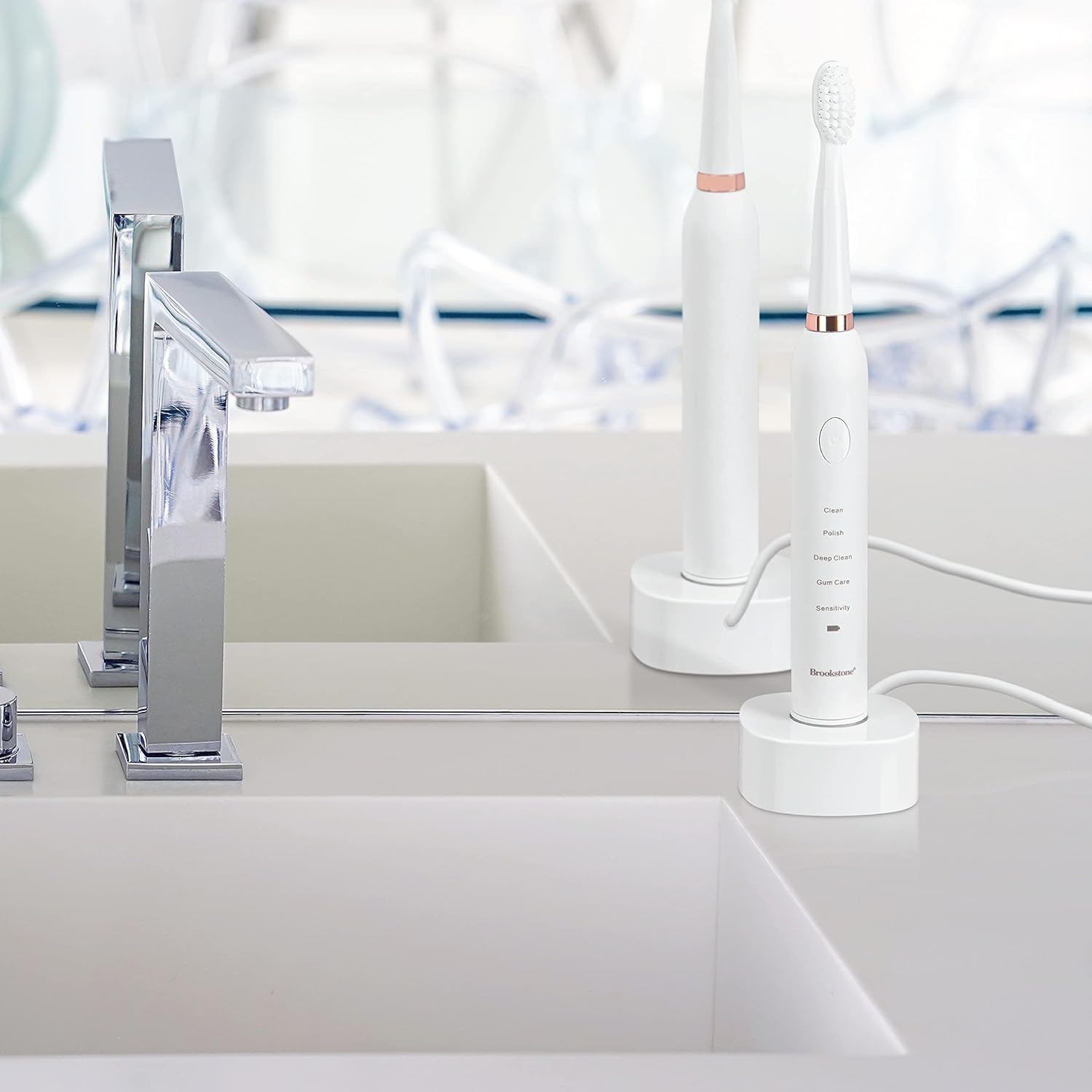
Image: A graphic highlighting key features including the 2-minute timer, sonic vibrations up to 16,500 per minute, and IPX7 waterproof rating.
Brushing Technique
Apply a small amount of toothpaste to the brush head. Place the brush head against your teeth at a slight angle towards the gum line. Gently move the brush across your teeth, allowing the sonic vibrations to do the work. Do not scrub aggressively. Divide your mouth into four quadrants and spend 30 seconds on each, guided by the timer pauses.
Maintenance
Cleaning the Toothbrush
- After each use, rinse the brush head thoroughly under running water.
- Wipe the toothbrush handle with a damp cloth. Do not immerse the handle in water for extended periods, despite its water resistance.
- Ensure the charging base is kept dry and clean.
Charging
When the battery indicator light signals low power, place the toothbrush on its USB rechargeable base. The indicator light will show charging status and turn green when fully charged. Avoid overcharging by unplugging the charger once fully charged, especially for prolonged periods.
Brush Head Replacement
For optimal cleaning performance and hygiene, it is recommended to replace the brush head every 3 months, or sooner if the bristles appear frayed or worn. Replacement heads are available from Brookstone.
Troubleshooting
| Problem | Possible Cause | Solution |
|---|---|---|
| Toothbrush does not turn on. | Battery is depleted. | Charge the toothbrush for at least 12 hours. |
| Toothbrush does not charge. | Charging base or USB cable not properly connected. | Ensure the USB cable is securely plugged into both the base and the power source. Verify the toothbrush handle is correctly seated on the charging pin. |
| Weak vibration or reduced performance. | Low battery or worn brush head. | Recharge the toothbrush. Replace the brush head if it is old or worn. |
| Brush head falls off during use. | Brush head not securely attached. | Ensure the brush head is pushed down firmly until it clicks into place. |
Specifications
- Model: OC0005-WH8
- Product Dimensions: 0.85 x 0.85 x 8.5 inches
- Item Weight: 5.5 ounces
- Power Source: Battery Powered (1 Lithium Ion battery, included)
- Vibrations: Up to 16,500 per minute
- Operation Modes: 5 (Clean, Polish, Deep Clean, Gum Care, Sensitive)
- Waterproof Rating: IPX4
- Included Components: Toothbrush handle, 3 replacement brush heads, USB rechargeable base, USB cable
- Bristle Material: Nylon (Soft)
- Handle Material: Plastic
- Manufacturer: Argento SC
Safety Information
- Choking Hazard: Keep out of reach of children. This product is for adult use only.
- Replace brush head every 3 months for optimal hygiene and performance.
- Statements regarding dietary supplements have not been evaluated by the FDA and are not intended to diagnose, treat, cure, or prevent any disease or health condition.
- Do not use if the product appears damaged.
- Consult your dentist before use if you have severe gum disease or have undergone oral surgery.
Warranty and Support
For warranty information, technical support, or customer service inquiries, please refer to the contact information provided with your product packaging or visit the official Brookstone website. Please have your model number (OC0005-WH8) and purchase date available when contacting support.