
1. Introduction
This user manual provides comprehensive instructions for the installation, operation, and maintenance of your ApooDr 9000 BTU Mini Split Air Conditioner. This ductless inverter system offers efficient cooling and heating for spaces up to 400 sq ft, featuring a 17 SEER2 rating and 110V operation. Please read this manual thoroughly before using the appliance to ensure safe and optimal performance.

Figure 1: ApooDr 9000 BTU Mini Split Air Conditioner system components.
2. Product Features
- Inverter Technology: Energy efficient 9000 BTU, 16.5 SEER, 110V/60Hz, 9.4 HSPF. Capable of cooling and heating areas up to 400 sq ft. AHRI Certified & UL Certified.
- Low Noise Operation: Operates at a quiet 27.5 dB noise level, ensuring minimal disturbance.
- 5 Operating Modes: Choose from Auto, Cool, Dry, Heat, and Fan modes for versatile climate control.
- Wide Temperature Range: Cooling to 62°F, Heating to 86°F. Indoor working temperature: Cooling 62°F~90°F / Heating 32°F~86°F. Outdoor working temperature: Cooling 5°F~122°F / Heating 5°F~86°F.
- Smart Features: Includes LED Display, Self Diagnosis, Intelligent Defrost, and Pre-Heating functions.
- Easy Maintenance: Equipped with a permanently washable and easy-to-clean air filter.
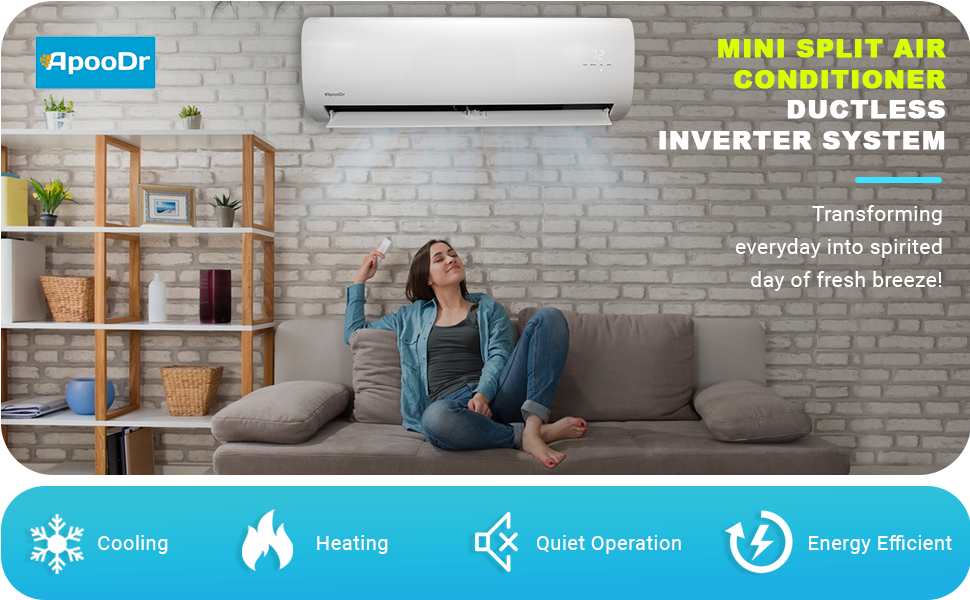
Figure 2: Key features of the ApooDr Mini Split Air Conditioner.
3. What's in the Box
Your ApooDr Mini Split Air Conditioner package includes the following components:
- Indoor Unit
- Outdoor Unit
- Remote Control
- Copper Line Set (approximately 11 FT)
- Communication Wire

Figure 3: All components included for installation.
4. Setup and Installation
Professional installation is required for this mini split system. For detailed step-by-step instructions, please refer to the official Installation Manual (PDF). Key steps generally include:
- Mounting the Indoor Unit: Select an appropriate location on an interior wall, ensuring proper clearance for air circulation and drainage.
- Mounting the Outdoor Unit: Choose a stable, level surface outdoors, away from obstructions and direct sunlight.
- Connecting Refrigerant Lines: Connect the pre-charged copper line set between the indoor and outdoor units. Ensure proper flaring and tightening to prevent leaks.
- Electrical Wiring: Connect the communication wire and power supply according to the wiring diagram in the manual. This unit operates on 110V/60Hz.
- Vacuuming the System: A vacuum pump is required to remove air and moisture from the refrigerant lines before releasing the pre-charged R-410A refrigerant.
- Drainage Connection: Install the condensate drain line from the indoor unit to ensure proper water removal.

Figure 4: Overview of components for installation.
5. Operating Instructions
The ApooDr Mini Split Air Conditioner is controlled via the included backlit LCD remote. The indoor unit features an LED display showing the current temperature.
5.1 Remote Control Functions

Figure 5: Backlit LCD Remote Control.
- ON/OFF Button: Powers the unit on or off.
- MODE Button: Cycles through the 5 operating modes:
- Auto: Automatically selects cooling or heating based on the set temperature and room temperature.
- Cool: Provides cooling to lower the room temperature.
- Dry: Dehumidifies the air, reducing humidity levels.
- Heat: Provides heating to raise the room temperature.
- Fan: Circulates air without cooling or heating.
- TEMP Buttons (Up/Down Arrows): Adjusts the desired temperature setting.
- FAN Button: Changes the fan speed (Auto, Low, Medium, High).
- SWING Button: Controls the vertical oscillation of the air louvers.
- SLEEP Button: Activates sleep mode for quiet operation and gradual temperature adjustment overnight.
- TIMER ON/OFF Buttons: Sets a timer for the unit to turn on or off automatically.
- LED Button: Toggles the LED display on the indoor unit.

Figure 6: The 5 versatile operating modes.
6. Maintenance
Regular maintenance ensures the longevity and efficiency of your mini split system. The indoor unit features a washable air filter for easy cleaning.
6.1 Cleaning the Air Filter
The air filter should be cleaned regularly, typically every two weeks, or more frequently depending on usage and air quality.
- Power Off: Ensure the unit is turned off and disconnected from power before cleaning.
- Open Front Panel: Gently lift the front panel of the indoor unit.
- Remove Filters: Carefully slide out the air filters.
- Clean Filters: Wash the filters with lukewarm water and a mild detergent. Rinse thoroughly and allow them to air dry completely before reinstallation. Do not use hot water or harsh chemicals.
- Reinstall Filters: Slide the dry filters back into their slots and close the front panel.
Figure 7: The washable air filter for easy maintenance.
6.2 General Cleaning
Wipe the exterior of the indoor and outdoor units with a soft, damp cloth. Do not use abrasive cleaners or solvents.
7. Troubleshooting
If you encounter any issues with your ApooDr Mini Split Air Conditioner, please refer to the comprehensive Troubleshooting Guide (PDF) for solutions to common problems. The unit also features a Self Diagnosis function to help identify potential issues.
Common Issues and Solutions:
| Problem | Possible Cause | Solution |
|---|---|---|
| Unit does not turn on. | No power, remote batteries low, circuit breaker tripped. | Check power supply, replace remote batteries, reset circuit breaker. |
| Insufficient cooling/heating. | Dirty air filter, blocked outdoor unit, incorrect mode/temperature setting. | Clean air filter, clear obstructions from outdoor unit, verify settings. |
| Unusual noise. | Loose parts, foreign objects, refrigerant issues. | Inspect unit for loose components, remove foreign objects. If noise persists, contact professional service. |
| Water leakage from indoor unit. | Clogged drain pipe, improper installation. | Clear drain pipe. If issue persists, professional inspection is needed. |
8. Specifications
Detailed technical specifications for the ApooDr 9000 BTU Mini Split Air Conditioner (Model: ASF16-09H3B):
| Specification | Value |
|---|---|
| Brand Name | ApooDr |
| Model Info | ASF16-09H3B |
| Item Weight | 80 pounds |
| Product Dimensions | 7.64 x 28.15 x 11.22 inches |
| Country of Origin | China |
| Efficiency (SEER) | 16.5 |
| Capacity | 9000 BTU (Cooling Power) / 9000 Cubic Feet (Air Volume) |
| Annual Energy Consumption | 890 Watts |
| Noise Level | 27.5 dB |
| Installation Type | Split System |
| Form Factor | Mini-Split |
| Special Features | Inverter Compressor |
| Color | White |
| Voltage | 110 Volts |
| Wattage | 890 watts |
| Included Components | Remote, Copper line set, Communication wire |
| Floor Area Coverage | 400 Square Feet |

Figure 8: EnergyGuide rating for the system.
9. Warranty and Support
ApooDr provides the following warranty for this product:
- Compressor: 5-Year Warranty
- Parts: 2-Year Warranty
For warranty claims or technical support, please contact the seller, ApooDr, directly. Professional installation is required to maintain warranty validity.


