Introduction
Thank you for choosing the ORDO Sonic+ Electric Toothbrush. This manual provides essential information for the safe and effective use of your new sonic toothbrush. The ORDO Sonic+ is designed to deliver advanced oral care with its powerful sonic technology, offering 4 brushing modes and a long-lasting battery for a superior cleaning experience. Please read these instructions carefully before first use and retain them for future reference.
Important Safety Information
WARNING: Do not allow young children to use this toothbrush. Keep the battery compartment away from young children to prevent choking hazards.
- Ensure the charging base and toothbrush handle are dry before charging.
- Do not immerse the charging base in water or any other liquid.
- Do not modify or attempt to repair the appliance. Contact customer support for service.
- This appliance contains batteries that are non-replaceable.
- If the product is damaged in any way (e.g., brush head, handle, charger), discontinue use immediately.
- Consult your dentist before using this product if you have had oral surgery or gum disease.
Package Contents
Please check that all items are present in your ORDO Sonic+ Electric Toothbrush package:
- ORDO Sonic+ Toothbrush Handle
- ORDO Sonic+ Brush Head (1x)
- USB Charging Base
- Instruction Manual
Setup
1. Initial Charging
Before first use, fully charge your ORDO Sonic+ toothbrush.
- Connect the USB charging base to a compatible USB power adapter (not included) or a USB port.
- Place the toothbrush handle onto the charging base. Ensure the handle is dry before placing it on the charger.
- The LED indicator on the handle will illuminate to show charging status. A full charge typically takes several hours.
- Once fully charged, the toothbrush provides over 4 weeks of battery life with regular use.

Image: The ORDO Sonic+ Electric Toothbrush resting on its USB charging base. The image highlights the product's claim of "4+ weeks battery life" and the convenience of the USB charging base.
2. Attaching the Brush Head
Align the brush head with the metal shaft on the toothbrush handle and push it down firmly until it clicks into place. Ensure it is securely attached before use.
Operating Instructions
1. Brushing Your Teeth
- Wet the brush head and apply a small amount of toothpaste.
- Place the brush head against your teeth at a slight angle towards the gum line.
- Press the power button to turn on the toothbrush. It will start in the last used mode.
- Gently move the brush head slowly across each tooth surface, allowing the sonic vibrations to clean. Do not scrub aggressively.
- The built-in quad pacer will pause briefly every 30 seconds to indicate when to move to a different quadrant of your mouth.
- The toothbrush will automatically turn off after 2 minutes, indicating the dentist-recommended brushing time.
- After brushing, rinse your mouth and the brush head thoroughly.

Image: A close-up view of the ORDO Sonic+ Electric Toothbrush head submerged in water, generating ripples. This image visually represents the "Powerful sonic cleaning" capability of the toothbrush.
2. Brushing Modes
The ORDO Sonic+ offers 4 distinct brushing modes to cater to your specific oral care needs. Press the power button repeatedly to cycle through the modes while the toothbrush is on.
- Clean: Standard mode for daily plaque removal.
- White: Designed for surface stain removal and polishing.
- Massage: Gently stimulates and massages gums.
- Sensitive: Provides a gentle clean for sensitive teeth and gums.
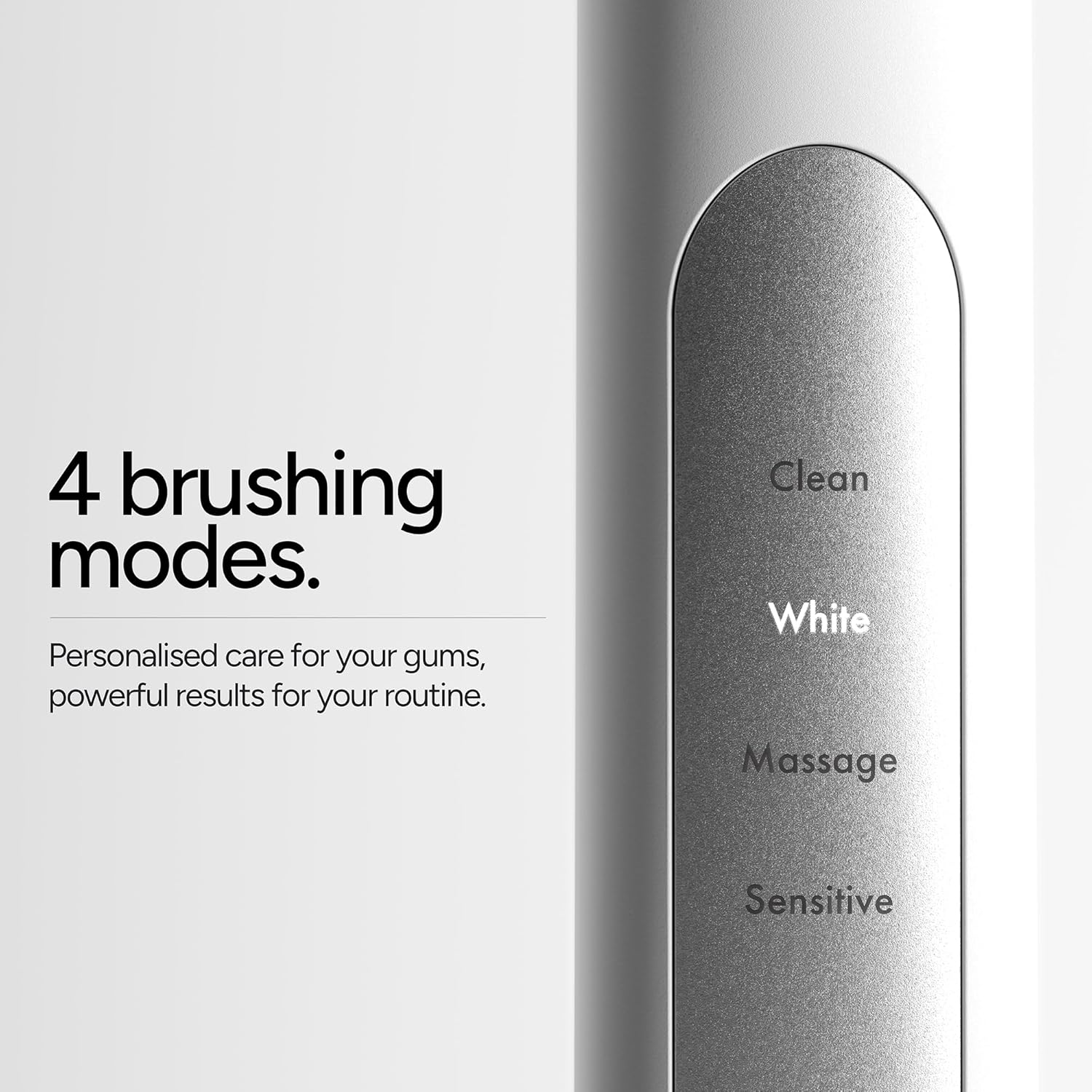
Image: A detailed view of the ORDO Sonic+ Electric Toothbrush handle, clearly displaying the labels for its four brushing modes: Clean, White, Massage, and Sensitive. This illustrates the personalized care options available.
Maintenance
1. Cleaning Your Toothbrush
- After each use, rinse the brush head thoroughly under running water.
- Remove the brush head and rinse the metal shaft area of the handle.
- Wipe the handle with a damp cloth. Do not use abrasive cleaners or harsh chemicals.
- Ensure the charging base is unplugged and dry before cleaning. Wipe it with a damp cloth if necessary.
2. Replacing the Brush Head
Dentists recommend replacing your toothbrush head every 3 months, or sooner if the bristles become frayed.
- Grip the brush head and pull it straight off the handle.
- Align the new brush head with the metal shaft and push it down firmly until it clicks into place.
Troubleshooting
| Problem | Possible Cause | Solution |
|---|---|---|
| Toothbrush does not turn on. | Battery is depleted. | Charge the toothbrush for several hours until fully charged. |
| Toothbrush does not charge. | Charging base not connected or faulty; handle not properly placed on base. | Ensure the USB charging base is securely connected to a working power source. Re-seat the toothbrush handle firmly on the base. Check if the LED indicator illuminates. |
| Reduced vibration or performance. | Low battery; brush head worn out. | Recharge the toothbrush. Replace the brush head if it is old or frayed. |
| Brush head feels loose. | Brush head not fully seated. | Remove the brush head and re-attach it firmly until it clicks into place. |
Specifications
- Model Number: SONICPLUS-SILVER
- Product Dimensions: 2.17 x 2.17 x 11.02 inches
- Item Weight: 8.29 ounces
- Power Source: Battery Powered (1 Lithium Ion battery, included)
- Battery Life: Over 4 weeks (with typical use)
- Brushing Modes: Clean, White, Massage, Sensitive
- Special Features: Brushing Timer, Ergonomic Design, Portable, Rechargeable, Sonic Technology
- Item Firmness Description: Soft
- Waterproof Rating: IPX7 (suitable for use in shower)
Warranty Information
ORDO products are manufactured to high-quality standards. For specific warranty details, including coverage period and terms, please refer to the warranty card included with your product or visit the official ORDO website. Please retain your proof of purchase for any warranty claims.
Customer Support
If you have any questions, concerns, or require assistance with your ORDO Sonic+ Electric Toothbrush, please contact ORDO customer support.
- Website: Visit the official ORDO website for FAQs and contact options.
- Email/Phone: Refer to the contact information provided on the ORDO website or in your product packaging.


