
Lyridz A5126
Lyridz Rechargeable Motion Sensor Night Light (Model A5126) User Manual
Your guide to installation, operation, and maintenance.
1. Introduction
Thank you for choosing the Lyridz Rechargeable Motion Sensor Night Light. This manual provides essential information for the proper setup, operation, and care of your new night light. Please read it thoroughly before use and retain it for future reference.
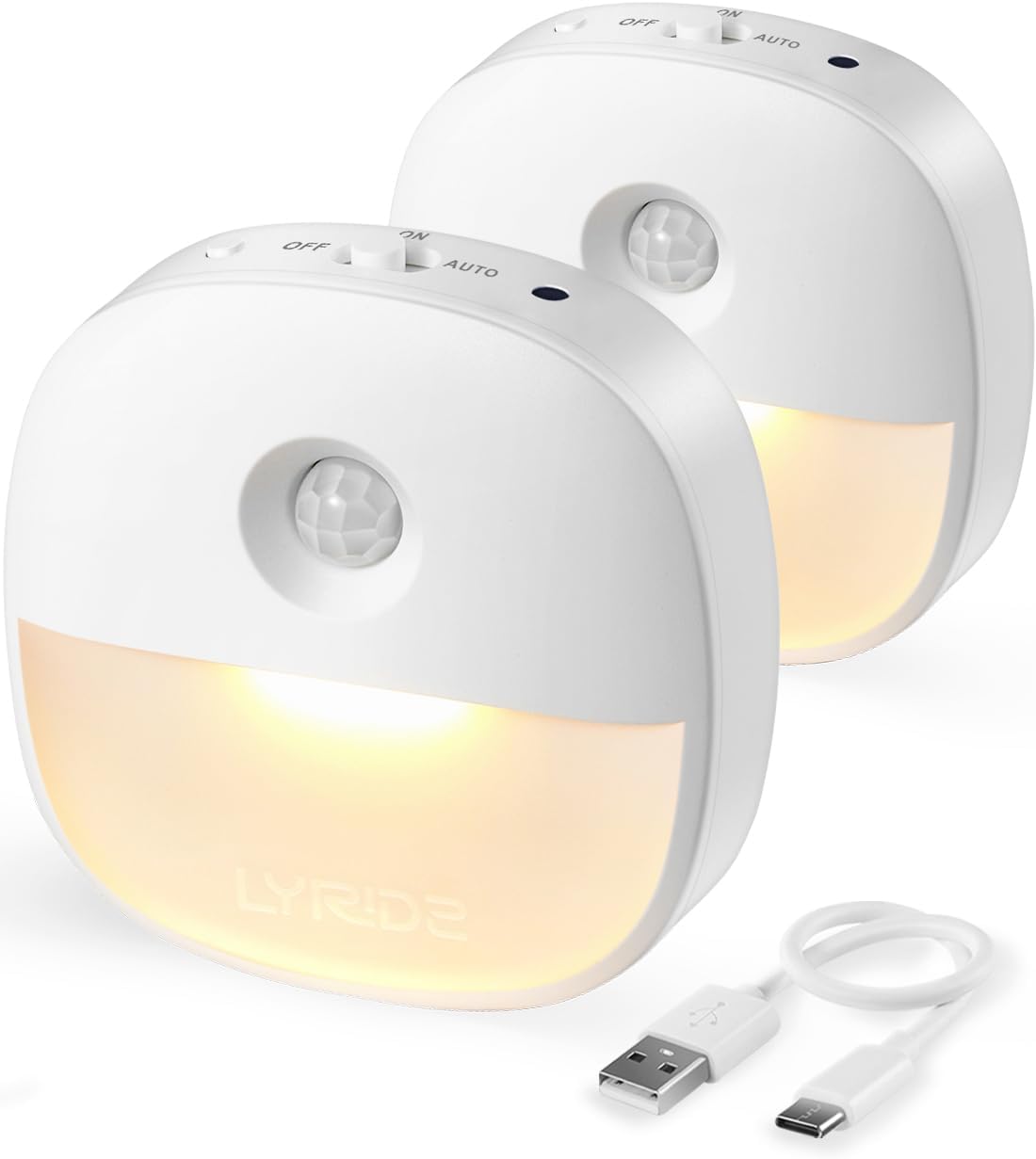
Figure 1: Lyridz Rechargeable Motion Sensor Night Lights (2-Pack) with USB cable.
2. What's in the Box
Each package contains the following items:
- 2 x Lyridz Rechargeable Motion Sensor Night Lights
- 2 x Adhesive Pads (with iron surface)
- 1 x USB Charging Cable
- 1 x User Manual
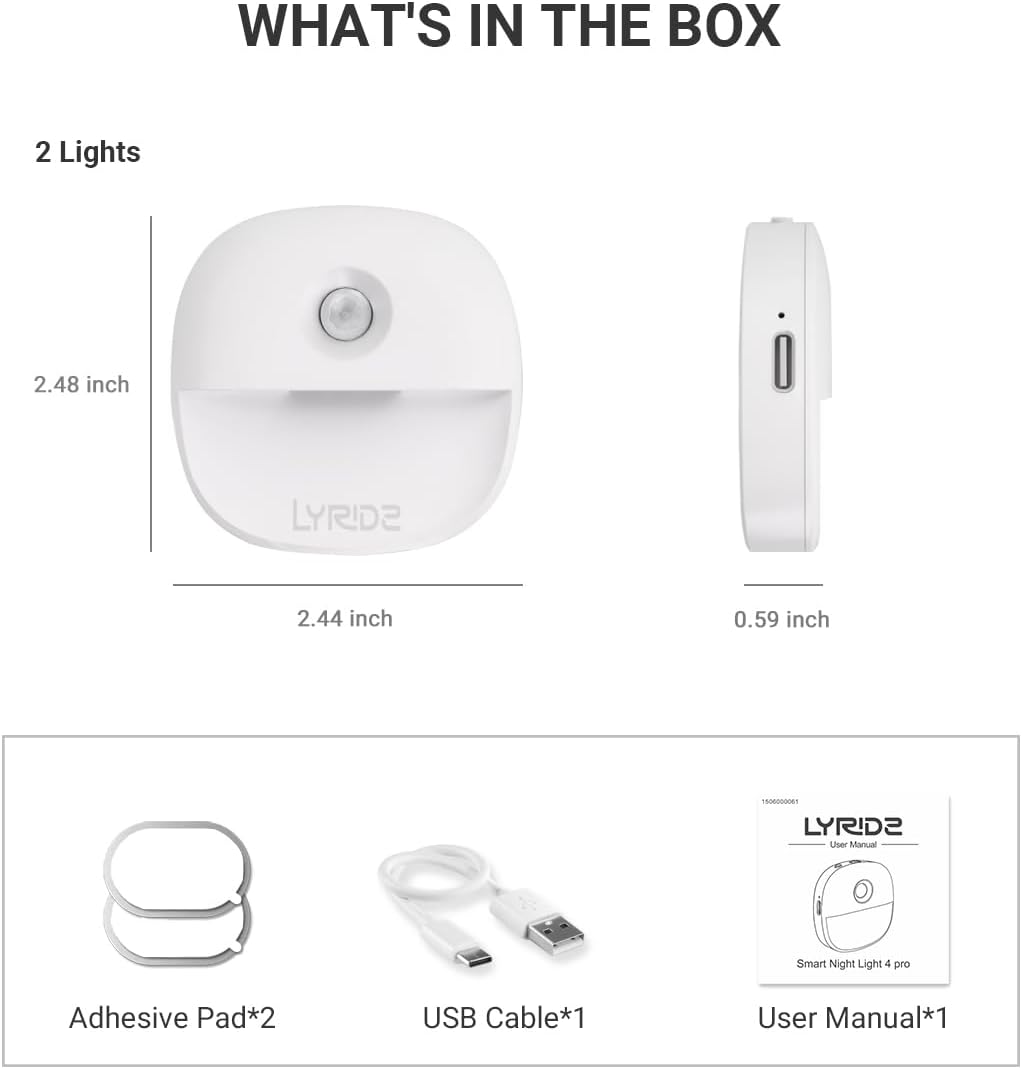
Figure 2: Package contents of the Lyridz Night Light.
3. Product Features
- USB Rechargeable: Eliminates the need for frequent battery replacement. Fully charges in approximately 3 hours, providing up to 10 hours of light at maximum brightness or 25 hours at minimum brightness.
- Smart Motion Sensor: Activates the light for 30 seconds when motion is detected in dark environments. Automatically turns off after 30 seconds of no motion, conserving power. Detection angle of 120 degrees and a range of 10-13 feet.
- Dimmable LED Light: Offers stepless brightness adjustment from 1-20 lumens by long-pressing the brightness button. Five preset brightness levels (1LM, 5LM, 10LM, 15LM, 20LM) are available with a single click.
- Comfortable Warm White Light: Features a semi-hidden LED lamp bead design and a 2700K color temperature for soft, comfortable, and non-dazzling illumination, ideal for nighttime use without disturbing sleep.
- Easy Installation & Versatile Application: Compact size (2.48"x2.44"x0.59") with a built-in magnet for attachment to iron surfaces. Includes adhesive pads with an iron surface for mounting on non-metallic surfaces. Suitable for bathrooms, kitchens, kids' rooms, nurseries, garages, stairways, hallways, corridors, and basements.

Figure 3: Rechargeable design saves disposable batteries.

Figure 4: Motion sensor detection area.

Figure 5: Adjustable brightness feature.

Figure 6: Environmental and safety features.
4. Setup and Installation
The Lyridz Night Light offers flexible installation options:
- Magnetic Attachment: The night light has a built-in magnet. If you have an iron or steel surface (e.g., refrigerator, metal door frame, washing machine), simply place the night light directly onto it.
- Adhesive Pad Installation: For non-metallic surfaces (e.g., walls, wooden cabinets):
- Clean the desired surface to ensure it is dry and free of dust.
- Peel off the protective film from one side of an adhesive pad.
- Stick the adhesive pad firmly onto the chosen surface.
- Attach the night light to the iron surface of the adhesive pad.

Figure 7: Magnetic installation using an adhesive pad.
Video 1: Demonstration of easy installation for the Lyridz Night Light.
5. Operating Instructions
The Lyridz Night Light features a multi-function switch and a brightness adjustment button.
5.1. Mode Selection
Locate the slide switch on the side of the night light. It has three positions:
- OFF: The light is completely off.
- ON: The light remains continuously on, regardless of ambient light or motion.
- AUTO: In this mode, the motion sensor is active. The light will turn on for 30 seconds when motion is detected in a dark environment and turn off automatically after 30 seconds of no motion.

Figure 8: Automatic illumination in AUTO mode.
5.2. Brightness Adjustment
The brightness button allows you to customize the light intensity:
- Stepless Adjustment: Long-press the brightness button to smoothly adjust the light output from 1 lumen (minimum) to 20 lumens (maximum). Release the button when the desired brightness is reached.
- Preset Brightness Levels: Short-press the brightness button to cycle through five preset brightness levels: 1LM, 5LM, 10LM, 15LM, and 20LM.
6. Charging
To charge your Lyridz Night Light:
- Locate the USB-C charging port on the side of the night light.
- Connect the provided USB charging cable to the night light and to a compatible USB power source (e.g., computer, USB wall adapter).
- The charging indicator light will illuminate during charging and turn off when fully charged.
- A full charge takes approximately 3 hours.
7. Maintenance
To ensure optimal performance and longevity of your night light:
- Clean the surface of the night light with a soft, dry cloth. Do not use abrasive cleaners or solvents.
- Avoid exposing the device to extreme temperatures, direct sunlight, or high humidity.
- Do not attempt to disassemble or repair the device yourself, as this will void the warranty.
8. Troubleshooting
If you encounter issues with your Lyridz Night Light, refer to the following common solutions:
| Problem | Possible Cause | Solution |
|---|---|---|
| Light does not turn on in AUTO mode. | Insufficient darkness; battery low; motion not detected. | Ensure the environment is dark enough. Charge the device. Check motion sensor placement. |
| Light stays on continuously in AUTO mode. | Constant motion detected; ambient light too high. | Relocate the light to an area with less constant motion. Ensure the environment is dark. |
| Light is dim or flickers. | Low battery. | Recharge the night light fully. |
| Light does not stick to surface. | Surface not clean/dry; not a metallic surface. | Clean and dry the surface thoroughly. Use the adhesive pad for non-metallic surfaces. |
9. Specifications
| Feature | Detail |
|---|---|
| Brand | Lyridz |
| Model Number | A5126 |
| Product Dimensions | 2.48"D x 2.44"W x 0.59"H |
| Item Weight | 1.28 ounces |
| Light Source Type | LED |
| Light Color | Warm White |
| Color Temperature | 2700K |
| Brightness | 1-20 Lumens (Adjustable) |
| Power Source | Battery Powered (Rechargeable) |
| Charging Port | USB-C |
| Motion Sensor Angle | 120 degrees |
| Motion Sensor Range | 10-13 feet |
| Material | Acrylonitrile Butadiene Styrene (ABS) |
| Mounting Type | Magnetic / Stick-on |
| Indoor/Outdoor Usage | Indoor |
10. Warranty and Support
Lyridz products are designed for reliability and performance. For warranty information or technical support, please refer to the contact details provided on the product packaging or visit the official Lyridz website. Please retain your proof of purchase for warranty claims.
For further assistance, you may contact Lyridz customer support at support@lyridz.com.
Related documentsA5126


Ask a question about this manual
Ask about setup, troubleshooting, compatibility, parts, safety, or missing instructions. Manuals+ will review the question and use this page’s manual context to help answer it.