
1. Introduction and Overview
This manual provides detailed instructions for the safe and efficient operation of your Waykar 34 Pints Dehumidifier. Designed for spaces up to 2000 square feet, this unit effectively removes excess moisture, contributing to a healthier and more comfortable indoor environment. Key features include automatic drainage, a 0.66-gallon water tank for manual drainage, intelligent humidity control, and a portable design.
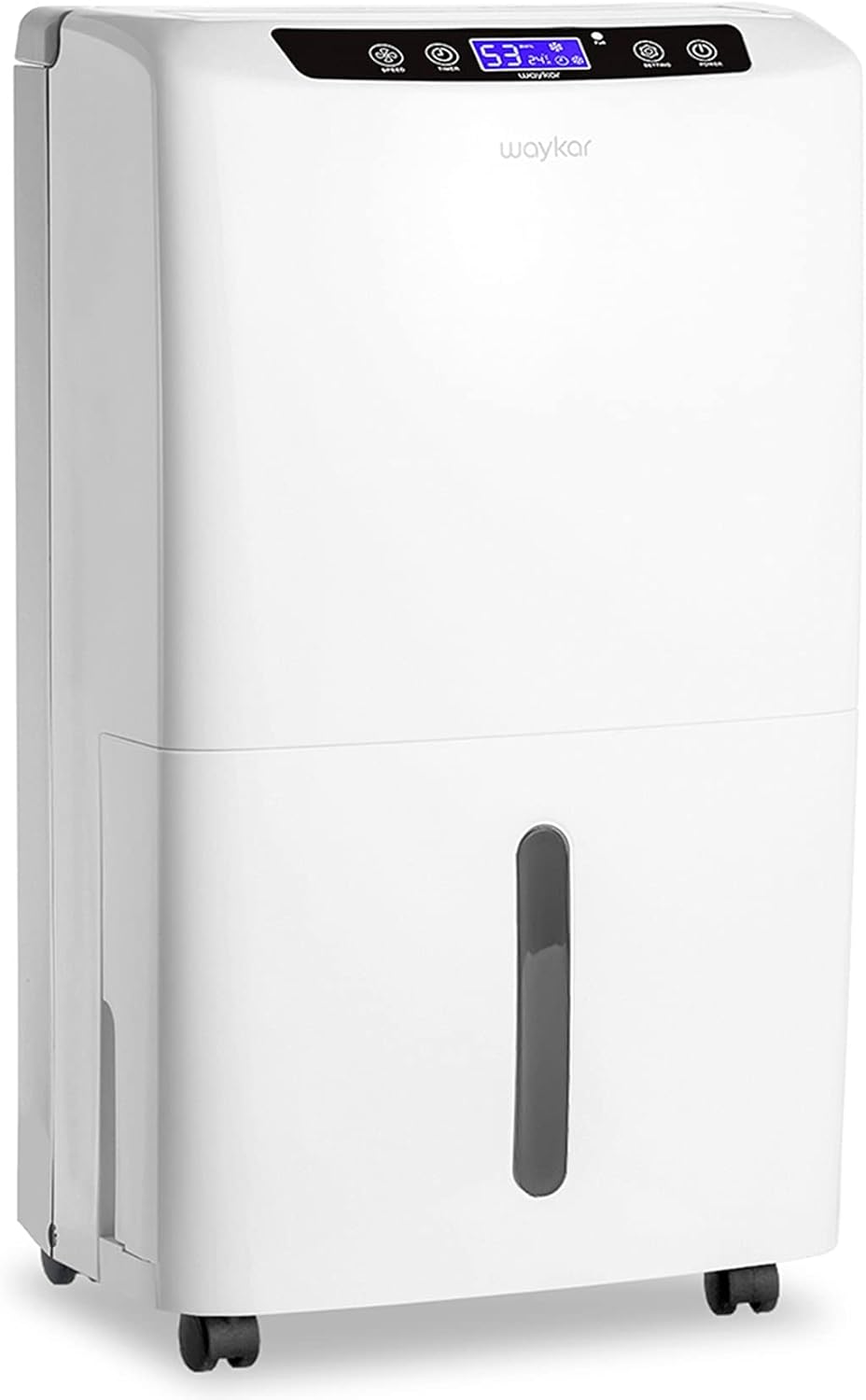
Figure 1.1: Front view of the Waykar 34 Pints Dehumidifier.

Figure 1.2: The dehumidifier is suitable for various indoor environments such as living rooms, bedrooms, offices, and basements.
2. Safety Instructions
To prevent injury to the user or others and property damage, the following instructions must be followed. Incorrect operation due to ignoring instructions may cause harm or damage.
- Always ensure the dehumidifier is placed on a stable, level surface.
- Do not operate the unit if the power cord or plug is damaged.
- Keep a minimum distance of 8 inches (20 cm) from walls or furniture to ensure proper airflow.
- Do not insert fingers or foreign objects into the air inlet or outlet.
- Unplug the unit before cleaning or performing any maintenance.
- Do not use the dehumidifier in areas where flammable gases or liquids are stored.
- This appliance is intended for residential use only.
3. Product Components
The Waykar Dehumidifier comes with essential components for its operation and maintenance.

Figure 3.1: Overview of the dehumidifier with its dimensions and key features highlighted.
Included Components:
- Waykar 34 Pints Dehumidifier Unit (x1)
- Removable Water Tank (x1)
- Detachable & Washable Filter (x1)
- 6.56 Feet Drain Hose (x1)
- Power Cord (x1)
4. Setup
Follow these steps to set up your Waykar Dehumidifier for first use.
- Unpacking: Carefully remove the dehumidifier from its packaging. Retain packaging for future storage or transport.
- Positioning: Place the unit upright on a firm, level surface. Ensure there is at least 8 inches (20 cm) of space around the unit for proper air circulation.
- Initial Standby: After unpacking, allow the unit to stand upright for at least 24 hours before plugging it in. This allows the refrigerant to settle, ensuring optimal performance and longevity.
- Mobility: The dehumidifier is equipped with 360° rotatable wheels and an ergonomic lift-up handle for easy movement. Use these features to position the unit conveniently.

Figure 4.1: The dehumidifier features a lift-up handle and 360° rotatable wheels for easy mobility.
Drainage Options:
Your Waykar Dehumidifier offers two convenient drainage methods:
- Manual Drainage: Water collects in the 0.66-gallon (2.5 L) water tank. When the tank is full, the unit will automatically shut off and the "Full Tank" indicator will light up. Empty the tank and reinsert it to resume operation.
- Automatic Gravity Drainage: For continuous operation without emptying the tank, attach the included 6.56-foot drain hose to the drain pipe hole on the back of the unit. Ensure the hose is sloped downwards to allow gravity to drain the water into a suitable drain or container.

Figure 4.2: Illustration of automatic gravity draining with the hose and manual draining using the water tank.
5. Operating Instructions
The control panel allows you to manage all functions of your dehumidifier.

Figure 5.1: Easy Control Panel layout and button functions.
Control Panel Functions:
- Power Button: Press once to turn on, press again to turn off.
- Setting Button: Adjusts the desired humidity level (30% to 80% RH). The unit will intelligently maintain this level.
- Speed Button: Controls the fan speed (e.g., High/Low).
- Timer Button: Sets a 24-hour timer for preset operation, allowing for automatic start or stop.
- Mode Button: Selects operating modes (e.g., Auto Mode, Continuous Mode).
- Clean Filter Indicator: Lights up when the filter needs cleaning.
- Full Tank Indicator: Lights up when the water tank is full, and the unit automatically shuts off.
Intelligent Control Features:
- Humidity Auto Control: Once your desired humidity is set, the unit will automatically stop when the humidity reaches the target and restart when it rises above the target.
- Automatic Shut Off/On: The unit automatically shuts off when the water bucket is full and restarts once the bucket is emptied and reinserted.
- Power Outage Automatic Restart: In case of a power interruption, the unit will automatically restart with the previous settings once power is restored.
6. Maintenance
Regular maintenance ensures the longevity and efficiency of your dehumidifier.
Cleaning the Air Filter:
The reusable and washable filter should be cleaned regularly (approximately every two weeks or when the 'Clean Filter' indicator lights up) to maintain optimal air quality and dehumidification performance.
- Unplug the dehumidifier from the power outlet.
- Remove the air filter from the back of the unit.
- Wash the filter with clean water and a mild detergent.
- Rinse thoroughly and allow it to air dry completely before reinserting.
- Once the filter is clean and dry, place it back into the unit.
Cleaning the Water Tank:
Clean the water tank periodically to prevent mold and bacteria growth.
- Remove the water tank from the unit.
- Wash the tank with clean water and a mild detergent.
- Rinse thoroughly and dry before placing it back into the dehumidifier.
Storing the Dehumidifier:
If the unit will not be used for an extended period:
- Unplug the unit and empty the water tank.
- Clean the air filter and the water tank.
- Coil the power cord neatly.
- Store the unit upright in a cool, dry place, away from direct sunlight and extreme temperatures.
7. Troubleshooting
Before contacting customer support, please refer to the following troubleshooting guide for common issues.
| Problem | Possible Cause | Solution |
|---|---|---|
| Dehumidifier does not turn on. | No power supply; Water tank full or incorrectly placed; Temperature too low. | Check power connection; Empty and correctly reinsert water tank; Ensure ambient temperature is above 41°F (5°C). |
| Unit runs but does not dehumidify. | Air filter clogged; Humidity setting too high; Room size too large; Doors/windows open. | Clean air filter; Lower desired humidity setting; Close doors and windows; Ensure unit is appropriate for room size. |
| "Full Tank" indicator is on, but tank is not full. | Water tank not properly seated; Float switch malfunction. | Remove and reinsert water tank firmly; Contact customer support if issue persists. |
| Unit is noisy. | Unit not on a level surface; Air filter clogged; Obstruction in fan. | Place unit on a level surface; Clean air filter; Check for and remove any obstructions. |
8. Specifications
Detailed technical specifications for the Waykar 34 Pints Dehumidifier.
| Feature | Specification |
|---|---|
| Model Name | PD160B |
| Dehumidification Capacity | 34 Pints per Day (under 95°F, 90%RH) |
| Coverage Area | Up to 2000 Square Feet |
| Water Tank Volume | 0.66 Gallons (2.5 Liters) |
| Product Dimensions (D x W x H) | 9" x 12.2" x 20.9" |
| Item Weight | 28.7 Pounds |
| Wattage | 230 watts |
| Number of Speeds | 2 |
| Operation Mode | Auto Mode, Continuous Mode |
| Drain Hose Length | 6.56 Feet |
| Material | Plastic |
| Color | White |
9. Warranty and Support
Waykar is committed to providing high-quality products and excellent customer service.
Warranty Information:
- 30-Day Money Back Guarantee: If you are not satisfied with the product, you are eligible for a refund within 30 days of purchase.
- 1-Year Guarantee: The dehumidifier is covered by a 1-year warranty from the date of purchase.
- 2nd Year Guarantee Extension: An additional 1-year guarantee extension is available. Please refer to the product registration details or contact Waykar support for more information.
Customer Support:
For any questions, technical assistance, or warranty claims, please do not hesitate to contact the Waykar customer support team. We aim to reply within 24 hours and assist you in resolving any issues.
Contact Information: Please refer to the contact details provided on the Waykar official website or your purchase documentation for the most current support channels.
Lifetime Expert Tech Support: Waykar provides lifetime technical support for its products.


