
Product Overview
The Anker Nano Charger (Model A2039) is a compact and powerful 47W GaN USB-C charger designed for efficient charging of multiple devices. Its foldable design enhances portability, making it ideal for travel and everyday use.

Image: The Anker Nano Charger, a compact device featuring two USB-C ports, shown in a blue color variant.
What's in the Box
- Anker 523 Charger (Nano 3, 47W)
- Welcome Guide
Note: Charging cables are not included and must be purchased separately.
Setup and First Use
- Unfold the Prongs: Gently pull out the foldable prongs from the charger body.
- Connect to Power: Insert the charger into a standard wall outlet.
- Connect Devices: Use a compatible USB-C to USB-C or USB-C to Lightning cable (not included) to connect your device(s) to the charger's USB-C ports.
- Begin Charging: Your device should automatically begin charging.

Image: An iPhone 17 Pro Max connected to the Anker Nano Charger, illustrating single-port fast charging capability.
Operating Instructions
- Single Device Charging: When using a single USB-C port, the charger can deliver up to 45W of power, suitable for fast charging laptops like a MacBook Air, tablets, or smartphones.
- Dual Device Charging: When both USB-C ports are in use, the top port provides 27W and the bottom port provides 20W, allowing for simultaneous fast charging of devices such as an iPhone and an iPad.
- ActiveShield 2.0: The charger features Anker's proprietary ActiveShield 2.0 technology, which intelligently monitors temperature over 3 million times per day to safeguard your connected devices from overheating.
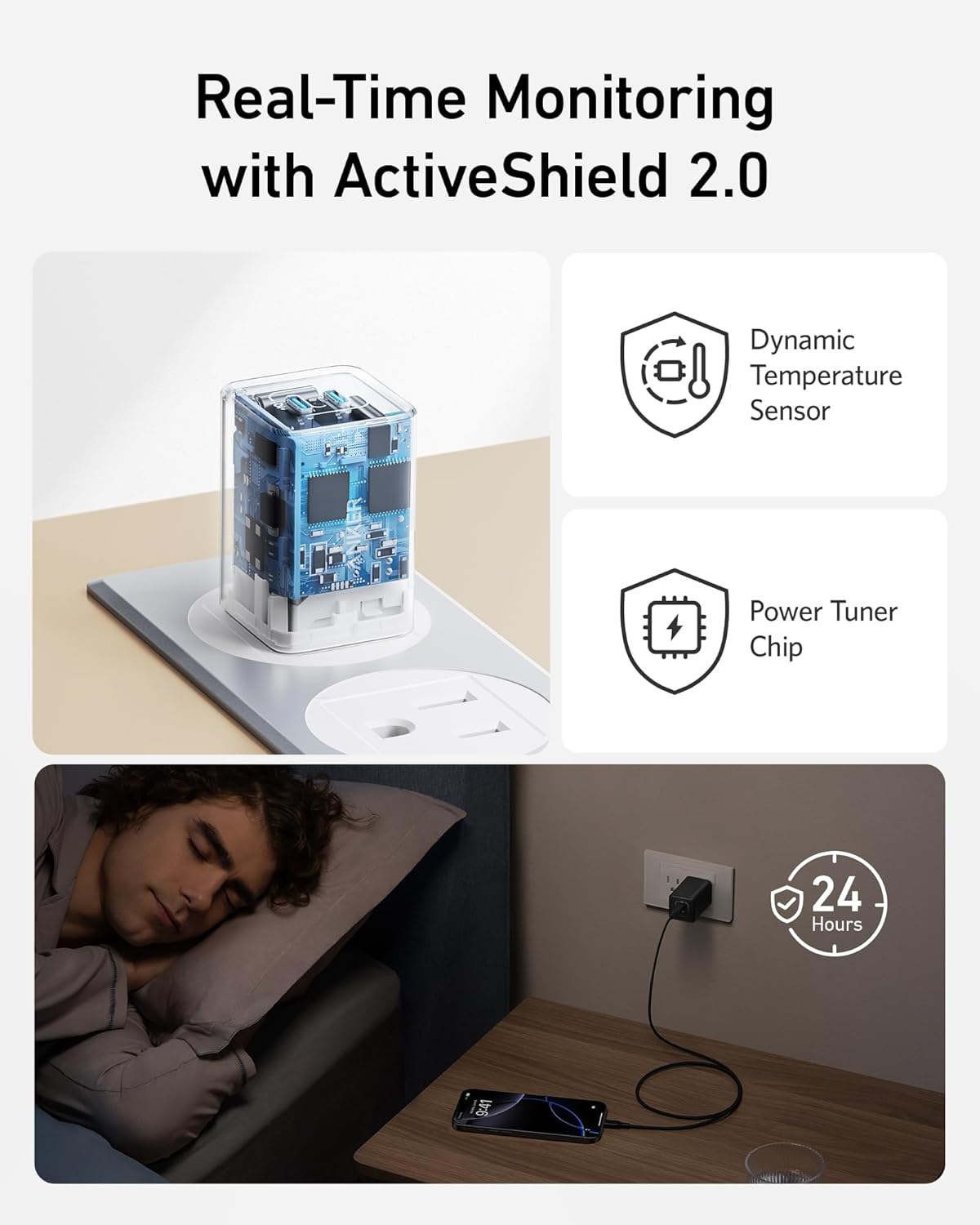
Image: A user charging an iPhone and an iPad simultaneously using the two USB-C ports of the Anker Nano Charger.
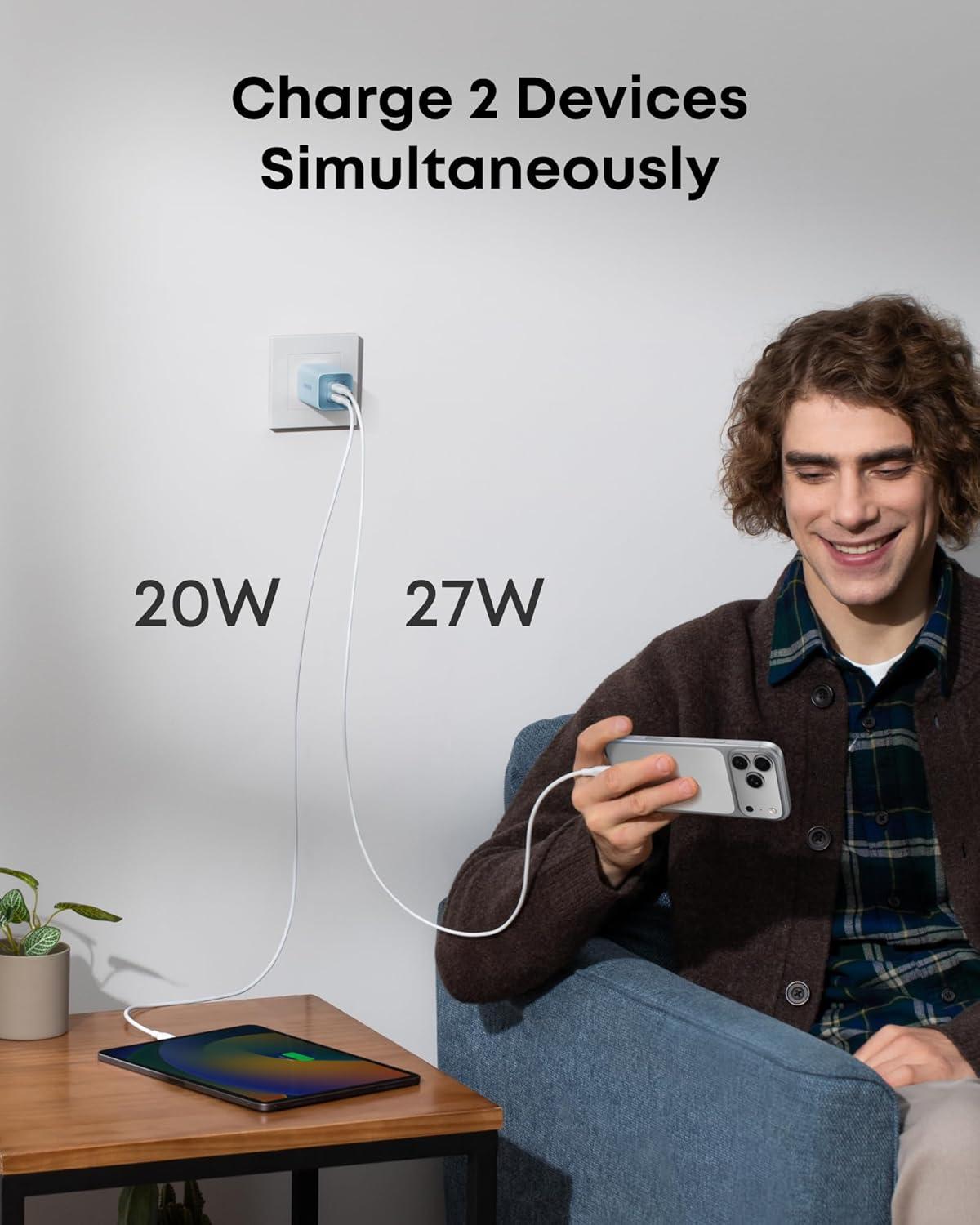
Image: An illustration detailing the ActiveShield 2.0 technology, highlighting its dynamic temperature sensor and power tuner chip for enhanced safety.
Specifications
| Feature | Detail |
|---|---|
| Product Dimensions | 1.36 x 1.36 x 2.05 inches |
| Item Weight | 2.86 ounces |
| Item Model Number | A2039 |
| Connectivity Technologies | USB |
| Special Features | Fast Charging, Foldable Prongs, ActiveShield 2.0 |
| Form Factor | Compact Rectangular |
| Color | Blue |
| Input Voltage | 240 Volts |
| Amperage | 0.2 Amps |
| Total USB Ports | 2 (USB Type C) |
| Compatible Devices | MacBook Pro 16", MacBook Pro 13" M1 / M2, MacBook Air M1 / M2, Google Pixelbook, iPad Pro 11", iPad Pro 12.9", iPad mini 5 / 6, iPad Air 4, iPhone 14 / 14 Plus / 14 Pro / 14 Pro Max / 13 mini / 13 / 13 Pro / 13 Pro Max / 12 mini / 12 / 12 Pro / 12 Pro Max / 11 / 11 Pro / 11 Pro Max / XS / XS Max / XR / SE (2nd Gen) and newer models like iPhone 17/16 series, Galaxy S23/S22/S21 series, Galaxy Z Fold4/Z Flip5/4, Galaxy Tab S8, iPad Pro (2022/2021/2020), iPad Air 5/4, iPad Mini 6, Switch OLED/Lite, Steam Deck, MagSafe compatible devices. |

Image: A comprehensive compatibility chart for the Anker Nano Charger, showing various Apple, Samsung, and other USB-C devices.
Maintenance
- Keep the charger clean and dry.
- Avoid exposing the charger to extreme temperatures or humidity.
- Do not attempt to disassemble or repair the charger yourself.
- Ensure the foldable prongs are fully extended when plugging into an outlet and fully retracted when storing to prevent damage.
Troubleshooting
- Device not charging:
- Ensure the charger is securely plugged into a working wall outlet.
- Verify that the charging cable is properly connected to both the charger and your device.
- Try using a different charging cable or device to rule out cable or device issues.
- Slow charging:
- Confirm your device supports fast charging and that you are using a compatible fast-charging cable.
- If charging two devices, the power output is split (27W and 20W). For maximum speed on a single device, ensure only one port is in use.
- Ensure your device's battery is not near full, as charging speed naturally slows down as the battery approaches 100%.
- Charger getting warm:
- It is normal for the charger to become warm during operation, especially during high-speed charging.
- If the charger becomes excessively hot or emits smoke/odor, immediately unplug it and discontinue use. Contact customer support.
Warranty and Support
The Anker Nano Charger (Model A2039) comes with a worry-free 18-month warranty. For friendly customer service and additional support, please refer to the contact information provided in your welcome guide or visit the official Anker support website.
For more information, visit anker.com/support.


