1. Introduction
The Apple Watch Series 8 is designed to be your essential companion for a healthy and connected life. It features advanced sensors for health insights, new safety features, and a bright, Always-On Retina display. This manual provides detailed instructions to help you get the most out of your device.
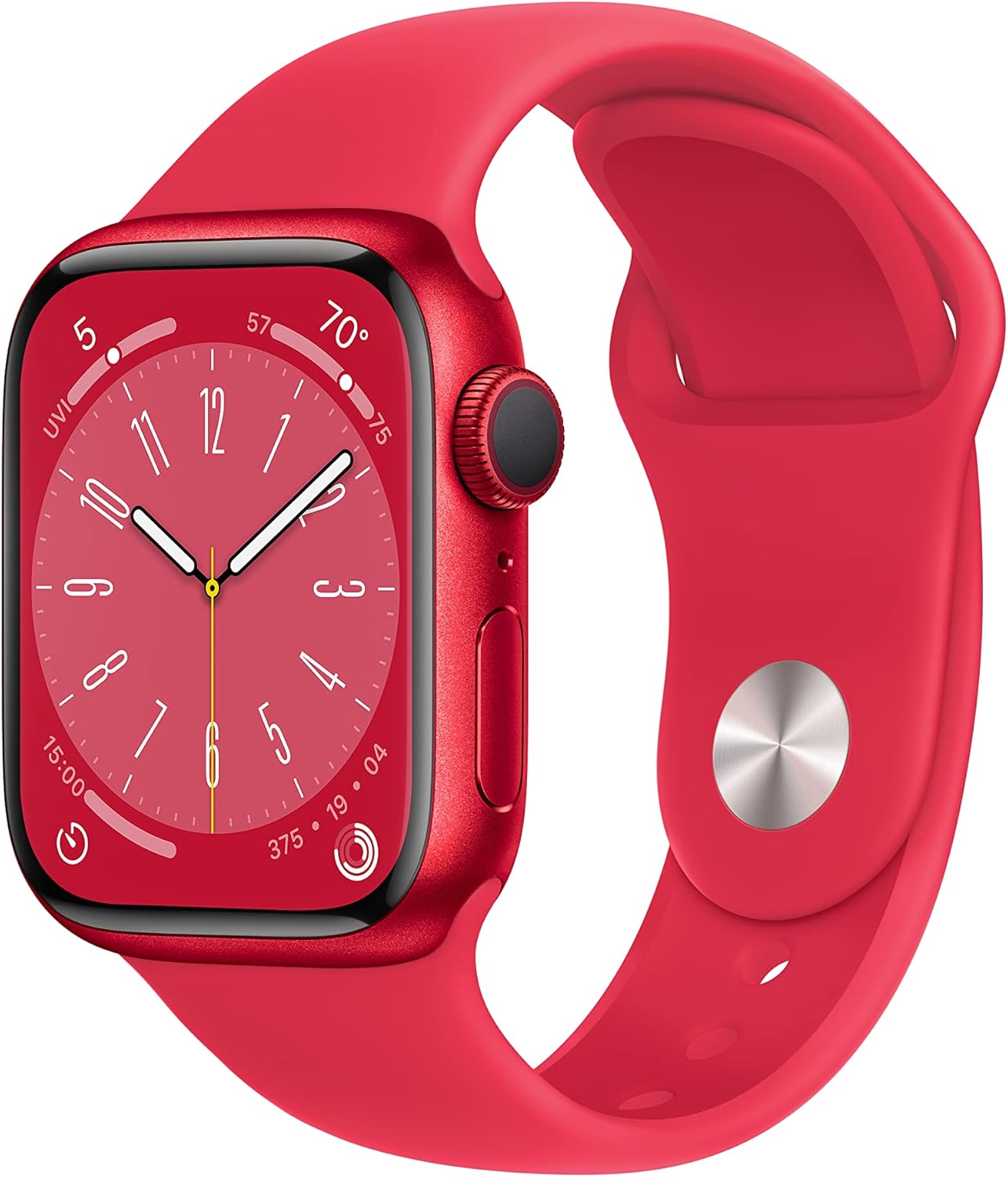
Image: Apple Watch Series 8 in (PRODUCT)RED, showcasing its vibrant display and sport band.
2. Setup
2.1 What's in the Box
- Apple Watch Case
- Sport Band
- 1m Magnetic Charging Cable

Image: The components included in the Apple Watch Series 8 packaging: the watch case, sport band, and USB-C Magnetic Fast Charging Cable.
2.2 Initial Pairing and Activation
To begin using your Apple Watch Series 8, ensure your iPhone is updated to the latest iOS version (iPhone 8 or later required). Power on your Apple Watch and bring it close to your iPhone. Follow the on-screen prompts on your iPhone to pair and set up your watch. This process includes signing in with your Apple ID, setting up cellular (if applicable), and customizing settings.
3. Operating Your Apple Watch
3.1 Display and Interaction
The Apple Watch Series 8 features an Always-On Retina display, making it easy to read information at a glance. Interact with the watch using touch gestures, the Digital Crown for scrolling and zooming, and the Side Button for accessing the Dock and Apple Pay.

Image: A detailed view of the Apple Watch Series 8's Always-On Retina display, showing the watch face with time and complications.
3.2 Customization
Personalize your Apple Watch with a wide range of watch faces and interchangeable bands. Watch faces can be customized with complications to display information relevant to your daily activities.
4. Health Features
The Apple Watch Series 8 is equipped with advanced sensors to provide comprehensive health monitoring.
- Temperature Sensing: A breakthrough feature offering deep insights into women's health, including retrospective ovulation estimates.
- Blood Oxygen: Monitor your blood oxygen levels directly from your wrist.
- ECG App: Take an electrocardiogram anytime to check for signs of atrial fibrillation (AFib).
- Irregular Rhythm Notifications: Receive alerts if your heart rhythm appears irregular.
- Sleep Stages: Track your sleep patterns, including time spent in REM, Core, and Deep sleep.

Image: An overview graphic highlighting key features of the Apple Watch Series 8, including temperature sensing, crash detection, all-day battery life, and sleep tracking.
5. Safety Features
Innovative safety features are integrated to provide assistance when you need it most.
- Crash Detection: Can automatically connect you with emergency services in the event of a severe car crash.
- Fall Detection: Automatically contacts emergency services if a hard fall is detected and you are unresponsive.
- Emergency SOS: Provides urgent assistance with the press of a button, contacting emergency services and notifying your emergency contacts.
6. Fitness Tracking
The Apple Watch Series 8 is a powerful fitness partner, helping you achieve your health and fitness goals.
- Enhanced Workout App: Offers new ways to train and advanced metrics for detailed workout performance analysis.
- Activity Rings: Track your daily movement, exercise, and standing goals.
- Apple Fitness+: Access a wide range of guided workouts (three months free with purchase).
7. Connectivity
Your Apple Watch seamlessly integrates with your Apple devices and services, keeping you connected and productive.
- Device Integration: Unlock your Mac automatically, find your devices with a tap.
- Apple Pay: Make secure payments directly from your wrist.
- Siri: Use voice commands for various tasks.
- Notifications: Receive alerts for calls, texts, and app notifications on the go.
- Communication: Send texts, make calls, listen to music and podcasts directly from your watch (requires iPhone or Wi-Fi connection for GPS model).

Image: A person interacting with their Apple Watch Series 8 to answer a phone call, demonstrating its communication capabilities.
8. Durability
The Apple Watch Series 8 is built to withstand daily use and various environments.
- Crack Resistant: Designed for enhanced durability against impacts.
- IP6X-Certified Dust Resistant: Provides protection against dust ingress.
- WR50 Water Resistance: Swimproof with a water resistance rating of 50 meters, suitable for shallow-water activities like swimming in a pool or ocean.
9. Apps
With access to tens of thousands of apps on the App Store directly from your wrist, the Apple Watch is a versatile personal device for a wide range of activities and interests.
10. Maintenance
10.1 Cleaning Your Apple Watch
To clean your Apple Watch, wipe it with a non-abrasive, lint-free cloth. If necessary, lightly dampen the cloth with fresh water. Avoid using soaps or cleaning products. Ensure the watch is dry before charging or wearing.
10.2 Battery Life and Charging
The Apple Watch Series 8 is designed for all-day battery life. For optimal performance, charge your watch regularly using the included 1m Magnetic Charging Cable. The watch supports fast charging, allowing for quick power-ups.
11. Troubleshooting
If you encounter issues with your Apple Watch, consider the following general troubleshooting steps:
- Restart: Try restarting both your Apple Watch and paired iPhone.
- Check Connections: Ensure Bluetooth and Wi-Fi are enabled on your iPhone and that the watch is within range.
- Software Update: Verify that both your Apple Watch and iPhone are running the latest software versions.
- Reset: As a last resort, you may need to unpair and erase your Apple Watch, then set it up again.
For more specific issues, refer to Apple's official support website or contact Apple Support.
12. Specifications
| Feature | Detail |
|---|---|
| Model Number | MNUH3LL/A |
| Screen Size | 41 Millimeters |
| Operating System | WatchOS |
| Memory Storage Capacity | 32 GB |
| Connectivity Technology | USB, 802.11n Wireless |
| GPS | Built-in GPS |
| Water Resistance | WR50 (Swimproof) |
| Dust Resistance | IP6X Certified |
| Battery Type | Lithium Ion (1 included) |
| Item Weight | 1.13 ounces |
| Product Dimensions | 11.65 x 2.99 x 1.45 inches |
| First Available | September 7, 2022 |
13. Warranty and Support
Apple products typically come with a limited warranty. For detailed warranty information, service options, and technical support, please visit the official Apple Support website or contact Apple directly. Keep your proof of purchase for warranty claims.


