
CristalRecord 02-506-08-420
CristalRecord KAJU 8W LED Surface Downlight
Model: 02-506-08-420
1. Introduction
Thank you for choosing the CristalRecord KAJU 8W LED Surface Downlight. This manual provides essential information for the safe installation, operation, and maintenance of your new LED lighting fixture. Please read these instructions carefully before installation and retain them for future reference.
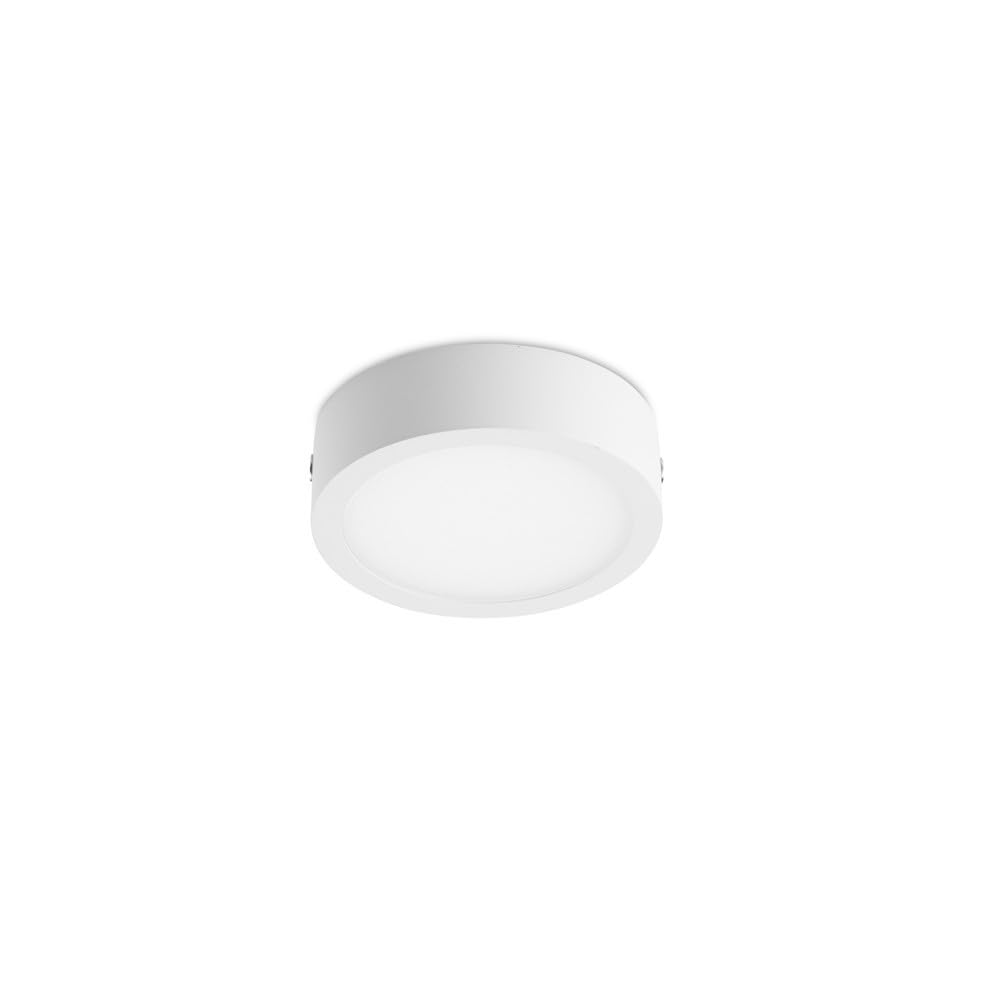
The KAJU downlight is a round, surface-mounted LED fixture designed for efficient illumination. It features an 8W LED light source, providing 680 lumens of bright, white light. Constructed from durable aluminum, it has a diameter of 90mm and a surface profile of 25mm.
2. Safety Information
- Electrical Safety: Installation must be performed by a qualified electrician in accordance with all local and national electrical codes. Always disconnect power at the main circuit breaker before installation, maintenance, or cleaning.
- Voltage: Ensure the supply voltage matches the fixture's rated voltage (230 Volts).
- Handling: Handle the fixture with care to avoid damage. Do not touch the LED light source directly when the fixture is powered on or immediately after use, as it may be hot.
- Environment: This fixture is designed for indoor use. While some specifications may indicate exterior suitability, for optimal performance and longevity, it is recommended for interior applications unless specific outdoor installation guidelines are followed.
- Modifications: Do not attempt to modify or disassemble the fixture. This will void the warranty and may pose a safety hazard.
3. Package Contents
Please check that all components are present and undamaged before proceeding with installation:
- 1 x CristalRecord KAJU 8W LED Surface Downlight (Model 02-506-08-420)
- Mounting hardware (screws, wall anchors)
- Instruction Manual (this document)
4. Setup and Installation
Tools Required: Drill, screwdriver, wire strippers, voltage tester, pencil, measuring tape.
- Power Disconnection: Before starting, ensure the power supply to the installation area is completely disconnected at the main circuit breaker. Verify with a voltage tester.
- Marking: Choose the desired mounting location on the ceiling or wall. Use the fixture's base as a template to mark the positions for drilling mounting holes.
- Drilling: Drill pilot holes at the marked positions. Insert appropriate wall anchors if installing into drywall or plaster.
- Wiring: Connect the electrical wires from the ceiling/wall to the fixture's terminals. Typically, this involves connecting the live (L), neutral (N), and ground (E) wires. Ensure connections are secure and insulated. Refer to local wiring codes.
- Mounting: Secure the fixture to the mounting surface using the provided screws. Ensure the fixture is firmly attached and flush against the surface.
- Power Reconnection: Once installation is complete and all connections are secure, restore power at the main circuit breaker.
5. Operating Instructions
The CristalRecord KAJU LED Surface Downlight operates like a standard lighting fixture. Once properly installed and powered, it can be controlled via a wall switch connected to its circuit.
- Turning On/Off: Flip the connected wall switch to the 'ON' position to illuminate the downlight. Flip the switch to the 'OFF' position to turn it off.
- No Dimming: This fixture is not designed for dimming unless explicitly stated on the product packaging or by the manufacturer. Using an incompatible dimmer may damage the LED driver or the fixture.
6. Maintenance
The KAJU LED Downlight requires minimal maintenance.
- Cleaning: Ensure the power is disconnected before cleaning. Use a soft, dry, or slightly damp cloth to wipe the exterior surface of the fixture. Do not use abrasive cleaners, solvents, or harsh chemicals, as these can damage the finish or electrical components.
- LED Source: The LED light source is integrated and not user-replaceable. Do not attempt to open the fixture to replace LEDs.
7. Troubleshooting
| Problem | Possible Cause | Solution |
|---|---|---|
| Light does not turn on. | No power supply. Loose wiring connection. Faulty wall switch. | Check circuit breaker. Verify all wire connections are secure (ensure power is off first). Test or replace the wall switch. |
| Light flickers. | Loose wiring. Incompatible dimmer switch. Voltage fluctuations. | Check wiring connections. Ensure no dimmer is used, or replace with a compatible LED dimmer if applicable (this fixture is not designed for dimming). Consult an electrician to check household voltage. |
| Light output is low. | Dust accumulation. Incorrect power supply. | Clean the fixture surface. Verify the power supply is 230V. |
If you experience issues not listed here or if the problem persists after attempting the solutions, please contact customer support.
8. Specifications
- Model: 02-506-08-420
- Brand: CristalRecord
- Type: Surface-mounted LED Downlight
- Power: 8W LED
- Luminous Flux: 680 Lumens
- Voltage: 230 Volts
- Material: Aluminum (Shade), Metal (General)
- Color: White
- Diameter: 90 mm
- Surface Profile: 25 mm
- Power Source: Wired Electric
- Intended Use: Indoor (Refer to safety section for clarification on exterior specifications)
9. Warranty Information
CristalRecord products are manufactured to high-quality standards. For specific warranty terms and conditions, please refer to the warranty card included with your purchase or contact your retailer/manufacturer directly. Keep your proof of purchase for warranty claims.
10. Customer Support
If you have any questions, require technical assistance, or need to report a problem with your CristalRecord KAJU LED Surface Downlight, please contact your point of purchase or the manufacturer directly.
Manufacturer: CRISTALRECORD
For further assistance, please visit the official CristalRecord website or contact their customer service department.
Ask a question about this manual
Ask about setup, troubleshooting, compatibility, parts, safety, or missing instructions. Manuals+ will review the question and use this page’s manual context to help answer it.