
1. Introduction
Welcome to the Yale Mini Wireless Alarm Kit user manual. This guide provides essential information to help you install, operate, and maintain your new security system. The Yale Mini Wireless Alarm Kit is designed to provide a reliable security solution for sheds, garages, outbuildings, and caravans, offering protection against unauthorized access.
Please read this manual thoroughly before installation and keep it for future reference.
1.1 Safety Information
- Ensure all components are handled with care.
- Do not expose the alarm unit or its components to extreme temperatures, direct sunlight, or moisture.
- Use only the specified battery types for each component. Incorrect battery usage may lead to damage or malfunction.
- Keep batteries out of reach of children. If swallowed, seek immediate medical attention.
- Dispose of used batteries according to local regulations.
2. Product Overview
The Yale Mini Wireless Alarm Kit (Model YSGA02-W) is a standalone, wire-free, and battery-operated security system. It includes the following main components:
- Main Alarm Unit (PIR/Siren): Integrates a Passive Infrared (PIR) motion detector and a 130dB siren. Features a 4-digit PIN code keypad.
- Door/Window Contact: Detects when a door or window is opened.
- Key Fob: For convenient arming and disarming of the alarm system.

Figure 2.1: The complete Yale Mini Wireless Alarm Kit contents, including the main alarm unit, door contact, key fob, instruction manual, and mounting accessories, displayed alongside its retail packaging.

Figure 2.2: A detailed view of the primary components of the Yale Mini Wireless Alarm Kit: the main alarm unit with its motion sensor and keypad, the two-part door/window contact, and the compact key fob.
2.3 Main Alarm Unit (PIR/Siren)
This unit is the central component of the alarm system. It detects motion within an 8-meter range and activates a loud 130dB siren upon detection. It also features a built-in keypad for PIN code entry.

Figure 2.3: Close-up front view of the main alarm unit, showing the motion sensor lens at the top, the Yale logo, and the numbered keypad (1, 2, 3, 4) surrounding a central button.
2.4 Door/Window Contact
The door/window contact consists of two parts that are mounted on a door/window and its frame. When the two parts are separated (i.e., the door/window is opened), the alarm is triggered.
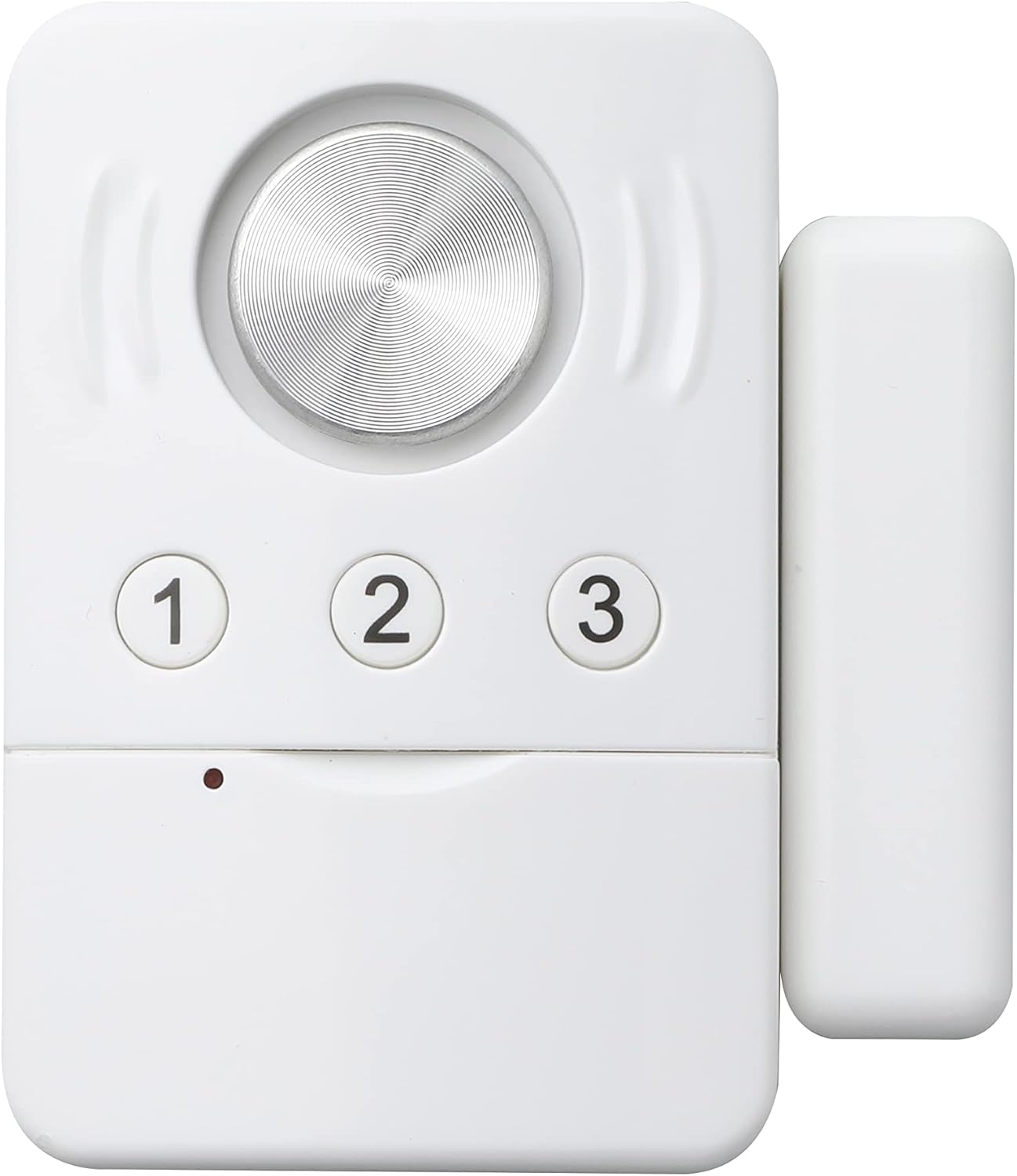
Figure 2.4: The Yale door/window contact sensor, showing its two white components designed to be mounted adjacent to each other on a door or window and its frame.
2.5 Key Fob
The key fob allows for convenient wireless arming and disarming of the alarm system from up to 70 meters away. It typically features buttons for arming (locked padlock icon) and disarming (unlocked padlock icon).

Figure 2.5: The Yale key fob, a small white device with two buttons: one featuring a locked padlock icon for arming, and another with an unlocked padlock icon for disarming the alarm.
3. Setup
3.1 Battery Installation
All components are battery-powered. Ensure you install fresh batteries before initial use. Refer to the specific component for battery type and orientation.
- Main Alarm Unit: Open the battery compartment on the back of the unit. Insert the required batteries, observing polarity (+/-).
- Door/Window Contact: Slide open the cover to access the battery compartment. Insert the battery, ensuring correct polarity.
- Key Fob: The key fob typically comes with a pre-installed battery, often with a pull-tab to activate it. Remove the tab if present.
The system is designed for easy setup and components are pre-linked for convenience.
3.2 Mounting the Alarm Unit
The main alarm unit can be wall-mounted or used free-standing.
- Wall Mounting:
- Choose a location that provides optimal motion detection coverage (e.g., a corner or high wall).
- Ensure the unit is positioned to avoid direct sunlight or heat sources, which can cause false alarms.
- Use the provided screws and wall plugs to securely mount the bracket, then attach the alarm unit to the bracket.
- Free-Standing: Place the unit on a stable, elevated surface where its motion sensor has a clear line of sight to the area you wish to protect.

Figure 3.1: The main alarm unit installed on a wooden shed wall, demonstrating a typical mounting location for optimal coverage.

Figure 3.2: The main alarm unit positioned on a shelf within a garage, illustrating a free-standing setup for monitoring the space.
3.3 Mounting the Door/Window Contact
Mount the two parts of the door/window contact on the door/window and its frame. Ensure they are aligned and within 1 cm of each other when the door/window is closed.
- Use the provided adhesive pads or screws for secure attachment.
- Test the contact by opening the door/window to ensure the alarm triggers (if armed).
3.4 Setting Your PIN Code
The main alarm unit allows you to set a personal 4-digit PIN code for arming and disarming. Refer to the quick start guide included in your kit for specific instructions on how to program your PIN code. Typically, this involves entering a default code, then a new code, and confirming it.
4. Operating the Alarm System
4.1 Arming the Alarm
- Using the Key Fob: Press the locked padlock button on the key fob. The alarm unit will typically emit a confirmation sound or flash an indicator light.
- Using the Keypad: Enter your 4-digit PIN code on the main alarm unit's keypad. The unit will confirm arming.
Once armed, the motion detector and door/window contact become active. There may be a short exit delay to allow you to leave the protected area.
4.2 Disarming the Alarm
- Using the Key Fob: Press the unlocked padlock button on the key fob. The alarm unit will emit a confirmation sound or flash an indicator light.
- Using the Keypad: Enter your 4-digit PIN code on the main alarm unit's keypad. The unit will confirm disarming.
If the alarm is triggered, disarming it will silence the siren.
4.3 Alarm Trigger and Siren
The alarm will trigger if:
- Motion is detected by the PIR sensor while the system is armed.
- The door/window contact is separated while the system is armed.
Upon triggering, the 130dB siren will activate, drawing attention to the protected area. The siren will typically sound for a set duration or until the alarm is disarmed.
5. Maintenance
5.1 Battery Replacement
The alarm components are designed for long battery life (approximately 18 months). The main alarm unit will typically provide a low-battery warning (e.g., a specific LED indicator or sound). Replace batteries promptly to ensure continuous protection.
- Refer to Section 3.1 for battery installation instructions.
- Always use new, high-quality batteries of the specified type.
5.2 Cleaning
Clean the alarm unit and sensors periodically with a soft, dry cloth. Do not use abrasive cleaners, solvents, or spray directly onto the units, as this can damage the electronics or plastic surfaces.
5.3 Regular Checks
It is recommended to test your alarm system regularly (e.g., monthly) to ensure all components are functioning correctly. Arm the system and trigger each sensor (motion, door/window contact) to verify the siren activates.
6. Troubleshooting
| Problem | Possible Cause | Solution |
|---|---|---|
| Alarm does not arm/disarm with key fob. |
|
|
| Alarm does not trigger when motion is detected. |
|
|
| False alarms. |
|
|
| Siren is weak or not sounding. |
|
|
7. Specifications
| Feature | Detail |
|---|---|
| Model Number | YSGA02-W |
| Brand | Yale |
| Siren Volume | 130 dB |
| Motion Detector Range | 8 meters |
| Key Fob Range | Up to 70 meters |
| Power Source | Battery Powered (Alkaline or Lithium) |
| Product Dimensions | 5.5 x 5 x 19.5 cm |
| Item Weight | 0.28 Kilograms |
| Mounting Type | Wall Mount |
| Recommended Uses | Sheds, garages, outbuildings, caravans |
8. Warranty and Support
8.1 Manufacturer's Warranty
This Yale Mini Wireless Alarm Kit comes with a 2-year manufacturer's warranty from the date of purchase. This warranty covers defects in materials and workmanship under normal use. Please retain your proof of purchase for warranty claims.
The warranty does not cover damage caused by misuse, unauthorized modification, accident, or improper installation.
8.2 Customer Support
For technical assistance, troubleshooting, or warranty inquiries, please visit the official Yale website or contact their customer support department. Contact details can typically be found on the product packaging or the manufacturer's website.
Please note: Specific contact information is not provided in this manual. Refer to your product packaging or the Yale website for the most up-to-date support details.