
Introduction
This manual provides detailed instructions for the setup, operation, and maintenance of your Puxinat BT103 2-in-1 Separable Sound Bar. Please read this manual thoroughly before using the product to ensure proper function and to maximize your audio experience. Keep this manual for future reference.
Product Features
- 2-in-1 Detachable Design: The sound bar can be used as a single horizontal unit or separated into two vertical tower speakers.
- 2.2 Channel Audio: Features two tweeters and dual built-in subwoofers for enhanced sound quality.
- Bluetooth 5.0 Connectivity: Offers stable and fast wireless connection to compatible devices.
- Multiple Input Options: Supports HDMI ARC, Optical, Coaxial, AUX, and USB connections.
- Built-in DSP Technology: Provides 10 pre-set Equalizer (EQ) modes for various audio experiences.
- Adjustable Bass: Allows users to customize bass levels.
- Remote Control: Full-function remote for convenient operation.
- Wall-Mountable: Designed for flexible placement options.
Package Contents
Verify that all items listed below are included in your package:
- Two (2) Sound Bar Tower Speakers
- One (1) Remote Control
- Two (2) Desktop Gaskets / Stand Bases
- One (1) DC Power Adapter
- One (1) Long Line Cable (for connecting separated speakers)
- One (1) Short Line Cable (for connecting combined soundbar)
- One (1) HDMI ARC Cable
- One (1) Coaxial Digital Audio Cable
- One (1) AUX Audio Cable (3.5mm)
- One (1) AUX to RCA Audio Cable
- One (1) Optical Cable
- Wall Mount Screws and Anchors
- One (1) User Manual (this document)

Image: All accessories included with the Puxinat BT103 Sound Bar, such as cables, remote, and mounting hardware.
Setup and Installation
The Puxinat BT103 Sound Bar offers flexible installation options. Choose the method that best suits your space and preferences.
1. Choosing an Installation Method

Image: The sound bar shown in its combined horizontal form below a TV, and in its separated vertical tower form on either side of a TV.
- Combined Horizontal Sound Bar: Connect the two tower speakers using the short line cable to form a single unit. Place it horizontally below your TV.
- Separated Tower Speakers: Place the two tower speakers vertically on either side of your TV. Connect them using the long line cable. Attach the desktop gaskets/stand bases for stability.
- Wall Mounting: The sound bar can also be wall-mounted in its combined horizontal configuration. Use the provided wall mount screws and anchors. Ensure the wall can support the weight of the sound bar.
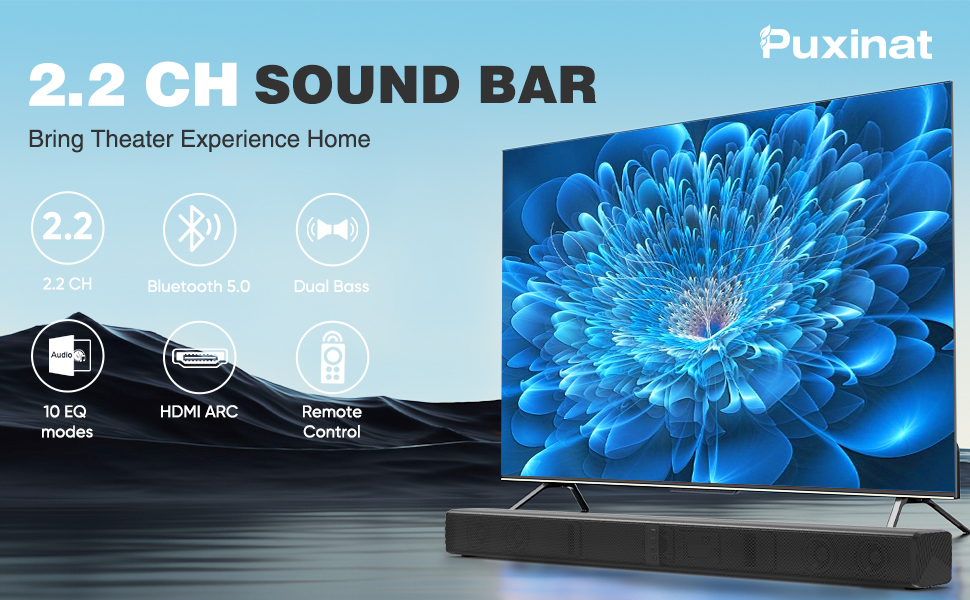
Image: Visual guide illustrating how to install the sound bar as a single unit, as two separate towers, or mounted on a wall.
2. Connecting to Your TV or Other Devices
The BT103 Sound Bar offers various connection options. Choose the best method for your device.

Image: Detailed view of the sound bar's rear panel, highlighting all available input ports including USB, Coaxial, Optical, AUX, HDMI ARC, and the DC power input.
- HDMI ARC (Recommended for TVs):
Connect the included HDMI ARC cable from the HDMI ARC port on the sound bar to the HDMI ARC port on your TV. This connection allows your TV remote to control the sound bar's volume and power. Ensure your TV's audio output is set to HDMI ARC or external speakers.
Image: Illustration demonstrating the correct connection of the sound bar to a TV using the HDMI ARC port, distinguishing it from standard HDMI IN ports.
- Optical:
Connect the included Optical cable from the OPTICAL port on the sound bar to the Optical Digital Audio Out port on your TV or device. Select "Optical" as the input source on the sound bar. Ensure your TV's audio output is set to "PCM" if no sound is heard.
- Coaxial:
Connect the included Coaxial cable from the COAXIAL port on the sound bar to the Coaxial Digital Audio Out port on your TV or device. Select "Coaxial" as the input source on the sound bar. Ensure your TV's audio output is set to "PCM" if no sound is heard.
- AUX (3.5mm):
Connect the included 3.5mm AUX cable from the AUX port on the sound bar to the headphone jack or AUX output on your device (e.g., smartphone, tablet, MP3 player). Select "AUX" as the input source on the sound bar.
- AUX to RCA:
Use the included AUX to RCA cable to connect the sound bar's AUX port to RCA audio output ports (red and white) on older TVs or audio devices. Select "AUX" as the input source on the sound bar.
- USB:
Insert a USB drive containing MP3, WMA, WAV, FLAC, or APE audio files into the USB port on the sound bar. The sound bar will automatically switch to USB mode and begin playback. Use the remote control to navigate tracks.

Image: Icon representing USB connectivity for playing audio files.
- Bluetooth 5.0:
- Power on the sound bar and press the "MODE" button on the remote or the unit until "BT" appears on the display.
- Enable Bluetooth on your device (e.g., smartphone, tablet).
- Search for "BT103" in your device's Bluetooth list and select it to pair.
- Once paired, the sound bar will indicate a successful connection, and you can play audio wirelessly.
Image: Icon representing Bluetooth 5.0 connectivity, showing a smartphone wirelessly connected to the sound bar.
Power Connection: After connecting your audio source, plug the DC Power Adapter into the "DC IN" port on the sound bar and then into a wall outlet.
Operating Instructions
1. Remote Control Functions

Image: Close-up of the remote control for the Puxinat BT103 Sound Bar, showing various buttons for controlling playback, volume, input mode, EQ settings, and bass/treble adjustments.
- Power Button: Turns the sound bar on or off.
- MODE Button: Cycles through input sources (HDMI ARC, Optical, Coaxial, AUX, USB, Bluetooth).
- Volume +/-: Adjusts the master volume level.
- Play/Pause: Controls media playback in Bluetooth and USB modes.
- Previous/Next Track: Skips to the previous or next track in Bluetooth and USB modes.
- EQ Modes: Selects from 10 pre-set equalizer modes (CLASS, ROCK, POP, JAZZ, LINE, CLUB, DRAM, HALL, SOFT, FLAT).
- Treble +/-: Adjusts the treble level.
- Bass +/-: Adjusts the bass level.
- Mute: Mutes or unmutes the sound.
- 3D: Activates or deactivates 3D surround sound effect.
2. DSP and EQ Modes
The built-in Digital Signal Processor (DSP) allows you to optimize the audio output for different content types. Use the EQ button on the remote to cycle through the available modes:
- CLASS
- ROCK
- POP
- JAZZ
- LINE
- CLUB
- DRAM
- HALL
- SOFT
- FLAT

Image: Visual representation of the sound bar's DSP technology, showcasing different EQ modes suitable for various audio content like classical, rock, and pop music.
Troubleshooting
| Problem | Possible Cause / Solution |
|---|---|
| No Sound Output |
|
| Bluetooth Disconnection |
|
| Remote Control Not Working |
|
| Distorted Sound |
|
Specifications
| Feature | Detail |
|---|---|
| Model Name | BT103 |
| Speaker Type | Soundbar (2-in-1 Detachable) |
| Channel Configuration | 2.2 Channel |
| Connectivity Technology | Bluetooth 5.0, HDMI ARC, Optical, Coaxial, AUX (3.5mm), USB |
| Audio Output Mode | Surround |
| Special Features | 2-in-1 detachable design, Built-in DSP, Built-in dual subwoofer, Bass adjustable, 10 EQ modes |
| Compatible Devices | Televisions, Desktops, Gaming Consoles, Laptops, MP3 Players, Projectors, Smartphones, Tablets |
| Control Method | Remote Control |
| Power Source | Corded Electric (DC Adapter) |
| Product Dimensions (Combined) | Approx. 32.8" (Length) x 4.13" (Width) x 2.95" (Height) |
| Item Weight | 7.34 pounds (3.34 kg) |

Image: Technical diagram displaying the length, width, and height of the sound bar, along with a detailed view of the integrated control buttons.
Maintenance
- Cleaning: Use a soft, dry cloth to clean the surface of the sound bar. Do not use liquid cleaners or abrasive materials.
- Placement: Avoid placing the sound bar in direct sunlight, near heat sources, or in areas with high humidity.
- Ventilation: Ensure adequate ventilation around the sound bar to prevent overheating. Do not block any ventilation openings.
- Power: Disconnect the power adapter from the wall outlet if the sound bar will not be used for an extended period.
Warranty and Support
The Puxinat BT103 Sound Bar comes with a Limited Warranty. For specific warranty terms and conditions, please refer to the warranty card included in your package or contact Puxinat customer support.
For technical assistance, troubleshooting, or any questions regarding your product, please contact Puxinat customer support through the retailer's platform or the official Puxinat website.