Introduction
The Govee 32.8ft RGBIC Neon Rope Light is a versatile lighting solution designed to enhance your living spaces with dynamic and customizable illumination. Featuring RGBIC technology, it allows for multiple colors to be displayed simultaneously, creating vibrant and engaging light effects. This rope light supports music synchronization, DIY design, and smart voice control via Alexa and Google Assistant, offering a personalized lighting experience for various environments such as bedrooms, living rooms, and gaming setups.
What's in the Box
Please verify that all components are present before beginning installation.
- Neon Rope Light ×1
- Clips x 50
- Screws x 50
- Adapter
- Alcohol Wipes x 4

Image: Contents of the Govee Neon Rope Light package, including the light strip, power adapter, and a view of the Govee Home App.
Setup and Installation
Follow these steps to properly install your Govee Neon Rope Light:
- Prepare the Surface: Ensure the wall or ceiling surface where you intend to install the light is smooth and clean. Use the included alcohol wipes to clean the area thoroughly and allow it to dry completely.
- Plan Your Design: The flexible nature of the neon rope light allows for various DIY shapes and designs. Plan your desired pattern on the surface before attaching the clips.
- Attach Clips: Use the provided 50 clips and 50 screws to securely fasten the neon rope light to the smooth ceilings or walls. Position clips strategically to hold your desired shape.
- Connect Power: Connect the neon rope light to the adapter. Ensure the voltage remains stable during operation.
- Initial Power On: Plug the adapter into a power outlet. The light should illuminate.
Important Note: The adapter and control box are not waterproof. Ensure they are placed in a dry environment.

Image: Example of a Govee Neon Rope Light installed on a living room wall, forming a dynamic sound wave pattern.
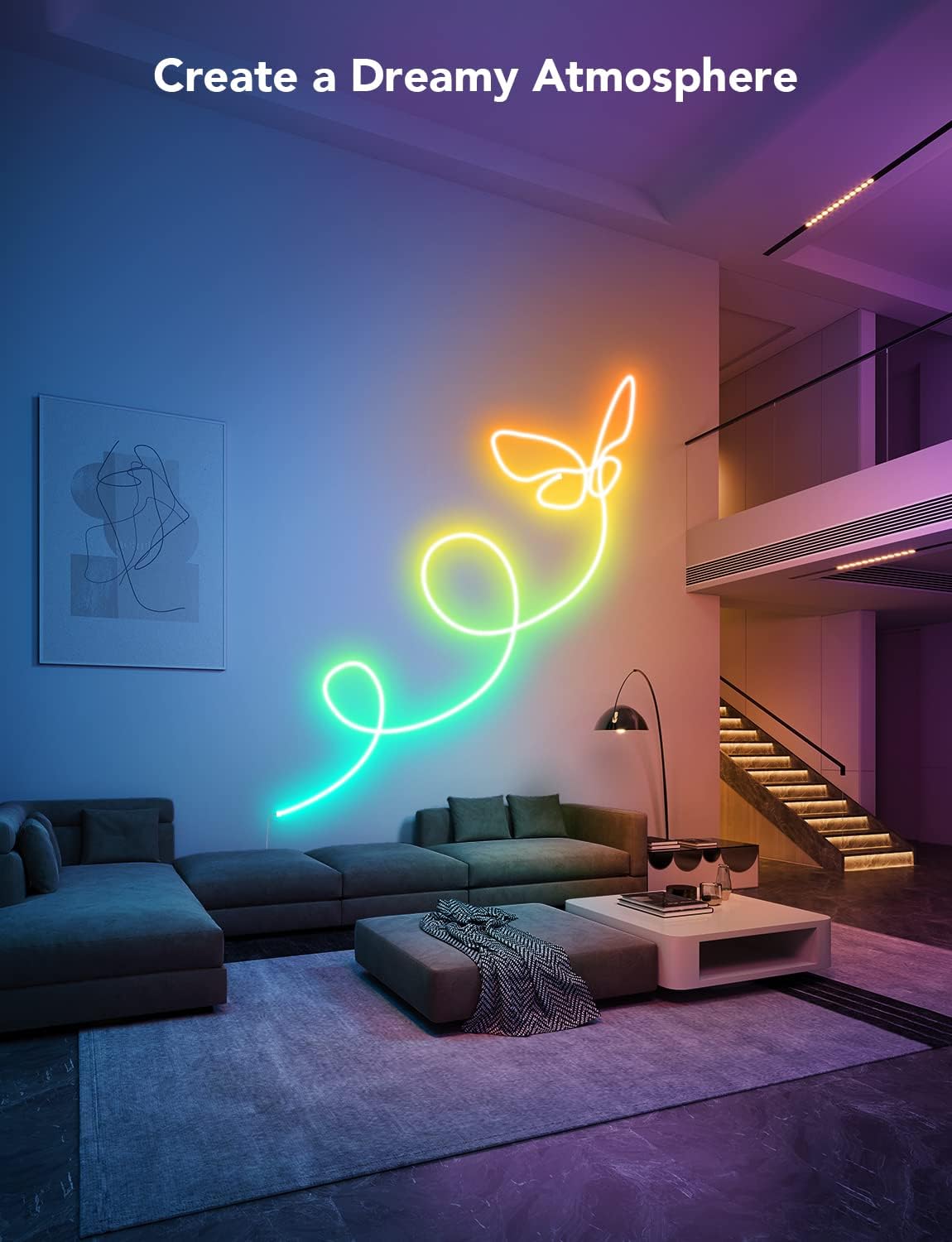
Image: A Govee Neon Rope Light creatively shaped into a butterfly, adding an artistic touch to a living space.
Operating Instructions
The Govee Neon Rope Light offers multiple ways to control and customize your lighting experience.
Govee Home App Control
The Govee Home App provides comprehensive control over your light. Download the app from your device's app store and follow the in-app instructions to pair your device.
- 16 Million DIY Colors: Choose from a vast spectrum of colors to create your desired ambiance.
- 64 Scene Modes: Select from pre-set scene modes for various occasions and moods.
- 11 Music Modes: Synchronize your lights with music, allowing them to react in real-time to audio.
- DIY Personalized Design: Utilize the app to design and save your own unique light patterns and animations.
- Timers: Set schedules for your lights to turn on or off automatically.

Image: Screenshots of the Govee Home App, showcasing its extensive features for color selection, scene modes, and device management.
Dynamic RGBIC Technology
The RGBIC technology allows the light strip to display multiple colors simultaneously across different segments, creating a flowing, dynamic effect.

Image: The Govee Neon Rope Light showcasing its RGBIC capability by displaying a multi-colored 'neon' sign on a wall.
Music Sync Mode
A built-in microphone detects music and gaming audio, allowing the lights to react and synchronize with the rhythm, creating an immersive entertainment experience.

Image: The Govee Neon Rope Light in Music Sync Mode, creating a vibrant light show that responds to audio.
Voice Activated Control
Control your lights hands-free using voice commands through Amazon Alexa or Google Assistant. Ensure your Govee device is linked to your smart home assistant account.

Image: Illustration of smart voice control with Govee Neon Rope Lights, showing integration with Alexa and Google Assistant.
Maintenance
To ensure the longevity and optimal performance of your Govee Neon Rope Light, follow these maintenance guidelines:
- Cleaning: The neon rope light itself is IP67 water-resistant and can be wiped clean with a damp cloth. Avoid using harsh chemicals or abrasive materials.
- Adapter and Control Box: The adapter and control box are not waterproof. Keep them away from water and moisture.
- Power Stability: Always ensure a stable voltage supply to the light. Unplug the adapter when the product is not in use for extended periods to prevent potential issues and conserve energy.
- Surface Adhesion: Periodically check the clips and screws to ensure the light remains securely attached to the wall or ceiling.
Troubleshooting
If you encounter issues with your Govee Neon Rope Light, refer to the following common problems and solutions:
- Light Not Turning On:
- Check if the power adapter is securely plugged into both the light and the power outlet.
- Verify that the power outlet is functional.
- Cannot Connect to Wi-Fi:
- Ensure your Wi-Fi network is 2.4GHz. This product does not support 5G WiFi.
- Move the light closer to your Wi-Fi router.
- Restart your Wi-Fi router and the Govee device.
- Lights Not Responding to App/Voice Commands:
- Confirm the light is connected to the Govee Home App and your smart assistant (Alexa/Google Assistant).
- Check your internet connection.
- Ensure the Govee Home App is updated to the latest version.
- Brightness Appears Lower Than Expected:
- Note that the 32.8ft neon light's brightness is designed to be reduced by 20% compared with other Govee neon lights to improve light effect comfort. This is a normal characteristic of this specific model.
Specifications
| Feature | Detail |
|---|---|
| Model Number | H61A5 |
| Length | 32.8ft |
| Color | Multicolor (RGBIC) |
| Material | Silicone |
| Indoor/Outdoor Usage | Indoor (Rope light IP67 water-resistant; adapter/control box not waterproof) |
| Light Source Type | Neon LED |
| Power Source | Corded Electric |
| Voltage | 24 Volts |
| Wattage | 72 watts |
| Connectivity | Bluetooth, Wi-Fi (2.4GHz only) |
| Control Method | Voice (Alexa, Google Assistant), Govee Home App |
| Number of Light Sources | 840 |
| Item Weight | 5.56 Pounds |
Warranty and Support
For warranty information, technical support, or any inquiries regarding your Govee Neon Rope Light, please visit the official Govee website or contact Govee customer service directly. You can also find more information and support resources by visiting the Govee Store on Amazon.


