
1. Product Overview
This manual provides instructions for the XTRONS Android 13 Car Stereo, an 8-inch IPS touchscreen head unit featuring an Octa-Core processor, 4GB RAM, 64GB ROM, 4G connectivity, DSP, Wireless Car Play, and Wired Android Auto. It is designed for specific Chevrolet, GMC, and Buick models.

Front view of the XTRONS Android 13 Car Stereo, highlighting its Octa-core processor, 4GB RAM, 64GB ROM, 4G, DSP, Car Play, and Android Auto capabilities.
Key Features:
- Operating System: Android 13
- Processor: Octa-Core (Cortex A75 x2 + Cortex A55 x6)
- Memory: 4GB DDR4 RAM
- Storage: 64GB Solid State ROM
- Display: 8-inch 1280x720 HD IPS Touch Screen
- Connectivity: Integrated 4G LTE (Micro-SIM required), Dual Band Wi-Fi (2.4GHz/5GHz), Bluetooth 5.0, USB Tethering
- Smartphone Integration: Built-in Wireless Car Play & Wired Android Auto, Screen Mirroring
- Audio: Built-in DSP, TDA7851 Amplifier (4x48W), Superior Coaxial Audio Output, AM/FM Radio with RDS
- Video: 2K format Video Playback, Picture-in-Picture function
- Other: Multitask with Split Screen, Changeable UI Themes, 100% Aluminum Heat Sink
2. Compatibility and Installation Setup
2.1 Vehicle Compatibility
This car stereo is compatible with the following vehicle models and years. Please verify your vehicle's make, model, and year against this list before installation.
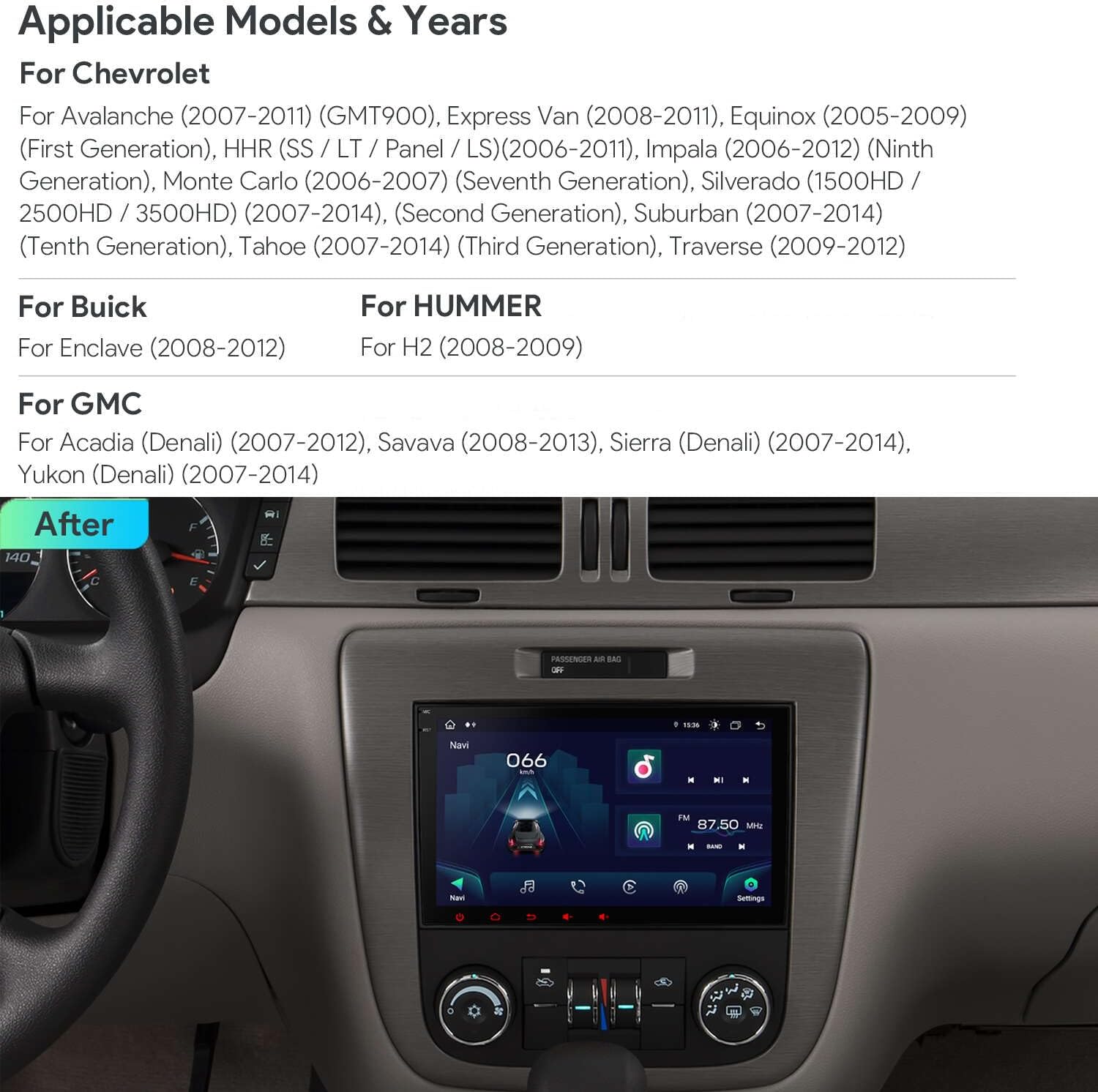
Image displaying applicable models and years for Chevrolet, Buick, GMC, and HUMMER vehicles.
- For Chevrolet: Avalanche (2007-2011), Express Van (2008-2011), Equinox (2005-2009), HHR (SS / LT / Panel / LS) (2006-2011), Impala (2006-2012), Monte Carlo (2006-2007), Silverado (1500HD / 2500HD / 3500HD) (2007-2014), Suburban (2007-2014), Tahoe (2007-2014), Traverse (2009-2012)
- For Buick: Enclave (2008-2012)
- For GMC: Acadia (Denali) (2007-2012), Savana (2008-2013), Sierra (Denali) (2007-2014), Yukon (Denali) (2007-2014)
- For HUMMER: H2 (2008-2009)
2.2 Important Notes on Compatibility
Before installation, compare your car's power harness with the images provided to ensure compatibility. This unit is compatible with BOSE systems and supports the original OnStar system.

Visual guide for checking power harness compatibility. Also indicates compatibility with BOSE and OnStar systems.
- If your radio harness is a 44-pin type, you may need to order the XTRONS AK/PE72JCC/ISOCBL44 harness for proper installation.
- A speaker is provided with this unit to retain your car's original door hatch reminder function.
2.3 Included Components
Verify that all components listed below are present in your package:

Visual representation of the XTRONS car stereo unit dimensions and all included accessories.
- 1 × ISO Wiring Harness
- 1 × RCA Cable
- 1 × 4G Antenna
- 1 × Camera Cable
- 1 × CANbus Box
- 2 × USB Cable
- 1 × GPS Antenna
- 1 × Radio Antenna Port
- 1 × CANbus Cable
- 1 × Speaker
- 1 × Original Reverse Camera Adapter Cable
- 1 × User Manual
2.4 Wiring Diagram
Refer to the following diagram for proper wiring connections. Ensure all connections are secure before powering on the unit.

Detailed wiring diagram showing all input and output connections for the car stereo.
- GPS Antenna
- Radio Antenna Port
- 4G Antenna
- CarAutoPlay Port
- USB Port1
- REAR OUT L, Rear Left Audio Output
- REAR OUT R, Rear Right Audio Output
- Coaxial out, Audio Output
- F CCD+12V, Front camera ACC
- CAMERA-IN, Camera Video Input
- Wi-Fi Antenna
- BRAKE, Brake-in Cable
- CAM +12V, Rear Camera Power Cable
- Bluetooth Antenna
- KEY-1, Steering Wheel Control Key1
- ANT, Automatic Antenna Control
- ILL, Illumination Cable
- KEY-2, Steering Wheel Control Key2
- BRAKE, Brake-in Cable
- CANbus Box
- AUX V-OUT, Video Output
- AUX V-IN, Video Input
- AUX R OUT, Audio Output Right
- AUX L OUT, Audio Output Left
- A-LOUT, Audio Output Left
- A-ROUT, Audio Output Right
- AUX IN R, Audio Input Right
- AUX IN L, Audio Input Left
- AUDIO OUT L, Audio Output Left
- AUDIO OUT R, Audio Output Right
- SUB WOOFER, Subwoofer Output
- 33. CVBS-IN-1, Video Input1
- 4G SIM Card Slot
- AMP-CONT, Amplifier Control Cable
- MIC, External Microphone Port
- ISO Wiring Harness1
- ISO Wiring Harness2
- ISO Wiring Harness3
- Mini Speaker
3. Operating Instructions
3.1 Initial Power-On and System Navigation
Upon first power-on, the system will boot up. The initial boot time is typically less than 50 seconds, with subsequent boots under 1 second. The Android 13 operating system provides a responsive interface. Navigate using the 8-inch multi-touch IPS screen.
3.2 Smartphone Integration (Car Play, Android Auto, Screen Mirroring)
The unit supports various smartphone integration methods for accessing mobile applications safely while driving.

Overview of smartphone connection options: Wireless Car Play, Wired Android Auto, and Wireless Screen Mirroring.
- Wireless Car Play: Connect your iPhone wirelessly via Bluetooth to access compatible apps, navigation, and voice commands (e.g., "Hey Siri").
- Wired Android Auto: Connect your Android phone via USB and Bluetooth to use Android Auto features, including Google Assistant (e.g., "OK Google").
- Screen Mirroring: Wirelessly mirror your smartphone's screen content to the head unit via Wi-Fi.
3.3 4G and Wi-Fi Connectivity
The unit features integrated 4G LTE and dual-band Wi-Fi for internet access.

Details on global 4G LTE connectivity, including supported bands, Micro-SIM slot, and dual-band Wi-Fi.
- 4G LTE: Insert a Micro-SIM card into the designated slot for mobile broadband connection. Supported bands include 1, 2, 3, 4, 5, 7, 8, 12, 17, 20, 28, 38, 40, 41, 42. Bands 13, 25, 26 are not supported.
- Dual Band Wi-Fi: Connect to available Wi-Fi networks using 2.4GHz or 5GHz bands.
- USB Tethering: Share your mobile phone's network connection with the head unit via a USB cable.
3.4 Audio Features (DSP, Amplifier, Radio)
The car stereo includes advanced audio processing and amplification for enhanced sound quality.

Visuals of the built-in DSP for sound customization, video playback features, and split-screen multitasking.
- Built-in DSP: Utilize the Digital Sound Processor for precise audio adjustments, including Smart Bass, Sub Output control, and a 30-band Equalizer.
- TDA7851 Amplifier: Enjoy clear audio with the built-in 4 x 48W low output noise, Hi-Fi class amplifier.
- Radio: Access AM and FM bands. The unit supports RDS (Radio Data System) decoding and features multipath noise mitigation.
3.5 Display and User Interface
The 8-inch IPS display offers a high-resolution visual experience and flexible interface options.
- High Resolution: The 1280x720 HD IPS screen supports 2K format video playback.
- Multitasking: Use the split-screen function to run two applications simultaneously.
- Picture-in-Picture: View video content in a small window while using other applications.
- Changeable UI Themes: Customize the user interface with various themes to suit your preference.
3.6 Steering Wheel Controls
The unit is designed to integrate with your vehicle's existing steering wheel controls for convenient operation.
4. Maintenance
4.1 General Care
- Keep the unit free from dust and debris.
- Avoid exposing the unit to extreme temperatures or direct sunlight for prolonged periods.
- Ensure all cables are securely connected and not pinched.
4.2 Cleaning the Screen
- Use a soft, lint-free cloth to gently wipe the touchscreen.
- For stubborn smudges, lightly dampen the cloth with water or a screen-safe cleaner.
- Avoid using harsh chemicals, abrasive materials, or excessive pressure, as these can damage the screen.
5. Troubleshooting
This section addresses common issues you might encounter with your XTRONS car stereo.
5.1 Power and Boot-Up Issues
- Unit does not power on or fails to wake up:
Check all power connections, including the main power harness and any accessory power wires. Ensure the vehicle's ignition is on. If the issue persists, consult a professional installer to verify wiring or consider connecting the power wire directly to an accessory power source. - Unit resets to factory settings after power cycle:
This may indicate an issue with the constant power supply or the CANbus module. Verify the constant 12V connection.
5.2 Connectivity Issues (Bluetooth, Android Auto)
- Bluetooth disconnects frequently:
Ensure your phone's Bluetooth is enabled and within range. Try unpairing and re-pairing the device. Check for any software updates for the head unit. - Android Auto disconnects or fails to connect:
Ensure you are using a high-quality USB cable. Try reconnecting the phone. Verify that Android Auto is updated on your phone.
5.3 Microphone Issues
- Poor microphone quality (e.g., muffled sound):
The built-in microphone may have limited performance. Consider connecting an external microphone to the dedicated port on the back of the unit for improved call clarity.
5.4 General Performance
- System slow or unresponsive:
Close unused background applications. Periodically clear the system cache. If performance issues persist, a factory reset may be necessary (note: this will erase all user data and settings).
6. Specifications
Detailed technical specifications for the XTRONS Android 13 Car Stereo.
| Feature | Specification |
|---|---|
| Item Weight | 4.4 pounds |
| Package Dimensions | 14.2 x 8.7 x 4.9 inches |
| Display Size | 8 Inches |
| Model Name | XTRONS Car Stereo |
| Vehicle Service Type | Car |
| Special Feature | Bluetooth, Touchscreen |
| Connectivity Technology | USB, Wi-Fi |
| Map Type | No Pre-installed Map |
| Audio Output Mode | Stereo |
| Mounting Type | Panel Mount |
| Manufacturer | XTRONS |
| Date First Available | September 6, 2022 |
7. Warranty and Support
7.1 Warranty Information
XTRONS provides a 1-year warranty for this unit from the date of purchase. This warranty covers manufacturing defects and ensures the product meets its specified performance standards.
7.2 Technical Support
For technical assistance, troubleshooting, or warranty claims, please contact XTRONS customer support. You can reach us via Amazon email. We are committed to providing professional technical support and ensuring your satisfaction.


