
1. Introduction
This manual provides detailed instructions for the proper use and maintenance of your Obbug Bluetooth Headset, Model YYK-530. Please read this manual thoroughly before using the product to ensure optimal performance and longevity.
2. Package Contents
Verify that all items are present in your package:
- 1 x Obbug Bluetooth Headset
- 1 x Charging Case
- 1 x USB Type-C Charging Cable
- 1 x Ear Hat (replacement ear tip)
- 1 x User Manual
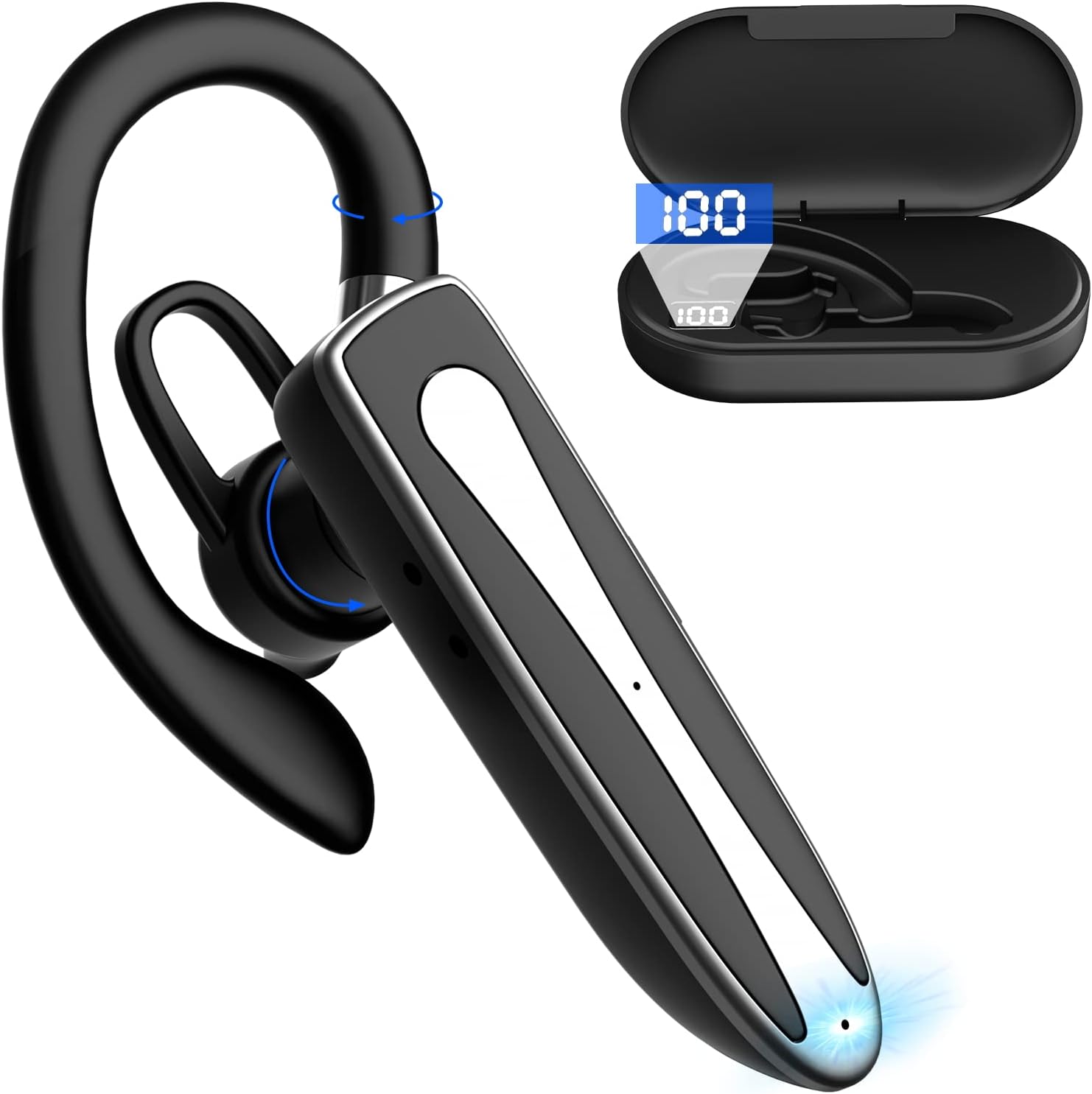
Image 2.1: Obbug Bluetooth Headset YYK-530 and its charging case.
3. Product Features
- Bluetooth 5.1 Technology: Provides stable connection and clear audio.
- Extended Battery Life: Up to 80 hours of continuous use with the charging case.
- Comfortable and Adjustable Design: Flexible earhook and rotatable boom mic for left or right ear wear.
- CVC8.0 Noise Reduction: Enhances call clarity by reducing background noise.
- Wide Compatibility: Connects with most Bluetooth-enabled devices including smartphones, tablets, and computers.
- Hands-Free Calling: Integrated microphone for convenient communication.

Image 3.1: Illustration of CVC8.0 Noise Reduction for clear audio.
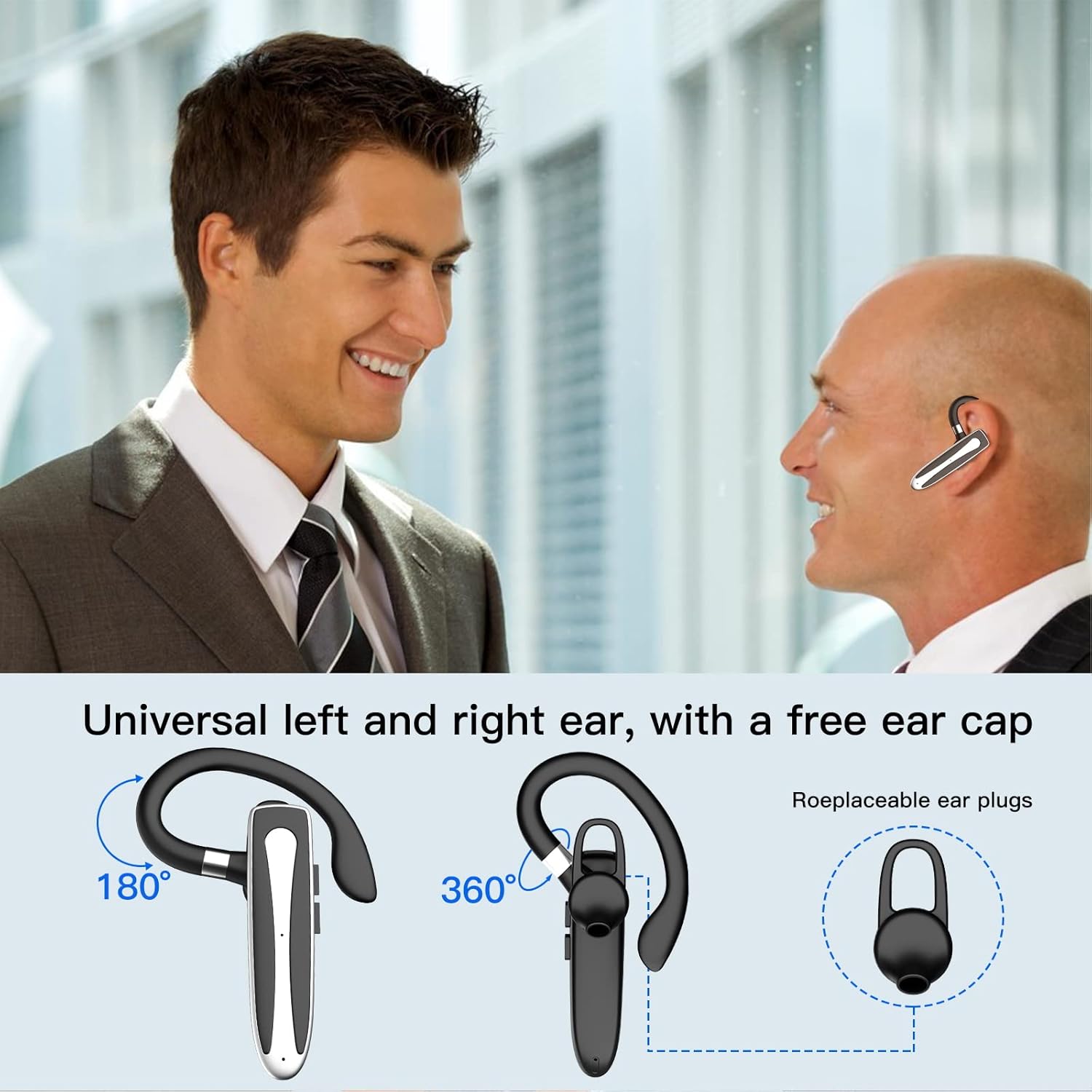
Image 3.2: Diagram illustrating the dual microphone noise reduction processing.
4. Setup
4.1 Charging the Headset and Case
Before first use, fully charge the headset and its charging case.
- Place the headset into the charging case.
- Connect the USB Type-C cable to the charging port on the case and to a power source (e.g., USB wall adapter, computer USB port).
- The charging indicator on the case will show charging status. A full charge typically takes 1.5 hours.

Image 4.1: The Type-C charging port on the charging case.

Image 4.2: Battery life and charging time information for the headset and case.
4.2 Pairing with a Device
The headset uses Bluetooth 5.1 for wireless connection.
- Power On: Take the headset out of the charging case, or press and hold the Multi-function Button until the indicator light flashes blue and red, indicating pairing mode.
- Activate Bluetooth: On your device (smartphone, tablet, etc.), go to Bluetooth settings and turn on Bluetooth.
- Select Device: In the list of available devices, select "YYK-530".
- Confirm Connection: Once connected, the headset indicator light will flash blue slowly, and your device will show "Connected".

Image 4.3: Illustration of optimal Bluetooth connection distance (within 10 meters).
4.3 Connecting to Two Devices Simultaneously
The headset supports connecting to two Bluetooth devices at the same time.
- Connect the headset to the first device (e.g., Phone A) as described in Section 4.2.
- Turn off Bluetooth on the first device. The headset will re-enter pairing mode.
- Connect the headset to the second device (e.g., Phone B) as described in Section 4.2.
- Turn on Bluetooth on the first device. The headset should automatically reconnect to both devices.
You can now answer calls or play music from either connected device.

Image 4.4: Step-by-step guide for connecting the headset to two devices.
4.4 Wearing the Headset
The headset is designed for comfortable wear on either the left or right ear.
- The earhook can rotate 360° vertically and 360° horizontally to fit your preferred angle.
- The retractable earhook can be adjusted to fit the shape of your ear.

Image 4.5: The headset's adjustable design for left or right ear wearing.
5. Operating Instructions
5.1 Power On/Off
- Power On: Take the headset out of the charging case, or press and hold the Multi-function Button for approximately 3 seconds until the indicator light flashes blue.
- Power Off: Place the headset back into the charging case, or press and hold the Multi-function Button for approximately 5 seconds until the indicator light flashes red and then turns off.
5.2 Call Management
- Answer/End Call: Press the Multi-function Button once.
- Reject Call: Press and hold the Multi-function Button for approximately 2 seconds.
- Redial Last Number: Double-press the Multi-function Button.
5.3 Music Playback
- Play/Pause: Press the Multi-function Button once.
- Next Track: Press and hold the Volume Up button.
- Previous Track: Press and hold the Volume Down button.
5.4 Volume Control
- Increase Volume: Press the Volume Up button.
- Decrease Volume: Press the Volume Down button.
5.5 Voice Assistant Activation
Activate your device's voice assistant (Siri, Google Assistant) directly from the headset.
- Activate Voice Assistant: Triple-press the Multi-function Button.

Image 5.1: The headset supports activation of Siri and Google Assistant.
6. Maintenance
- Clean the headset and charging case regularly with a soft, dry cloth.
- Avoid exposing the device to extreme temperatures, humidity, or corrosive substances.
- Store the headset in its charging case when not in use to protect it and keep it charged.
- Do not attempt to disassemble or repair the device yourself. Contact customer service for assistance.
7. Troubleshooting
7.1 Headset Not Powering On
- Ensure the headset is fully charged. Place it in the charging case and connect the case to a power source.
- Press and hold the Multi-function Button for 3-5 seconds to power on.
7.2 Cannot Pair with Device
- Ensure the headset is in pairing mode (indicator flashes blue and red).
- Turn off Bluetooth on your device and turn it back on.
- Ensure the headset is within 10 meters of your device and there are no significant obstacles.
- Clear the Bluetooth pairing list on your device and try pairing again.
7.3 No Sound or Poor Sound Quality
- Adjust the volume on both the headset and your connected device.
- Ensure the headset is properly connected to your device.
- Move closer to your device to ensure you are within Bluetooth range.
- Check for any interference from other wireless devices.
8. Specifications
| Feature | Specification |
|---|---|
| Model Name | YYK-530 |
| Brand | Obbug |
| Connectivity Technology | Wireless (Bluetooth) |
| Bluetooth Version | 5.1 |
| Bluetooth Range | Up to 33 Feet (10 meters) |
| Noise Control | Sound Isolation (CVC8.0 Noise Reduction) |
| Earpiece Shape | Ear Hook |
| Battery Life (Headset) | 5 Hours (approx.) |
| Battery Life (with Charging Case) | Up to 80 Hours (approx.) |
| Charging Time | 1.5 Hours |
| Charging Port | USB Type-C |
| Water Resistance Level | Waterproof |
| Item Weight | 4.9 ounces (0.14 Kilograms) |
| Frequency Range | 20Hz - 20,000Hz |
| Compatible Devices | Cellphones, Desktops, Laptops, Telephones |

Image 8.1: The headset is compatible with a wide range of Bluetooth-enabled devices.
9. Warranty and Customer Support
The Obbug Bluetooth Headset comes with a 1-month replacement warranty.
For any questions, issues, or support needs, please contact our customer service. We offer 24-hour customer service to assist you.
Please refer to your purchase documentation for specific contact details.