
Introduction
This user manual provides detailed instructions for the safe and effective operation of your Protmex HT607 Temperature Humidity Meter. This high-precision digital hygrometer is designed for a wide range of applications, offering accurate measurements of ambient temperature, relative humidity, wet bulb temperature, and dew point temperature.

Figure 1: Protmex HT607 Temperature Humidity Meter
What's in the Box
Upon opening your package, please ensure all the following items are present and in good condition:
- 1 x HT607 Humidity and Temperature Meter
- 3 x 1.5V AAA Batteries
- 1 x Storage Bag
- 1 x User Manual (this document)

Figure 2: Package Contents
Setup
Battery Installation
The HT607 meter requires 3 AAA batteries for operation. Locate the battery compartment on the back of the device, insert the batteries according to the polarity indicators, and close the compartment securely.
Sensor Protection Cap
Before use, gently remove the black protection cap from the top of the meter to expose the sensor. This cap protects the sensor during storage and transport. Remember to replace the cap after use to ensure the longevity and accuracy of the sensor.

Figure 3: Meter Components and Sensor Cap
Operating Instructions
Power On/Off
Press the Power button (labeled with a power symbol) to turn the device on. Press and hold the Power button for approximately 2 seconds to turn the device off. The meter features an auto-shutdown function to conserve battery life if left idle.
Backlight Function
To activate or deactivate the LCD backlight, press the H/* button (labeled with 'H' and a lightbulb symbol). This feature improves readability in low-light conditions. Press and hold the H/* button for 2 seconds to enable or disable the backlight.

Figure 4: Bright LCD Display
Unit Conversion (°C/°F)
To switch between Celsius (°C) and Fahrenheit (°F) temperature units, press the °C/°F button. The display will instantly update to the selected unit.

Figure 5: Switching Temperature Units
MAX/MIN Function
Press the MAX/MIN button to view the maximum and minimum recorded values for temperature and humidity since the device was last powered on or the function was reset. Pressing it repeatedly will cycle through MAX, MIN, and current readings. To clear the recorded MAX/MIN values, press and hold the MAX/MIN button for 2 seconds.
Dew Point / Wet Bulb Temperature
The HT607 can display Dew Point (DP) and Wet Bulb (WB) temperatures. Press the DP/WB button to switch between these two measurement modes. This allows for more specialized environmental analysis.
Features
The Protmex HT607 is equipped with several advanced features to provide accurate and convenient environmental monitoring:
- High-Precision Digital Hygrometer: Features a top-notch probe sensor for short response time, strong anti-interference ability, and accurate data collection.
- Multiple Measurement Modes: Offers 4 professional measurement modes: ambient temperature, relative humidity, wet bulb temperature, and dew point temperature.
- Multiple Functions: Includes a 2.26” large LCD screen, data hold, unit conversion, backlight, low battery indicator, auto shutdown, and maximum/minimum functions.
- Mini and Portable: Ergonomic design with a double injection precision case (ABS) for anti-dust and anti-drop waterproof triple protection. Comfortable hand grip and an additional protection cover for the sensor.

Figure 6: Multiple Measurement Functions

Figure 7: High-Precision Sensor Technology
Specifications
Detailed technical specifications for the Protmex HT607 Temperature Humidity Meter:
| Specification | Value |
|---|---|
| Product Dimensions | 2.28 x 0.01 x 5.59 inches; 7.41 ounces |
| Batteries | 3 AAA batteries required. (included) |
| Date First Available | September 6, 2022 |
| Manufacturer | HUABO |
| ASIN | B0BD7NQG2J |
| Brand | Protmex |
| Product Dimensions (W x H) | 2.28"W x 5.59"H |
| Battery Description | Alkaline |
| Mounting Type | Tabletop |
| Upper Temperature Rating | 60 Degrees Celsius |
Applications
The Protmex HT607 is a versatile tool suitable for a wide array of environments and uses, including but not limited to:
- Industrial and agricultural settings
- Household monitoring
- Laboratory research
- HVAC system checks
- Meteorology studies
- Medical applications
- Daily life environmental checks
- Engineering projects
- Wine cellars and data storerooms
Its compact size also makes it easy to carry for on-the-go measurements.
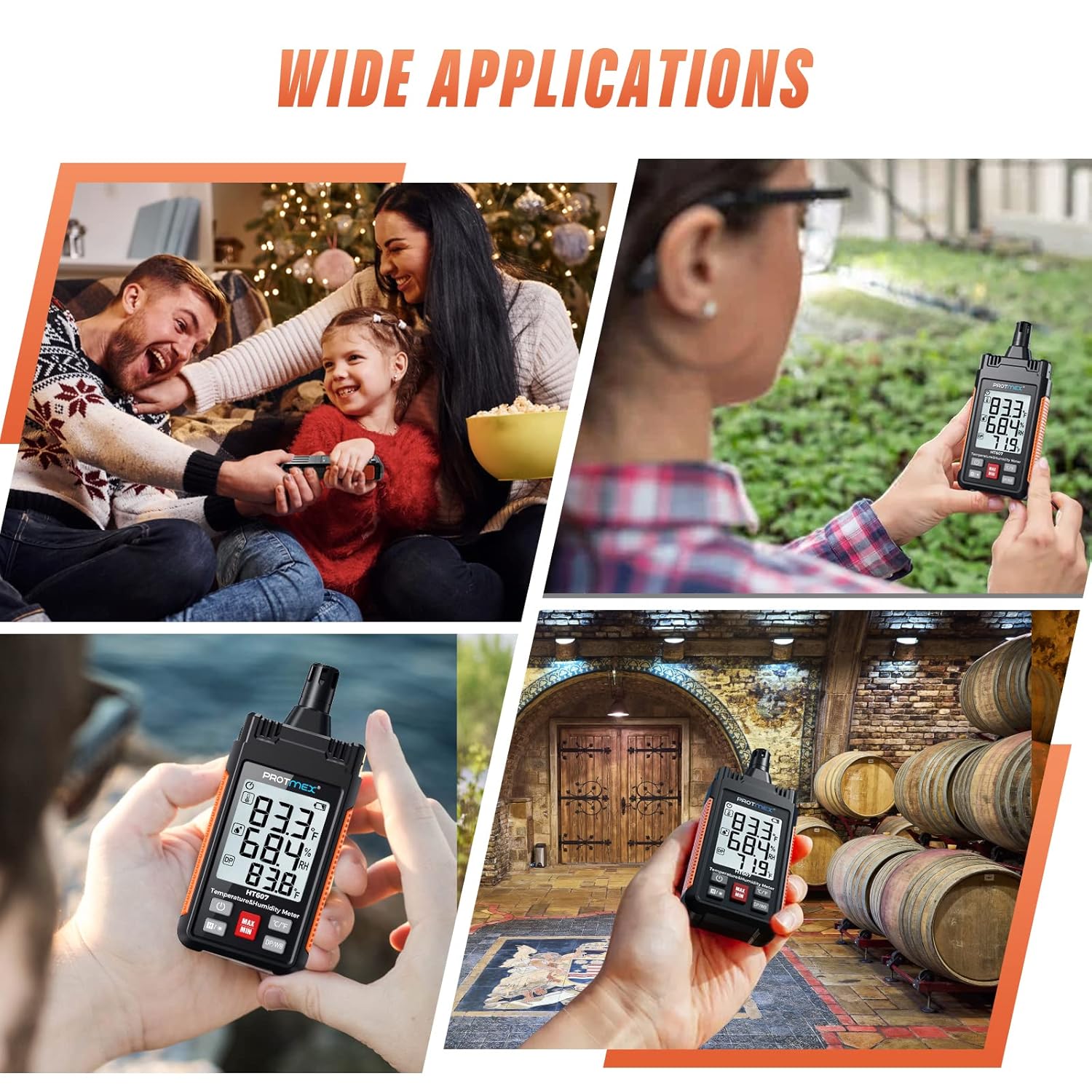
Figure 8: Wide Range of Applications
Maintenance
To ensure the longevity and accuracy of your Protmex HT607 meter, please follow these maintenance guidelines:
- Cleaning: Wipe the device with a soft, dry cloth. Do not use abrasive cleaners or solvents.
- Storage: Store the meter in a cool, dry place away from direct sunlight and extreme temperatures. Always replace the sensor protection cap when not in use.
- Battery Replacement: Replace batteries promptly when the low battery indicator appears to ensure continuous accurate operation. Remove batteries if the device will not be used for an extended period.
- Handle with Care: While designed to be durable, avoid dropping the device or subjecting it to strong impacts.
Troubleshooting
If you encounter issues with your HT607 meter, please refer to the following common problems and solutions:
- No Display/Device Not Turning On:
- Check if batteries are installed correctly with the correct polarity.
- Replace with new AAA batteries.
- Ensure the power button is pressed firmly for a short duration.
- Inaccurate Readings:
- Ensure the sensor protection cap is removed during measurement.
- Allow the device to stabilize in the measurement environment for at least 3 minutes.
- Avoid placing the device near heat sources, direct sunlight, or strong air currents that could affect readings.
- Clean the sensor area gently with a soft, dry cloth if dust or debris is visible.
- Backlight Not Working:
- Press the H/* button. If it still doesn't work, check battery levels.
Warranty and Support
For warranty information or further technical assistance, please refer to the official Protmex website or contact their customer support directly. Keep your purchase receipt as proof of purchase for any warranty claims.
Official Product Videos
No official seller-created product videos are available for embedding at this time. For additional visual guides, please refer to the manufacturer's official channels or product page.


