
KAER 2.8 Cuft Depository Drop Safe Instruction Manual
Model: 2.8 Cuft Drop Safe
1. Introduction
This manual provides essential information for the safe and effective use of your KAER 2.8 Cuft Depository Drop Safe. Please read these instructions thoroughly before installation and operation. Keep this manual for future reference.
The KAER 2.8 Cuft Depository Drop Safe is designed to secure cash, documents, and other valuables. It features a front drop slot for quick deposits, a digital combination lock, and an emergency key access system. The safe is constructed from alloy steel and includes anti-fishing mechanisms to enhance security.
2. Safety Information
- Do not store the emergency keys inside the safe. Keep them in a secure, separate location.
- Ensure the safe is placed on a stable, level surface or securely mounted to prevent tipping.
- Keep children away from the safe, especially when it is open.
- Do not attempt to force the safe open if the digital lock malfunctions. Use the emergency key.
- Replace batteries promptly when the low battery indicator appears to avoid being locked out.
3. Package Contents
Verify that all items are present in the package:
- KAER 2.8 Cuft Depository Drop Safe (x1)
- Emergency Keys (x2)
- English Manual (x1)
- Expansion Bolts (x6)
- External Power Box (x1)
- Fireproof Bag (x1)
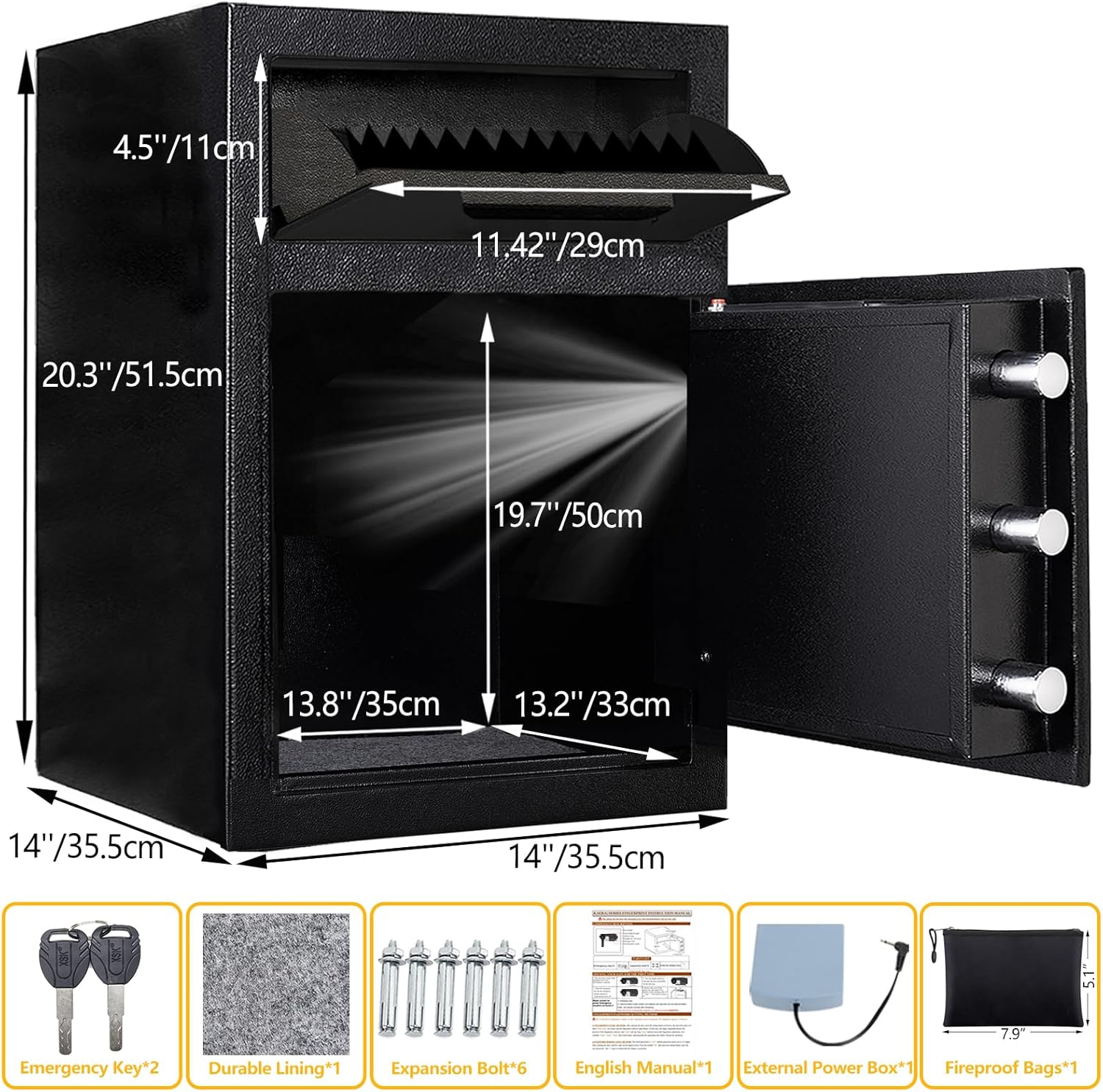
Figure 3.1: Package Contents and Safe Dimensions
4. Setup
4.1. Unpacking
Carefully remove the safe from its packaging. Inspect the safe for any signs of damage. Retain packaging materials for potential future transport or returns.
4.2. Battery Installation
The safe requires 4 AA alkaline batteries (not included) for the digital keypad. Locate the battery compartment on the inside of the safe door. Insert the batteries, ensuring correct polarity. Close the compartment cover.
4.3. Initial Opening
For the first use, open the safe using one of the emergency keys. Insert the key into the emergency keyhole, turn it, and then rotate the metal knob to open the door. This allows access to the battery compartment and internal components.
4.4. Mounting the Safe
The safe can be securely mounted to a wall or floor using the provided expansion bolts. There are 4 pre-drilled holes on the back and 2 on the bottom of the safe. Choose a suitable location and use appropriate tools to drill pilot holes before securing the safe. Mounting the safe enhances its anti-theft capabilities.
5. Operating Instructions
5.1. Opening with Digital Code
To open the safe using the digital code:
- Enter your 3-8 digit personal code on the keypad.
- Press the 'START' or '#' button to confirm.
- If the code is correct, a green light will illuminate. Within 5 seconds, rotate the metal knob clockwise to open the door.
5.2. Setting/Changing Digital Code
To set or change your digital code:
- With the safe door open, press the red reset button located on the inside of the door.
- The yellow light on the keypad will flash, indicating it is ready to accept a new code.
- Enter your new 3-8 digit code.
- Press the 'START' or '#' button to confirm. The green light will flash, confirming the new code is set.

Figure 5.1: Two Ways to Unlock the Safe
5.3. Using the Drop Slot
The top drop slot allows for deposits without opening the main safe door. Lift the slot cover and insert items such as cash, envelopes, or small documents. The internal anti-fishing baffle prevents items from being retrieved through the slot once deposited.
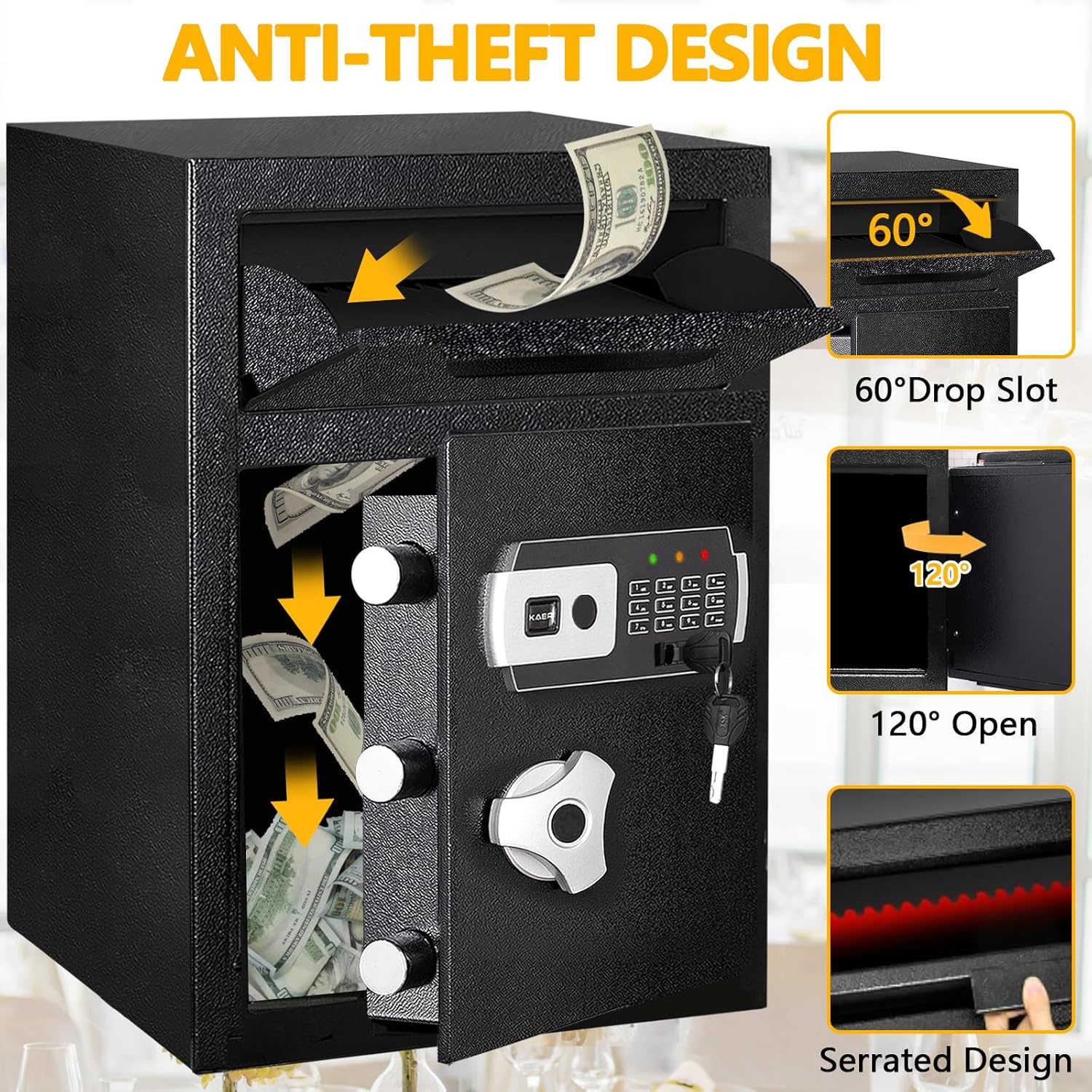
Figure 5.2: Anti-Theft Design Features

Figure 5.3: Secure Cash Deposit via Drop Slot
5.4. Silent Mode Function
To activate or deactivate silent mode, long press the '1' button on the keypad. This will mute or unmute the keypad sounds.
Video 5.1: Operation of the KAER 2.8 Cuft Drop Safe, including digital code entry and silent mode activation.
Video 5.2: Demonstration of the drop slot functionality and overall efficiency of the safe.
6. Maintenance
6.1. Cleaning
Wipe the exterior of the safe with a soft, damp cloth. Avoid using abrasive cleaners or solvents that could damage the finish.
6.2. Battery Replacement
When the red low battery indicator light illuminates, replace the 4 AA alkaline batteries promptly. Open the safe using the current code or emergency key, access the battery compartment, and replace all batteries with new ones.
7. Troubleshooting
7.1. Forgotten Password
If you forget your digital password, use one of the emergency keys to open the safe. Once open, you can reset the password by pressing the red reset button inside the door and following the steps in Section 5.2.
7.2. Low Battery Indicator
A red light indicates low battery. Replace the batteries as described in Section 6.2. If batteries die completely, use the emergency key to open the safe.
7.3. Alarm Activation
The alarm will activate and sound for 20 seconds if an incorrect password is entered three consecutive times. To silence the alarm, open the safe using the emergency key and remove one battery, then reinsert it. The alarm will reset.

Figure 7.1: Anti-Theft Automatic Alarm
8. Specifications
| Feature | Specification |
|---|---|
| Brand | KAER |
| Model Number | f7107bff-0329-49ce-a745-35f79d883aeb |
| Product Dimensions (D x W x H) | 14"D x 14"W x 20.3"H (35.5cm x 35.5cm x 51.5cm) |
| Internal Chamber Dimensions (D x W x H) | 13.2"D x 13.8"W x 19.7"H (33cm x 35cm x 50cm) |
| Capacity | 2.8 cubic feet |
| Lock Type | Electronic, Key |
| Material | Alloy Steel |
| Color | Black |
| Special Feature | Anti-Theft, Anti-Fishing Drop Slot |
| Mounting Type | Floor Mount, Wall Mount |
| Alarm | Activates after three wrong password attempts |
| Power Source | 4 AA Alkaline Batteries (not included) |
| Water Resistance Level | Not Water Resistant |
| GTIN / UPC | 723497609821 |

Figure 8.1: Safe Construction Details
9. Warranty and Support
KAER is committed to providing quality products and customer satisfaction. If you encounter any questions or issues after receiving your product, please contact our customer support team. We are dedicated to providing prompt and professional assistance to resolve any concerns you may have.
For support, please refer to the contact information provided with your purchase or visit the official KAER website.
The product packaging has been upgraded multiple times to minimize the risk of damage during delivery.
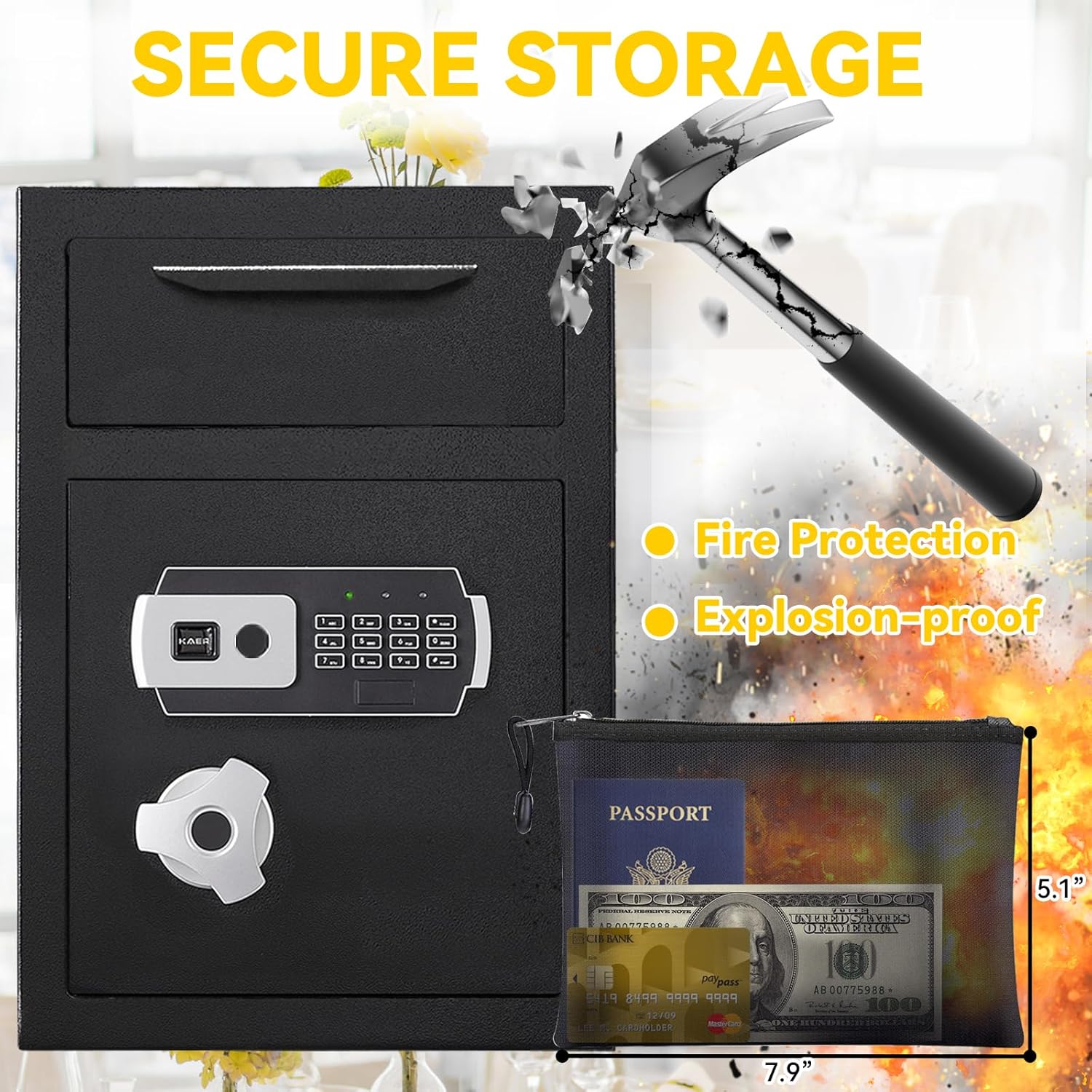
Figure 9.1: Included Fireproof Bag for Document Protection