
Introduction
The Neakasa P2 Pro Dog Grooming Kit is an innovative solution for pet owners seeking a clean and efficient way to groom their furry companions. This all-in-one system combines powerful vacuum suction with a range of professional grooming tools, designed to capture up to 99% of pet hair during grooming, minimizing mess and allergens in your home. Its low-noise design ensures a comfortable experience for your pet, making grooming sessions more enjoyable for both of you.

Image: The Neakasa P2 Pro Dog Grooming Kit, showcasing the main unit, hose, and various attachments, with a golden retriever and a cat in the background, illustrating its use for both dogs and cats.
Setup
Before first use, ensure all components are present and properly assembled. The Neakasa P2 Pro is designed for easy setup to get you grooming quickly.
Unboxing and Component Identification
- Carefully remove all items from the packaging.
- Identify the main vacuum unit, flexible hose, power adapter, and the five included grooming tools: grooming brush, de-shedding tool, electric clipper, nozzle tool, and cleaning brush.
- Locate the five comfort guard combs for the electric clipper (3mm, 6mm, 12mm, 18mm, 24mm).
Assembly Instructions
- Place the main vacuum unit on a stable, flat surface.
- Connect the flexible hose to the designated port on the main unit. Ensure it clicks securely into place.
- Attach the desired grooming tool to the end of the flexible hose. Each tool is designed for easy click-on attachment.
- Plug the power adapter into the main unit and then into a standard electrical outlet.
- Ensure the 2L dust cup is correctly seated in the main unit.
Operating Instructions
The Neakasa P2 Pro offers versatile grooming with its specialized tools and adjustable suction.
Powering On and Suction Adjustment
- Once assembled and plugged in, rotate the knob on the main unit to turn on the vacuum and select your desired suction level (typically 3 speeds available).
- Start with the lowest suction setting, especially for pets new to grooming or sensitive to noise, and gradually increase as needed. The device operates at a low noise level, typically below 52dB.

Image: A woman gently grooming a white cat with the Neakasa P2 Pro, illustrating the device's low noise operation, indicated by a graphic showing less than 52dB.
Using the Grooming Tools
Each tool serves a specific purpose for comprehensive pet care:
- Grooming Brush: Ideal for daily brushing to remove loose hair and tangles, promoting a healthy coat. Move the brush gently in the direction of hair growth. The vacuum will collect the shed hair directly.

Image: Close-up of the grooming brush being used on a cat, showing how it collects loose fur.
- De-shedding Tool: Designed to effectively remove undercoat and loose hair, reducing shedding around your home. Use with gentle, long strokes.

Image: Close-up of the de-shedding tool in action on a dog's fur, illustrating its effectiveness in removing loose undercoat.
- Electric Clipper: For trimming and styling your pet's fur. Attach one of the five comfort guard combs (3mm, 6mm, 12mm, 18mm, 24mm) to achieve desired hair length. Move the clipper smoothly against the direction of hair growth for an even cut.

Image: Close-up of the electric clipper with a guard comb, trimming a dog's fur, showing the integrated vacuum suction.

Image: A visual representation of the five comfort guard combs (3mm, 6mm, 12mm, 18mm, 24mm) that come with the electric clipper, suitable for various hair lengths and pet types.
- Nozzle Tool: Useful for cleaning pet hair from hard-to-reach areas, crevices, or directly from your pet's paws and body after grooming.

Image: Close-up of the nozzle tool effectively vacuuming pet hair and debris from a carpet surface.
- Cleaning Brush: For general cleanup of pet hair from carpets, upholstery, or clothing.

Image: Close-up of the cleaning brush being used to sweep and collect pet hair from a carpeted surface.

Image: A visual guide illustrating the five proven grooming tools included with the Neakasa P2 Pro: Brush, DeShed, Trim (clipper), and Collect (nozzle and cleaning brush).
For best results, groom your pet in a calm environment. Introduce the device gradually to sensitive pets, perhaps with treats, to help them acclimate to the sound and sensation.
Maintenance
Regular maintenance ensures optimal performance and longevity of your Neakasa P2 Pro.
Emptying the Dustbin
The 2L large-capacity dustbin is designed for easy, no-touch emptying. When the dustbin appears full, or suction power decreases:
- Turn off the main unit and unplug it from the power source.
- Carefully detach the dust cup from the main unit.
- Position the dust cup over a trash receptacle.
- Open the lid or release the bottom latch (depending on design) to allow collected hair and debris to fall out.
- Close the lid/latch and reattach the dust cup to the main unit, ensuring it is securely locked in place.
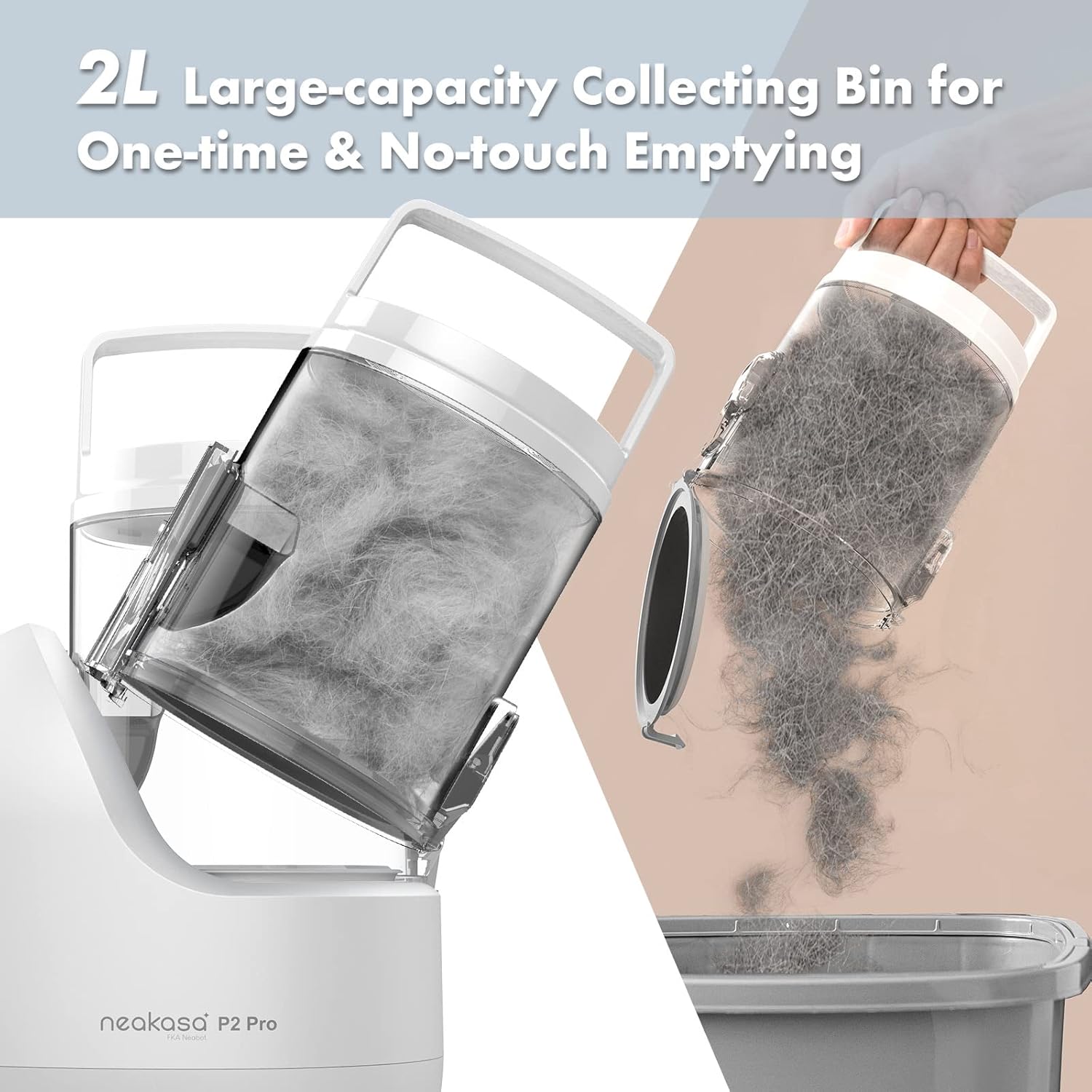
Image: A visual demonstration of the 2L large-capacity collecting bin being emptied, showing the ease of disposing of collected pet hair.
Cleaning Tools and Filters
- Grooming Tools: After each use, detach the grooming tool and remove any trapped hair. Wipe down with a damp cloth. For the clipper blades, use the included cleaning brush to remove hair and apply a drop of clipper oil periodically to maintain sharpness and smooth operation.
- Hose: Check the flexible hose for any blockages, especially after grooming pets with very long or dense fur.
- Filters: The vacuum unit contains filters that should be cleaned regularly to maintain suction efficiency. Refer to the filter compartment for instructions on removal and cleaning (typically rinsing with water and allowing to air dry completely before reinstallation).
Troubleshooting
If you encounter issues with your Neakasa P2 Pro, try these common troubleshooting steps:
| Problem | Possible Cause | Solution |
|---|---|---|
| Reduced Suction Power | Full dustbin; Clogged hose/tool; Dirty filters. | Empty the dustbin. Check hose and tools for blockages and clear them. Clean or replace filters as per maintenance instructions. |
| Clipper Not Cutting Effectively | Blades are dull or clogged with hair; Incorrect comb attachment. | Clean clipper blades thoroughly. Apply clipper oil. Ensure the correct guard comb is securely attached. If blades are dull, consider replacement. |
| Unusual Noise/Vibration | Foreign object in hose/unit; Loose component. | Turn off and unplug the unit. Inspect the hose and main unit for any foreign objects and remove them. Ensure all components are securely attached. |
| Unit Not Turning On | Not plugged in; Power outlet issue; Faulty power adapter. | Ensure the power adapter is fully plugged into both the unit and a working electrical outlet. Test the outlet with another device. If the issue persists, contact customer support. |
If these steps do not resolve the issue, please refer to the Warranty & Support section for further assistance.
Specifications
| Feature | Detail |
|---|---|
| Model Number | P2 Pro |
| Brand | Neakasa |
| Item Weight | 4.69 Kilograms (10.34 Pounds) |
| Product Dimensions (LxWxH) | 11.42 x 5.2 x 8.27 inches |
| Dustbin Capacity | 2 Liters |
| Noise Level | Less than 52dB |
| Included Tools | Grooming brush, De-shedding tool, Electric clipper, Nozzle tool, Cleaning brush |
| Clipper Guard Combs | 3mm, 6mm, 12mm, 18mm, 24mm |
| Material | Plastic |
| Color | Grey |
| Target Audience | Dogs, Cats |
Warranty & Support
Neakasa is committed to providing high-quality products. For specific warranty details, please refer to the documentation included with your purchase or visit the official Neakasa website. Typically, products are covered by a manufacturer's warranty against defects in materials and workmanship.
Return Policy
This product is generally eligible for a 30-day return policy from the date of purchase. Please consult the retailer's return policy where you purchased the product for specific terms and conditions.
Protection Plans
Extended protection plans may be available for purchase to cover your device beyond the standard manufacturer's warranty. Options may include 2-Year or 3-Year Protection Plans, or comprehensive plans like 'Complete Protect'. Details regarding these plans, including pricing and coverage, can be found at the point of purchase or through the respective plan providers.
Customer Support
For technical assistance, troubleshooting beyond this manual, or warranty claims, please contact Neakasa customer support. Contact information can typically be found on the official Neakasa website or through the retailer's customer service portal.