
Introduction
This manual provides comprehensive instructions for the plplaaoo Photo Control Light Sensor. This device is designed to automatically control outdoor lighting based on ambient light levels, offering energy efficiency and convenience. Please read this manual thoroughly before installation and operation to ensure safe and correct usage.
Product Features
- Automatic Photocell Sensor: This fully automatic induction switch controls the opening and closing of streetlights based on natural light changes, offering high sensitivity. It automatically turns on lights at dusk and turns them off at dawn.
- Energy Saving: The photo control light switch manages outdoor lights to turn off during the day and on at night, significantly saving energy.
- IP65 Waterproof: The light control switch is IP65 waterproof, providing a high level of protection against rain and outdoor elements.
- Easy Installation: The street light photo control is small, lightweight, offers strong light transmission, and is easy to transport and install.
- Durable Construction: The housing of this light control switch is made of high-quality plastic, ensuring robustness and durability for long-term use.

Image: The plplaaoo Photo Control Light Sensor shown with streetlights, demonstrating its automatic induction capability to control lighting based on ambient light.
Specifications
| Item Type | Street Light Photo Control |
| Material | Plastic |
| Operating Voltage | 105-305V 50/60Hz |
| Rated Current | 10A |
| Waterproof Rating | IP65 |
| Operating Temperature | -40℃ to +70℃ |
| Load Power | 1000W |
| Output Type | Relay |
| Turn-off Delay | 30 seconds |
| Application | Street lights, highways, gardens, etc. |
| Manufacturer | plplaaoo |
| Model Number | plplaaooew7ug24hyk |
| ASIN | B0BCWVDG85 |
| First Available Date | October 19, 2022 |
Setup and Installation
Safety Precaution: Always ensure the power supply is turned off before attempting any installation or wiring to prevent electrical shock.
- Choose a Location: Select a mounting location where the sensor will be exposed to natural light and not obstructed by artificial light sources (e.g., nearby lamps) that could interfere with its operation. The sensor should face the sky for optimal performance.
- Mount the Sensor: Use the provided mounting bracket to securely attach the sensor to a pole, wall, or junction box. Ensure it is stable and will not move due to wind or other environmental factors.
- Wiring Connections:
- Black Wire: Connect to the incoming 105-305V AC Line (Live) wire.
- White Wire: Connect to the Neutral wire.
- Red Wire: Connect to the Load wire (to the light fixture).
- Verify Installation: Double-check all wiring and mounting. Ensure the sensor is oriented correctly and free from obstructions.
- Restore Power: Once installation is complete and verified, turn the power supply back on.

Image: A side view of the light sensor, showing the mounting bracket and the black, white, and red wires for electrical connection.

Image: A detailed view of the wiring terminals on the sensor, highlighting the connection points for the power and load wires.
Operating Instructions
The plplaaoo Photo Control Light Sensor operates automatically based on ambient light conditions. No manual intervention is required after proper installation.
- Automatic On at Dusk: When the natural light level falls below a certain threshold (dusk), the sensor will automatically activate the connected light fixture.
- Automatic Off at Dawn: When the natural light level rises above a certain threshold (dawn), the sensor will automatically deactivate the connected light fixture.
- Turn-off Delay: The sensor incorporates a 30-second turn-off delay. This feature prevents the light from flickering or turning off prematurely due to transient light changes (e.g., car headlights, lightning flashes).
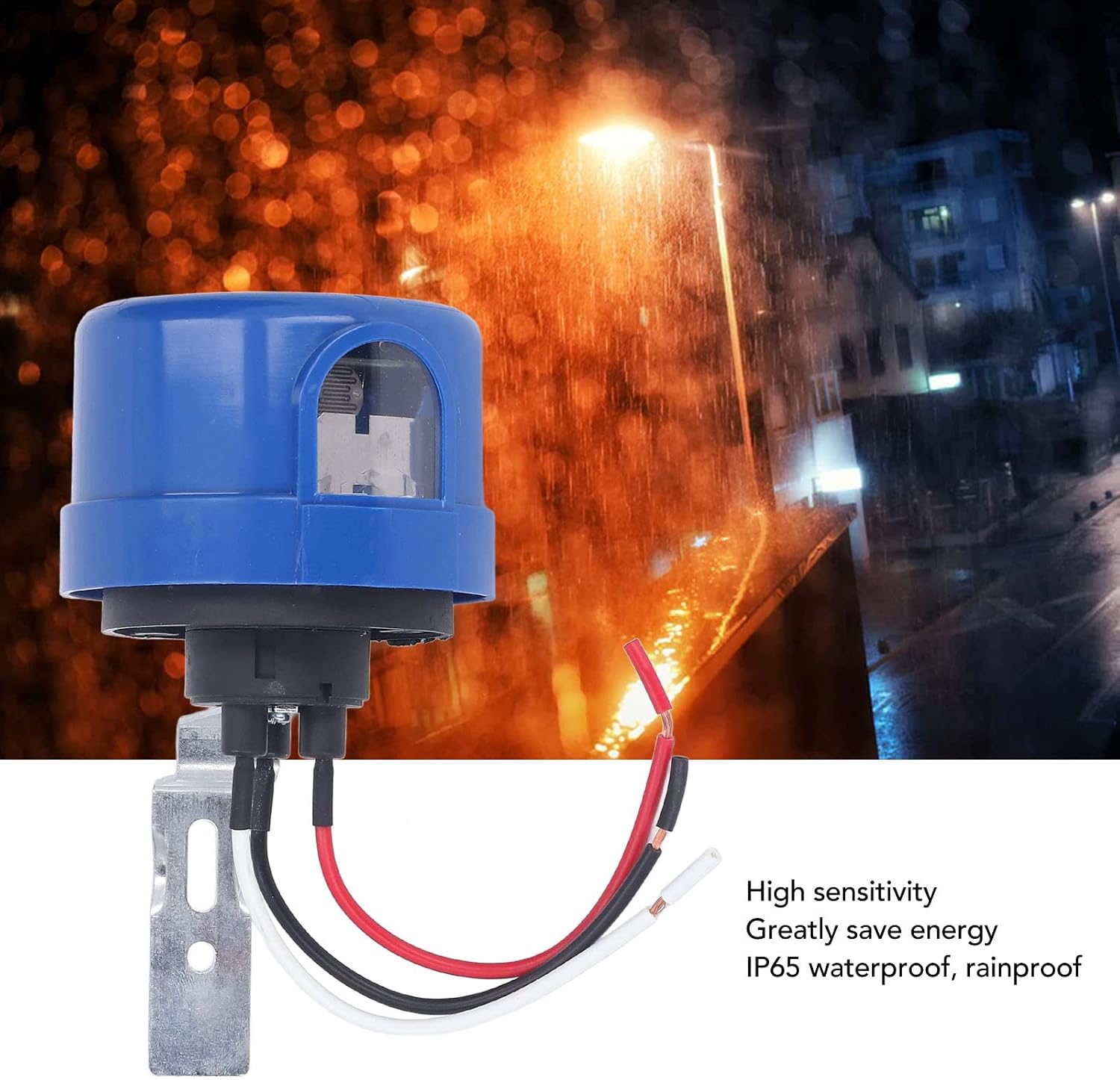
Image: The light sensor operating in a rainy outdoor setting, emphasizing its IP65 waterproof design and high sensitivity for reliable performance.
Maintenance
The plplaaoo Photo Control Light Sensor is designed for minimal maintenance. Follow these guidelines to ensure optimal performance and longevity:
- Keep Sensor Clean: Periodically inspect the sensor's light-sensitive window for dirt, dust, leaves, or other debris. Gently clean it with a soft, damp cloth if necessary. Avoid using abrasive cleaners or solvents.
- Check Connections: Annually, or if issues arise, inspect the wiring connections to ensure they remain secure and free from corrosion.
- Environmental Factors: Ensure no new obstructions (e.g., growing foliage, new structures) are blocking the sensor's view of natural light.

Image: A close-up of the sensor's transparent window, which houses the photocell responsible for detecting light levels. Keeping this area clean is crucial for proper function.
Troubleshooting
If you encounter issues with your photo control light sensor, refer to the following troubleshooting steps:
| Problem | Possible Cause | Solution |
|---|---|---|
| Light stays on during the day. | Sensor is obstructed or dirty; Sensor is faulty; Incorrect wiring. | Clean the sensor window. Check for obstructions. Verify wiring connections. If problem persists, sensor may need replacement. |
| Light does not turn on at night. | No power to the sensor; Sensor is faulty; Light fixture is faulty; Incorrect wiring. | Check power supply to the sensor. Test the light fixture independently. Verify wiring connections. If problem persists, sensor may need replacement. |
| Light flickers or cycles on/off rapidly. | Interference from artificial light sources (e.g., car headlights, streetlights); Sensor is faulty. | Relocate the sensor away from interfering light sources. Ensure the sensor window is clean. If problem persists, sensor may need replacement. |
| Light turns off too early or too late. | Sensor placement is not optimal; Environmental factors. | Ensure the sensor has an unobstructed view of natural light. Avoid placing it under eaves or in shaded areas. |
Warranty Information
Warranty information for the plplaaoo Photo Control Light Sensor is not explicitly specified in the provided product details. Please refer to the retailer or manufacturer's official website for any applicable warranty terms and conditions.
Support
For technical support or further assistance with your plplaaoo Photo Control Light Sensor, please contact the retailer where the product was purchased or visit the official plplaaoo website for customer service contact information.