
1. Introduction
Thank you for choosing the 7AM2M Sonic Electric Toothbrush. This manual provides essential information for the safe and effective use of your new toothbrush. Please read it thoroughly before first use and retain it for future reference.
2. Product Features
- High Power Sonic Technology: Delivers effective cleaning for adults and children.
- 5 Adjustable Modes: Includes Clean, White, Polish, Sensitive, and Milder to suit various oral care needs.
- Built-in 2-Minute Smart Timer: Ensures scientific brushing time, with a 30-second interval reminder to change brushing areas.
- IPX7 Waterproof: Allows for easy rinsing and safe use in the shower.
- Long Battery Life: 4 hours fast charge provides up to 30 days of use.
- 8 Replacement Brush Heads: Provides over 24 months of use, ensuring consistent cleaning performance.

Image: The 7AM2M Sonic Electric Toothbrush in black, shown with its packaging and a set of 8 replacement brush heads. The packaging highlights 5 modes and the model number AM106.

Image: A close-up of the black 7AM2M Sonic Electric Toothbrush handle, with text indicating the five available brushing modes: Clean, White, Polish, Milder, and Sensitive.
3. Setup
- Unpack: Carefully remove all components from the packaging.
- Attach Brush Head: Align the brush head with the shaft of the toothbrush handle and press down firmly until it clicks into place.
- Initial Charge: Before first use, fully charge the toothbrush for approximately 4 hours. Refer to the 'Charging' section for details.
4. Operating Instructions
4.1 Power On/Off
- Press the power button once to turn the toothbrush on.
- Press and hold the power button for 2 seconds to turn the toothbrush off.
4.2 Changing Modes
- With the toothbrush powered on, press the power button repeatedly to cycle through the 5 modes: Clean, White, Polish, Sensitive, Milder.
- The indicator light next to the selected mode will illuminate.
4.3 Brushing Technique
- Apply a small amount of toothpaste to the brush head.
- Place the brush head against your teeth at a slight angle towards the gum line.
- Move the brush slowly across your teeth, allowing the sonic vibrations to clean each surface. Do not scrub vigorously.
- The 2-minute smart timer will automatically stop the toothbrush after 2 minutes of brushing.
- A brief pause every 30 seconds will remind you to move to a different quadrant of your mouth (upper right, upper left, lower right, lower left).

Image: The black 7AM2M Sonic Electric Toothbrush handle with a visual representation of a 2-minute timer and a 30-second zone change prompt, emphasizing scientific brushing habits.
4.4 Waterproof Feature
- The toothbrush is IPX7 waterproof, meaning it can be safely rinsed under running water and used in the shower.
- Do not submerge the toothbrush in water for extended periods.

Image: The black 7AM2M Sonic Electric Toothbrush surrounded by splashing water, illustrating its IPX7 waterproof capability.
5. Maintenance
5.1 Brush Head Replacement
- It is recommended to replace the brush head every 3 months for optimal cleaning performance and hygiene.
- To replace, pull the old brush head straight off the handle and push a new one on until it clicks.

Image: Eight black replacement brush heads for the 7AM2M Sonic Electric Toothbrush, with text indicating that 8 brush heads provide 24 months of use and should be replaced regularly every three months.
5.2 Cleaning the Toothbrush
- After each use, rinse the brush head and handle under running water.
- Wipe the handle with a soft cloth to remove any residue.
- Ensure the charging port is dry before charging.
6. Charging
- When the battery is low, the indicator light will flash.
- Connect the charging cable to the charging port at the bottom of the toothbrush and plug it into a compatible USB power source.
- A full charge takes approximately 4 hours and provides up to 30 days of regular use.
- The indicator lights will show charging progress and turn solid when fully charged.
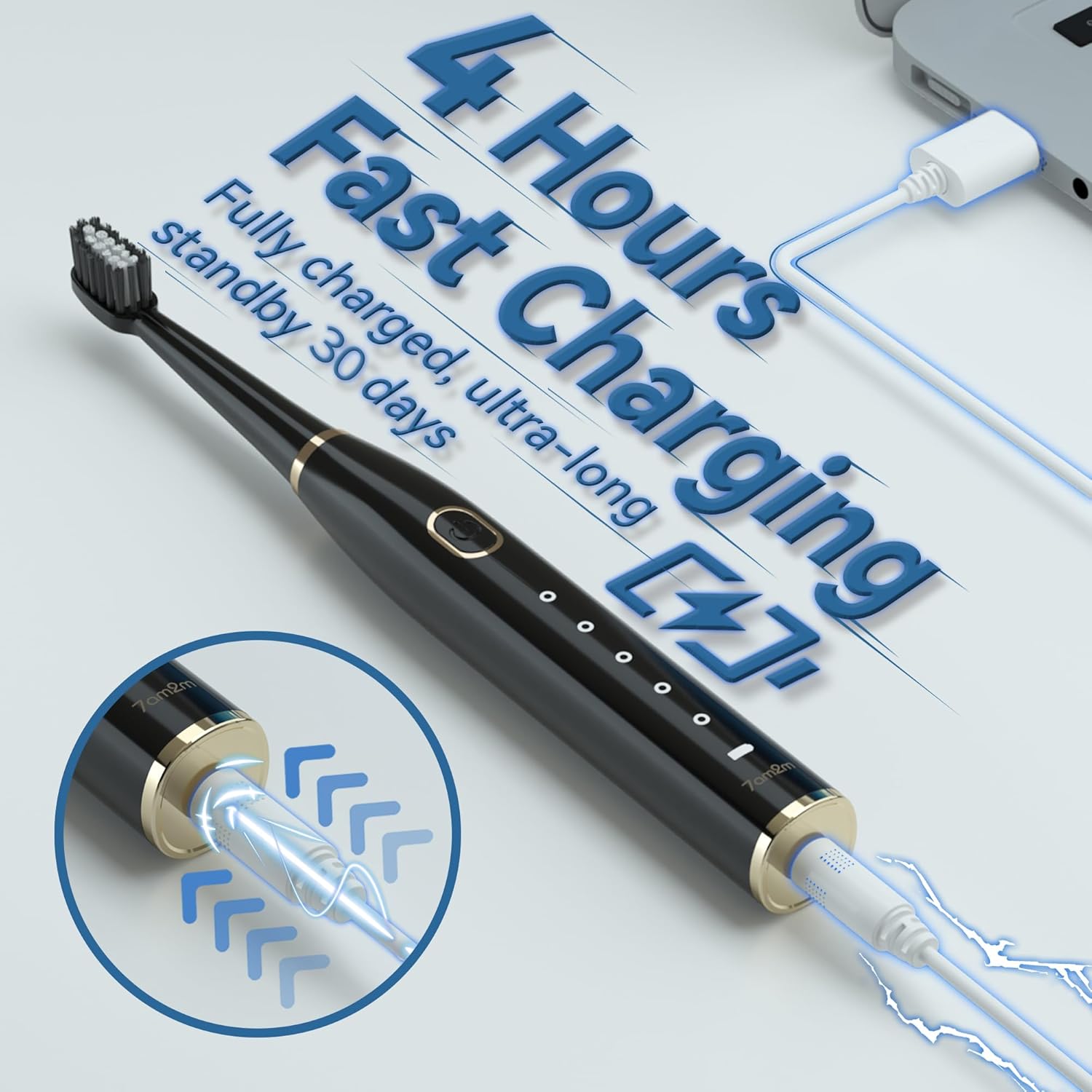
Image: The black 7AM2M Sonic Electric Toothbrush connected to a USB charging cable, illustrating its 4-hour fast charging capability for 30 days of standby time.
7. Troubleshooting
| Problem | Possible Cause | Solution |
|---|---|---|
| Toothbrush does not turn on. | Low battery or not charged. | Charge the toothbrush for 4 hours. |
| Toothbrush does not charge. | Charging cable not properly connected or faulty power source. | Ensure cable is securely connected. Try a different USB power adapter or port. |
| Vibrations feel weak. | Low battery or brush head worn out. | Charge the toothbrush. Replace the brush head if it has been used for over 3 months. |
| Brush head falls off during use. | Brush head not securely attached. | Ensure the brush head is firmly pressed onto the shaft until it clicks. |
8. Specifications
| Feature | Detail |
|---|---|
| Model Number | US-AM106-BALCK |
| Power Source | Battery Powered (1 Lithium Ion battery included) |
| Waterproof Rating | IPX7 |
| Brushing Modes | 5 (Clean, White, Polish, Sensitive, Milder) |
| Smart Timer | 2-minute auto-off with 30-second interval reminders |
| Charge Time | Approx. 4 hours |
| Battery Life | Up to 30 days |
| Item Firmness | Soft |
| Package Dimensions | 7.91 x 4.21 x 1.3 inches |
| Item Weight | 6.49 ounces |
9. Safety Information
- Replace brush head every 3 months.
- Do not use in areas without proper drainage.
- This product is not intended to diagnose, treat, cure, or prevent any disease or health condition. Consult a dental professional for specific oral health concerns.
- Keep out of reach of small children.
- Do not disassemble or attempt to repair the device yourself.
10. Warranty and Support
For any questions, concerns, or support needs regarding your 7AM2M Sonic Electric Toothbrush, please contact the seller directly through your Amazon account. Navigate to "Your orders," find the order ID for this product, and click "Contact seller."


