
Introduction
Thank you for choosing the ESR Rebound Series Keyboard Case. This manual provides essential information for setting up, operating, maintaining, and troubleshooting your new keyboard case. Designed to enhance your iPad experience, this case combines robust protection with the functionality of a full-sized keyboard and multi-touch trackpad, transforming your tablet into a versatile productivity tool.

The ESR Rebound Series Keyboard Case with an iPad securely attached, ready for use.
Compatibility
This keyboard case is specifically designed for the following iPad models:
- iPad 11th Generation (A16, 2025): Models A3354, A3355, A3356, A2696, A2757, A2777, A3162
- iPad 10th Generation (2022): Models A2696, A2757, A2777
To verify your iPad model number, check the back of your iPad or go to Settings > General > About.
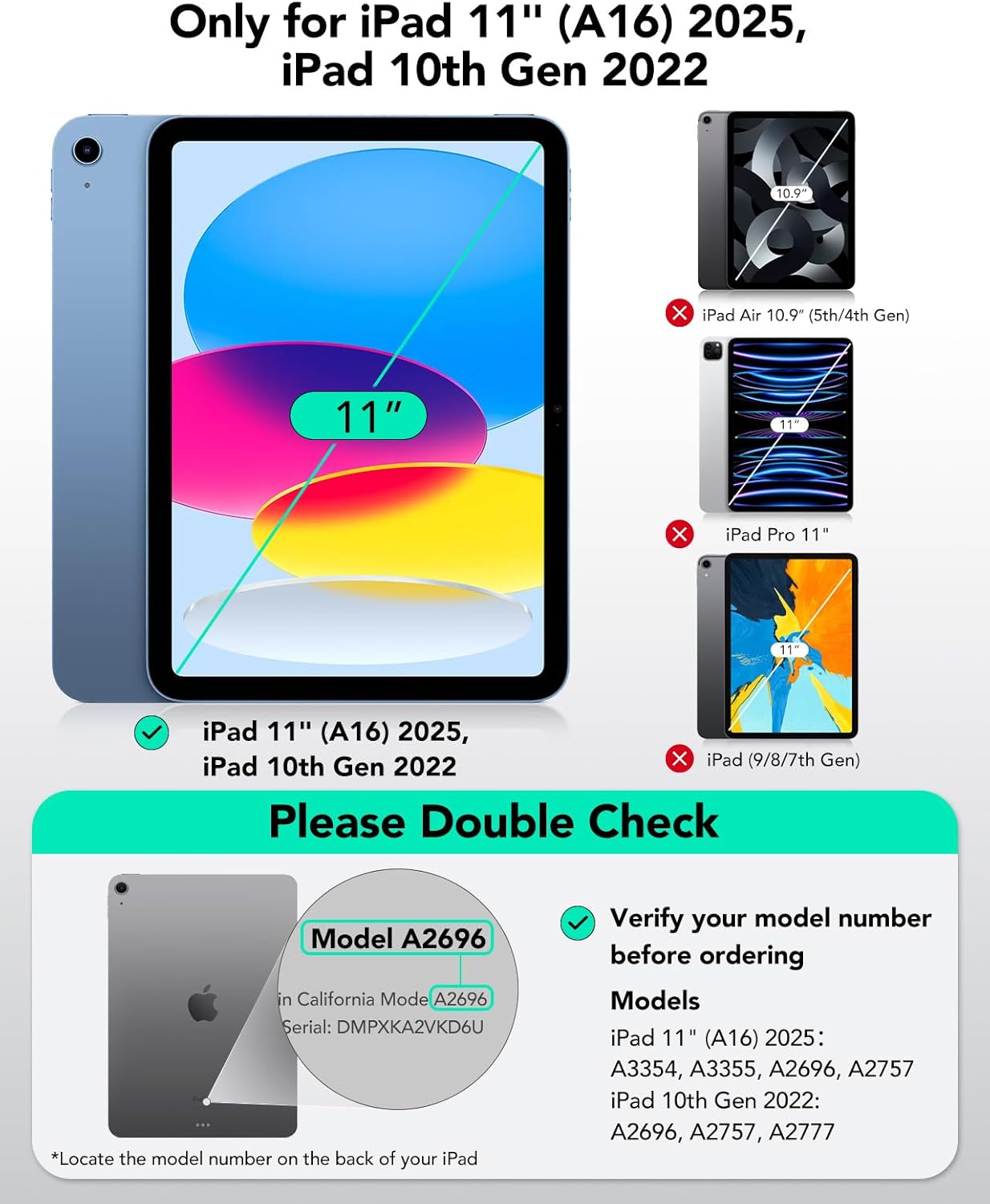
Visual guide for compatible iPad models (iPad 11" (A16) 2025, iPad 10th Gen 2022) and how to check your model number.

Important note: This keyboard case is not compatible with iPad Air 11" (M3) 2025, iPad Air 11" (M2) 2024, or iPad Pro 11" models.
What's in the Box
Your ESR Rebound Series Keyboard Case package includes:
- ESR Rebound Series Keyboard Case with Cantilever Stand
Setup
Attaching Your iPad
- Align your compatible iPad with the magnetic back panel of the keyboard case.
- The ultra-strong magnets will securely snap your iPad into place, ensuring a stable connection.
Bluetooth Pairing
- Ensure your keyboard case is charged (refer to Battery Information section).
- Turn on the keyboard using the power switch, usually located on the side or back of the keyboard.
- On your iPad, go to Settings > Bluetooth and ensure Bluetooth is turned on.
- Look for "ESR Keyboard" or a similar name in the list of available devices and tap to connect.
- If prompted, enter the pairing code displayed on your iPad using the keyboard and press Enter.
- Once connected, the keyboard will automatically pair with your iPad when turned on and within range.
Operating Instructions
Floating Cantilever Stand
The integrated floating cantilever stand allows you to adjust your iPad to the perfect viewing angle for typing, drawing, or browsing. Simply open the case and position your iPad as desired. The stand provides a stable and elevated experience.

The floating cantilever stand provides a stable and adjustable viewing angle, up to 130 degrees.
Keyboard Usage
The keyboard features larger, perfectly spaced keys with a high-quality scissor mechanism for quiet, smooth, and accurate typing. It offers a premium laptop-style typing experience.
Backlit Keys
The keys are backlit, allowing for comfortable typing in low-light conditions. Refer to the keyboard's function keys for adjusting brightness and color modes (if applicable).
Multi-Touch Trackpad
The extended, ultra-sensitive multi-touch trackpad supports various gestures for precise navigation. You can tap, pinch, and swipe to control your iPad. Multi-touch gestures require iPadOS 14.5 or higher.

The precision trackpad allows for intuitive navigation and gesture control on your iPad.
Secure Magnetic Lock
The case utilizes a secure magnetic lock with 1,800g of holding force to ensure your tablet stays firmly in place, whether you are typing or carrying it.
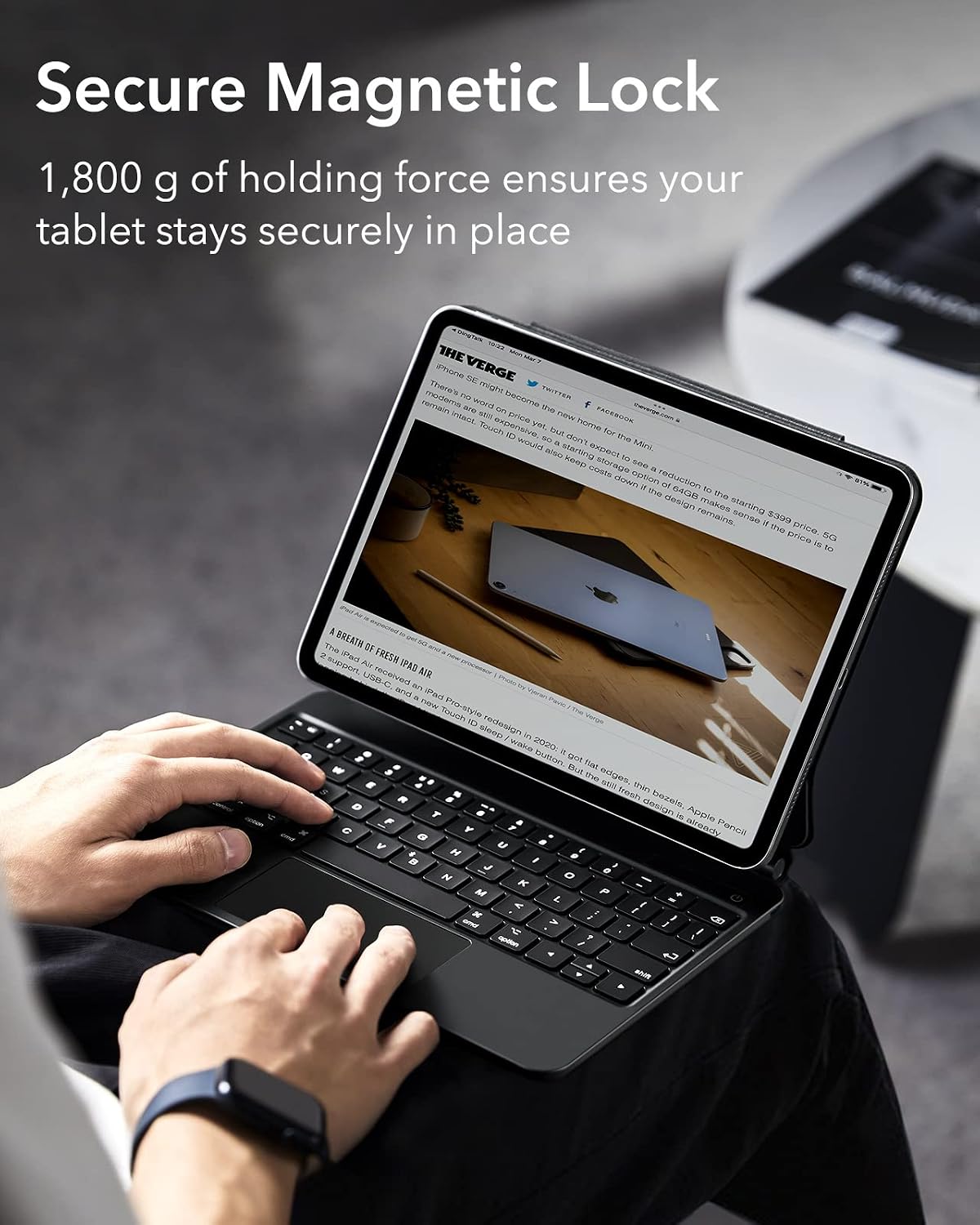
The strong magnetic connection keeps your iPad securely in position.
On-the-Go Protection
The case provides comprehensive protection against scratches and bumps, safeguarding your iPad when you are out and about.

The durable design offers reliable protection for your iPad during transport.
Magnetic Clasp
A magnetic clasp is included to keep your tablet and Apple Pencil secure when the case is closed.

The magnetic clasp ensures your iPad and Apple Pencil remain safely enclosed.
Battery Information
The ESR Rebound Series Keyboard Case is equipped with a long-lasting battery to minimize charging frequency.
- Standby Time: Approximately 1 year
- Day Use: Approximately 3 months (based on 2 hours a day with backlit keys off)
- Night Use: Approximately 2 weeks (based on 2 hours a day with backlit keys on)
To charge the keyboard, connect it to a power source using the provided charging cable. The battery status may be visible in your iPadOS Battery widget once connected.

Overview of the keyboard's impressive battery life for various usage scenarios.
Care and Maintenance
- Cleaning: Use a soft, damp cloth to wipe down the exterior of the case and keys. Avoid harsh chemicals or abrasive materials.
- Storage: When not in use for extended periods, ensure the keyboard is turned off to conserve battery life. Store in a cool, dry place.
- Handling: Avoid dropping the case or exposing it to extreme temperatures or liquids.
Troubleshooting
Keyboard Not Connecting/Pairing
- Check Power: Ensure the keyboard is turned on and has sufficient battery charge.
- Bluetooth On: Verify that Bluetooth is enabled on your iPad (Settings > Bluetooth).
- Forget Device: If previously paired, try forgetting the device on your iPad's Bluetooth settings and re-pairing.
- Restart: Restart both your iPad and the keyboard.
- Proximity: Ensure the keyboard and iPad are within close range (typically 10 meters or 33 feet).
Trackpad Lag or Unresponsiveness
- iPadOS Version: Ensure your iPad is running iPadOS 14.5 or higher for optimal multi-touch trackpad performance.
- Settings: Adjust trackpad settings on your iPad (Settings > General > Trackpad & Mouse). Some users find turning off 'Inertia' helpful.
- Clean Trackpad: Ensure the trackpad surface is clean and free of debris.
Keys Not Responding
- Re-pair: Try disconnecting and re-pairing the Bluetooth connection.
- Charge: Ensure the keyboard is charged.
- Clean: Check for any debris under the keys that might be preventing proper function.
Product Specifications
| Brand | ESR |
| Model Number | 4894240165324 |
| Compatible Devices | iPad 11th(A16,2025)/10th Generation |
| Connectivity Technology | Bluetooth |
| Keyboard Description | Multi Functional |
| Special Feature | Magnetic |
| Color | Black |
| Number of Keys | 78 |
| Keyboard Backlighting Color Support | Single Color |
| Style | US English |
| Product Dimensions | 10 x 6.7 x 0.51 inches (10"L x 6.7"W x 0.51"H) |
| Item Weight | 1.85 pounds |
| Manufacturer | Electronic Silk Road Corp |
| Date First Available | September 2, 2022 |
Warranty and Support
ESR products are designed with quality and customer satisfaction in mind. For warranty information, product support, or to contact customer service, please visit the official ESR website or refer to the contact information provided with your purchase documentation.
You can also visit the ESR Store on Amazon for more information and related products: ESR Amazon Store