
1. Introduction
Thank you for choosing the ELEMARA 12V Electric Bumper Car. This manual provides essential information for the safe assembly, operation, and maintenance of your new bumper car. Please read this manual thoroughly before use and retain it for future reference. This product is designed for toddlers and features two driving modes, remote control functionality, LED lights, and customizable DIY stickers.
2. Safety Information
- Adult Supervision Required: Always ensure direct adult supervision when the bumper car is in use. Never leave a child unattended.
- Safe Operating Environment: Use the bumper car on flat, dry surfaces. Avoid roads, near cars, steep inclines, steps, swimming pools, or other bodies of water.
- Rider Limit: This bumper car is designed for one rider only.
- Safety Belt: Always ensure the child is securely fastened with the safety belt before operation.
- Charging Safety: Do not charge the battery for more than 20 hours to prevent damage and ensure longevity. Use only the provided charger.
- Battery Handling: Batteries can fall out and injure a child if the vehicle tips over. Always ensure the battery bracket is properly assembled over the battery. Prevent fire by not altering the electrical system or using an incorrect charger.
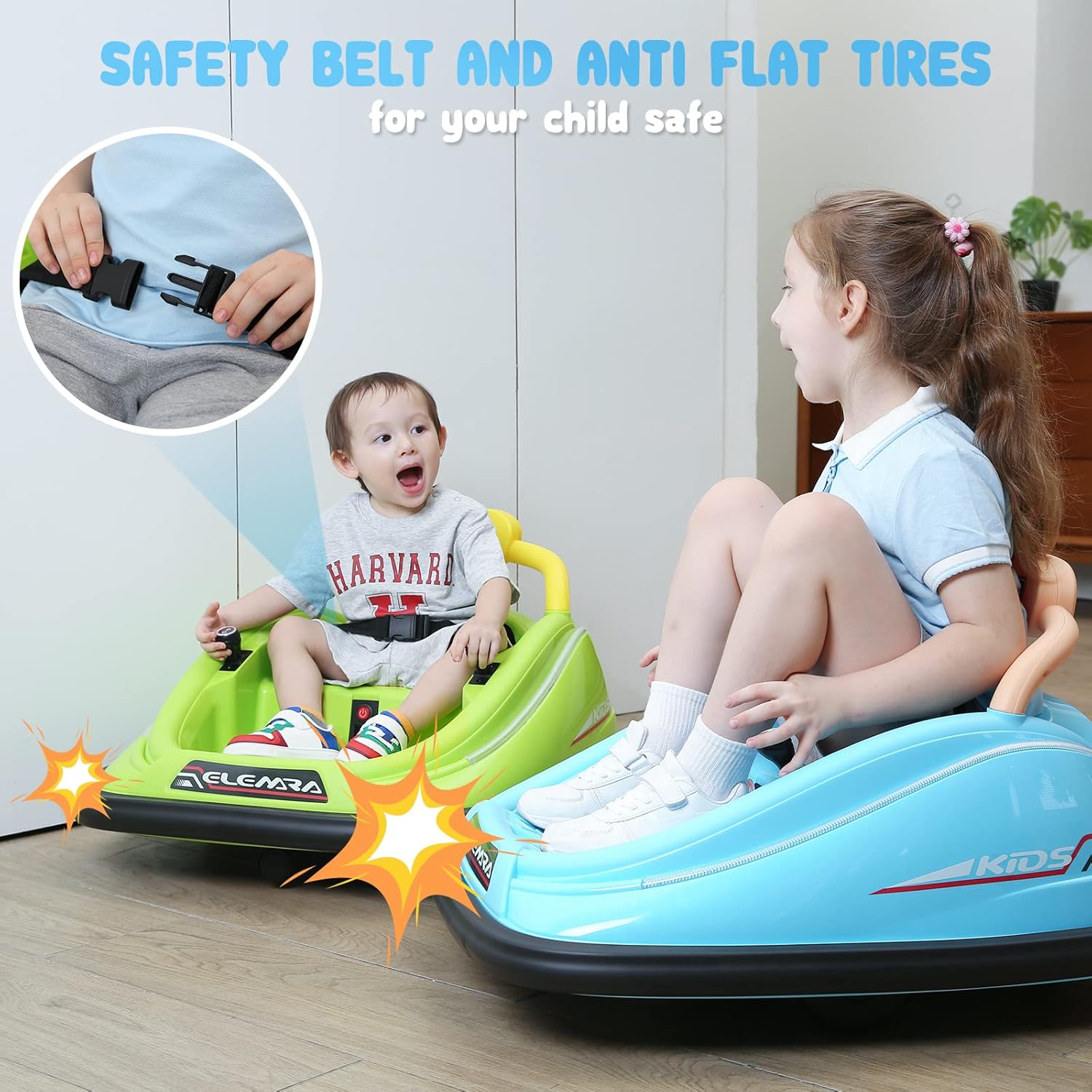
Image: A child fastening the safety belt inside the bumper car, emphasizing the importance of safety before operation.

Image: A close-up view of a child's hands buckling the safety belt, highlighting the secure fastening mechanism.
3. What's in the Box & Setup
3.1 Package Contents
- ELEMARA Bumper Car
- Instruction Manual
- Remote Control
- Charger
- DIY Stickers
3.2 Initial Setup
- Unpacking: Carefully remove all components from the packaging.
- Assembly: Refer to the detailed assembly instructions provided in the separate assembly guide (if applicable) or within this manual. Ensure all parts are securely connected.
- Initial Charge: Before first use, fully charge the 12V battery. Connect the charger to the charging port on the bumper car and plug it into a standard wall outlet. Do not exceed 20 hours for charging.
- Apply DIY Stickers: Personalize your bumper car with the included DIY stickers. This can be a fun activity for parents and children together.

Image: An adult and a child applying DIY stickers to a pink bumper car, illustrating the customization feature.

Image: A close-up of the charging port on the bumper car, showing where to connect the charger.
4. Product Features
- Two Driving Modes: Children can drive independently using the joysticks, or parents can control the car using the remote control.
- 360-Degree Spin: The bumper car is capable of full 360-degree spins, adding to the fun.
- LED Lights: Equipped with colorful LED lights for enhanced visibility and enjoyment.
- Safety Features: Includes a safety belt and soft anti-flat tires for a secure and smooth ride.
- Rechargeable 12V Battery: Provides 1-2 hours of continuous riding fun on a full charge.
- Maximum Speed: The car operates at a maximum speed of 1.9 MPH, balancing fun with safety.

Image: Two ELEMARA bumper cars, one blue and one pink, showcasing their design and LED lights.

Image: A blue bumper car performing a 360-degree spin, with arrows illustrating its rotational capability.

Image: Two children happily riding bumper cars, with graphics highlighting the 12V battery and 1.9 MPH maximum speed.
Video: An official product video titled "ELEMARA 12V Bumper Car for Toddlers - Your kid's First Car," demonstrating various features and children enjoying the bumper car.
5. Operating Instructions
5.1 Powering On/Off
Locate the power button on the control panel inside the car. Press it to turn the car on or off. An indicator light will illuminate when the car is powered on.
5.2 Manual Driving Mode
Once powered on and the safety belt is fastened, the child can use the two joysticks to control the bumper car. Moving both joysticks forward will move the car forward, pulling both back will move it backward. Moving one joystick forward and the other backward will initiate a spin.
5.3 Remote Control Mode
Parents can use the included remote control for added safety and guidance. The remote control allows parents to steer the car and can override manual controls. To activate parental control, ensure the car's joysticks are in a neutral position. The remote control can also lock the car's joysticks for exclusive parental operation.
5.4 Charging the Battery
When the battery is low, connect the charger to the input port on the car and then to a power outlet. The charging indicator will show the charging status. A full charge typically takes 8-12 hours, but never exceed 20 hours. Disconnect the charger once charging is complete.
6. Maintenance
- Cleaning: Wipe the car's surface with a damp cloth. Do not use harsh chemicals or abrasive cleaners.
- Battery Care: To prolong battery life, charge it regularly, even if the car is not in frequent use. Avoid completely draining the battery. Store the car with a fully charged battery.
- Storage: Store the bumper car in a dry, cool place away from direct sunlight and moisture.
- Inspection: Periodically check all screws, connections, and the safety belt for tightness and wear.
7. Troubleshooting
If the bumper car is not functioning as expected, please check the following:
- Car Not Moving: Ensure the car is powered on, the battery is charged, and all connections are secure. If using the remote control, ensure it is paired correctly and has fresh batteries.
- Reduced Performance: A low battery charge can lead to reduced speed or responsiveness. Recharge the battery fully.
- Remote Control Issues: Check the remote control's batteries. Ensure there are no obstructions between the remote and the car.
For persistent issues, please contact ELEMARA customer support.
8. Specifications
| Feature | Detail |
|---|---|
| Product Dimensions | 25 x 17.3 x 30 inches |
| Item Weight | 23.7 pounds |
| Model Number | JQ6688 |
| Manufacturer Recommended Age | 3 - 8 years |
| Battery | 12V Rechargeable |
| Max Speed | 1.9 MPH |

Image: A diagram illustrating the key dimensions (length, width, height) of the ELEMARA bumper car.
9. Warranty and Support
For warranty information, technical support, or any questions regarding your ELEMARA Bumper Car, please refer to the contact information provided on the product packaging or visit the official ELEMARA website. Keep your purchase receipt as proof of purchase for any warranty claims.


