
1. Introduction
Thank you for choosing the Tupavco 10-inch 1U 4-Outlet Rack Power Distribution Unit (PDU), Model TP1713. This manual provides essential information for the safe and efficient installation, operation, and maintenance of your PDU. Please read these instructions thoroughly before use and retain them for future reference.
2. Product Overview
The Tupavco TP1713 is a compact 1U power distribution unit designed for 10-inch mini-racks and network cabinets. It provides four NEMA 5-15 outlets, allowing you to power multiple devices within your rack setup. Its robust construction ensures reliable performance, and the integrated overload protection safeguards your connected equipment.
- Compact 10-inch Design: Specifically engineered to fit 10-inch mini-racks or half-racks, optimizing space.
- 4 NEMA 5-15 Outlets: Provides power access for up to four devices.
- Overload Protection: Features a built-in reset switch to protect electrical equipment from excessive current.
- Durable Construction: Made with industrial-grade steel and aluminum housing for long-lasting reliability.
- Easy Installation: Designed for straightforward horizontal mounting within a rack.
- 6-Foot Power Cable: Offers flexible placement options.
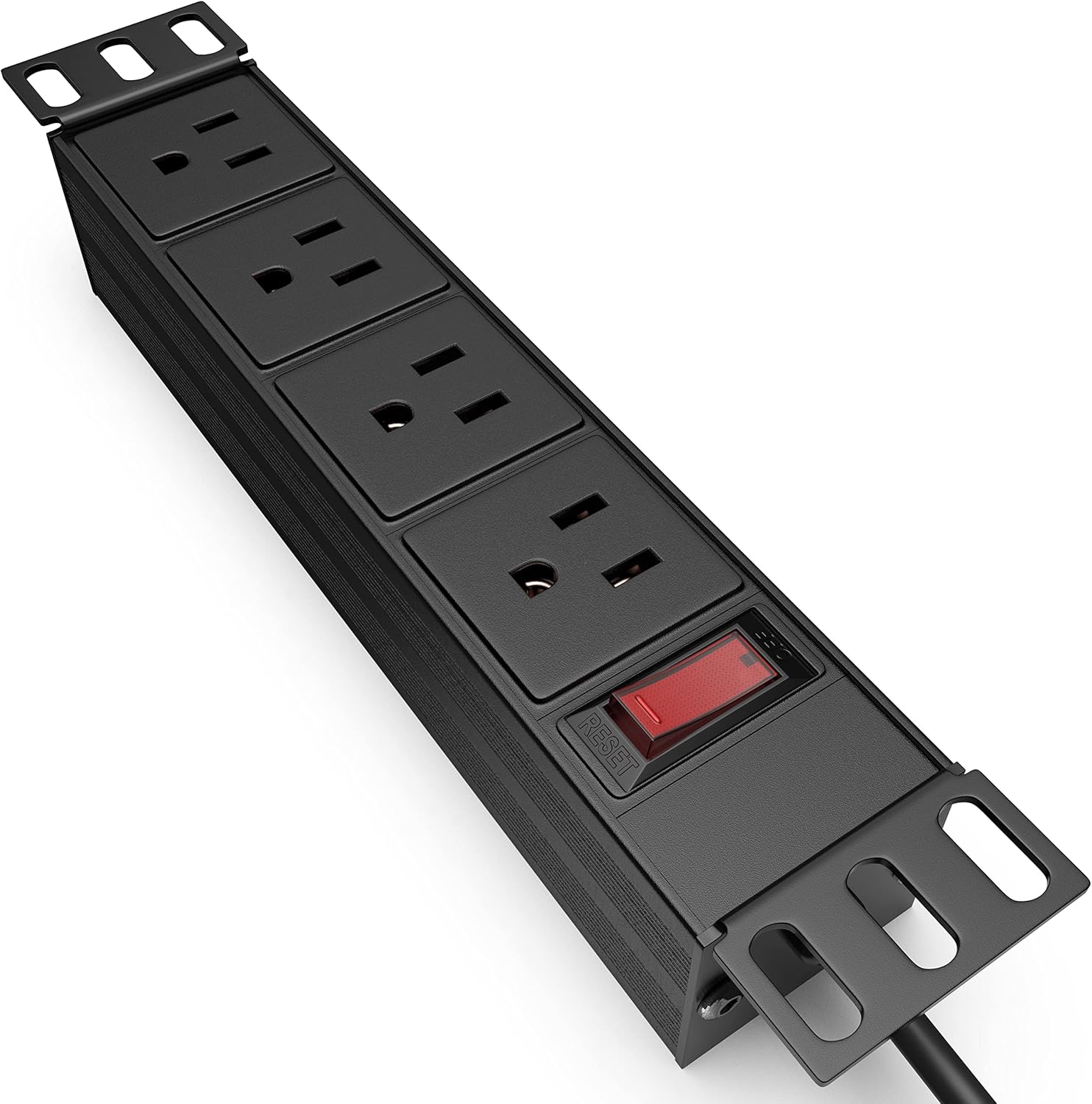
Figure 2.1: Angled view of the Tupavco TP1713 PDU, showing the four outlets and the power switch with reset button.
Video 2.1: An overview of the Tupavco Rack PDU, highlighting its features and design. This video demonstrates the product's physical attributes and intended use.
3. Safety Information
Please observe the following safety precautions to prevent injury or damage to the product and connected equipment:
- Do not exceed the maximum electrical rating of 15 Amps / 110 Volts.
- Ensure the PDU is connected to a properly grounded outlet.
- Do not open the PDU casing; there are no user-serviceable parts inside.
- Avoid exposing the PDU to moisture or extreme temperatures.
- Keep children and pets away from the PDU and connected cables.
- If the overload protection switch trips, disconnect some devices before resetting.
4. Package Contents
Verify that all items are present in the package:
- 1 x Tupavco 10-inch 1U 4-Outlet Rack PDU (Model TP1713)
- Mounting hardware (screws and cage nuts for rack installation)

Figure 4.1: The Tupavco TP1713 PDU with its integrated 6-foot power cord, as typically found in the package.
5. Setup and Installation
The PDU is designed for horizontal mounting in a standard 10-inch rack. The mounting brackets are reversible, allowing for flexible installation.
5.1. Rack Mounting
- Identify the desired 1U space in your 10-inch rack.
- Align the mounting brackets of the PDU with the rack rails.
- Secure the PDU to the rack using the provided screws and cage nuts. Ensure it is firmly attached.
- Optional: If you need to orient the outlets differently, the end caps with mounting brackets can be removed and flipped 180 degrees for surface mounting or alternative rack configurations.
5.2. Power Connection
- Plug the PDU's 6-foot power cord into a grounded 110V/15A wall outlet or an uninterruptible power supply (UPS).
- Ensure the power switch on the PDU is in the 'OFF' position before connecting devices.

Figure 5.1: The PDU illustrating its 10-inch outer and 8.5-inch inner dimensions, confirming its compatibility with mini-racks.
6. Operating Instructions
6.1. Connecting Devices
- With the PDU's power switch in the 'OFF' position, plug your electronic devices into the available NEMA 5-15 outlets.
- Ensure all plugs are fully inserted into the outlets.
6.2. Powering On/Off
- To supply power to the connected devices, press the red power switch to the 'ON' position. The switch will illuminate (if applicable) to indicate power is active.
- To cut power to all connected devices, press the red power switch to the 'OFF' position.
6.3. Overload Protection
The PDU features a built-in circuit breaker with a reset switch. If the total current draw from connected devices exceeds 15 Amps, the circuit breaker will trip, cutting power to protect the PDU and your equipment. The red power switch will pop out or move to the 'OFF' position.
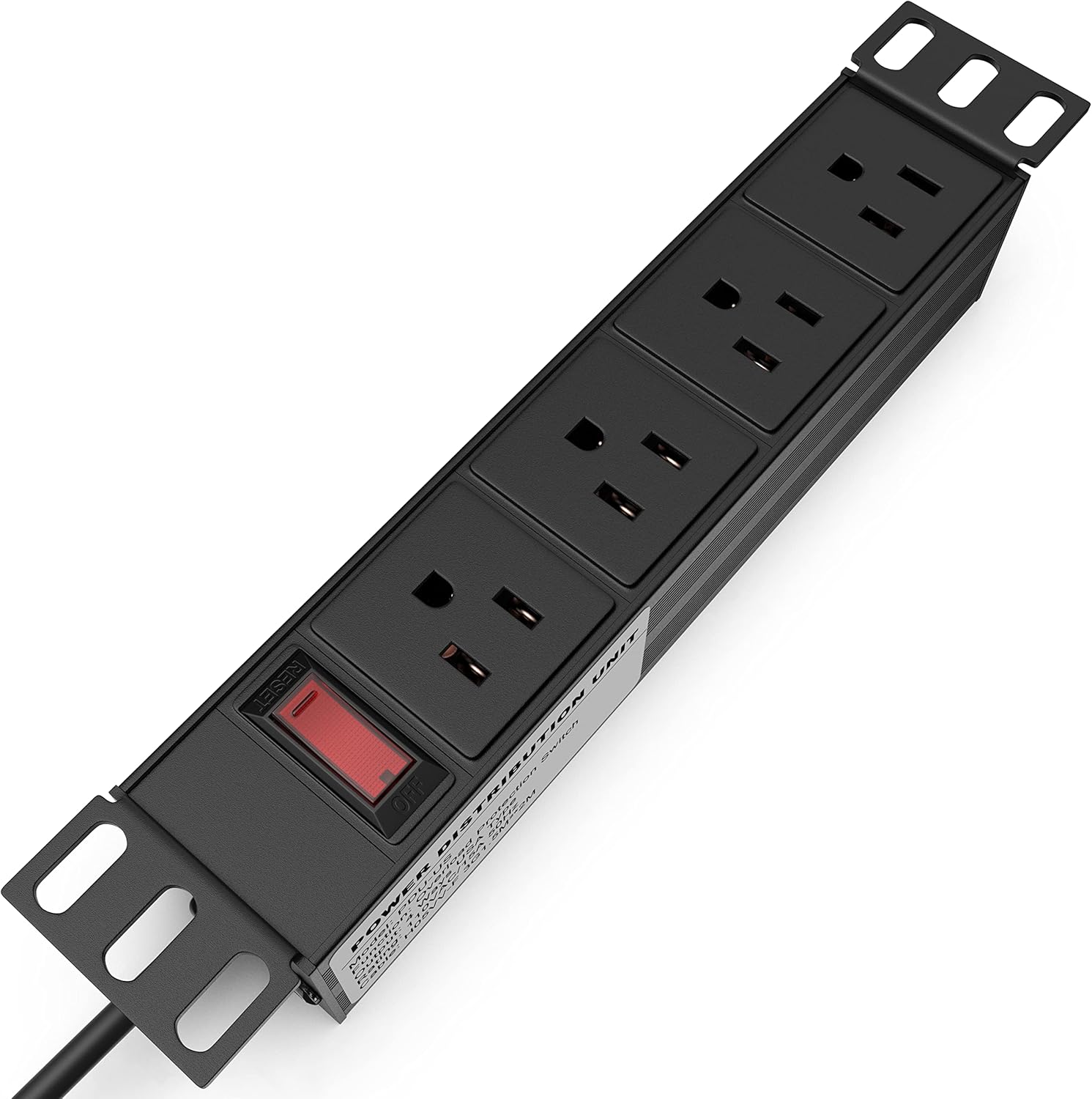
Figure 6.1: Detail of the PDU's NEMA 5-15 outlets and the illuminated power switch with integrated reset function.
7. Maintenance
To ensure optimal performance and longevity of your PDU:
- Keep the PDU clean and free from dust. Use a dry, soft cloth for cleaning.
- Regularly inspect the power cord and plugs for any signs of damage. Do not use if damaged.
- Ensure proper ventilation around the PDU to prevent overheating.
8. Troubleshooting
8.1. No Power to Devices
- Check Power Switch: Ensure the PDU's power switch is in the 'ON' position.
- Check Wall Outlet: Verify that the wall outlet supplying power to the PDU is functional. Test with another device.
- Check Overload Protection: If the power switch has tripped (popped out), it indicates an overload. Disconnect some devices, then press the switch back in to reset.
- Inspect Cables: Ensure the PDU's power cord and device cables are securely connected and undamaged.
8.2. PDU Feels Warm
- It is normal for the PDU to feel slightly warm during operation.
- If it feels excessively hot, disconnect devices immediately. This may indicate an overload or a fault. Reduce the load or contact support.
9. Specifications
| Feature | Specification |
|---|---|
| Model Number | TP1713 |
| Brand | Tupavco |
| Total Power Outlets | 4 x NEMA 5-15 |
| Voltage | 110 Volts |
| Maximum Current | 15 Amps |
| Power Plug Type | Type B - 3 pin (North American) |
| Cable Length | 6 feet |
| Enclosure Material | Alloy Steel, Aluminum |
| Special Feature | Compact, Overload Protection |
| Dimensions (Outer) | 10 inches |
| Rack Unit | 1U |
| UPC | 709401088180 |

Figure 9.1: Product label displaying model, function, output rating, and cable specifications.
10. Warranty and Support
10.1. Warranty Information
This Tupavco PDU comes with a 1-year manufacturer's warranty from the date of purchase. This warranty covers defects in materials and workmanship under normal use. It does not cover damage caused by misuse, accident, unauthorized modification, or improper installation.
10.2. Customer Support
For technical assistance, troubleshooting, or warranty claims, please contact Tupavco customer support through the retailer's platform or visit the official Tupavco website for contact information. Please have your product model number (TP1713) and proof of purchase ready when contacting support.